
20
May
2026
Parental Control App That Cant Be Deleted: Full Guide
May 20, 2026
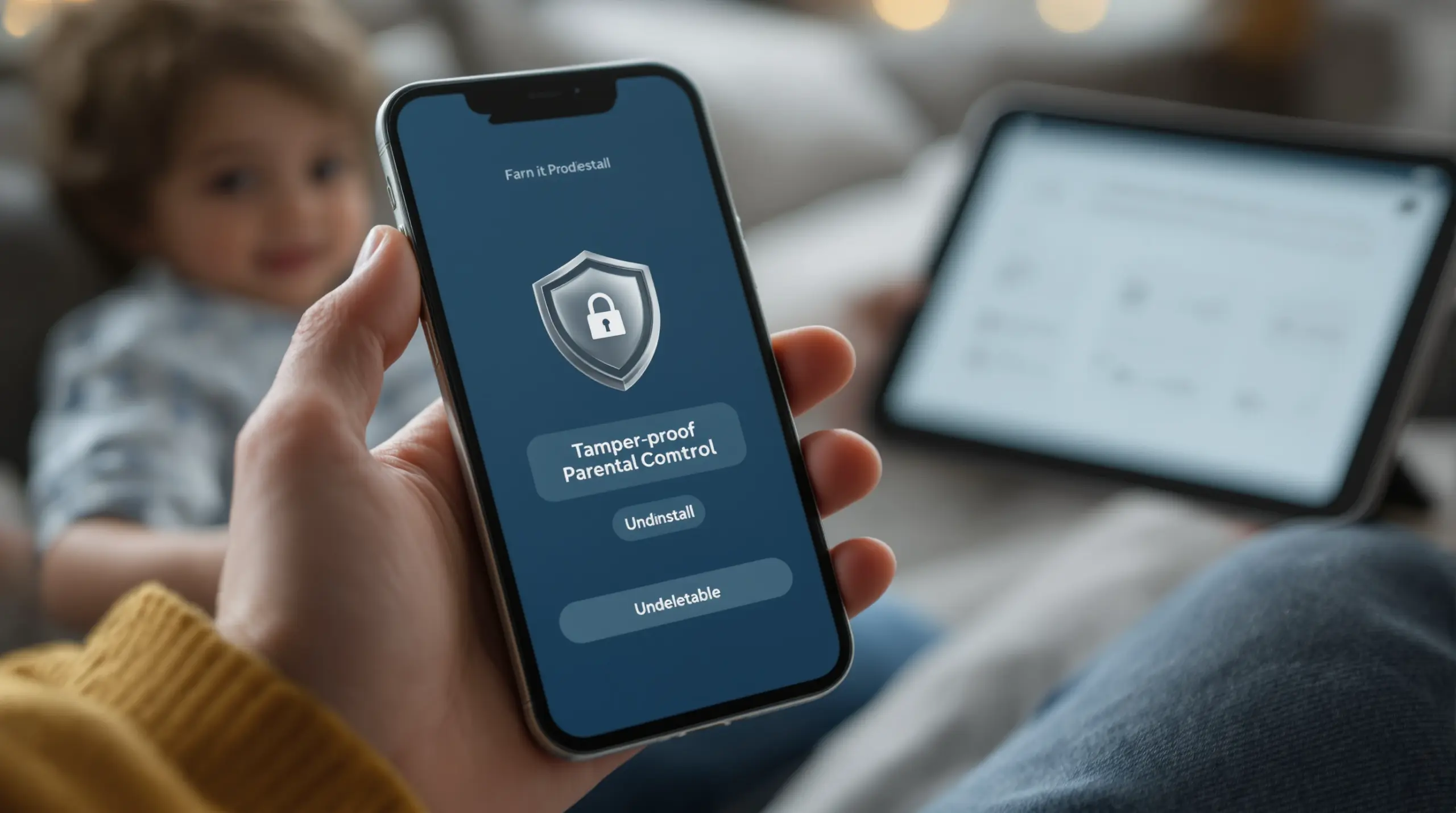
A parental control app that cant be deleted gives families reliable, tamper-proof protection – discover how uninstall protection works, why it matters, and how to choose the right solution for your child’s Android or iOS device.
Table of Contents
- What Is a Parental Control App That Can’t Be Deleted?
- Why Kids Try to Bypass Parental Controls
- Key Features That Make Controls Stick
- Choosing the Right Tamper-Proof Parental Control App
- Frequently Asked Questions
- Comparing Parental Control Approaches
- How Boomerang Parental Control Keeps Rules in Place
- Practical Tips for Parents
- The Bottom Line
- Sources & Citations
Article Snapshot
A parental control app that cant be deleted is a monitoring and restriction tool protected by uninstall locks, admin permissions, or device-level security that a child cannot remove without a parent’s PIN or password. These tamper-proof controls enforce screen time, content filters, and safety rules consistently, even when kids actively try to work around them.
By the Numbers
- 46% of U.S. parents say they are highly concerned about the amount of time their teen spends on screens (Pew Research Center, 2025)[1]
- 95% of U.S. teens ages 13 to 18 use a smartphone regularly (Common Sense Media, 2025)[2]
- 38% of parents worry their child can work around built-in device restrictions (National Center for Missing & Exploited Children, 2025)[3]
- 61% of U.S. parents say they use some form of parental control on their child’s device or account (National Center for Missing & Exploited Children, 2025)[3]
What Is a Parental Control App That Can’t Be Deleted?
A parental control app that cant be deleted is software that uses device-level permissions, administrator rights, or hardware-backed security to prevent a child from uninstalling or disabling it without a parent’s authorization. Boomerang Parental Control is built around exactly this principle – because rules that can be removed in 30 seconds aren’t really rules at all.
Standard apps on Android and iOS are deleted by anyone who has access to the device. A tamper-proof parental control app changes that by integrating with the operating system at a deeper level. On Android devices, this means claiming Device Administrator status, which requires a PIN or password to revoke before the app is uninstalled. On supported Samsung devices, it goes even further using Samsung Knox, an enterprise-grade mobile security framework that makes bypassing controls exceptionally difficult even for technically savvy teenagers.
START YOUR FREE TRIAL
Take control of screen time—free for 14 days, cancel anytime.




This distinction matters because children – especially pre-teens and teenagers – are highly motivated to find workarounds. Research from the National Center for Missing & Exploited Children found that 38% of parents worry their child can work around built-in device restrictions (National Center for Missing & Exploited Children, 2025)[3]. A parental control app with strong uninstall protection directly addresses that concern by removing the easy exit.
iOS devices present a more limited environment for third-party parental controls compared to Android. Apple’s platform restrictions mean that no third-party app claims the same deep system integration available on Android. On iOS, tamper protection takes the form of notification-only alerts when the app is removed, rather than active prevention. This is a meaningful platform difference every parent evaluating these tools should understand before purchasing.
For families setting up a child’s first smartphone or dealing with a teenager who has already defeated simpler solutions like Google Family Link or Apple Screen Time, understanding what “can’t be deleted” actually means in practice is the critical first step to choosing the right tool.
Why Kids Try to Bypass Parental Controls
Children and teenagers attempt to bypass parental controls for predictable, developmentally normal reasons – and understanding those reasons helps parents choose tools that address the root behavior rather than just the symptom.
The most common motivation is simply wanting more screen time than the rules allow. When a child is mid-game, mid-video, or mid-conversation with friends and the device locks, the immediate impulse is to find a way around the restriction. If the parental control app is uninstalled in a few taps, that option is explored quickly. This is why 46% of U.S. parents report high concern about the amount of time their teen spends on screens (Pew Research Center, 2025)[1] – the concern is real and widely shared.
Social pressure is another powerful driver, particularly for middle schoolers and high schoolers. When a child believes their friends have unrestricted access and they do not, the perceived unfairness becomes motivation to level the playing field by removing the restriction themselves. This dynamic is especially common when kids discover that some classmates have already bypassed Google Family Link or Apple Screen Time’s built-in controls.
Tech-savvy children also approach parental control apps as a puzzle. YouTube tutorials and online forums share bypass methods for popular apps, and a determined teenager finds step-by-step instructions for defeating basic controls. Apps that rely only on standard Android or iOS permission systems are particularly vulnerable because those methods are well documented online.
As the FTC Consumer Advice notes, “Families should review app permissions and account settings carefully, since children can sometimes bypass controls by changing device or account configurations” (FTC Consumer Advice, 2025)[4]. That guidance underscores why permission-only protection is insufficient – a child who knows to change account settings, factory reset the device, or use a secondary profile defeats controls that lack hardware-level or administrator-level enforcement.
Understanding this bypass behavior is not about assuming the worst of children. It is about choosing a tool that removes the temptation entirely, so the focus shifts from enforcement to the conversations about digital balance that actually build long-term healthy habits.
Common Bypass Methods Children Use
- Uninstalling the app directly from the app drawer or device settings before any PIN prompt appears in apps without administrator protection
- Factory resetting the device to wipe all restrictions and start fresh with a clean operating system
- Creating a secondary user account or guest profile on Android that bypasses the monitored primary account’s restrictions
Key Features That Make Controls Stick
Effective tamper-proof parental controls combine multiple layers of protection, each designed to close a different bypass route that children commonly exploit.
Device Administrator Rights are the baseline requirement for any parental control app that cant be deleted on Android. When an app is granted Device Administrator status, Android requires that status to be revoked – entering a PIN – before the app is uninstalled. This single layer stops casual deletion attempts immediately.
Samsung Knox Integration takes protection significantly further on supported Samsung devices. Knox is an enterprise mobile security framework pre-installed on most Samsung Galaxy smartphones and tablets. When a parental control app integrates with Knox, it enforces restrictions at a hardware level that persists even through software-level bypass attempts. This is the same security framework used by corporations to manage employee devices, now made accessible to families at a consumer price point.
Beyond uninstall protection, a comprehensive tamper-proof app includes strong screen time scheduling and daily limits that lock the device automatically – so the motivation to delete the app in the first place is reduced. When children know the device will unlock again tomorrow within set limits, the urgency to bypass controls decreases.
App approval and download blocking prevents new apps from being installed without parent authorization. This feature matters because 49% of parents say app approval or download blocking is an important parental control feature (Pew Research Center, 2025)[1]. An app that controls time but allows unrestricted app installation leaves a significant gap in protection.
Content filtering through a dedicated safe browser is another important layer. The SPIN Safe Browser blocks millions of inappropriate websites automatically on any network – home wifi, mobile data, or a friend’s network – without requiring a VPN or router configuration. This matters because a child who cannot uninstall the parental control app may still find content workarounds through the browser if web filtering is weak.
For Android devices specifically, YouTube App History Monitoring provides visibility into what children are actually watching and searching for in the YouTube app itself – a feature that platform-native tools and many third-party competitors do not offer. This closes a visibility gap that genuinely concerns parents, particularly as 44% of U.S. parents say they are highly concerned about what their teen does online (Pew Research Center, 2025)[1].
Finally, Call and Text Safety on Android monitors communication for inappropriate keywords and unknown contacts, surfacing potential cyberbullying or predatory contact before it escalates. Combined with location tracking and geofencing, these features transform a parental control app from a simple screen time limiter into a comprehensive child safety platform.
Choosing the Right Tamper-Proof Parental Control App
Selecting a parental control app that cant be deleted requires evaluating several practical factors beyond the marketing claims on a product’s homepage.
The first consideration is your child’s device platform. Android offers significantly deeper third-party integration than iOS, which means tamper-proof protection is more reliable on Android. If your family uses Samsung Galaxy devices, look specifically for apps that support Samsung Knox integration, as this provides the strongest available protection. For iOS, understand that no third-party app prevents its own uninstallation at the system level – the best available option is an app that alerts you immediately if it is removed.
“Parents continue to look for practical ways to manage children’s device use, especially as more family life, schoolwork, and entertainment move onto phones and tablets,” noted the Pew Research Center (Pew Research Center, 2025)[1]. That observation reflects the reality most families are navigating: the devices are not going away, so the controls need to be reliable.
The second factor is the age and technical sophistication of your child. A younger child (ages 8 to 12) is less likely to attempt sophisticated bypass methods, so Device Administrator protection combined with a PIN is sufficient. For teenagers – particularly those who have already defeated Google Family Link or Apple Screen Time – you need Knox-level protection or equivalent hardware-backed enforcement on Android.
Consider whether the app combines prevention with visibility. Pure restriction tools tell you nothing about what your child is doing; pure monitoring tools tell you what happened but do not prevent it. The most effective approach for most families combines automated time limits and content filtering with meaningful visibility into usage patterns, viewing history, and communication safety.
Ease of setup matters, particularly for non-technical parents. An app that requires complex configuration or daily manual adjustments is one that gets abandoned, leaving children without protection. Look for apps with guided setup, automated scheduling, and daily summary reports delivered by email so you stay informed without needing to log in constantly.
Price structure is also worth examining. Annual subscriptions vary significantly between providers. Some apps charge per device; others offer family packs covering multiple child devices. For families with more than one child, a family plan offers better value and consistent protection across all devices in the household.
Finally, check independent reviews before committing. Third-party assessments from sources like TechRadar’s Boomerang Parental Control review and SafeWise’s Boomerang review provide honest evaluations of how these apps perform in real-world conditions, including whether the uninstall protection holds up under determined attempts.
Your Most Common Questions
Can a child really not delete a parental control app that uses Device Administrator rights?
On Android, a parental control app that claims Device Administrator status cannot be uninstalled through the normal app management process without first revoking that status – which requires entering a parent’s PIN or password. This stops most deletion attempts because the standard uninstall path does not work. However, determined children attempt workarounds such as factory resetting the device, which wipes everything including the parental controls. Apps that integrate with Samsung Knox add a second layer of protection that makes even factory reset-based bypasses significantly harder on supported Samsung devices. On iOS, the situation is different: Apple’s platform does not permit third-party apps to claim the same level of system integration, so parental control apps on iPhone and iPad offer notification-only alerts when removed rather than active prevention. For the strongest tamper-proof protection available today, an Android device with a Knox-compatible parental control app is the most reliable combination a family chooses.
Does a parental control app that cant be deleted work on both Android and iOS?
Tamper-proof protection works much more effectively on Android than on iOS, and families should understand this difference before purchasing. On Android, third-party apps claim Device Administrator status and, on Samsung devices, integrate with Samsung Knox – both of which create genuine barriers to uninstallation. On iOS, Apple’s App Store policies and platform restrictions prevent third-party apps from accessing the same system-level permissions. This means that parental control apps on iOS rely on Apple’s own Screen Time framework for core restrictions and send you a notification if they are removed – they cannot actively prevent it. Many parental control providers, including Boomerang, support both platforms, but with an explicit Android-first approach that reflects where the deeper protections are technically possible. If tamper-proof uninstall protection is your primary requirement, Android is the right platform for your child’s device.
What is Samsung Knox and why does it matter for parental controls?
Samsung Knox is an enterprise-grade mobile security framework built directly into the hardware and software of most Samsung Galaxy smartphones and tablets. It was originally designed to help corporations secure employee devices, but it is available on consumer Samsung devices as well. When a parental control app integrates with Knox, it gains access to security enforcement capabilities that operate below the standard Android operating system layer – meaning restrictions enforced through Knox are significantly harder to bypass than those enforced through standard Android permissions alone. For parents of tech-savvy teenagers who have already defeated simpler controls, Knox integration is a meaningful differentiator. It makes the parental control app genuinely difficult to remove or work around, even for children who know standard bypass methods. Not all parental control apps support Knox integration; it requires a specific development partnership with Samsung. For families using Samsung Galaxy devices, choosing an app that explicitly supports Knox is one of the strongest steps you take toward protection that actually sticks.
Should I tell my child that I’ve installed a parental control app that cant be deleted?
Most child development guidance and digital safety organizations recommend transparency with children about parental monitoring tools – particularly for pre-teens and teenagers. Telling your child that a parental control app is installed, explaining what it monitors, and discussing why those limits are in place produces better long-term outcomes than covert surveillance. As Common Sense Media notes, “Children and teens need more than just limits; families also need ongoing conversations and shared expectations about healthy device use” (Common Sense Media, 2025)[2]. Transparency does not undermine the effectiveness of tamper-proof protection – in fact, knowing that the app cannot be removed reduces the motivation to try. The goal of uninstall protection is not to deceive children but to remove the easy exit so that rules are respected consistently. Framing the app as a household rule – similar to curfews or homework expectations – rather than as surveillance reduces conflict and builds the kind of trust that supports healthier digital habits over time.
Comparing Parental Control Approaches
Not all parental control tools offer the same level of tamper resistance or feature depth. The table below compares four common approaches families consider, focusing on the protection and visibility features that matter most when choosing a solution that sticks.
| Approach | Uninstall Protection | Android Deep Features | iOS Support | Best For |
|---|---|---|---|---|
| Built-in tools (Google Family Link, Apple Screen Time) | Minimal – easily bypassed by tech-savvy kids | Basic app limits and screen time scheduling only | Native integration on iPhone/iPad | Younger children, low-risk environments |
| Monitoring-only apps (e.g., Bark) | None – focus is on alerts, not prevention | Risk detection and keyword alerts | Supported with limitations | Older teens where trust-based monitoring is the priority |
| Third-party apps without Knox (e.g., most standard apps) | Device Administrator PIN required; factory reset defeats it | Screen time, app blocking, web filtering | Notification-only tamper alerts | Families wanting more than built-in tools |
| Boomerang Parental Control with Knox (Android) | Strong – Knox integration resists bypass even from tech-savvy teens[3] | YouTube history, per-app limits, Call & Text Safety, Encouraged Apps | Screen time scheduling and location tracking; notification-only tamper alerts | Families with Android devices needing comprehensive, tamper-proof control |
How Boomerang Parental Control Keeps Rules in Place
Boomerang Parental Control – Taking the battle out of screen time for Android and iOS is built specifically for families who need protection that a determined child cannot simply delete. Our platform combines uninstall protection, Samsung Knox integration on supported devices, and a comprehensive feature set that addresses both screen time management and online safety in one place.
For Android devices, Boomerang offers the deepest available tamper protection. On Samsung Galaxy smartphones and tablets, our Knox integration means that parental control rules are enforced at a hardware-backed security level – the same framework enterprises use to secure employee devices, now available to families. You can read more about how this works on our dedicated Boomerang Parental Control Samsung Knox information page.
Beyond uninstall protection, our Boomerang Parental Control screen time features allow you to set daily time limits and automatic bedtime locks that enforce themselves without you having to police the device. You can designate educational apps as “Encouraged” so they remain available even when entertainment screen time runs out, rewarding healthy habits rather than just restricting them.
On Android, Boomerang also provides YouTube App History Monitoring so you can see exactly what your child is searching for and watching – not just what apps they use. Call and Text Safety monitors for inappropriate keywords in messages and alerts you to unknown contacts, helping you spot early signs of cyberbullying or unwanted communication. Location Tracking with Geofencing gives you passive confirmation that your child arrived safely at school or a friend’s house without requiring them to remember to text you.
“So far this the best parental control app .. hands down. So far the only app my 11 year old was not able to bypass. Big Shout out to developers for making such a great app.” – Jason H, Google Play review
“I have control back over my child’s phone and applications because she managed to circumvent family link. I have no idea how she did that but she managed to find a way, as did other kids. That was a major frustration for us. But now with Boomerang, I can manage her time, what applications she uses and what sites she visits.” – Joe Eagles, Google Play review
For new device setups, pairing Boomerang with the SPIN Safe Browser provides automatic web filtering and SafeSearch enforcement from the first launch – no VPN, no router configuration, and no technical expertise required. Both apps are available through the sideload download page for Android devices and through the Google Play Store and Apple App Store.
Practical Tips for Parents
Setting up a parental control app that cant be deleted is only the first step. These practical strategies will help you get the most out of tamper-proof parental controls while building the digital habits that serve your child long-term.
Set up protection before handing over the device. The easiest time to install and configure a parental control app is before your child ever uses the device. Once a child has had unrestricted access, removing that access creates more conflict than establishing limits from day one. If you are setting up a first smartphone for a pre-teen, installing Boomerang and SPIN Safe Browser before the phone enters your child’s hands establishes expectations from the start.
Use PIN protection on the parental app itself. Choose a PIN that your child cannot guess – not a birthday or a number they have seen you use. Combine this with Device Administrator rights and, where applicable, Knox integration so that even if a child discovers the PIN approach, the hardware-level protection remains active.
Take advantage of Encouraged Apps. Rather than framing parental controls as pure restriction, use the Encouraged Apps feature to designate educational, health, or school-related apps as always available. This shifts the dynamic from punishment to guided balance, which reduces conflict and teaches children that technology has appropriate and inappropriate uses – a distinction worth building early.
Review daily activity reports. Boomerang sends daily email summaries of device activity. Making a habit of reviewing these reports – even briefly – keeps you informed without requiring you to interrogate your child about their screen use. If you notice a pattern worth discussing, you have factual information to ground the conversation.
Pair controls with conversation. The American Academy of Pediatrics advises that “the goal is not simply to reduce screen time, but to help families create a balanced media plan that supports sleep, school, physical activity, and relationships” (American Academy of Pediatrics, 2025)[5]. Tamper-proof controls enforce the boundaries; regular conversations about why those boundaries exist are what build genuine self-regulation over time.
Revisit settings as your child grows. A configuration that works for a 10-year-old is too restrictive for a 14-year-old who has demonstrated trustworthy behavior. Treat parental controls as a living system that evolves with your child’s maturity, gradually relaxing limits as trust is earned. This approach positions you as a partner in their digital development rather than an adversary.
The Bottom Line
A parental control app that cant be deleted is the foundation of reliable digital safety for families with children on Android devices. Basic restrictions that a motivated child removes in minutes provide a false sense of security – the protection disappears exactly when it is needed most.
Tamper-proof controls, particularly those backed by Samsung Knox on Android, close the bypass routes that tech-savvy kids use to defeat simpler solutions. Combined with automated screen time scheduling, content filtering, YouTube monitoring, and location tracking, they give you the comprehensive oversight and peace of mind that parenting in a connected world requires.
The goal is not to control every moment of your child’s digital life forever – it is to establish the boundaries and visibility that support healthy habits while they are still developing the judgment to manage technology responsibly on their own.
Ready to put protection in place that actually sticks? Visit useboomerang.com or contact us at [email protected] to get started with Boomerang Parental Control today.
Sources & Citations
- Teens, Social Media and Technology 2025. Pew Research Center.
https://www.pewresearch.org/ - Common Sense Media resources on screen time and digital wellbeing. Common Sense Media.
https://www.commonsensemedia.org/ - Online safety and parental guidance resources. National Center for Missing & Exploited Children.
https://www.missingkids.org/ - Parental controls and child online privacy guidance. FTC Consumer Advice.
https://consumer.ftc.gov/ - Family Media Plan guidance. American Academy of Pediatrics.
https://www.healthychildren.org/English/media/Pages/default.aspx
START YOUR FREE TRIAL
Take control of screen time—free for 14 days, cancel anytime.
