
20
May
2026
Best Geofencing App for Parents in 2025
May 20, 2026
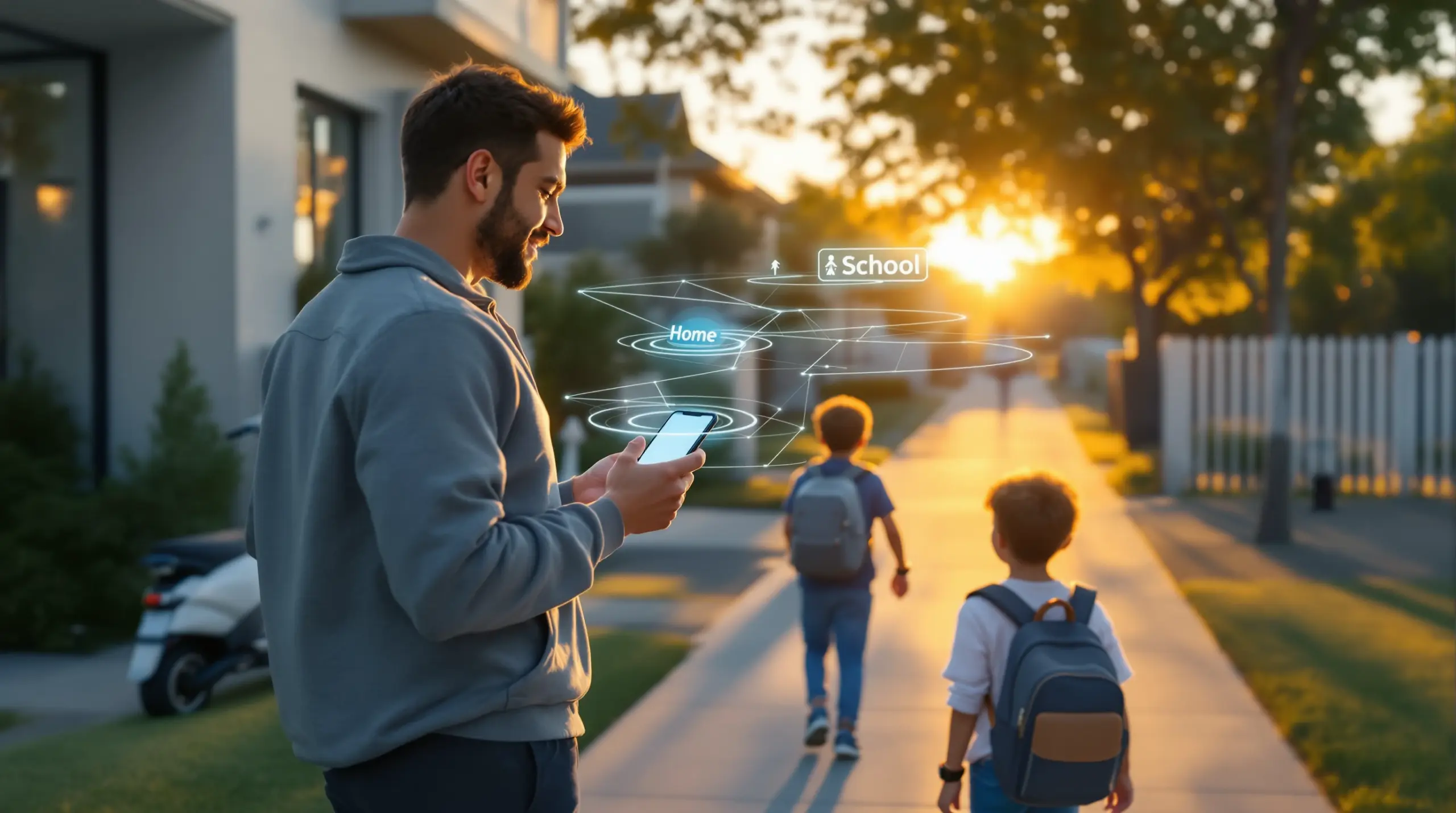
A geofencing app for parents creates automatic location alerts when your child arrives at or leaves a set area – discover how to choose the right tool for your family’s safety needs.
Table of Contents
- What Is a Geofencing App for Parents?
- How Geofencing Works on Your Child’s Device
- Key Features to Look for in a Family Geofencing App
- Balancing Privacy, Trust, and Location Monitoring
- Frequently Asked Questions
- Geofencing Approach Comparison
- How Boomerang Parental Control Handles Geofencing
- Practical Tips for Using Location Alerts Effectively
- The Bottom Line
- Sources & Citations
Article Snapshot
A geofencing app for parents is a digital tool that draws virtual boundaries around physical locations and sends automatic alerts when a child’s device enters or exits those zones. It removes the need for constant check-in calls and supports family safety alongside broader parental controls like screen time limits and content filtering.
Market Snapshot
- 46% of U.S. teens say they are online almost constantly (Pew Research Center, 2024)[1]
- 79% of U.S. parents say it is harder to parent today than it was 20 years ago because of digital technology and social media (Pew Research Center, 2024)[1]
- 50% of U.S. parents have used parental controls on their teen’s phone (Pew Research Center, 2024)[1]
- 88% of parents say their child is allowed to use a smartphone by age 12 (Common Sense Media, 2023)[2]
What Is a Geofencing App for Parents?
A geofencing app for parents is a location-based safety tool that sets invisible digital boundaries around real-world places – your child’s school, your home, a friend’s house, or a sports field – and automatically notifies you the moment your child’s device crosses those boundaries. Boomerang Parental Control includes built-in geofencing as part of a broader suite of family safety features, making it one of the more complete options available for Android devices.
Unlike a live tracking map that demands you stare at a screen, geofencing works passively in the background. You define the zones once, and the app takes over from there. Whether your child is heading to school on their own for the first time or spending the afternoon at a friend’s place, you receive an alert at the moment they arrive or leave – without any action required on your part or theirs.
START YOUR FREE TRIAL
Take control of screen time—free for 14 days, cancel anytime.




This passive approach to child location monitoring addresses one of the most common frustrations parents face: the exhausting cycle of reminder texts and unanswered calls. When 88% of parents allow their child to use a smartphone by age 12 (Common Sense Media, 2023)[2], the question of where that child and their phone are becomes an everyday concern. Geofencing turns that concern into a manageable, automated process.
The technology relies on GPS signals, cell tower triangulation, and in some cases Wi-Fi positioning to determine device location. When a device crosses a boundary you have drawn, the app triggers a push notification to your phone. The accuracy of those alerts depends on the quality of the GPS hardware in your child’s device and the strength of the signal in that area, but for most everyday situations – school drop-off, after-school activities, arriving home – the precision is more than sufficient.
For parents handing a child their first Android smartphone, setting up geofencing around school and home is one of the most practical first steps you can take. It establishes a safety baseline from day one and gives both of you a clear, agreed-upon system for staying connected without constant interruption.
How Geofencing Works on Your Child’s Device
Geofencing for families operates through a combination of device-side location services and cloud-based monitoring, turning a child’s phone into a passive safety check-in system. Understanding the mechanics helps you set realistic expectations about accuracy, battery use, and what to do when alerts don’t come through as expected.
When you install a parental geofencing app on your child’s Android or iOS device, the app requests access to location services. On Android, this means background location access – permission for the app to monitor the device’s position even when the app itself is not open. This is the permission that makes reliable geofencing possible. Without it, the app can only detect location when actively in use, which defeats the purpose of automatic boundary alerts.
Once location access is granted, you set up your zones through the parent dashboard. You search for an address or drop a pin on a map, then draw a circle around it – most apps let you adjust the radius, anywhere from a few hundred feet to a mile or more. The wider the zone, the earlier and more reliably you receive an alert, but you lose some precision. A tighter zone around a school building gives you more accurate arrival and departure times but may occasionally miss an alert if GPS signal is weak.
ConnectSafely online safety educators note that “geofencing can help parents create useful arrival and departure alerts for school, home, or activities, but it should be paired with conversations about trust and privacy.” (ConnectSafely, 2025)[3] That combination of technology and conversation is what makes geofencing work as a family tool rather than just a surveillance mechanism.
On the technical side, frequent location polling does use battery. Most modern parental control apps optimize this by using a combination of GPS and network-based positioning, reducing the drain to a level most families find acceptable. On Android devices, Boomerang’s location tracking includes up to 30 days of location history, so you can review where your child has been over time – not just receive real-time alerts.
iOS geofencing works similarly in principle, but Apple’s tighter restrictions on background app activity mean some features available on Android are more limited on iPhone. Parents managing iOS devices should confirm which specific location features are supported before choosing an app.
Key Features to Look for in a Family Geofencing App
The best family location alert apps do more than drop a pin on a map – they combine geofencing with the broader set of controls parents actually need to manage a child’s device safely and confidently. When you’re comparing options, these are the features that separate genuinely useful tools from basic trackers.
Arrival and departure alerts: This is the foundation of any geofencing tool. You should receive a push notification when your child enters and leaves each zone you create. Look for apps that let you name each zone (School, Home, Grandma’s House) so alerts are immediately clear without decoding coordinates.
Multiple zone support: Your child doesn’t move between only two locations. A good app lets you set up several geofences simultaneously – school, home, after-school program, a sports field – and manages alerts for all of them at once. Boomerang Parental Control’s screen time features work alongside location tools so the same app handles both scheduling and safety in one place.
Location history: Real-time location is useful in a moment of concern, but location history lets you understand your child’s regular patterns. If your child says they were at the library after school, a 30-day history log gives you the context to have that conversation from a position of knowledge rather than guesswork.
Integration with screen time controls: A standalone location tracker solves one problem. An app that combines geofencing with app limits, content filtering, and daily screen time schedules solves the full picture of what parents managing a child’s device actually face. When 79% of U.S. parents say technology has made parenting harder (Pew Research Center, 2024)[1], having all your controls in a single platform matters.
Tamper resistance: A child who can simply disable location permissions or uninstall the app defeats the purpose of geofencing entirely. On Android, Boomerang’s Samsung Knox integration makes the app exceptionally difficult to remove or bypass – a significant advantage over apps that rely solely on operating system permissions that a determined teenager can turn off in seconds.
Cross-device parent dashboard: You need to be able to review location data, set or adjust geofences, and receive alerts from your own phone – not only from a desktop browser. A well-designed parent app makes these tasks quick enough to manage between meetings or during a school pickup.
Balancing Privacy, Trust, and Location Monitoring
Geofencing raises legitimate questions about privacy, and addressing those questions honestly is part of using any location-monitoring tool responsibly. The goal of a geofencing app for parents is to provide safety assurance – not to build a surveillance record of every movement your child makes throughout the day.
Jennifer King, a privacy and data policy expert at Stanford University, makes the stakes clear: “Location data can reveal an intimate picture of a family’s routines, so products that track children should be designed with strict limits on data collection, sharing, and retention.” (Stanford Center for Internet and Society, 2025)[4] When choosing an app, review the provider’s privacy policy to understand exactly what location data is stored, for how long, and whether it is shared with third parties.
Beyond data policy, there is the equally important question of how you talk to your child about being monitored. Devorah Heitner, author and digital parenting expert, puts it plainly: “Families do better when location sharing is framed as safety and coordination, not as a way to surveil children all day.” (Devorah Heitner, 2025)[5] That framing shift – from surveillance to safety – changes the dynamic significantly. When a child understands that a geofence alert is about confirming they arrived safely, not about tracking their every move, the tool feels less like a punishment and more like a sensible family agreement.
For younger children getting their first device, this conversation is relatively straightforward. For teenagers, it requires more nuance. Acknowledging that location sharing involves a trade-off – some privacy in exchange for greater independence – tends to land better than a unilateral announcement that their phone will be monitored. Giving teens input on which zones are set up and agreeing on what triggers a follow-up conversation builds the kind of trust that makes the whole system work.
Practically speaking, you can use geofencing as a starting point for gradually loosening restrictions as a child earns trust. When a teen consistently arrives at school on time and comes home when expected, that track record becomes the basis for extending other freedoms. The location history feature in apps like Boomerang Parental Control supports exactly this kind of evidence-based trust-building, giving you data to refer to rather than relying on memory or assumption.
The 60% of U.S. parents who say they are at least somewhat worried about their teen spending too much time on social media (Pew Research Center, 2024)[1] are dealing with a set of concerns that geofencing alone won’t solve. Physical location safety and digital behavior safety are related but distinct, and the most effective approach addresses both through a combination of tools and ongoing family conversation.
Your Most Common Questions
Does a geofencing app for parents work on both Android and iPhone?
Most geofencing apps for parents support both Android and iOS in principle, but the depth of features differs significantly between platforms. Android gives developers broader access to background location services, which results in more reliable and consistent alerts. On iOS, Apple’s restrictions on background app activity mean some apps deliver less precise or less timely geofencing notifications compared to their Android versions. Boomerang Parental Control supports both Android and iOS, but its location tracking and geofencing features are strongest on Android devices. If your child uses an Android phone or tablet, you’ll get the full range of location features including real-time tracking, geofence alerts, and up to 30 days of location history. iOS support covers core location features, but some advanced controls are Android-only. If you’re comparing options and your child has an Android device, prioritize apps that are built with Android as their primary platform rather than treating both operating systems as equal afterthoughts.
Can my child turn off the geofencing or disable location sharing?
This is one of the most practical questions parents ask, and the answer depends entirely on which app you use. Many basic location-sharing apps rely solely on operating system location permissions, which a determined child – especially a tech-savvy teenager – can simply turn off in the device settings, immediately disabling all location alerts without the parent knowing why they stopped. Apps that pair geofencing with tamper-resistant protection address this gap directly. On Android, Boomerang Parental Control uses Uninstall Protection and, on supported Samsung devices, Samsung Knox integration to prevent children from removing or disabling the app without the parent’s PIN. This makes it significantly harder for a teen to bypass location monitoring by uninstalling the app or revoking permissions through device settings. On iOS, the protection model is different – Apple’s own system limits what third-party apps can enforce – so parents of iPhone-using children should understand that iOS controls are less tamper-proof than Android equivalents. For families where bypassing controls has already been a problem, an Android device with a Knox-integrated parental control app offers the most reliable solution.
How many geofence zones can I set up, and how accurate are the alerts?
The number of zones you can set up varies by app and subscription tier, but most full-featured parental control apps allow multiple simultaneous geofences – enough to cover the locations that matter most: home, school, a grandparent’s house, an after-school activity venue. Accuracy depends on two main factors: the GPS hardware in your child’s device and the signal environment around the location. In open areas with clear sky visibility, GPS accuracy falls within a few dozen feet, making school arrival and departure alerts very reliable. In dense urban environments or inside large buildings, signal bounces or weakens, which sometimes causes a brief delay in alerts or slightly less precise boundary detection. Setting your geofence radius generously – say, 300 to 500 feet around a school entrance rather than a tight circle around the front door – improves alert reliability without meaningfully sacrificing usefulness. Most parents find that a small radius makes intuitive sense on the map but produces frustrating missed alerts in practice. Starting with a wider zone and adjusting based on experience is the recommended approach. Boomerang Parental Control lets you set and adjust zones through the parent dashboard, and alerts are delivered as push notifications to your phone in real time.
Is geofencing enough on its own, or do I need a full parental control app?
Geofencing answers one specific question: where is my child right now, and did they arrive where they were supposed to go? It does not tell you what they are doing on their device, what content they are accessing, which apps they are using, or how long they have been on their phone. For most parents, physical location safety is only one part of what they need to manage. A standalone location tracker leaves the digital side of your child’s life completely unmonitored. A full parental control app combines geofencing with screen time scheduling, app management, content filtering, and – on Android – features like YouTube App History Monitoring and Call and Text Safety. That combination means you are not managing a collection of separate tools but one platform that handles both where your child is and what they are doing online. Common Sense Media editors note that digital tools are most effective when they are part of a broader approach to age-appropriate independence and safety (Common Sense Media, 2025). Boomerang Parental Control is designed exactly this way – geofencing is one feature within a broader safety and screen time management platform, not a standalone product. For parents who want comprehensive oversight without juggling multiple apps, that integrated approach is considerably more practical.
Geofencing Approach Comparison
Parents choosing a family location monitoring solution face four main approaches, each with different levels of control, reliability, and integration with broader parental oversight tools. The table below compares them across the factors that matter most in everyday use.
| Approach | Geofencing Alerts | Tamper Resistance | Screen Time Integration | Best For |
|---|---|---|---|---|
| Dedicated parental control app (e.g., Boomerang) | Yes – arrival and departure alerts, location history | High on Android (Knox on Samsung)[1] | Full integration – scheduling, app limits, content filtering | Families wanting one platform for safety and screen time |
| Built-in OS tools (Google Family Link, Apple Screen Time) | Basic or limited | Low – child can disable in settings | Basic screen time controls only | Simple oversight on a first device with low bypass risk |
| Standalone location tracker app | Yes – dedicated to location only | Low to medium | None – location only | Parents who only need location, not digital oversight |
| No parental monitoring tool | None | N/A | None | Not recommended for children under 13 with unsupervised devices |
How Boomerang Parental Control Handles Geofencing
Boomerang Parental Control builds geofencing and real-time location tracking into the same platform that manages screen time, app approvals, and content filtering – giving parents a single dashboard for their child’s physical and digital safety. For Android devices, this integration is especially complete.
From the parent app, you can see your child’s current location on a map, review up to 30 days of location history, and set up named geofences around any address. When your child’s device enters or leaves a zone, you receive an instant push notification on your phone. There is no need to open the app and check manually – the alert comes to you.
What sets Boomerang apart from standalone location trackers is the combination with its other Android features. The Boomerang app for Android devices brings uninstall protection, Samsung Knox integration on supported devices, call and text safety monitoring, YouTube App History Monitoring, and per-app time limits – all alongside geofencing. You are not managing five separate tools. One app handles the full picture.
“These guys have been great to work with. Support helps when I need it. The app works great in conjunction with Family Link. They’re doing it for a great price in a complex security environment. This doesn’t replace parenting or rules – but it enhances your abilities.” – Matt Schiefelbein, Google Play review
“Hey fellow parents, So far this the best parental control app .. hands down. So far the only app my 11 year old was not able to bypass. Big Shout out to developers for making such a great app.” – Jason H, Google Play review
Boomerang supports Android devices through Google Play and via direct download for non-Samsung devices. iOS support is available for parent devices and for limited child device features including scheduled screen time and location tracking. For families with Android child devices looking for the most complete combination of location monitoring and device management, Boomerang is a practical, affordable choice. Subscriptions are available annually for a single device or as a Family Pack covering up to 10 child devices. Contact us at [email protected] or visit our contact page for questions before you get started.
Practical Tips for Using Location Alerts Effectively
Getting the most out of a geofencing app for parents means more than switching it on and waiting for alerts. These practical steps help you use location monitoring in a way that actually improves family safety and trust.
Start with the locations that matter most. Set up geofences for school, home, and any regular after-school location first. Once those are running reliably, you can add additional zones. Starting simple reduces alert fatigue and helps you calibrate the radius before expanding.
Set your zone radius generously at first. A 400 to 500-foot radius around a school entrance produces more reliable alerts than a tight 100-foot boundary. GPS accuracy in suburban and urban environments varies, and a slightly wider zone compensates for that variation without losing meaningful information about when your child arrived.
Have the conversation before you set it up. Telling your child that you are setting up location alerts before you do it – and explaining why – builds trust more effectively than them discovering it later. Frame it as a safety tool that lets them have more independence, not a way to monitor their every move. Research supports this approach to digital family coordination.
Use location history to support trust, not just to catch problems. When your child builds a reliable track record of being where they said they would be, that history is the evidence you need to gradually extend more independence. Review it together occasionally rather than only pulling it out when something goes wrong.
Pair geofencing with SPIN Safe Browser for a complete first-device setup. Physical location safety and online content safety go hand in hand, especially for pre-teens using their first device. SPIN Safe Browser works on any network without requiring a VPN or router configuration, giving you safe browsing protection wherever your child’s device connects.
Check your notification settings. Geofencing alerts are only useful if they reach you promptly. Confirm that push notifications from your parental control app are not blocked by your phone’s Do Not Disturb settings or battery optimization features, which can delay or suppress alerts on some Android devices.
Review third-party reviews before committing. Independent assessments like the Boomerang review on TechRadar and the Boomerang review on SafeWise give you an outside perspective on how the app performs in real-world use before you invest in a subscription.
The Bottom Line
A geofencing app for parents removes one of the most persistent low-level anxieties of raising a child with a phone: not knowing whether they got where they were going. Automatic arrival and departure alerts replace the constant check-in texts and unanswered calls with a passive, reliable system that works in the background of your day.
The most effective approach combines geofencing with a broader set of parental controls – screen time scheduling, app management, content filtering, and tamper-resistant uninstall protection – so you are not managing your child’s physical safety and digital safety with separate tools. For Android households in particular, Boomerang Parental Control brings all of these features into one platform, with Samsung Knox integration making it significantly harder for tech-savvy kids to bypass the controls you set.
If you are ready to set up geofencing and screen time controls on your child’s Android device, visit Boomerang Parental Control to get started, or email [email protected] with any questions about which plan fits your family.
Sources & Citations
- Teens, Social Media and Technology 2024. Pew Research Center.
https://www.pewresearch.org/internet/2024/10/09/teens-social-media-and-technology-2024/ - The Common Sense Census: Media Use by Tweens and Teens. Common Sense Media.
https://www.commonsensemedia.org/research/the-common-sense-census-media-use-by-tweens-and-teens-2021 - Family safety and location-sharing guidance. ConnectSafely.
https://www.connectsafely.org/ - Center for Internet and Society research on location privacy and family tracking. Stanford University.
https://cyberlaw.stanford.edu/ - Digital parenting guidance on location sharing and teen autonomy. Devorah Heitner.
https://devorahheitner.com/
START YOUR FREE TRIAL
Take control of screen time—free for 14 days, cancel anytime.
