
21
May
2026
Best Kids Phone Tracker App for Family Safety
May 21, 2026
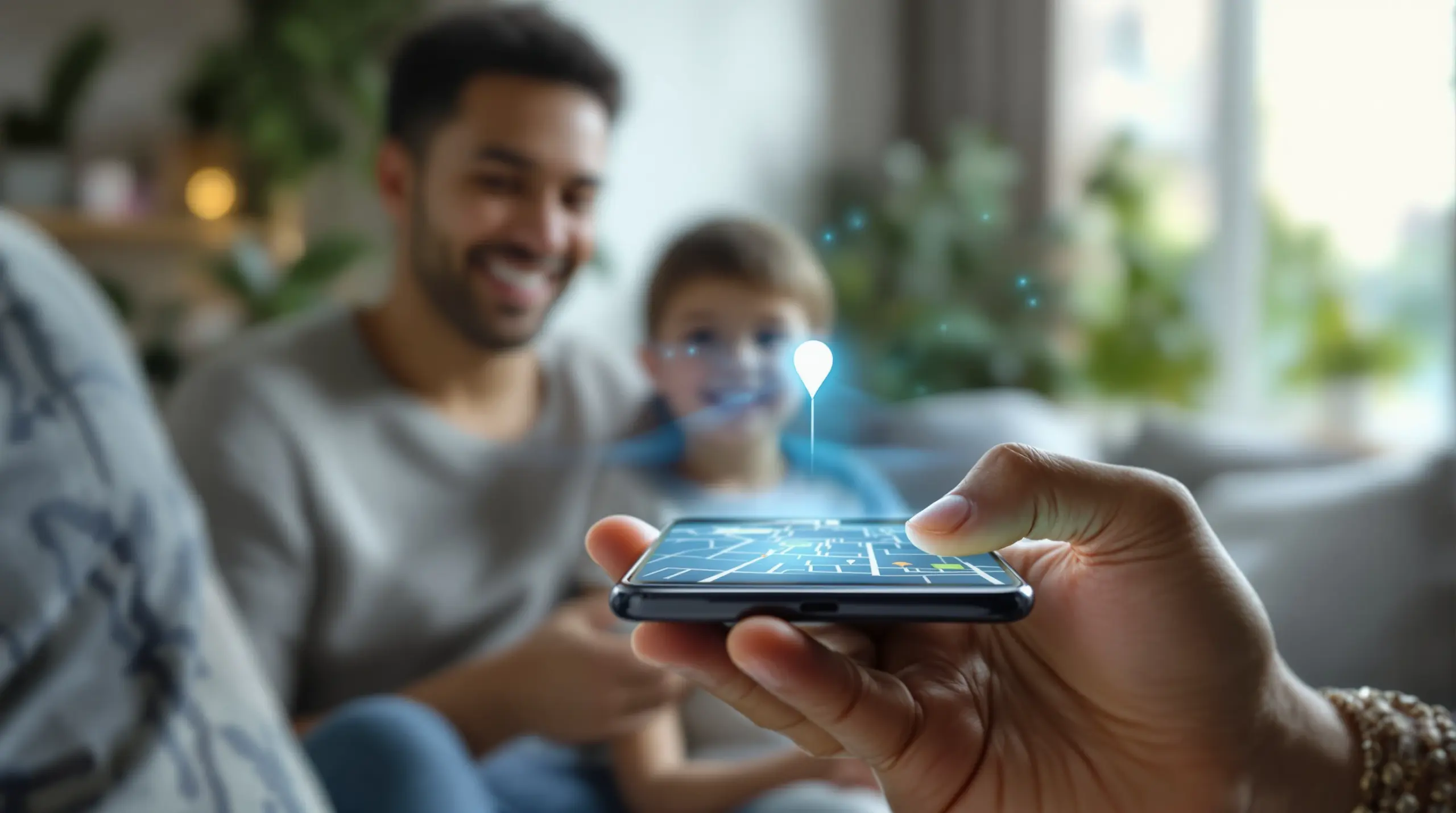
A kids phone tracker app gives parents real-time visibility into their child’s location and digital activity – discover how to choose the right solution for your family’s safety and peace of mind.
Table of Contents
- What Is a Kids Phone Tracker App?
- Key Features to Look For
- Android vs. iOS: What Parents Need to Know
- Why Kids Bypass Tracking Apps – and How to Stop It
- Frequently Asked Questions
- Comparison: Kids Phone Tracker App Approaches
- How Boomerang Parental Control Helps Your Family
- Practical Tips for Parents
- The Bottom Line
- Sources & Citations
Article Snapshot
A kids phone tracker app is a mobile safety tool that lets parents monitor their child’s real-time location, digital activity, and device usage from a separate device. The right app combines GPS location tracking, geofencing alerts, screen time controls, and content filtering to keep children safe both online and offline.
What Is a Kids Phone Tracker App?
A kids phone tracker app is a dedicated parental monitoring tool installed on a child’s mobile device that reports location, usage patterns, and online activity to a parent’s device in real time. Unlike simple GPS trackers, modern child monitoring apps layer digital safety features on top of location tracking – combining screen time management, app controls, content filtering, and communication monitoring into a single platform. Boomerang Parental Control, available for both Android and iOS devices, is one such solution designed to give families comprehensive visibility and practical daily control without requiring technical expertise.
The core value of a child location tracking app is passive safety awareness. Parents receive automatic alerts when their child arrives at school, leaves a designated area, or stays out longer than expected – all without relying on the child to remember to check in. For many families, this passive confirmation replaces dozens of anxious phone calls each week.
START YOUR FREE TRIAL
Take control of screen time—free for 14 days, cancel anytime.




Modern family tracking apps also address the digital side of childhood safety. A child’s phone is their window to the internet, their social life, and their entertainment. A well-designed kids phone tracker app connects location awareness with visibility into what children are doing on their devices – closing the gap between physical safety and online safety in one tool.
Understanding what you actually need from a tracking app is the right starting point. Families with younger children starting on their first smartphone prioritize app approval controls and content filtering. Parents of teenagers focus on location transparency and tools that cannot be easily bypassed. Knowing your specific situation helps you select the features that matter most.
Key Features to Look For in a Child Monitoring App
Effective child monitoring apps share a core set of features that distinguish them from basic free tools, and understanding these capabilities helps parents make informed decisions before downloading anything.
Real-Time Location Tracking and Geofencing
Real-time GPS tracking shows a parent exactly where their child’s device is at any given moment. Geofencing takes this a step further by letting you draw a virtual boundary around a specific location – school, home, a sports field, or a friend’s house – and automatically sending you an alert when your child arrives or leaves. This eliminates the need for constant check-in calls and gives parents passive confirmation of their child’s whereabouts throughout the day.
Location history is equally useful. Being able to review the last 24 to 30 days of location data helps parents spot patterns or address concerns without confrontational conversations. A reliable family location tracking feature runs in the background without draining the device battery or requiring any action from the child.
Screen Time Controls and Daily Limits
One of the most practical features in any Boomerang Parental Control – screen time features platform is automated screen time scheduling. Rather than asking your child to put the phone down every evening, scheduled downtime automatically locks the device at bedtime, during homework hours, or at the dinner table. On Android devices, Boomerang also supports per-app daily limits – so a gaming app gets 30 minutes while a homework app runs without restriction.
The ability to designate certain apps as “Encouraged” is a meaningful differentiator. Educational apps, fitness trackers, and communication tools used for school are marked as always available, even after a child’s daily entertainment time has expired. This approach guides children toward balanced digital habits rather than pure restriction.
App Approval and Content Filtering
Proactive app approval control is particularly important when setting up a child’s first device. A mobile parental control app that requires parent sign-off before any new app is installed prevents children from downloading risky games, social media platforms, or apps with inappropriate content before a parent even knows they exist. Combined with strong web content filtering and enforced SafeSearch, this creates a layered defense that works from day one.
Content filtering works across all networks – home wifi, school networks, and mobile data – without requiring a VPN or router configuration. SPIN Safe Browser – Safe web browsing for Boomerang Parental Control is built specifically to deliver this kind of network-independent filtering, blocking millions of inappropriate websites automatically the moment it is installed.
Android vs. iOS: What Parents Need to Know About Kids Phone Tracker App Options
The platform your child uses has a direct impact on which parental monitoring features are available to you, and parents should understand these differences before choosing a solution.
Android devices support the deepest level of parental control. On Android, tools like Boomerang Parental Control provide per-app daily usage limits, YouTube App History Monitoring, Call and Text Safety monitoring, and strong uninstall protection through Samsung Knox integration on supported devices. These capabilities give parents visibility into almost every aspect of their child’s device activity – not just where the device is physically located, but what the child is watching, who they are talking to, and which apps they are spending time on.
iOS Limitations Parents Should Understand
iOS imposes stricter limits on third-party parental control apps due to Apple’s platform restrictions. On an iPhone or iPad, Boomerang supports scheduled screen time and location tracking, but features like per-app usage timers, YouTube App History Monitoring, SMS keyword alerts, and uninstall protection function differently or are unavailable. On iOS, tamper protection is notification-only – meaning Boomerang will alert you if the app is removed, but cannot prevent removal the way it can on Android.
This is not a flaw in any specific app – it is a platform-level constraint that applies across the entire parental control software category. Parents who want the most comprehensive child monitoring experience and have the choice between platforms will find Android provides more control options. For families already committed to iOS devices, tools like Boomerang Parental Control, as reviewed by TechRadar, still deliver meaningful location tracking, scheduled downtime, and safe browsing protections.
The practical takeaway is straightforward: if you are purchasing a first device for a child and have flexibility on the platform, Android unlocks a fuller set of safety and monitoring features. If your child already uses an iPhone, pairing Boomerang’s iOS features with SPIN Safe Browser covers the most important safety priorities – location awareness and content filtering – reliably.
Why Kids Bypass Tracking Apps – and How to Stop It
Children bypassing parental controls is one of the most common and frustrating experiences parents report, and it is especially common with free or basic solutions that do not invest in tamper resistance.
The most frequent bypass method is simply uninstalling the monitoring app. Free tools and basic device-level controls are removable with a few taps, and many children – particularly teenagers – discover this quickly. Once the app is gone, so is all location tracking, content filtering, and screen time enforcement. Parents often do not realize the protection has been removed until hours or days later.
Samsung Knox: The Strongest Uninstall Protection Available
On Samsung Android devices, Boomerang Parental Control integrates with Samsung Knox – an enterprise-grade mobile security layer built directly into Samsung hardware. Boomerang Parental Control is the only parental control app to use Samsung’s Knox, an enterprise mobile security solution pre-installed in most of Samsung’s smartphones and tablets. This integration makes the app exceptionally difficult to remove without the parent’s PIN, even for tech-savvy teenagers who have successfully bypassed Google Family Link or Apple Screen Time in the past.
For non-Samsung Android devices, Boomerang uses its own uninstall protection mechanisms that still provide a strong barrier against removal. On iOS, as noted above, tamper protection works as an alert system rather than a prevention system – a meaningful distinction that parents should factor into their platform choice.
The emotional frustration of discovering your child has removed a tracking app is a real experience for many families. Investing in an app that makes bypass genuinely difficult – rather than just inconvenient – is one of the most practical decisions a parent makes when selecting a mobile parental control solution.
Uninstall protection works best when paired with a conversation. Children who understand why monitoring tools are in place, and who know the rules will be consistently enforced, are less likely to attempt bypass in the first place. The technology enforces the boundary; the family conversation gives it meaning.
Your Most Common Questions
Can a kids phone tracker app work without the child knowing?
Most legitimate kids phone tracker apps are designed to be transparent – meaning the monitoring app is visible on the child’s device. This is an intentional design choice, not a limitation. Child safety advocates and many parenting experts recommend transparency because it builds accountability and opens conversations about responsible device use rather than creating a surveillance dynamic. Apps like Boomerang Parental Control are installed openly, and children know the app is present. The goal is not secrecy but consistent, enforceable boundaries. Features like geofencing alerts and activity reports operate automatically in the background without requiring the child to do anything – so parents receive updates passively throughout the day without needing to check in manually. If you are concerned about a child removing the app once they know it is there, Boomerang’s Uninstall Protection and Samsung Knox integration on supported Android devices address this directly by making removal extremely difficult without the parent’s PIN.
Does a kids phone tracker app drain the battery?
Battery impact from child location tracking apps varies by app and how frequently the GPS is polled. Continuous real-time GPS tracking consumes more battery than apps that check location periodically. Well-designed mobile parental control apps balance location update frequency with battery efficiency, using smart polling intervals rather than constant GPS pings. In practice, most parents report minimal noticeable battery drain from Boomerang Parental Control during normal daily use. If battery life is a concern, geofencing is more battery-efficient than continuous tracking because the app only checks location actively when the device approaches a boundary. For families worried about battery impact, setting geofences around key locations – home, school, and one or two other regular destinations – provides the most useful location alerts with the least battery overhead. Keeping the device charged overnight as part of the household routine removes most battery concerns from the equation entirely.
What is the difference between a kids phone tracker app and built-in tools like Google Family Link or Apple Screen Time?
Built-in tools like Google Family Link and Apple Screen Time offer basic parental controls at no cost, which makes them a reasonable starting point for some families. However, they have well-documented limitations that become frustrating as children grow older and more tech-savvy. Google Family Link is bypassed by factory resetting the device or using certain workarounds that teenagers discover quickly. Apple Screen Time is circumvented by changing the device time zone or through other methods. Third-party apps like Boomerang Parental Control are specifically built to close these gaps. On Android, Boomerang’s Samsung Knox integration makes removal genuinely difficult in a way that Family Link does not. Boomerang also adds capabilities that platform-native tools lack entirely – YouTube App History Monitoring, SMS keyword alerts, and Call and Text Safety are all Android-only features unavailable in Family Link. For families whose children have already bypassed free built-in tools, a dedicated child monitoring app with strong tamper resistance is the practical next step. The cost difference is modest compared to the peace of mind gained.
At what age should parents start using a kids phone tracker app?
Most child development professionals recommend that parental monitoring tools be in place from the moment a child receives their first personal mobile device – typically somewhere between ages 8 and 12 for many North American families. Starting with monitoring from day one establishes the expectation that the device is a shared responsibility, not an unrestricted personal item. It is significantly easier to introduce controls when a child first gets a phone than to add them later after unrestricted habits have formed. For younger children (ages 8 to 11), the priority is content filtering, app approval control, and screen time scheduling – features that limit exposure to age-inappropriate material and establish healthy routines. As children move into the early teen years (12 to 14), location tracking and communication safety features become more relevant as they gain more independence outside the home. For older teenagers (15 and up), the focus shifts toward accountability tools – location transparency, light monitoring – while gradually loosening daily time restrictions as the child demonstrates responsible use. Boomerang Parental Control supports this gradual approach, allowing parents to tighten or loosen controls as their child matures.
Comparing Kids Phone Tracker App Approaches
Parents choosing a child monitoring solution evaluate several distinct approaches, each with different strengths depending on their child’s age, device platform, and the specific safety concerns they want to address. The table below compares four common approaches across the factors that matter most to families.
| Approach | Location Tracking | Screen Time Controls | Uninstall Protection | Content Filtering | Best For |
|---|---|---|---|---|---|
| Built-in free tools (Family Link, Apple Screen Time) | Basic | Basic | None / easily bypassed | Limited | Young children on first device with no bypass concern |
| Dedicated kids phone tracker app (e.g., Boomerang, Android) | Real-time + geofencing + history | Scheduled downtime, per-app limits, daily totals | Strong (Samsung Knox on supported devices) | Web filtering + SafeSearch enforcement | Pre-teens and teens on Android; families needing tamper-resistant controls |
| Dedicated kids phone tracker app (iOS) | Real-time + geofencing | Scheduled downtime | Alert-only (notification on removal) | Web filtering + SafeSearch via SPIN Safe Browser | iPhone/iPad families needing location awareness and safe browsing |
| Router-based parental controls | None | Home network only | N/A | Home wifi only | Supplementary home protection; does not cover mobile data or other networks |
How Boomerang Parental Control Supports Your Family
Boomerang Parental Control delivers a comprehensive kids phone tracker app experience that goes well beyond simple location monitoring. Built with Android as the primary platform, Boomerang combines real-time GPS tracking, geofencing, screen time automation, app approval controls, and content filtering in a single app designed for non-technical parents.
For families with Android devices, Boomerang Parental Control – Taking the battle out of screen time for Android and iOS provides the deepest level of protection available outside enterprise software. Features like YouTube App History Monitoring let you see exactly what your child is watching in the YouTube app – not just what is blocked, but what captures their attention. Call and Text Safety (Android only) logs communication history and sends keyword alerts so you can spot cyberbullying or inappropriate contact before it escalates. Daily emailed activity reports keep you informed without requiring you to log in to the app every morning.
The subscription model is straightforward – annual plans are available for single devices, and a Family Pack covers up to 10 child devices, making it practical for households with multiple children across different devices. Setup is guided and does not require technical knowledge; most parents complete the initial configuration in under 15 minutes.
“Hey fellow parents, So far this the best parental control app .. hands down. So far the only app my 11 year old was not able to bypass. Big Shout out to developers for making such a great app.” – Jason H, Google Play review
“This is a great application! I have control back over my child’s phone and applications because she managed to circumvent family link. I have no idea how she did that but she managed to find a way, as did other kids. That was a major frustration for us. But now with Boomerang, I can manage her time, what applications she uses and what sites she visits. I especially find the time-out and extend-time functionalities very useful. Kudos to the people who took the initiative to develop this app!” – Joe Eagles, Google Play review
For families ready to take the next step, visit the Sideload download page for Android devices to install Boomerang directly on your child’s Android device, or reach out to the team at [email protected] with any questions before you get started.
Practical Tips for Getting the Most From a Kids Phone Tracker App
Selecting the right app is only the first step. How you implement and maintain it has a significant impact on whether it actually improves your family’s daily life.
Start with a conversation before installation. Children who understand that monitoring tools are a safety measure – not a punishment – respond better to them and are less likely to attempt workarounds. Frame the kids phone tracker app as a tool for independence: the more transparent your child is about their whereabouts and device use, the more freedom they earn over time.
Set geofences for the locations your child visits most regularly. School, home, and one or two after-school activity locations cover the majority of a typical child’s week. You will receive automatic arrival and departure alerts without needing to check the app actively. This passive confirmation reduces parental anxiety during the school day.
Use screen time scheduling to protect the routines that matter most – bedtime and homework time first, then add other restrictions as needed. Starting with firm but reasonable limits is more sustainable than locking down everything from day one. Allow some flexibility built into the system, such as an “extend time” request that the child makes through the app, which teaches self-advocacy and gives you a manageable check-in mechanism.
Review the activity reports regularly but not obsessively. Daily email summaries give you a consistent picture of your child’s digital habits without requiring you to monitor in real time. If something in the report prompts a concern, use it as a starting point for a conversation rather than an immediate consequence. The goal of any good child location and safety app is informed parenting, not surveillance.
Keep the app updated. Parental control software is an ongoing product, and developers regularly release updates that address new bypass methods, improve GPS accuracy, and add features. Keeping the app current ensures you have the most effective version of the protection you have set up.
Finally, revisit your settings every few months as your child matures. A configuration appropriate for a 10-year-old is unnecessarily restrictive for a 14-year-old who has demonstrated responsible behavior. Treating the tool as adjustable – not permanent – helps children understand that earning trust leads to real changes in how the app is configured.
The Bottom Line
A kids phone tracker app is one of the most practical tools available to parents navigating the challenge of keeping children safe in a connected world. The right solution combines real-time location tracking and geofencing with screen time automation, content filtering, and tamper-resistant uninstall protection – giving you passive safety awareness throughout your child’s day without constant manual intervention.
Platform matters: Android offers the deepest feature set for child monitoring, including YouTube App History Monitoring, Call and Text Safety, and Samsung Knox integration for uninstall protection. iOS devices benefit from location tracking, scheduled downtime, and safe browsing through SPIN Safe Browser, though some advanced features are unavailable due to platform restrictions.
Whether you are setting up your child’s first smartphone or replacing a basic free tool that your teenager has already bypassed, Boomerang Parental Control provides a reliable, family-friendly solution that grows with your child. Visit useboomerang.com today or email [email protected] to get started with a plan that fits your family.
Sources & Citations
- Boomerang Parental Control – Taking the battle out of screen time. Boomerang Parental Control.
https://useboomerang.com/ - SPIN Safe Browser – Safe web browsing for children. SPIN Safe Browser.
https://spinsafebrowser.com/ - Boomerang Parental Control software review. TechRadar.
https://www.techradar.com/reviews/boomerang-parental-control-software
START YOUR FREE TRIAL
Take control of screen time—free for 14 days, cancel anytime.
