
04
Dec
2025
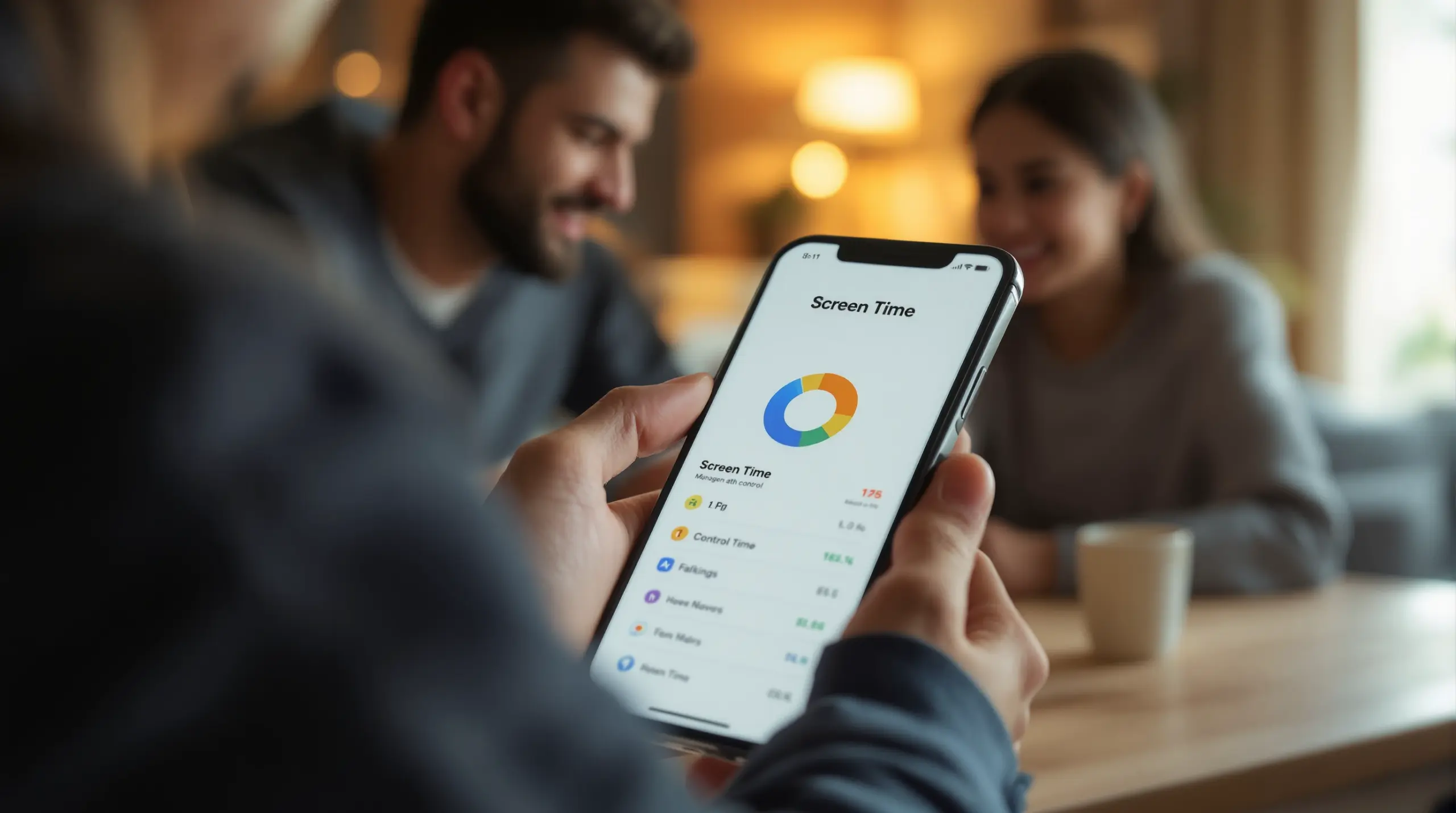
iPhone Parental Control Screen Time: Full Guide 2026
December 4, 2025
iPhone parental control screen time settings help families set healthy boundaries online – discover what Apple’s built-in tools can and can’t do, and which gaps a dedicated app fills.
Table of Contents
- What Is iPhone Parental Control Screen Time?
- How Apple Screen Time Works on iPhone
- The Real Limits of Built-In iPhone Controls
- Going Beyond Apple: Third-Party Parental Control Options
- Frequently Asked Questions
- Comparison: iPhone Screen Time vs. Third-Party Apps
- How Boomerang Parental Control Helps Your Family
- Practical Tips for Managing Your Child’s iPhone
- The Bottom Line
- Sources & Citations
Article Snapshot
iPhone parental control screen time is Apple’s built-in system for limiting device usage, filtering content, and enforcing age-appropriate restrictions on a child’s iPhone. It covers app limits, downtime schedules, and communication controls – but has real gaps that many parents discover only after their child finds a workaround.
By the Numbers
- Americans spend an average of 7 hours 3 minutes on screens daily (Boomerang, 2026)[1]
- Entertainment screen time among US children aged 8-12 averaged 5 hours 33 minutes per day in 2021 (Backlinko, 2021)[2]
- 20% of children aged 8-12 clock more than 8 hours of entertainment screen time daily (Backlinko, 2021)[2]
- 67% of users actively monitor their screen time (Boomerang, 2026)[1]
What Is iPhone Parental Control Screen Time?
iPhone parental control screen time is Apple’s native feature set that lets parents manage how, when, and how much their child uses an iPhone. Built directly into iOS Settings, Screen Time provides a dashboard of usage reports, app category limits, downtime schedules, and content restrictions – all protected by a parent-set passcode. It is designed to give families a starting point for digital oversight without installing any third-party software.
Boomerang Parental Control, which has helped families manage children’s devices since 2015, fields questions from parents who have tried Apple’s built-in tools first and hit unexpected walls. Understanding exactly what Screen Time does – and where it stops – is the first step in choosing the right setup for your household.
START YOUR FREE TRIAL
Take control of screen time—free for 14 days, cancel anytime.




Apple describes the system clearly: “These age ratings are integrated across Apple’s operating systems and work with parental control features like Screen Time and Ask to Buy.” – Apple Representative (Apple Newsroom, 2025)[3]
Screen Time is accessed through Settings > Screen Time on any iPhone running iOS 12 or later. Parents managing a child’s device remotely do so through Family Sharing, which links up to six family members under one Apple ID organizer. Once Family Sharing is active, a parent can push Screen Time settings to a child’s iPhone from their own device, check usage reports, and adjust limits without touching the child’s phone.
The core tools inside Screen Time include App Limits, Downtime, Always Allowed apps, Content & Privacy Restrictions, and Communication Limits. Each one targets a specific area of device use, from capping social media to blocking explicit websites in Safari. Together, they give parents a meaningful layer of control – though, as many families discover, that layer has real gaps.
How Apple Screen Time Works on iPhone
Apple’s Screen Time feature works by tracking every minute a child spends in each app and website category, then enforcing the rules a parent sets around that usage. The system runs silently in the background and surfaces data in daily and weekly reports that both parent and child review.
App Limits and Downtime
App Limits let parents cap daily use for entire categories – Social Networking, Games, Entertainment – or for specific apps. When the limit is reached, the app icon grays out and a Screen Time message appears. Downtime goes further: it schedules a window (bedtime) during which only explicitly approved apps remain usable. Both features reset at midnight each day.
A detail many parents miss is that App Limits and Downtime both present the child with an Ignore Limit prompt. Without a Screen Time passcode set firmly in place, a child can tap through this prompt and keep using the app. Even with a passcode, older children persuade parents to grant extensions, which defeats the purpose of the limit entirely. Users who consistently track screen time achieve a 23% reduction in usage within 30 days (Boomerang, 2026)[1] – but only when limits are actually enforced.
Content and Privacy Restrictions
Content & Privacy Restrictions cover a wide range of controls: blocking explicit websites in Safari, restricting app downloads by age rating, disabling in-app purchases, and limiting changes to privacy settings. Parents can also prevent a child from changing the device passcode, installing new apps, or deleting existing ones.
As Screen Time for Family allows you to see where and how children under the age of 18 are spending time on their devices, according to Timing App (2026)[4]. These visibility features are genuinely useful for starting conversations about digital habits. The challenge is that Content & Privacy Restrictions apply only to Apple’s own apps and the App Store – they do not automatically filter content inside every third-party app a child has already installed.
Communication Limits
Communication Limits control who a child can call, text, or FaceTime during both allowed screen time hours and Downtime. Parents can restrict communication to Contacts only, or to a specific approved list. This is a meaningful safety tool for younger children, though it applies only to native iPhone calling and messaging – not to in-app messaging inside platforms like Snapchat or Discord.
The Real Limits of Built-In iPhone Controls
Apple’s Screen Time tools cover the basics, but parents of tech-savvy children encounter situations where the built-in controls fall short. Knowing these gaps before they become problems helps families plan a more complete protection strategy.
The Bypass Problem
The most common frustration is the ease with which many children bypass Screen Time. Resetting a Screen Time passcode through Apple ID account recovery, using Screen Time on a second device not linked to Family Sharing, or simply requesting a Screen Time extension from a parent are all documented workarounds that children share freely online. A child who has bypassed simpler controls once is likely to try again.
Experts have noted that the problem runs deeper than individual household controls. Munzer, cited in a 2026 ABC News report on children’s screen time, noted that “families have always carried the burden of managing screen time, but so much of this is out of their hands. There are powerful systemic factors shaping children’s digital experiences – and that’s exactly why the responsibility has to be shared.”[5] This context matters: Apple’s Screen Time tools give parents a set of manual controls, but they cannot counteract platform-level design choices like autoplay and push notifications.
No YouTube App History Monitoring
Screen Time shows how many minutes your child spent in the YouTube app, but it does not show what they watched or searched for. This is one of the most significant visibility gaps for parents of pre-teens and younger teenagers. Knowing a child spent 90 minutes on YouTube is useful; knowing they spent that time on age-appropriate content versus increasingly extreme recommendation spirals is far more useful.
Limited Web Filtering Outside Safari
Content filtering in Screen Time applies to Safari’s built-in browser. A child who downloads a third-party browser from the App Store – or accesses content through an in-app browser inside another app – bypasses web restrictions entirely. Bhargava, referenced in the same 2026 ABC News report, described the challenge plainly: “That ecosystem includes social media, video games, apps and algorithm-driven feeds built around autoplay, notifications, and targeted content.”[5]
No SMS or Call Content Monitoring
Communication Limits can restrict who a child contacts, but Screen Time does not analyze the content of messages for signs of cyberbullying, inappropriate language, or contact from unknown adults. Parents who want that level of communication safety on an iPhone need to look beyond Apple’s built-in tools.
Going Beyond Apple: Third-Party Parental Control Options
Third-party parental control apps extend what Apple’s Screen Time offers by adding features Apple does not provide, filling gaps around content monitoring, bypass prevention, and cross-platform consistency for families managing both iPhone and Android devices.
What Third-Party Apps Add on iOS
On iPhone, third-party apps work within Apple’s platform boundaries, which means they cannot achieve the same depth of device integration as on Android. Despite this, they add value in three areas: safer browsing through a dedicated filtered browser, location tracking with geofencing alerts, and a parent dashboard that consolidates activity reporting across multiple children’s devices in one place.
SPIN Safe Browser is a filtered browser that works on both Android and iOS. It blocks inappropriate content categories automatically on any network – home wifi, mobile data, or a school connection – without requiring VPN setup or router configuration. Because it is a self-contained browser, its filtering applies regardless of which network the device joins, addressing the Safari-only limitation of Screen Time’s built-in content filter.
Android vs. iOS: Why Platform Matters
Parents managing children’s devices across both platforms should understand that third-party parental control apps, including Boomerang, have significantly deeper feature sets on Android than on iOS. Features like YouTube App History Monitoring, per-app time limits with allocated timers, Call and Text Safety monitoring, and hardware-level Uninstall Protection are Android-only or Android-enhanced capabilities. On iOS, Apple’s platform restrictions limit what third-party apps can access at the operating system level.
This is not a flaw in the parental control apps – it reflects Apple’s App Store policies, which restrict the system permissions available to third-party developers. Independent reviews confirm that Boomerang Parental Control delivers its strongest feature set on Android devices, with iOS support available for core functions including scheduling, location tracking, and safe browsing through SPIN Safe Browser.
Digital wellness app downloads increased 156% year-over-year (Boomerang, 2026)[1], reflecting how many families are actively looking for tools that go beyond what platform-native controls provide. For households where children use Android devices – or where parents want stronger controls than Apple Screen Time offers – a dedicated parental control app closes those gaps meaningfully.
Choosing the Right Approach for Your iPhone Household
For parents managing an iPhone-only household with younger children, a combination of Apple Screen Time (set up through Family Sharing with a strong passcode) and the SPIN Safe Browser covers the most common risks at minimal cost. For families where older children have already bypassed Screen Time, or where an Android device is in the mix, a third-party app like Boomerang provides an additional enforcement layer that is considerably harder to circumvent. TechRadar’s review of Boomerang Parental Control covers how the app’s Android-first approach compares to platform-native alternatives in practical terms.
Your Most Common Questions
Can my child turn off iPhone Screen Time without my passcode?
Yes – and this is a question parents ask often. If a child knows your Screen Time passcode, they can disable or adjust limits directly. More commonly, children use Apple ID account recovery to reset the Screen Time passcode entirely, which removes all restrictions. To close this gap, make sure your child does not know your Apple ID password, use a Screen Time passcode that is different from your device passcode, and disable the option to allow Screen Time passcode recovery through your Apple ID. Even with these precautions, a determined and tech-savvy child finds workarounds. Families dealing with repeated bypass attempts benefit from supplementing Screen Time with a third-party app that provides additional enforcement at the browser and network level, particularly the SPIN Safe Browser, which filters content regardless of which browser the child opens.
Does iPhone Screen Time block YouTube content, or just limit time in the app?
Apple’s Screen Time limits the total time your child spends inside the YouTube app and prevents them from downloading the app altogether – but it does not show what your child watched or searched for, and it does not filter individual videos within YouTube. The YouTube app has its own content settings and a separate YouTube Kids app for younger children, but these are controlled by Google, not Apple. This means a parent using only Screen Time has usage time data but no visibility into the actual content consumed. On Android devices, Boomerang Parental Control includes YouTube App History Monitoring, which shows parents the search terms and videos their child accessed in the main YouTube app. This feature is not available on iOS due to Apple’s platform restrictions. For iOS households, the most effective approach is encouraging use of the YouTube Kids app for younger children and using family conversations supported by Screen Time’s usage reports to address content habits with older kids.
What is the difference between iPhone Screen Time and a dedicated parental control app?
Apple Screen Time is a free, built-in tool that provides usage reports, app category limits, downtime scheduling, content restrictions in Safari, and communication controls for Apple devices only. A dedicated parental control app extends these capabilities in several ways: it offers a parent dashboard that works across both Android and iOS devices in one place, adds safe browsing protection that applies outside of Safari, provides location tracking with geofencing alerts, and – on Android – adds features like per-app time limits, YouTube history monitoring, call and text safety monitoring, and hardware-level uninstall protection. The trade-off is cost: dedicated apps require a subscription, while Screen Time is free. For families with younger children on iPhones who want usage limits and basic content filtering, Screen Time is sufficient with careful setup. Families managing multiple devices across platforms, or dealing with children who have already bypassed simpler controls, find a dedicated app provides meaningful additional protection that justifies the subscription.
How does Family Sharing work with iPhone Screen Time for multiple children?
Apple’s Family Sharing lets one parent account (the family organizer) manage Screen Time settings for up to five child accounts remotely from their own iPhone. Once a child is added to the family group and Screen Time is enabled for their account, the parent can view usage reports, adjust app limits, change downtime schedules, approve App Store purchases, and update Content & Privacy Restrictions – all from the parent’s device without needing to physically handle the child’s iPhone. Each child’s settings are managed independently, so you can set different limits for a 9-year-old and a 14-year-old. The limitation is that Family Sharing and Screen Time only cover Apple devices. If one child uses an iPhone and another uses an Android phone, Screen Time does not extend to the Android device. In that scenario, a cross-platform parental control app becomes the more practical solution for managing all children’s devices consistently from a single parent dashboard.
Comparison: iPhone Screen Time vs. Third-Party Parental Controls
Choosing between Apple’s built-in Screen Time and a dedicated parental control app comes down to what features your family actually needs and which devices your children use. The table below compares the two approaches across the most commonly requested parental control functions.
| Feature | Apple Screen Time (iOS) | Third-Party App (e.g., Boomerang) |
|---|---|---|
| App usage time limits | Category-based limits only | Per-app limits on Android; schedule-based on iOS |
| Downtime / bedtime scheduling | Yes, native | Yes, automated enforcement |
| Web content filtering | Safari only | All browsers via SPIN Safe Browser (Android & iOS) |
| YouTube content visibility | Time in app only | Search & watch history on Android[1] |
| Uninstall / bypass protection | Passcode only; recoverable via Apple ID | Advanced protection; Samsung Knox on Android |
| Location tracking & geofencing | Find My (location sharing only) | Real-time tracking + geofence alerts |
| Call & SMS monitoring | Communication Limits (contact restriction only) | Content alerts & call logs on Android |
| Multi-device / cross-platform | Apple devices only | Android & iOS from one parent dashboard |
| Cost | Free | Subscription (annual plans available) |
How Boomerang Parental Control Helps Your Family
Boomerang Parental Control is built for families who need more than a starting point. If your child uses an Android device – or if your household has a mix of Android and iOS phones – Boomerang Parental Control delivers comprehensive screen time management and online safety tools that go well beyond what any platform-native solution provides.
On Android, Boomerang acts as a remote control for your child’s device. You set the daily time limits and bedtime schedules once, and the phone locks automatically when time is up – no arguments, no negotiating, no need to physically take the device. The Boomerang Parental Control screen time features include per-app limits and Encouraged Apps, which let parents designate educational or health apps as always accessible even when a child’s entertainment screen time runs out. This promotes digital balance rather than pure restriction.
For families where a tech-savvy child has already defeated simpler controls, Boomerang’s Uninstall Protection is a meaningful differentiator. On supported Samsung devices, Boomerang uses Samsung Knox – an enterprise-grade mobile security platform – to make the parental control app virtually impossible for a child to remove without the parent’s PIN. This is a capability that free tools cannot match.
For iOS households, Boomerang supports screen time scheduling and location tracking, and the SPIN Safe Browser provides strong web filtering that works on any network without VPN configuration – active on every wifi and mobile data connection your child’s iPhone joins.
“This is a great application! I have control back over my child’s phone and applications because she managed to circumvent family link. I have no idea how she did that but she managed to find a way, as did other kids. That was a major frustration for us. But now with Boomerang, I can manage her time, what applications she uses and what sites she visits.” – Joe Eagles, Google Play review
Boomerang offers annual subscription plans for a single device and a Family Pack covering up to 10 child devices. Getting started is straightforward: visit the Boomerang download page for Android devices or find the app on Google Play and the App Store. Support is available through the help portal at community.useboomerang.com, and an extensive knowledge base covers setup for every feature.
Practical Tips for Managing Your Child’s iPhone
Setting up iPhone parental control screen time correctly from the start saves a significant amount of frustration later. These practical steps reflect what works for real families managing connected children.
Set a Screen Time passcode that is genuinely secret. Use a four- or six-digit code your child has never seen, and make sure it is different from both your iPhone passcode and your Apple ID password. If your child knows any of these, the Screen Time passcode is vulnerable. Enable Family Sharing before handing your child the device so that all restrictions are in place from day one.
Use Downtime for bedtime, not just app limits. Downtime locks the device entirely (except for Always Allowed apps) during a scheduled window. Setting this to begin 30-60 minutes before actual bedtime helps wind-down routines rather than creating an abrupt cutoff that triggers conflict. Always Allowed should include only the phone app for emergencies, not messaging apps.
Install SPIN Safe Browser as a second layer for web filtering. Because Screen Time’s content filter applies to Safari only, a child who downloads any other browser sidesteps it immediately. SPIN Safe Browser’s filtering works independently of the default browser setting and applies on any network – school wifi, a friend’s house, or mobile data – without any router or VPN configuration on your part.
Review Screen Time reports weekly, not daily. Daily reports show natural variation that causes unnecessary concern. Weekly reviews give a more accurate picture of trends and are a useful starting point for calm, specific conversations with your child about their digital habits – rather than reactive responses to a single high-usage day.
Consider your child’s device platform before choosing tools. If your child uses an Android device, a dedicated parental control app provides substantially deeper controls than any iOS-native tool. Boomerang’s YouTube App History Monitoring, per-app timers, and Uninstall Protection are features that Apple’s ecosystem does not currently offer on iPhone. Choosing the right tools for the right platform makes your oversight more effective and sustainable.
The Bottom Line
iPhone parental control screen time gives families a solid, free starting point for managing how children use their devices. App limits, downtime scheduling, and content restrictions in Safari cover the basics – but gaps around YouTube visibility, bypass prevention, and cross-platform management are real and well-documented. For many families, particularly those with younger children just getting their first iPhone, Apple’s built-in tools combined with the SPIN Safe Browser address the most pressing risks. For households managing Android devices, or dealing with children who have already found workarounds, Boomerang Parental Control provides the enforcement depth that platform-native tools cannot match. Ready to give your child’s device setup a proper review? Visit useboomerang.com or email [email protected] to learn which plan fits your family’s needs.
Sources & Citations
- Screen Time Apps for iOS. Boomerang, 2026.
https://useboomerang.com/article/screen-time-apps-ios/ - Screen Time Statistics. Backlinko, 2021.
https://backlinko.com/screen-time-statistics - Apple expands tools to help parents protect kids and teens online. Apple Newsroom, 2025.
https://www.apple.com/newsroom/2025/06/apple-expands-tools-to-help-parents-protect-kids-and-teens-online/ - Screen Time on Your iPhone: The Definitive Guide in 2026. Timing App, 2026.
https://timingapp.com/blog/screen-time-on-iphone-and-ipad/ - New report says screen time limits for children are no longer enough. ABC News, 2026.
https://abcnews.com/US/new-report-screen-time-limits-children-longer/story?id=129368332
START YOUR FREE TRIAL
Take control of screen time—free for 14 days, cancel anytime.
