
16
Apr
2026
Best Android Parental Monitoring App for Families
April 16, 2026
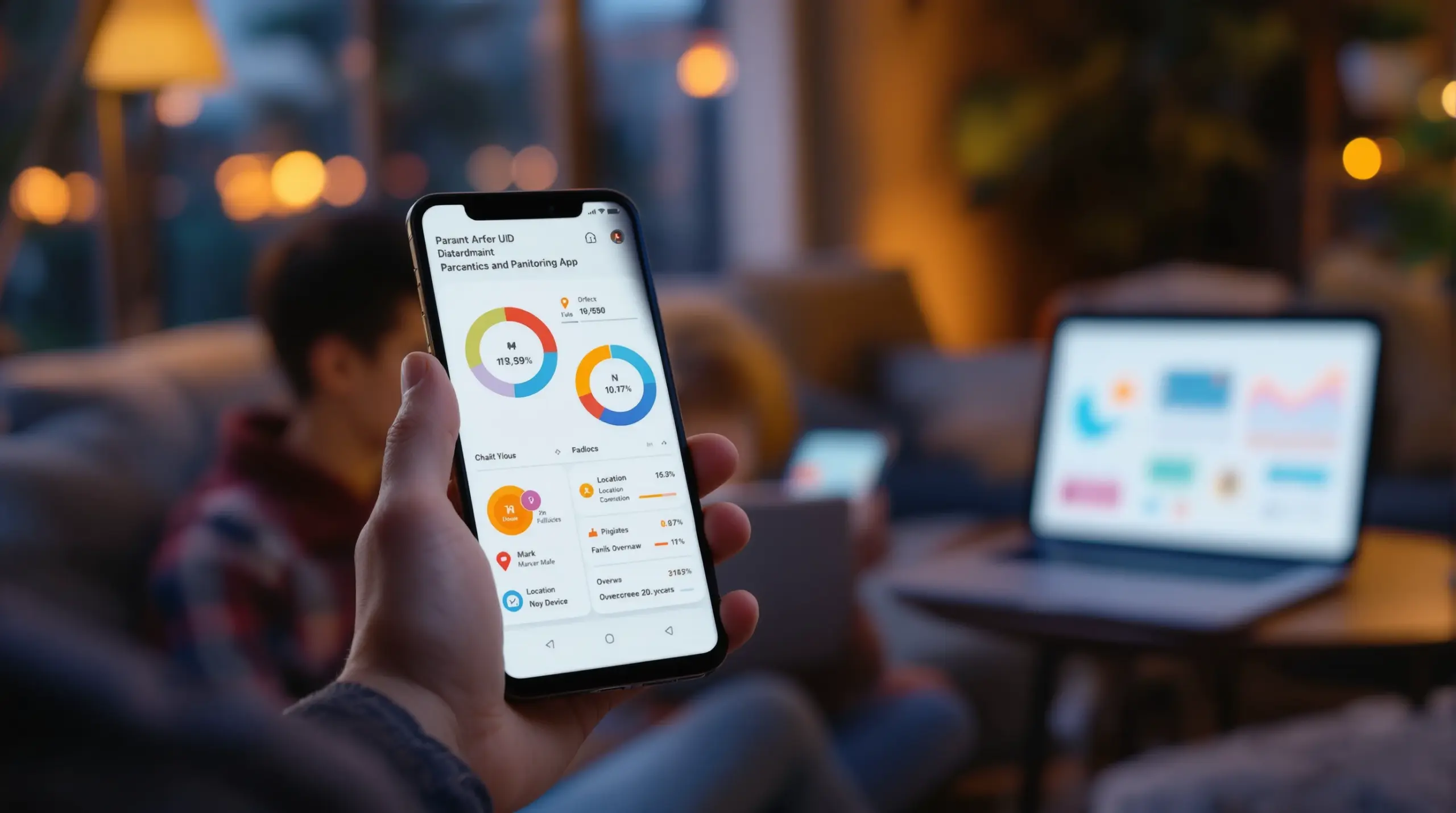
An android parental monitoring app gives families the tools to manage screen time, block harmful content, and track their child’s device activity – here’s what to look for and how to choose the right one.
Table of Contents
- What Is an Android Parental Monitoring App?
- Key Features That Actually Make a Difference
- Why Android Offers Deeper Parental Controls
- The Bypass Problem: Keeping Controls in Place
- Frequently Asked Questions
- Comparing Parental Control Approaches
- How Boomerang Parental Control Helps Your Family
- Practical Tips for Parents
- The Bottom Line
- Sources & Citations
Article Snapshot
An android parental monitoring app is a dedicated software tool that gives parents visibility and control over their child’s Android device – managing screen time, filtering content, tracking location, and monitoring communications. The right app enforces rules automatically, reducing daily conflict while keeping kids safe online and offline.
Market Snapshot
- Android holds a 65% share of the global parenting apps market (Roots Analysis, 2024)[1]
- Mobile-based platforms account for 61% of parental control software usage (Future Market Insights, 2025)[2]
- The global parental control software market was valued at $1,229.47 million USD (Polaris Market Research, 2024)[3]
- Android is projected to hold 33.04% of the global parental control software market (Fortune Business Insights, 2024)[4]
What Is an Android Parental Monitoring App?
An android parental monitoring app is a purpose-built tool that lets parents set rules, view activity, and protect their child’s digital environment directly from a parent device. Boomerang Parental Control is one example of a comprehensive solution designed specifically for Android families – giving parents the controls that built-in options simply don’t provide.
Unlike the basic screen time settings built into Android or Google Family Link, a dedicated monitoring app gives you granular control: you can limit individual apps, filter websites, monitor YouTube viewing history, track your child’s location in real time, and receive alerts when something concerning happens. These tools are built for parents who want protection that actually sticks, not settings a determined child can work around in five minutes.
START YOUR FREE TRIAL
Take control of screen time—free for 14 days, cancel anytime.




The core promise of any good child device management solution is automation. You configure the rules once, and the app enforces them without requiring you to intervene every night at bedtime. That shift – from manual policing to automated enforcement – is what separates a monitoring app from a simple phone restriction.
For families handing a child their first smartphone, a parental supervision tool like this establishes healthy digital habits from day one. For parents of older kids who have already bypassed simpler controls, it offers a meaningful step up in protection. Whatever your situation, the right mobile safety app for kids gives you confidence that your child’s device use reflects the boundaries you’ve set – not the ones your child prefers.
Key Features That Actually Make a Difference
The most effective android parental monitoring app features are the ones that run automatically and address the specific challenges real families face – not just a long list of settings that take hours to configure and fall apart under pressure.
Screen Time Scheduling and Daily Limits
Automated screen time controls are the foundation of any quality parental monitoring solution. On Android, the best apps let you set a total daily time allowance – for example, two hours of entertainment use – and scheduled downtime that locks the device at bedtime or during homework hours. Boomerang Parental Control’s screen time features on Android go further by allowing per-app time limits, so a gaming app might be capped at 30 minutes even if the child still has overall screen time remaining. Educational apps can be marked as “Encouraged,” meaning they bypass entertainment limits and remain accessible at any time.
This approach directly addresses one of the most common family pain points: the daily argument over turning off the device. When the phone locks automatically, the app becomes the rule enforcer – not the parent.
App Approval and Content Filtering
Proactive app control is another important feature for families managing a child’s first device or a younger teen who is still learning digital responsibility. The best apps require parental approval before any new app can be installed, giving parents a gate on every download. Combined with strong web filtering – blocking millions of inappropriate websites across categories like adult content, violence, and unfiltered search engines – this creates a layered shield around the child’s digital environment.
The SPIN Safe Browser integrates directly with Boomerang Parental Control and blocks harmful websites automatically on any network, including school wifi and mobile data, without requiring a VPN or router configuration. SafeSearch is enforced on all major search engines so inappropriate results don’t slip through.
YouTube History Monitoring and Communication Safety
YouTube is one of the most-used apps on any child’s device, and it’s also one of the least transparent. On Android devices, Boomerang provides visibility into what your child is searching for and watching within the main YouTube app – not just YouTube Kids. This YouTube activity tracking gives parents the information needed to have informed, proactive conversations rather than reacting after a problem surfaces.
For communication safety, Call and Text Safety (Android only) logs call and SMS history and sends alerts when messages contain concerning keywords. Parents can block calls from numbers not saved in the child’s contacts – a meaningful layer of protection against unknown contact from strangers or cyberbullying from peers. According to the Market.us Research Team, “Android’s open-source nature allows for greater flexibility in app development, enabling developers to create and update parenting apps more frequently and with more features” (Market.us Research Team, 2024)[5] – which is why Android monitoring apps consistently offer deeper feature sets than their iOS counterparts.
Why Android Offers Deeper Parental Controls
Android’s platform architecture gives dedicated monitoring apps a level of access that iOS simply does not permit, making it the stronger choice for families who need comprehensive oversight.
On iOS, Apple restricts the depth of control that third-party apps exercise. Screen time scheduling and basic content filtering are available, but features like per-app usage timers, SMS keyword monitoring, YouTube history access, and deep uninstall protection are either unavailable or severely limited. The result is that iOS parental control apps provide notification-only responses to children bypassing settings – you’re told something happened, but the app couldn’t prevent it.
Android’s open architecture works differently. A well-designed Android device monitoring app integrates directly with system-level controls, requests device administrator permissions, and – on Samsung devices – uses Samsung Knox, an enterprise-grade security framework pre-installed on most Samsung smartphones and tablets. This integration is what makes enforcement meaningful rather than advisory.
The Roots Analysis Team reports that “Android holds a 65% share of the global parenting apps market” (Roots Analysis Team, 2024)[1], which reflects both Android’s global device market share and the platform’s superior capability for deep parental oversight. Meanwhile, the Future Market Insights Team notes that “mobile-based platforms account for 61% of parental control software usage” (Future Market Insights Team, 2025)[2] – a clear signal that smartphone-focused tools are where families are investing their trust.
For parents managing a Google Pixel, Samsung Galaxy, or any other Android smartphone or tablet, the platform advantage translates directly into real-world control. Features that are Android-exclusive – YouTube app history monitoring, per-app time limits, SMS keyword alerts, and strong uninstall protection – aren’t available as workarounds or partial implementations. They work as designed because Android allows them to.
This is also why Boomerang Parental Control takes an Android-first approach. Independent reviews from TechRadar have highlighted the depth of Android controls as a key differentiator, noting that the platform advantage is real and meaningful for families who need more than surface-level monitoring.
The Bypass Problem: Keeping Controls in Place
One of the most frustrating experiences for parents is discovering that their child has found a way around the parental controls they carefully set up – and it happens more often than most parents expect.
Children and teenagers are resourceful. A motivated kid can search how to disable monitoring apps, uninstall them during the few minutes a parent isn’t watching, or factory reset the device to clear all restrictions. Free tools like Google Family Link and Apple Screen Time are particularly vulnerable to these workarounds because they don’t have the depth of system integration needed to prevent them. Many parents of tech-savvy teens report that their child defeated these controls within days of setup.
This is where Samsung Knox integration becomes a genuine differentiator. Samsung Knox is an enterprise mobile security framework that most Samsung smartphones and tablets come with pre-installed. Boomerang Parental Control is the only parental control app to use Samsung Knox for consumer family use – a capability that makes the app exceptionally difficult to tamper with or remove without the parent’s PIN.
For non-Samsung Android devices, Boomerang’s uninstall protection uses device administrator privileges to prevent removal. The child cannot simply long-press the app icon and delete it. Any attempt to remove Boomerang triggers an alert to the parent, so you know immediately if your child is testing the boundaries.
The Fortune Business Insights Team projects that “Android is projected to hold 33.04% of the global parental control software market” (Fortune Business Insights Team, 2024)[4] – driven in part by demand from parents who need enforcement that holds up against determined children. Bypass protection isn’t a premium feature; for many families, it’s the reason they choose a paid app over a free one.
If you have already tried Google Family Link or Apple Screen Time and found that your child worked around them, the solution isn’t to give up on monitoring – it’s to move to a tool that has the technical depth to stay in place. That’s precisely the gap that a dedicated family device control app with strong uninstall protection is designed to fill.
Your Most Common Questions
What’s the difference between an android parental monitoring app and Google Family Link?
Google Family Link is a free, built-in option that provides basic screen time scheduling and app approval on Android devices. It works reasonably well for young children who are not yet motivated to bypass it, but it has well-documented limitations for older kids and teenagers. Family Link does not offer per-app time limits with the same granularity as dedicated apps, lacks YouTube history monitoring within the main app, and its uninstall protection is relatively easy for a determined child to defeat.
A dedicated android parental monitoring app like Boomerang Parental Control goes further on every dimension. Per-app limits let you cap specific entertainment apps independently of the overall daily allowance. YouTube App History Monitoring (Android only) shows you exactly what your child searched for and watched. Uninstall protection – reinforced by Samsung Knox on supported devices – makes removal extremely difficult without the parent PIN. Call and Text Safety (Android only) adds a layer of communication oversight that Family Link doesn’t provide at all. For families with pre-teens or teenagers who have already bypassed Family Link, a paid dedicated app is the practical next step.
Do android parental monitoring apps work on iOS devices too?
Most parental monitoring apps offer both Android and iOS versions, but the feature sets are not equivalent. iOS places strict limits on what third-party apps can access, which means that advanced features like per-app time limits with allocated counters, SMS keyword monitoring, YouTube app history tracking, and deep uninstall protection are either unavailable or operate in a limited notification-only mode on iPhone and iPad.
Boomerang Parental Control supports iOS devices, but parents should understand the difference clearly. On iOS child devices, Boomerang provides scheduled screen time, location tracking, SPIN Safe Browser for content filtering, and tamper alerts (notification-only). The full feature set – including YouTube history monitoring, Call and Text Safety, per-app limits with allocated timers, and Samsung Knox-backed uninstall protection – is Android-only. If your child uses an Android phone or tablet, you get the full suite. If your child is on iOS, the app still provides meaningful protection, but the depth of control is more limited by Apple’s platform restrictions.
Can my child tell that a parental monitoring app is installed on their Android phone?
Yes – and in most cases, transparency is the right approach. Most parental monitoring experts and child development professionals recommend telling your child that a monitoring app is installed and explaining the rules clearly. When children know what is monitored, the tool becomes a boundary-setting aid rather than a surveillance device, which reduces resentment and supports trust-building over time.
From a technical standpoint, Boomerang Parental Control is visible on the child’s device. The child can see that the app is installed, and when screen time limits are reached, the device locks with a clear message. This transparency is intentional. The goal isn’t covert surveillance – it’s automated enforcement of agreed-upon rules. The uninstall protection ensures that knowing the app is there doesn’t mean the child can simply remove it. Parents are also notified immediately if any attempt is made to tamper with the app, maintaining accountability even when the child pushes back on the boundaries.
How much does a good android parental monitoring app cost?
Pricing for parental monitoring apps varies widely. Free tools like Google Family Link offer basic controls at no cost, but as outlined above, they have meaningful limitations for families who need deeper oversight. Paid apps range from around $20 to $100 per year per device, with family plans covering multiple children at a discounted rate.
Boomerang Parental Control offers annual subscriptions for single devices and a Family Pack designed for households with up to 10 child devices – making it cost-effective for larger families. The value calculation is straightforward: if you’re spending time each week managing screen time arguments, or if your child has already bypassed your current free tool, the cost of a paid app is minimal compared to the conflict it eliminates and the peace of mind it provides. One App Store reviewer summed it up well: “The very low price covers all year” – reflecting the real-world value many parents find in a reliable, automated solution that actually holds up over time.
Comparing Parental Control Approaches
Not all parental controls work the same way, and the right approach depends on your child’s age, device type, and how much oversight you need. The table below compares four common approaches across the features that matter most to families managing Android devices.
| Approach | android parental monitoring app (Dedicated) | Built-in Platform Tools (Family Link / Screen Time) | Router-Based Controls | Manual Device Restrictions |
|---|---|---|---|---|
| Per-App Time Limits (Android) | Yes – granular per-app timers | Limited on Android; not on iOS | No | No |
| YouTube History Monitoring | Yes (Android only) | No | No | No |
| SMS Keyword Alerts | Yes (Android only) | No | No | No |
| Uninstall Protection | Strong (Samsung Knox on supported devices) | Weak – easily bypassed by teens | N/A | None |
| Location Tracking & Geofencing | Yes | Yes (basic) | No | No |
| Works Off Home Network | Yes | Yes | No – home wifi only | Partial |
| Content Filtering | Yes – any network, no VPN needed | Basic | Home network only | No |
Router-based controls only work when a child is connected to your home wifi – the moment they leave the house or switch to mobile data, the protection disappears. Manual device restrictions require constant parental adjustment and offer no automated enforcement. Built-in platform tools provide a reasonable starting point but fall short for families with older children or tech-savvy kids. A dedicated android parental monitoring app – particularly one with Samsung Knox integration – offers the most comprehensive and resilient protection across all scenarios.
How Boomerang Parental Control Helps Your Family
Boomerang Parental Control – Taking the battle out of screen time for Android and iOS – is designed for parents who want a reliable, automated solution that goes beyond what free tools provide. Since 2015, we have built our platform around the real challenges families face: daily screen time battles, children who bypass simpler controls, and the anxiety of not knowing what your child is doing online.
On Android, Boomerang delivers the full suite of child monitoring features: automated daily limits and bedtime scheduling, per-app time limits with Encouraged Apps for educational content, App Discovery and Approval to gate every new download, YouTube App History Monitoring, Call and Text Safety with keyword alerts, real-time location tracking with geofencing, and strong uninstall protection backed by Samsung Knox on supported devices. For families on iOS, Boomerang provides scheduled screen time, location tracking, and integration with the SPIN Safe Browser for content filtering – with clear communication about which features are Android-only.
The sideload download for Android devices brings our full feature set to non-Samsung Android phones, including device administrator-level uninstall protection and Call and Text Safety. Setup is straightforward with a guided wizard, and daily emailed activity reports keep you informed without requiring you to open the app every day.
Two parents who have used Boomerang shared their experience directly:
“I have control back over my child’s phone and applications because she managed to circumvent Family Link. I have no idea how she did that but she managed to find a way, as did other kids. That was a major frustration for us. But now with Boomerang, I can manage her time, what applications she uses and what sites she visits.” – Joe Eagles, Google Play review
“Hey fellow parents, So far this the best parental control app .. hands down. So far the only app my 11 year old was not able to bypass. Big Shout out to developers for making such a great app.” – Jason H, Google Play review
Subscriptions are available annually for single devices or as a Family Pack covering up to 10 child devices. If you have questions, our support team is available through the help portal and our knowledge base provides step-by-step guidance for every feature. Reach us at [email protected] or submit a request through our support portal.
Practical Tips for Parents
Setting up an android parental monitoring app is only the first step. How you use the tool – and how you communicate with your child about it – makes the difference between a household that runs smoothly and one where the app becomes another source of conflict.
Start with a conversation before you install anything. Tell your child what you are setting up, why you are doing it, and what the rules are. Children who understand the boundaries test them less aggressively than those who feel caught off-guard by sudden restrictions. Frame the monitoring as a normal part of responsible device use, not a punishment.
Set time limits that are realistic for your child’s age and schedule. An 8-year-old and a 15-year-old have different needs. Start slightly more restrictive than you think you need to be – you can always loosen controls as your child earns trust – but begin from a position of clear boundaries. Use the Encouraged Apps feature to mark homework portals, reading apps, and educational tools as always available so your child doesn’t feel completely locked out during downtime.
Review the daily activity reports. Boomerang sends emailed summaries so you can stay informed without checking the app constantly. If you notice a pattern – an app being used heavily, a new contact appearing, location history that doesn’t match what your child told you – use that information to start a conversation rather than immediately imposing consequences. The goal of digital wellness monitoring is insight, not surveillance.
Keep the uninstall protection active. Consistent boundaries are more effective than inconsistent ones. If your child earns trust over time, the appropriate response is to adjust the limits – not to remove the protection entirely before they are ready for full unsupervised access.
Revisit your settings every few months. Children’s needs change, and the rules that made sense at age 10 need adjustment at 12. Use the monitoring data to make informed decisions about when to extend more freedom and when to tighten controls.
The Bottom Line
Choosing the right android parental monitoring app comes down to one question: does it actually enforce the rules you set, or does it give your child a way around them? Free built-in tools are a reasonable starting point for young children, but for families with older kids, tech-savvy teenagers, or children who have already defeated simpler controls, a dedicated app with deep Android integration is the practical answer.
The features that matter most – per-app time limits, YouTube history monitoring, SMS keyword alerts, and bypass-resistant uninstall protection – are Android-exclusive capabilities that no iOS-equivalent or router-based solution can match. Android’s platform architecture makes these features possible, and apps like Boomerang Parental Control are built to take full advantage of them.
If you are ready to stop being the screen time police and let an automated tool handle enforcement for you, we invite you to explore what Boomerang can do for your family. Visit useboomerang.com to learn more, or contact us directly at [email protected]. Our support team is ready to help you get set up.
Sources & Citations
- Best Parental Monitoring App for Android in 2025. Roots Analysis via useboomerang.com.
https://useboomerang.com/article/parental-monitoring-app-for-android/ - Best Parental Monitoring App for Android in 2025. Future Market Insights via useboomerang.com.
https://useboomerang.com/article/parental-monitoring-app-for-android/ - Best Parental Monitoring App for Android in 2025. Polaris Market Research via useboomerang.com.
https://useboomerang.com/article/parental-monitoring-app-for-android/ - Best Parental Monitoring App for Android in 2025. Fortune Business Insights via useboomerang.com.
https://useboomerang.com/article/parental-monitoring-app-for-android/ - Best Parental Monitoring App for Android in 2025. Market.us Research Team via useboomerang.com.
https://useboomerang.com/article/parental-monitoring-app-for-android/
START YOUR FREE TRIAL
Take control of screen time—free for 14 days, cancel anytime.
