
21
Apr
2026
Best Family Tracking App iPhone Guide for Parents
April 21, 2026
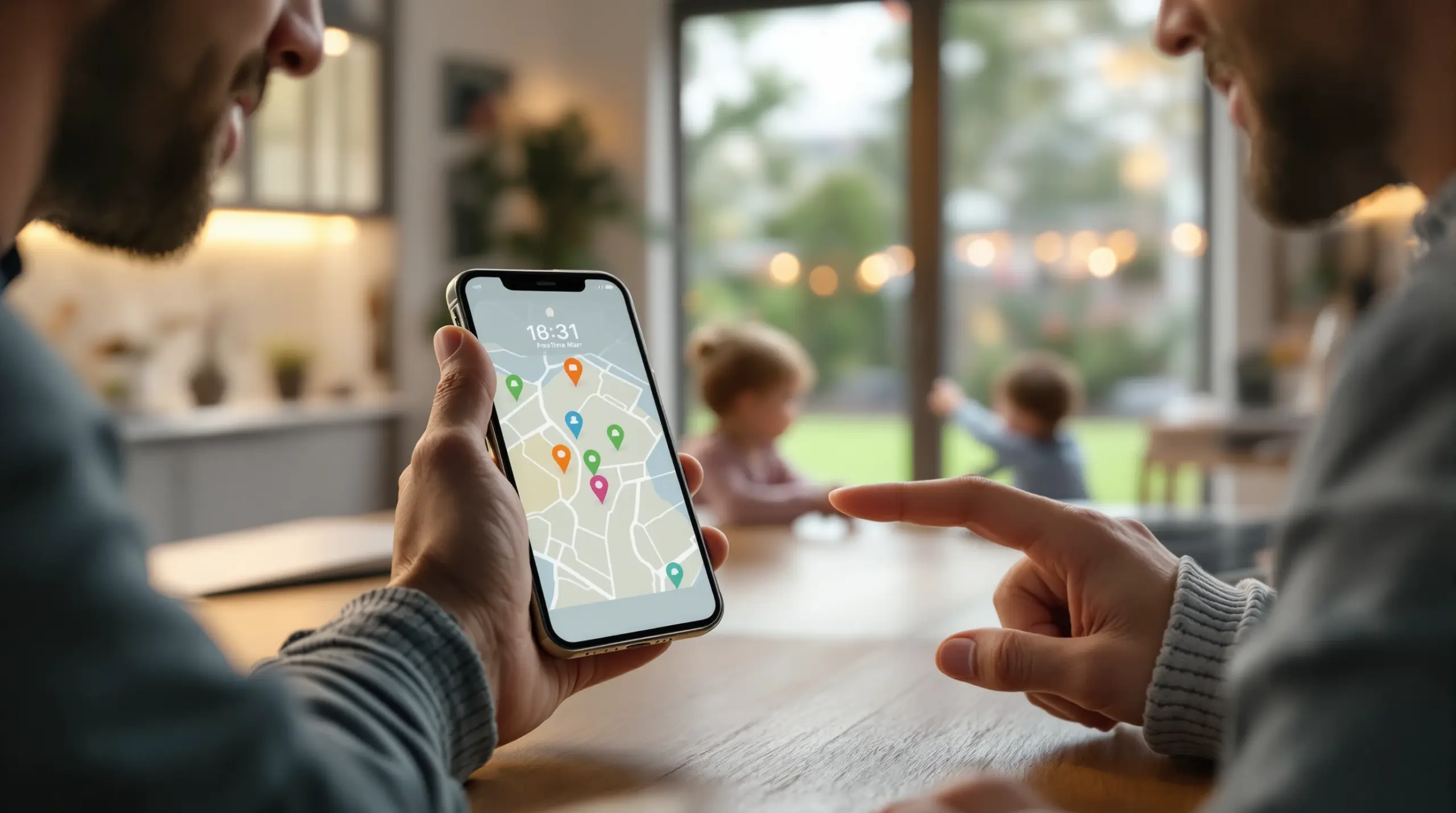
Choosing the right family tracking app iPhone parents can rely on means balancing real-time location accuracy, content safety, and controls that children cannot easily bypass – this guide covers what matters most.
Table of Contents
- What Is a Family Tracking App for iPhone?
- Key Features to Look for in iPhone Family Tracking Apps
- iOS vs. Android: Why Platform Matters for Parental Controls
- Choosing the Right Family Tracking App iPhone Families Trust
- Your Most Common Questions
- Comparison: Family Tracking Approaches
- How Boomerang Parental Control Supports Your Family
- Practical Tips for Using a Family Tracking App
- The Bottom Line
- Sources & Citations
Article Snapshot
A family tracking app iPhone parents use is a mobile application that provides real-time location sharing, geofence alerts, and safety monitoring across family members’ devices. The best options combine accurate GPS tracking with additional child safety features like content filtering and screen time controls, giving parents comprehensive oversight in one place.
By the Numbers
- Some premium family tracking apps charge as much as $48.99 per month, while budget options start from $4.99 per month (Family1st, 2025)[1]
- Location history storage varies widely – from 7 days on basic apps (Find my Phone App Store, 2026)[2] to up to 365 days for premium plans on platforms like Family Nest (Family Nest App Store, 2026)[3]
- Boomerang Parental Control stores your child’s location history for up to 30 days (SafetyDetectives, 2026)[4]
What Is a Family Tracking App for iPhone?
A family tracking app iPhone parents install is a dedicated mobile application that uses GPS and cellular data to provide real-time location visibility for every member of a family group. These apps go beyond simple map pins – the best ones also deliver geofence alerts, location history, and in many cases, safety features like content filtering and communication monitoring. Boomerang Parental Control is one solution that combines location tracking with broader child safety tools, making it a strong choice for families who want more than just a map.
The core promise of any family location app is straightforward: you open the app and see where your child is right now. But the differences between apps become clear once you look past that basic promise. Some tools are designed purely for location sharing between adults. Others are built specifically for parents monitoring children, with controls to prevent the child from disabling tracking or switching to a different app. Understanding which category a tool falls into helps you avoid downloading something that looks right but doesn’t hold up when a tech-savvy kid tries to work around it.
START YOUR FREE TRIAL
Take control of screen time—free for 14 days, cancel anytime.




For parents handing a child their first iPhone, the appeal of a built-in option like Apple’s Find My app is understandable. As JRobinson, a forum user who has tested multiple family trackers, noted: “I’ve tested pretty much all the family trackers out there. Free option: Start with Apple’s Find My app – it’s already on your iPhone and does real-time tracking for the whole family.” (Eyezy Forum, 2026)[5] That’s a reasonable starting point, but free built-in tools often lack the deeper safety controls that parents of children and teenagers need most.
Use cases range from confirming a middle schooler arrived safely at school to monitoring whether a teenager is where they said they would be. Family locator apps for iPhone and Android have expanded well beyond basic GPS – many now include geofencing, arrival and departure alerts, and integration with screen time and content filtering features. The right app for your family depends heavily on your child’s age, device type, and how much safety oversight you need beyond location alone.
Key Features to Look for in iPhone Family Tracking Apps
Real-time GPS accuracy, geofencing, and tamper resistance are the three features that separate reliable family tracking apps from ones that look good on paper but fail in daily use. When you’re evaluating a family tracking app iPhone families depend on, each of these areas deserves careful attention before you commit to a subscription.
Real-Time Location and Location History
The accuracy and frequency of location updates determine how useful an app actually is in a real parenting scenario. An app that refreshes every 30 minutes is not helpful if you need to know right now whether your child has left school. Look for apps that update location continuously or at short intervals. Location history storage is equally important – being able to review where your child was yesterday or last week adds accountability and context. As the SafetyDetectives Reviewer noted: “Its real-time location tracking feature on Android and iOS is super accurate, and it stores your child’s location history for up to 30 days.” (SafetyDetectives, 2026)[4]
Geofencing and Arrival Alerts
Geofencing lets you draw a virtual boundary around a specific location – school, home, a friend’s house, or a sports field – and receive an automatic alert the moment your child arrives or leaves. This passive safety check removes the need for constant check-in texts. You’ll know when they got there without them having to remember to message you. The quality of geofence implementation varies between apps, so check whether the app supports multiple simultaneous geofences and how quickly alerts are delivered.
Tamper Protection and Child-Facing Controls
A location tracking app that a child can simply uninstall or disable by turning off location permissions is not a reliable safety tool. This is one of the most important and most overlooked criteria when choosing a child safety monitoring app. Look for apps that include uninstall protection, prevent children from changing location settings, and send alerts to the parent if tampering is attempted. On Android devices, strong tamper protection goes significantly further than what is possible on iOS – a platform difference covered in the next section.
Integration with Screen Time and Content Safety
Location tracking is one layer of child safety. Families who also want content filtering, app controls, or screen time scheduling benefit from choosing an app that integrates these features rather than managing multiple separate tools. A single platform that covers location, screen time, and content safety reduces complexity and makes it easier to build a consistent set of rules across the household. SPIN Safe Browser is one example of a content safety tool that works alongside location-aware parental control platforms to provide both web filtering and screen time integration.
iOS vs. Android: Why Platform Matters for Parental Controls
The platform your child’s device runs on directly determines how much control a family tracking app iPhone or Android solution can deliver – and iOS places meaningful restrictions on what third-party apps can do. This is not a minor technical footnote. It affects whether your safety rules are actually enforced.
Apple’s iOS is designed with strong privacy protections that, while valuable for adult users, limit what parental control apps can access and enforce on a child’s device. Third-party apps on iPhone cannot prevent a determined child from deleting the tracking app, cannot monitor SMS messages, cannot view YouTube watch history within the YouTube app, and cannot apply per-app time limits at the system level. These limitations are built into how iOS works, not a failing of any particular app.
Android offers third-party parental control apps a much deeper level of integration with the device. On Android, apps like Boomerang Parental Control use device administrator permissions and, on Samsung devices, Samsung Knox enterprise security – making uninstall protection genuinely strong. Features like YouTube App History Monitoring, Call and Text Safety, and per-app time limits are only possible because Android allows this level of access. Boomerang Parental Control is the only parental control app to use Samsung’s Knox, an enterprise mobile security solution pre-installed in most Samsung smartphones and tablets, bringing that level of enforcement to family use.
For families where the child uses an iPhone, a family tracking app iPhone solution provides real-time location, geofencing, and arrival alerts. SPIN Safe Browser is available on iOS and provides content filtering without requiring a VPN. Screen time scheduling with locked downtime periods is also available on iOS via Boomerang, though with fewer customization options than the Android version. The honest answer for parents comparing platforms is that if child safety monitoring depth matters more than device brand preference, Android gives parental control apps significantly more to work with.
The Penniless Parenting Author summed up the built-in iOS option clearly: “Find My is built right into Apple devices, making it seamless for iPhone, iPad, and Mac users. It’s great for simple location tracking and lost device recovery.” (Penniless Parenting, 2025)[6] That built-in convenience is real – but simple location tracking is often just the starting point for what parents of children and teenagers actually need.
Choosing the Right Family Tracking App iPhone Families Trust
Selecting the best family tracking app for your iPhone-using household comes down to matching the app’s capabilities to your child’s age, device, and the specific risks you want to address. Not every family needs the same level of monitoring, and paying for features you don’t need – or missing features you do – is a common outcome when parents choose based on brand recognition alone.
Matching Features to Your Child’s Age
For younger children receiving their first device, the priority is prevention: blocking inappropriate content, requiring app approval before anything new is installed, and enforcing consistent bedtime and homework schedules. For this age group, a family safety app that combines location tracking with content filtering and app controls provides the most complete coverage. Parents of pre-teens setting up a first phone benefit especially from app approval workflows that gate every new install before the child can use it.
For Teenagers Who Have Already Bypassed Basic Controls
Parents of tech-savvy teenagers arrive at third-party parental control apps after their child has already defeated Google Family Link, Apple Screen Time, or another basic free tool. At this stage, the priority shifts to tamper-resistant enforcement. An app a teenager can delete in 30 seconds provides no protection. If the child is on Android, strong uninstall protection backed by Samsung Knox is the most reliable solution available to consumer families. If they’re on iPhone, choose an app that at minimum alerts you immediately if the tracking app is removed.
Evaluating Pricing Honestly
Family tracking and parental control apps range widely in cost. Premium monitoring tools with deep device access cost $48.99 per month (Family1st, 2025)[1], while capable location-focused apps with basic safety features are available from $4.99 per month (Family1st, 2025)[1]. Annual billing reduces the effective monthly cost significantly. Boomerang offers annual subscriptions for single devices and a Family Pack covering up to 10 child devices – a practical option for households managing multiple children’s phones and tablets. Compare what each tier actually includes before choosing based on price alone.
Checking Platform Compatibility Before You Buy
Confirm that the app you are considering supports both the parent’s device and the child’s device, and verify which features are available on each platform. Many apps advertise iOS support but deliver a fraction of their Android feature set on iPhone. Read the platform-specific feature list, not just the marketing overview, to avoid disappointment after subscribing. The Boomerang Parental Control website clearly distinguishes Android-only features from those available on both platforms, making it straightforward to understand exactly what you are getting for your child’s specific device.
Your Most Common Questions
Can a family tracking app iPhone work without the child knowing?
Most reputable family tracking apps designed for child safety are transparent by design – the app is visible on the child’s device and is intended to be part of an open conversation about rules and accountability. This is different from covert monitoring software, which operates hidden and raises significant ethical and legal concerns. For children and teenagers, transparent monitoring with clear household rules is more effective and builds more trust than hidden surveillance. Boomerang Parental Control works openly on the child’s device, and parents are encouraged to discuss the app’s purpose and boundaries with their children. The goal is to build responsible digital habits, not to spy. That said, uninstall protection ensures that the child cannot simply remove the app because they don’t want to be monitored – the rules stay in place even when the child knows the app is there.
What is the difference between a family tracking app and parental controls?
A family tracking app primarily focuses on location sharing – showing you where family members are on a map, sending geofence alerts, and sometimes storing location history. Parental control software is a broader category that includes location tracking alongside screen time management, content filtering, app approval, and communication monitoring. Some tools specialize in one area; others combine both. For parents of children, a combined platform that includes location tracking plus content and screen time controls is more practical than managing two separate apps. On Android, Boomerang Parental Control delivers both location tracking with geofencing and deep safety features like YouTube App History Monitoring, per-app limits, and Call and Text Safety. On iOS, the location tracking and geofencing features are available, with content safety handled through SPIN Safe Browser.
Does a family tracking app drain my child’s iPhone battery faster?
Any app that uses GPS continuously will have some impact on battery life – this is true of all location tracking apps, not just parental control solutions. The actual impact depends on how frequently the app refreshes the location, whether it uses GPS alone or a combination of GPS, Wi-Fi, and cell tower triangulation, and how the app is optimized for background use. Most well-designed family safety apps manage this by using a combination of location methods and only pulling precise GPS data when needed. In practice, parents report that the battery impact is manageable and comparable to other apps that use background location, like navigation or fitness apps. If battery life is a concern, check whether the app allows you to adjust the location update frequency – less frequent updates use less power while still providing useful check-ins throughout the day.
Are family tracking apps safe to use – do they share my family’s data?
Data privacy is a legitimate concern when choosing any app that collects location information about minors. Before installing a family tracking app iPhone or Android solution, review the app’s privacy policy to understand what data is collected, how long it is stored, whether it is shared with third parties, and where it is hosted. Reputable parental control platforms are transparent about data practices and do not sell family location data to advertisers. Look for apps that store data on secure servers, offer clear data deletion options, and comply with applicable privacy regulations in your region. For Canadian and US families, check whether the provider complies with COPPA (Children’s Online Privacy Protection Act) and PIPEDA requirements. Boomerang Parental Control is a Canadian-founded company, and you can reach the team directly at [email protected] with specific questions about data handling and privacy practices.
Comparison: Family Tracking Approaches
Not all family tracking solutions work the same way, and the approach you choose significantly affects how much protection you actually get. The table below compares four common options by the criteria that matter most to parents – going from the most basic free tools to comprehensive parental control platforms.
| Approach | Location Tracking | Tamper Protection | Content Filtering | Screen Time Controls | Best For |
|---|---|---|---|---|---|
| Apple Find My (built-in) | Real-time, accurate | None – child can disable | None | None | Adult family location sharing |
| Standalone location apps (e.g., Life360 Silver from $4.99/month) (Family1st, 2025)[1] | Real-time with history | Limited | None or basic | None | Location-only family tracking |
| Premium monitoring tools (e.g., mSpy at $48.99/month) (Family1st, 2025)[1] | Real-time with history | Moderate | Yes | Limited | Deep device monitoring |
| Boomerang Parental Control (Android + iOS) | Real-time, up to 30-day history (SafetyDetectives, 2026)[4] | Strong (Samsung Knox on Android) | Yes – SPIN Safe Browser | Yes – scheduling and per-app limits (Android) | Families needing full safety coverage |
How Boomerang Parental Control Supports Your Family
Boomerang Parental Control brings together location tracking, screen time management, content filtering, and tamper-resistant enforcement in one platform – built specifically for families, not repurposed from enterprise software. We designed it for parents who want genuine protection that works even when their child knows the controls are there.
For location and physical safety, Boomerang provides real-time location tracking with up to 30 days of location history, plus geofencing that sends automatic alerts when your child arrives at or leaves a defined area. You can confirm your child is at school or home without sending a text message. On Android devices, the platform goes further with Call and Text Safety, which logs call and SMS history and alerts you when messages contain flagged keywords – surfacing risks like cyberbullying or contact from strangers before they escalate.
The Boomerang screen time features let you set fixed daily limits and scheduled downtime – bedtime, homework hours, family dinner – so the device locks automatically without you having to play screen time police every night. On Android, per-app limits let you cap time on games while leaving educational apps unrestricted as Encouraged Apps. On iOS, scheduled screen time is available with notification-only tamper alerts.
Web safety is handled through SPIN Safe Browser, available on both Android and iOS, which blocks millions of inappropriate websites automatically and enforces SafeSearch on all major search engines – no VPN or router configuration needed. It works on any network, including school Wi-Fi and mobile data.
Two parents who’ve used Boomerang put it plainly. “This is a great application! I have control back over my child’s phone and applications because she managed to circumvent family link.” – Joe Eagles, Google Play review. And from another parent: “Hey fellow parents, So far this the best parental control app .. hands down. So far the only app my 11 year old was not able to bypass.” – Jason H, Google Play review.
Subscriptions are available annually for a single device or as a Family Pack covering up to 10 child devices. For questions, reach us at [email protected] or visit our contact page for support options.
Practical Tips for Using a Family Tracking App
Getting the most from a family tracking app means more than just installing it and walking away. These practical steps help you set it up effectively and make it a tool that builds trust rather than conflict.
Have the conversation first. Before installing any tracking or monitoring app on your child’s device, tell them it’s there and why. Children who understand the purpose – safety, not punishment – are less likely to try to bypass it and more likely to accept it as a household norm. Frame it around care, not surveillance.
Set geofences for the places that matter most. Start with school, home, and any regular after-school locations. These are the geofences you’ll actually use. Arrival and departure alerts from these locations give you passive safety confirmation throughout the day without requiring check-in calls.
Review location history as a conversation starter, not just a monitoring tool. If your child’s location history shows them somewhere unexpected, use it as an opportunity to ask questions and understand their activities – not immediately as evidence of wrongdoing. This keeps communication open.
Use screen time scheduling to enforce routines automatically. Set your child’s device to lock at bedtime and during homework hours from day one. Automated enforcement removes you from the role of daily enforcer and reduces the arguments that come with manual policing. On Android, the sideload download for Android devices unlocks the full feature set including per-app limits and Call and Text Safety.
Combine location tracking with content safety. A child who knows where they can go physically but has unrestricted access to the internet still faces significant risks. Pairing a location app with content filtering – through SPIN Safe Browser – and app approval controls gives you a complete safety picture rather than just one layer.
Check app permissions periodically. On iOS especially, children can sometimes change location permissions in device settings. Set a regular reminder to open the tracking app and confirm location data is current and accurate. If the app has tamper alerts, verify those notifications are still enabled.
Choose annual billing to reduce cost. Most family tracking and parental control platforms offer significant discounts for annual subscriptions over monthly billing. If you’re committing to a platform, annual billing is almost always the better financial choice and removes the monthly renewal friction.
The Bottom Line
A family tracking app iPhone parents can genuinely rely on does more than show a map pin – it combines accurate real-time location, geofencing, tamper protection, and ideally content and screen time safety in one consistent platform. Free built-in options like Apple’s Find My app are a reasonable starting point for simple adult family location sharing, but they don’t deliver the child-specific controls and enforcement that parents of children and teenagers need.
If your child uses an Android device, you have access to the deepest level of parental oversight available through Boomerang Parental Control – including Samsung Knox-backed uninstall protection, YouTube App History Monitoring, per-app time limits, and Call and Text Safety. If their device is an iPhone, location tracking, geofencing, scheduled screen time, and SPIN Safe Browser content filtering are all available and work effectively within iOS’s constraints.
The right tool is the one that matches your child’s device, age, and the specific risks you want to address. Visit Boomerang Parental Control – Taking the battle out of screen time for Android and iOS to explore features, compare plans, and start a free trial. You can also reach us directly at [email protected] with any questions about which setup is right for your family.
Sources & Citations
- 8 Best Family Tracking Apps for iPhone & Android (2025). Family1st.
https://family1st.io/best-family-tracking-apps-for-iphone-android/ - Find my Phone Family Locator App Store listing. Find my Phone App Store.
https://apps.apple.com/us/app/find-my-phone-family-locator/id588364107 - Family Nest Family Locator App Store listing. Family Nest App Store.
https://apps.apple.com/us/app/family-nest-family-locator/id1537446782 - 5 Best Family Locator Apps for iPhone and Android in 2026. SafetyDetectives.
https://www.safetydetectives.com/blog/best-family-locator-apps-for-iphone-and-android/ - What is the top iPhone tracker app for families? – Eyezy Forum. Eyezy.
https://www.eyezy.com/forum/t/what-is-the-top-iphone-tracker-app-for-families/368 - Best Family Tracking Apps for iPhone & Android: Top Picks for 2025. Penniless Parenting.
https://pennilessparenting.com/2025/07/best-family-tracking-apps-for-iphone-android-top-picks-for-2025.html
START YOUR FREE TRIAL
Take control of screen time—free for 14 days, cancel anytime.
