
02
Dec
2025
Boomerang Parental Control: Guide to Android Screen Time Management
December 2, 2025
Discover how Boomerang Parental Control transforms daily screen time battles into automated peace of mind with advanced Android features including YouTube monitoring and uninstall protection.
Table of Contents
- Key Takeaway
- Market Snapshot
- Introduction
- Core Features That End Screen Time Battles
- Android-First Design Advantages
- Safety and Monitoring Capabilities
- Setup and Device Management
- Your Most Common Questions
- Comparison Analysis
- How Boomerang Addresses Modern Parenting Challenges
- Practical Implementation Tips
- Final Thoughts on Boomerang Parental Control
Key Takeaway
Boomerang parental control eliminates daily screen time conflicts through automated enforcement, providing comprehensive Android device management with exclusive features like YouTube monitoring and unbreakable protection that children cannot bypass.
Market Snapshot
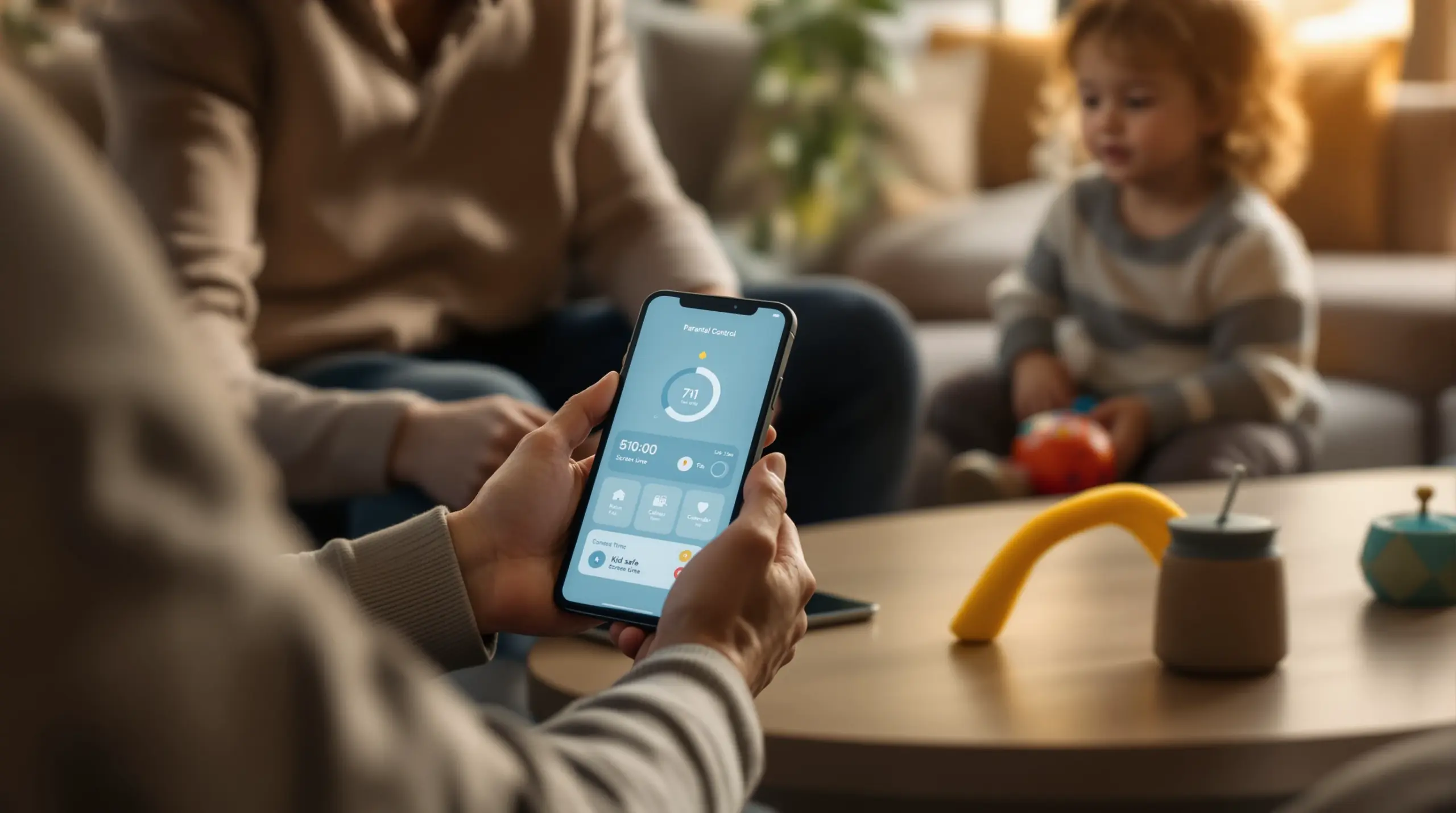
Screen time battles consume family energy daily, creating stress and conflict that undermines parent-child relationships. boomerang parental control offers a revolutionary solution by automating enforcement, removing parents from the role of digital police officer. This comprehensive platform transforms chaotic device management into peaceful, structured digital boundaries that children respect and parents can trust.
Modern families face unprecedented challenges managing children’s digital lives. With sophisticated Android capabilities and proven effectiveness, this solution addresses core parenting pain points through intelligent automation rather than constant supervision. Parents gain peace of mind knowing their rules stay enforced while children learn healthy digital habits within clear, consistent boundaries.
START YOUR FREE TRIAL
Take control of screen time—free for 14 days, cancel anytime.




The platform’s Android-first approach unlocks advanced features unavailable in basic solutions like Google Family Link or Apple Screen Time. From YouTube monitoring to uninstall protection, every feature serves the ultimate goal of reducing parental stress while ensuring child safety. Understanding how this system works empowers families to reclaim harmony while embracing technology’s benefits responsibly.
We’ll explore the comprehensive feature set, implementation strategies, and real-world benefits that make this solution stand apart in the crowded parental control market. Whether you’re considering your child’s first smartphone or upgrading from ineffective free alternatives, this guide provides the insights needed for informed decision-making about your family’s digital future.
Core Features That End Screen Time Battles
The automated screen time management system forms the foundation of effective digital parenting. Parents set daily usage limits and scheduled downtime periods that the device enforces automatically, eliminating negotiation and argument cycles. When screen time expires or bedtime arrives, the phone locks without parental intervention, creating consistent boundaries that children learn to respect.
Per-app limits provide granular control over specific applications while encouraging educational tool usage. Parents can restrict gaming apps to 30 minutes daily while designating learning platforms as “Encouraged Apps” with unlimited access. This balanced approach promotes healthy digital habits rather than punitive restrictions, teaching children to prioritize educational content over entertainment.
“The core strength of Boomerang lies in its automated screen time management system. Parents can set daily limits and scheduled downtime periods that the device enforces automatically, eliminating the need for daily arguments,” explain [3] Boomerang Parental Control Experts. This automation transforms parental control from reactive policing to proactive boundary setting.
App discovery and approval workflow prevents risky installations before they occur. When children attempt downloading new applications, parents receive instant notifications requiring approval or denial. This gate-keeping functionality ensures only appropriate content reaches the device, addressing concerns about age-inappropriate games, social media platforms, or potentially harmful applications that could expose children to online risks.
The SPIN Safe Browser integration provides robust web filtering without complex configuration requirements. Built-in content blocking shields children from inappropriate websites across multiple categories while enforcing safe search results on popular search engines. Unlike traditional browser restrictions that clever children might circumvent, this dedicated browser works consistently across any network connection.
Scheduled downtime enforcement protects essential family routines like homework, meals, and sleep. Parents establish device-free periods that automatically activate regardless of current usage or child protests. This feature proves particularly valuable for maintaining healthy sleep schedules, as devices lock at predetermined bedtimes without requiring parental intervention or creating confrontational situations.
Flexible time extension options accommodate special circumstances while maintaining overall structure. Parents can remotely grant additional screen time for legitimate needs like completing homework assignments or staying connected during emergencies. This balance between structure and flexibility prevents the system from feeling overly rigid while preserving parental authority over digital boundaries.
The comprehensive reporting system provides detailed insights into device usage patterns, helping parents understand their child’s digital behaviors and interests. Daily activity summaries delivered via email keep busy parents informed without requiring constant app monitoring, enabling informed conversations about healthy technology use and identifying potential concerns before they escalate.
Android-First Design Advantages
Android’s open architecture enables deep system integration impossible on iOS platforms, unlocking advanced parental control capabilities that go far beyond basic screen time limits. This fundamental difference allows comprehensive device management that rivals enterprise mobile device management solutions while remaining accessible for family use. The platform leverages Android’s flexibility to provide unmatched control over device functionality and content access.
YouTube App History Monitoring represents a breakthrough feature exclusive to Android devices. Parents gain complete visibility into what their children search for and watch within the regular YouTube application, addressing one of the most significant blind spots in digital parenting. This monitoring extends beyond simple usage time to reveal actual content consumption patterns, enabling informed discussions about appropriate viewing habits and potential risks.
Samsung Knox integration on supported devices provides enterprise-grade security that makes tampering virtually impossible. This military-grade protection prevents tech-savvy children from disabling parental controls, uninstalling the application, or finding workarounds that compromise safety measures. Knox-enabled devices offer parents confidence that their rules will remain enforced regardless of their child’s technical sophistication or determination.
Call and text safety monitoring addresses communication risks that free alternatives cannot match. The system logs all call and SMS activity while alerting parents to messages containing inappropriate keywords or contact from unknown numbers. This comprehensive communication oversight helps identify cyberbullying, stranger contact, or other potentially dangerous interactions before they escalate into serious problems.
Android’s permission system allows granular control over device capabilities that iOS simply cannot provide third-party applications. Parents can restrict camera access, location sharing, or microphone usage for specific apps while maintaining full functionality for trusted applications. This level of control empowers parents to create secure digital environments tailored to their family’s specific needs and comfort levels.
Uninstall protection leverages Android’s device administrator privileges to prevent unauthorized app removal. Unlike iOS where children can easily delete parental control applications, Android implementation makes removal extremely difficult without parental credentials. This protection ensures continuity of safety measures even when children attempt to circumvent established boundaries through technical manipulation.
The sideloading capability provides installation flexibility when Google Play Store policies create accessibility challenges. Parents can download the application directly from the official website, ensuring access to the most current features regardless of app store approval processes. This independence from marketplace restrictions guarantees consistent availability for families who need comprehensive parental control solutions.
Advanced network monitoring works across all internet connections without requiring VPN configurations that might slow device performance. Whether connected to home wifi, school networks, or mobile data, the protection remains active and effective. This universal coverage ensures consistent safety regardless of location or network infrastructure, providing peace of mind for parents whose children use devices in various environments.
Safety and Monitoring Capabilities
Location tracking with geofencing capabilities provides real-time awareness of children’s physical whereabouts without constant check-in calls or text message exchanges. Parents establish digital boundaries around important locations like schools, friends’ homes, or activity centers, receiving automatic notifications when children arrive or leave these areas. This automated system reduces anxiety while respecting children’s growing independence and privacy needs.
The comprehensive web filtering system blocks inappropriate content across millions of websites while maintaining access to educational and age-appropriate resources. Unlike basic filters that rely on simple keyword blocking, the advanced categorization system understands context and intent, reducing false positives that might block legitimate educational content while maintaining strong protection against truly harmful material.
“You can see full web browsing history, even if their attempt to access a website was thwarted by the content filter. You’ll know what kind of topics your child is curious about,” note [4] SafeWise Analysts. This visibility enables proactive conversations about online safety and helps parents understand their child’s interests and developmental needs.
Call blocking functionality protects children from unwanted contact while maintaining communication with approved family and friends. Parents can block calls from unknown numbers, telemarketers, or specific contacts that might pose risks. Emergency numbers remain accessible regardless of blocking settings, ensuring safety communications stay available when needed most.
Text message monitoring includes keyword alerting for potentially dangerous conversations involving bullying, inappropriate content, or contact with strangers. The system flags concerning messages while respecting privacy for normal, age-appropriate communications. This balanced approach helps parents identify genuine risks without creating an atmosphere of excessive surveillance that might damage trust.
Real-time activity reporting provides immediate alerts for policy violations, concerning web searches, or attempts to disable protection measures. Parents receive notifications about significant events without being overwhelmed by routine usage information. This selective alerting system ensures important safety concerns receive prompt attention while avoiding notification fatigue.
The panic button feature enables children to quickly contact parents or emergency services during dangerous situations. This discrete safety tool works even when the device is otherwise restricted, ensuring help remains accessible during emergencies. The feature provides children with security while giving parents additional peace of mind about their child’s ability to seek help when needed.
Historical data analysis reveals usage patterns and trends that help parents understand their child’s digital development over time. This longitudinal view enables informed decisions about gradually increasing privileges or adjusting restrictions as children demonstrate responsibility. The data-driven approach supports healthy digital citizenship development rather than punitive control measures that might inhibit growth and learning.
Setup and Device Management
Initial setup requires minimal technical expertise while providing comprehensive protection from the first activation. The guided installation process walks parents through essential configuration steps, ensuring all critical safety features activate correctly without overwhelming non-technical users. Clear instructions and intuitive interface design make sophisticated device management accessible to families regardless of their technical background or experience with parental control systems.
Device enrollment supports both Google Play Store downloads and direct sideloading for maximum compatibility across Android versions and device manufacturers. Samsung Galaxy smartphones and tablets receive enhanced protection through Knox integration, while Google Pixel devices and other Android phones benefit from standard but still robust security measures. This flexibility ensures comprehensive coverage across diverse family device ecosystems.
Remote management capabilities allow parents to adjust settings, grant time extensions, or modify restrictions without physical access to the child’s device. Whether at work, traveling, or simply in another room, parents maintain full control over their child’s digital environment. This convenience eliminates the need for parents to constantly handle the child’s device while maintaining effective oversight.
Multi-device coordination simplifies management for families with multiple children or devices per child. A single parent dashboard controls tablets, smartphones, and other Android devices from one centralized interface. This unified approach prevents the complexity and confusion that often accompanies managing multiple individual device restrictions across different platforms or applications.
Backup and restore functionality protects configuration settings during device resets, upgrades, or replacements. Parents can save their carefully crafted restrictions and preferences, then quickly restore them to new or reset devices. This feature prevents the frustration of reconfiguring complex parental controls from scratch when technical issues or device changes occur.
Age-appropriate preset configurations provide starting points for different developmental stages without requiring extensive manual setup. Parents can select pre-configured templates for elementary, middle school, or high school age children, then customize specific settings to match their family’s unique needs and values. These templates speed initial setup while ensuring age-appropriate protection levels.
Regular automatic updates ensure the latest security features and compatibility improvements install without parental intervention. The system maintains effectiveness against new threats and incorporates feature enhancements seamlessly. Background updating prevents security gaps that might occur if parents forgot to manually update protection software on their child’s device.
Technical support through comprehensive documentation, video tutorials, and direct assistance helps parents overcome any implementation challenges. The knowledge base addresses common questions while support representatives provide personalized guidance for complex family situations. This support infrastructure ensures successful deployment and ongoing effectiveness regardless of initial technical comfort levels or unexpected complications.
Your Most Common Questions
How does boomerang parental control prevent children from bypassing restrictions?
The system employs multiple layers of protection including device administrator privileges on Android, Samsung Knox integration on supported devices, and sophisticated tamper detection. Unlike easily-deleted alternatives, removal requires complex procedures that most children cannot complete. The app monitors for bypass attempts and immediately alerts parents while restoring protection measures. Advanced users attempting root access or factory resets trigger additional safeguards that maintain parental oversight even during sophisticated circumvention efforts.
What makes the Android version more powerful than iOS parental control options?
Android’s open architecture allows deep system integration that iOS security restrictions prevent. Exclusive features include YouTube app history monitoring, comprehensive call and text safety tracking, and granular permission control over device capabilities. Samsung Knox integration provides enterprise-grade security impossible on iOS devices. The platform offers uninstall protection that rivals corporate mobile device management while maintaining user-friendly family operation. These capabilities address parental concerns that basic iOS Screen Time simply cannot match.
Can boomerang parental control work effectively across different network connections?
Yes, protection remains active and consistent regardless of network environment. The system works seamlessly across home wifi, school networks, public hotspots, and mobile data connections without requiring VPN configurations that might slow performance. Content filtering and safety features operate independently of network infrastructure, ensuring comprehensive protection whether children use devices at home, school, friends’ houses, or any other location. This universal compatibility eliminates common security gaps that network-dependent solutions experience.
How does the automated screen time enforcement reduce family conflict?
By removing parents from the role of digital enforcement officer, the system eliminates daily arguments about device usage. Children learn that time limits come from the device itself, not parental intervention, reducing resistance and negotiation attempts. Scheduled downtime for homework and bedtime occurs automatically, creating predictable routines that children adapt to over time. Parents can focus on positive interactions rather than constant policing, while children develop self-regulation skills within clear, consistent boundaries that apply fairly every day.
Comparison Analysis
| Feature | Boomerang Parental Control | Google Family Link | Apple Screen Time |
|---|---|---|---|
| Cost | Paid subscription | Free | Free (built-in) |
| Uninstall Protection | Yes, enterprise-grade | Basic | None |
| YouTube Monitoring | Full app history (Android) | No | No |
| Call/Text Safety | Comprehensive (Android) | Basic approval | None |
| Web Filtering | Advanced with SPIN browser | Basic | Basic |
| Samsung Knox Support | Yes | No | N/A |
The comparison reveals significant capability gaps between free alternatives and comprehensive solutions. While 47 percent of parents fully utilize parental controls on smartphones[2], many rely on inadequate built-in features that children easily circumvent. Professional solutions like boomerang parental control address these limitations through advanced security measures and exclusive monitoring capabilities.
Free options like Google Family Link provide basic functionality suitable for compliant younger children but lack the robust protection needed for determined older kids. The absence of uninstall protection means tech-savvy children can simply remove these apps, defeating their purpose entirely. Premium solutions invest in enterprise-grade security that maintains effectiveness regardless of circumvention attempts.
Feature depth varies dramatically between platforms, with Android solutions offering capabilities impossible on iOS due to system restrictions. Parents choosing devices and solutions must consider these fundamental differences when planning long-term digital safety strategies. The investment in comprehensive protection often proves worthwhile when measured against the time and stress saved through effective automated enforcement.
How Boomerang Addresses Modern Parenting Challenges
We understand that 89 percent of parents experience daily conflicts over screen time[1], creating household stress that undermines family relationships and parental authority. Our automated enforcement system eliminates these battles by removing human judgment from routine decisions, allowing the device to enforce agreed-upon limits consistently and impartially. This approach transforms screen time management from confrontational to collaborative, with parents and children working together to establish healthy digital boundaries.
“Our platform eliminates the daily conflicts that arise from manual enforcement by automating screen time limits and scheduled downtime,” explains [5] the Boomerang Parental Control Team. This automation proves especially valuable for busy parents who lack time for constant device monitoring while ensuring consistent boundary enforcement regardless of parental availability or energy levels.
Our comprehensive approach addresses the reality that 54 percent of parents feel their child is not safe online[2] through multilayered protection combining content filtering, communication monitoring, and location tracking. Rather than relying on single-point solutions that leave security gaps, we integrate multiple safety systems that work together seamlessly. This holistic protection gives parents confidence while teaching children to navigate digital environments safely.
The Android-first design philosophy unlocks exclusive capabilities like YouTube app history monitoring and Samsung Knox integration that address specific parental concerns. We recognize that effective parental control requires more than basic time limits, demanding deep insight into actual device usage patterns and content consumption habits. These advanced features provide the visibility needed for informed parenting decisions and meaningful conversations about digital citizenship.
We support families through the transition from unrestricted device use to structured digital boundaries with comprehensive onboarding resources and ongoing support. Our YouTube channel provides walkthrough videos while the knowledge base addresses common questions and challenges. This educational approach ensures successful implementation while building family confidence in healthy technology use practices.
Our solution grows with families as children develop increased responsibility and digital maturity. Flexible configuration options allow gradual privilege increases while maintaining core safety protections. This developmental approach supports healthy independence rather than permanent restriction, preparing children for eventual full device autonomy through structured learning experiences.
We believe effective parental control empowers rather than restricts, creating environments where children can explore technology’s benefits safely while learning self-regulation skills. Our “Encouraged Apps” feature exemplifies this philosophy by promoting educational tool usage while limiting entertainment consumption. This balanced approach fosters positive relationships with technology rather than adversarial dynamics that might persist into adulthood.
Practical Implementation Tips
Start implementation gradually to help children adjust to new boundaries without overwhelming resistance or resentment. Begin with generous time limits and scheduled downtime periods, then adjust restrictions based on observed behavior and family needs. This incremental approach allows children to adapt while demonstrating that parental controls enhance rather than punish their digital experiences. Success depends more on consistent application than strict initial settings.
Involve children in establishing screen time rules and consequences to build ownership and understanding of digital boundaries. Explain the reasoning behind specific restrictions while acknowledging their growing maturity and responsibility. When children participate in rule-setting discussions, they’re more likely to respect automated enforcement and less likely to view parental controls as arbitrary punishment rather than protective guidance.
Utilize the “Encouraged Apps” feature strategically to promote educational and creative technology use while limiting passive consumption. Designate homework platforms, educational games, coding apps, and creative tools as unlimited-use applications. This approach teaches children to prioritize productive technology use while maintaining appropriate restrictions on entertainment and social media platforms that might interfere with sleep, homework, or family time.
Review weekly activity reports together with children to celebrate positive digital choices and address concerning patterns collaboratively. These data-driven conversations focus on facts rather than assumptions, building trust while identifying areas for improvement. Regular review sessions create accountability while demonstrating parental investment in their digital development rather than simple surveillance or punishment.
Configure geofencing alerts for important locations like schools, activity centers, and friends’ homes to maintain safety awareness without constant communication demands. Set up notifications that inform you of safe arrivals and departures while respecting children’s growing independence. This automated safety net reduces anxiety while avoiding the helicopter parenting that constant check-in calls might represent.
Customize call and text monitoring settings to match your family’s communication style and safety concerns. Enable keyword alerts for potential bullying or inappropriate contact while avoiding overly broad filtering that might flag normal conversations. Balance safety monitoring with privacy respect by focusing on genuine risks rather than comprehensive surveillance of all communications.
Plan for special circumstances like school projects, family emergencies, or social events by understanding remote time extension capabilities. Learn how to grant additional screen time when legitimate needs arise while maintaining overall structure. This flexibility prevents the system from becoming overly rigid while preserving parental authority over digital boundaries during exceptional situations.
Establish clear consequences for bypass attempts or rule violations that focus on learning rather than punishment. When children attempt to circumvent protections, use these incidents as teaching opportunities about digital citizenship, trust, and safety. Consistent, educational responses to violations build long-term compliance while strengthening parent-child relationships around technology use expectations and responsibilities.
Final Thoughts on Boomerang Parental Control
The journey toward healthy family technology use requires tools that support rather than complicate parental guidance. boomerang parental control provides the automation and visibility needed to transform daily screen time battles into peaceful, structured digital boundaries. By removing parents from the enforcement role while maintaining comprehensive safety oversight, families can focus on building positive relationships with technology rather than constantly policing device usage.
“Boomerang Parental Control addresses the core challenges that modern families face in managing children’s digital experiences. Our comprehensive solution eliminates daily screen time conflicts through automated enforcement,” states [6] the Boomerang Development Team. This automation proves invaluable for busy parents who need effective solutions that work consistently without constant intervention or supervision.
Success with any parental control system depends on clear communication, consistent application, and gradual adaptation to changing family needs. The most sophisticated technology cannot replace thoughtful parenting, but it can provide the structure and safety that enables healthy digital development. Consider how comprehensive protection and automated enforcement might transform your family’s relationship with technology while supporting your child’s growing independence and responsibility.
Ready to end the daily screen time battles? Visit Boomerang Parental Control to discover how our Android-first solution can bring peace to your household while ensuring your child’s digital safety and healthy development.
Further Reading
- Best Parental Control Apps for 2026: Complete Guide.
https://useboomerang.com/article/parental-control-apps/ - Smart Parental Surveillance for Digital Safety Guide.
https://useboomerang.com/article/parental-surveillance/ - Best Android Phone Parental Control App Features Reviews.
https://useboomerang.com/article/best-android-phone-parental-control-app-features-reviews/ - Boomerang Parental Control Review | SafeWise.
https://www.safewise.com/boomerang-parental-control-review/ - Smart Parental Surveillance for Digital Safety Guide.
https://useboomerang.com/article/parental-surveillance/ - Parental Control: The Essential Guide to Safe Digital Parenting.
https://useboomerang.com/article/parental-control/
START YOUR FREE TRIAL
Take control of screen time—free for 14 days, cancel anytime.
