
31
Jul
2026
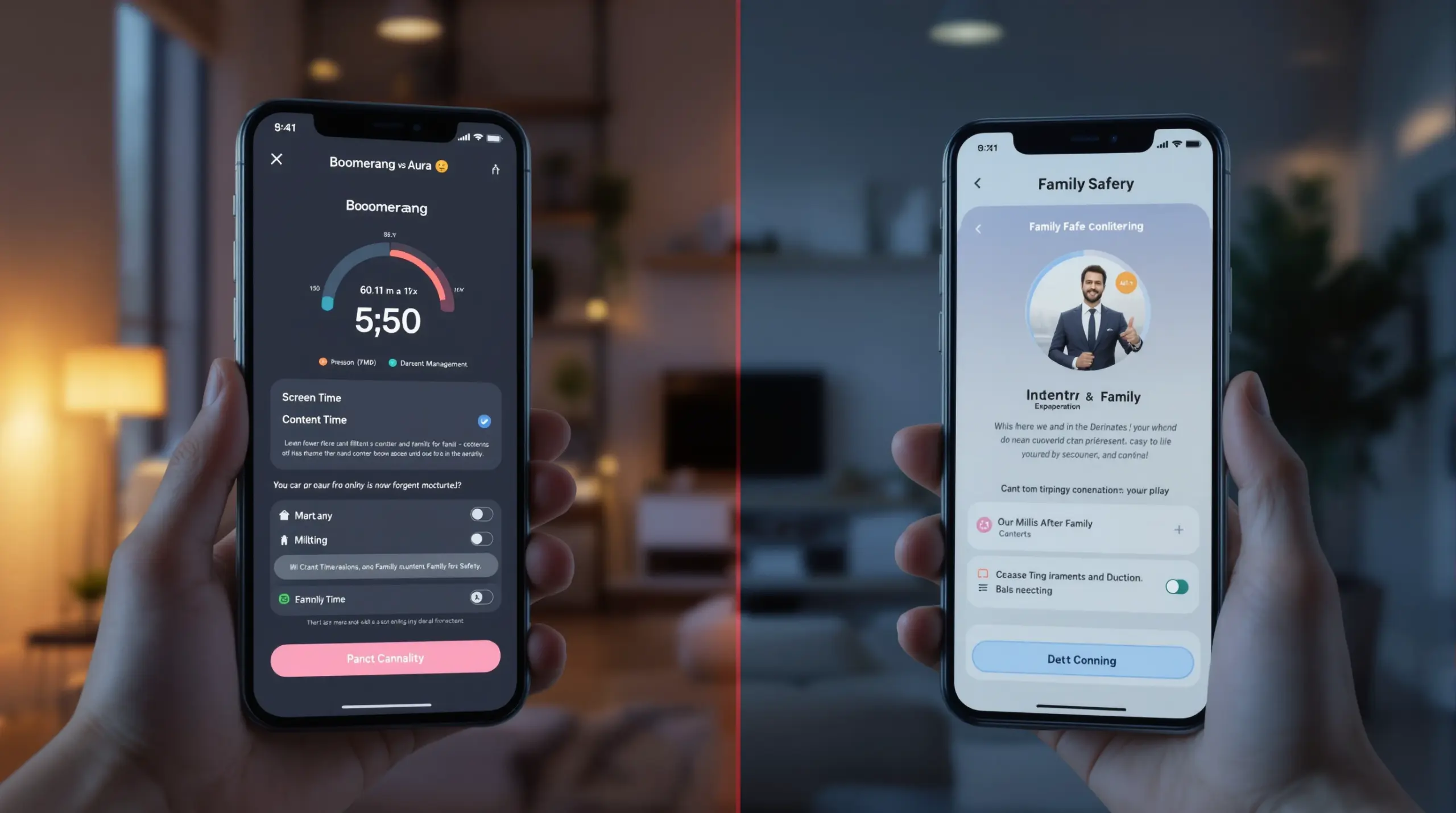
Boomerang vs Aura: Which Parental Control Wins?
July 31, 2026
Comparing boomerang vs aura parental control apps helps families choose the right tool for screen time management, content filtering, and child online safety on Android and iOS devices.
Table of Contents
- What Are Boomerang and Aura Parental Controls?
- How Do the Core Features Compare?
- Why Does the Android Advantage Matter for Families?
- Pricing, Value, and Who Each App Is Built For
- Frequently Asked Questions
- Side-by-Side Comparison
- How Boomerang Parental Control Helps Your Family
- How to Choose and Set Up a Parental Control App in 5 Steps
- The Bottom Line
- Sources & Citations
Article Snapshot
Boomerang vs Aura is a comparison of two parental control platforms with different priorities: Boomerang is an Android-first app with deep device-level controls including YouTube history monitoring and uninstall protection, while Aura is a broad family safety suite focused on identity protection and device-wide security. Families choosing between them should match the tool to their primary concern.
Boomerang vs Aura in Context
- The global parental control market reached $1,711.9 million (USD) in 2025, reflecting strong and growing family demand for digital safety tools (Boomerang Market Research, 2026).[1]
- Boomerang’s annual subscription starts at approximately $16 for one device and around $31 for a Family Pack covering up to ten child devices (SafeWise, 2026).[2]
- A 2026 parental control roundup identified screen time management, content filtering, and location monitoring as the three core evaluation criteria across competing products (TechRadar, 2026).[3]
What Are Boomerang and Aura Parental Controls?
Boomerang vs Aura represents a choice between two fundamentally different approaches to family digital safety. Boomerang Parental Control is a dedicated child device management app built specifically for Android (with limited iOS support), designed to give parents granular, automated control over screen time, app usage, web browsing, and communication on a child’s phone. Aura, formerly known as Circle, is a broader family safety platform that combines identity protection, antivirus, VPN, and parental controls into a single subscription aimed at the whole household.
Boomerang launched in 2015 with a single mission: helping parents manage their child’s Android device without daily conflict. It integrates directly with the device operating system and, on Samsung hardware, uses Samsung Knox enterprise security technology to make controls tamper-resistant. This depth of device integration is the defining characteristic that separates Boomerang from lighter-touch alternatives.
START YOUR FREE TRIAL
Take control of screen time—free for 14 days, cancel anytime.




Aura positions itself as a whole-family digital protection service. Its parental control component is one layer within a wider bundle that includes identity theft monitoring, dark web alerts, financial fraud protection, and device security tools for adults in the household. For families whose primary concern is protecting every family member from identity-related threats, Aura’s bundled approach has clear appeal. For parents whose immediate priority is managing what their child does on their phone each day, that broader scope dilutes the focus where it matters most.
Understanding this foundational difference is the most useful starting point when evaluating boomerang vs aura for your family. One app is purpose-built for child device management; the other is a comprehensive family safety suite that includes parental controls as one feature among many. Neither approach is universally better – the right choice depends on your family’s specific needs, the devices your children use, and which risks concern you most.
How Do the Core Features Compare?
The core feature sets of Boomerang and Aura diverge significantly once you move past surface-level descriptions, and understanding those differences helps parents make a practical decision based on real family scenarios.
Boomerang’s strongest capabilities are concentrated in Android device management. Screen time scheduling allows parents to set fixed lock times for bedtime, homework, and meals – the phone locks automatically without requiring the parent to intervene. Daily time limits cap total usage across the day, and per-app time limits let parents allow 30 minutes of gaming while leaving educational apps running without restriction. The Encouraged Apps designation means a school portal or reading app stays available even after a child’s entertainment screen time runs out. These controls are automated, which means once you set them up, they run without daily parental involvement.
App Discovery and Approval is another standout feature for Boomerang on Android: every new app a child tries to install triggers a parent notification and requires approval before the child opens it. This single gate prevents the installation of social media platforms, games, or communication apps before a parent has reviewed them. For parents setting up a first smartphone for a pre-teen, this feature alone addresses one of the most common anxieties around handing a child a connected device.
YouTube App History Monitoring (Android only) gives parents visibility into what their child searches for and watches within the main YouTube application – something built-in tools like Google Family Link do not provide. Call and Text Safety (Android only) logs call and SMS history, sends keyword alerts when concerning language appears in messages, and blocks calls from unknown numbers.
Aura’s parental control component covers web filtering, screen time scheduling, and location sharing, and it works across Android and iOS with a more consistent cross-platform experience. However, its device-level controls are less granular than Boomerang’s Android capabilities. Aura’s parental controls are complemented by its identity protection features – real-time credit monitoring, Social Security number alerts, and financial fraud detection – which are adult-facing tools rather than child device management features.
For web filtering and safe browsing across both platforms, Boomerang includes the SPIN Safe Browser, a dedicated browser with pre-configured content filtering that blocks millions of inappropriate websites automatically on any network without requiring a VPN or router configuration. This means the filter works at a friend’s house, on school WiFi, or on mobile data – not just on your home network.
Why Does the Android Advantage Matter for Families?
The Android advantage in the boomerang vs aura comparison matters because most of the features parents rely on for deep child device management are only possible when an app has direct, low-level access to the Android operating system – access that Apple’s iOS platform does not grant third-party apps.
On Android, Boomerang enforces per-app time limits, monitors YouTube viewing history inside the YouTube app, logs SMS messages, requires approval for every new app install, and uses Samsung Knox on supported Samsung devices to make the parental control app itself virtually impossible to uninstall without a parent PIN. These capabilities go well beyond what any parental control app does on iOS, where Apple’s restrictions limit third-party apps to scheduled downtime, content filtering through a VPN profile, and location sharing.
This is not a criticism of Aura or any iOS-compatible tool – it reflects a platform reality that every family should understand before comparing apps. If your child uses an Android phone or tablet, Boomerang’s Android-first design gives you significantly deeper control than tools built for cross-platform compatibility. If your child uses an iPhone, both Boomerang and Aura are working within Apple’s limitations, and the gap between them narrows considerably.
Boomerang’s Samsung Knox integration is a particularly meaningful differentiator for families with Samsung Galaxy devices. Knox is an enterprise mobile security framework pre-installed on most Samsung smartphones and tablets. By integrating with Knox, Boomerang protects itself from being tampered with or deleted at a device level – not just at the app level. Parents of tech-savvy teenagers who have previously bypassed Google Family Link or other basic controls will recognize why this matters.
A 2026 parental control roundup identified screen time management, content filtering, and location monitoring as the three core evaluation criteria across competing products (TechRadar, 2026).[3] Boomerang delivers on all three criteria with greater depth on Android than most competitors, while Aura prioritizes breadth of protection across all household members over depth of child device control.
Pricing, Value, and Who Each App Is Built For
Pricing and target audience are two of the most practical factors when comparing boomerang vs aura, because both apps are priced around very different value propositions.
Boomerang is purpose-built for parents managing their child’s device. Its annual subscription starts at approximately $16 for one device and around $31 for a Family Pack covering up to ten child devices (SafeWise, 2026).[2] This pricing makes it one of the most affordable dedicated parental control solutions on the market, and it delivers a feature set – Samsung Knox integration, YouTube history monitoring, Call and Text Safety, per-app limits – that justifies the cost for Android households.
Aura’s pricing reflects its broader scope. Aura bundles parental controls alongside identity theft protection, VPN, antivirus, and financial fraud monitoring for the entire family. Its subscription tiers are priced accordingly, starting well above Boomerang’s annual cost for a comparable number of devices. For families who want the full identity protection suite for adults as well as parental controls for children, Aura’s bundled price represents good value. For families whose primary concern is managing a child’s phone, paying for identity theft monitoring and VPN services they do not need adds cost without adding relevant child safety features.
Independent reviewers have noted Boomerang’s strong value-to-feature ratio for Android-focused families. SafeWise’s Boomerang review highlights its Android depth and accessible pricing as standout qualities, and TechRadar’s review of Boomerang Parental Control similarly recognizes its device management capabilities.
The audience fit is also meaningfully different. Boomerang is designed for parents of pre-teens and younger teens who need structured, automated controls on a child’s Android device. Aura is designed for households where adults want comprehensive identity and financial protection alongside family safety features. If you are a parent shopping specifically for a tool to manage your child’s phone – set screen time, block inappropriate content, monitor communication, and track location – Boomerang is built exactly for that purpose. If you are a household looking to protect every family member from identity fraud and want parental controls included in that package, Aura’s broader offering warrants consideration.
Your Most Common Questions
Does Boomerang or Aura work better on Android devices for child screen time management?
Boomerang works significantly better on Android for child screen time management, delivering per-app time limits, YouTube history monitoring, Call and Text Safety, App Approval control, and Samsung Knox-backed uninstall protection that Aura does not match. Aura provides parental controls on Android, but its Android feature set is not built to the same depth as Boomerang’s because Aura’s platform serves a broader household safety mission rather than focusing specifically on child device management. For parents managing a child’s Android phone or tablet, Boomerang’s Android-first architecture gives you more granular, automated, and tamper-resistant controls. The practical difference shows up in everyday scenarios: Boomerang locks the device automatically at bedtime, requires your approval for every new app install, and shows you what your child has been watching on YouTube – all without manual daily intervention from you.
Can Aura parental controls prevent a child from uninstalling the app?
Aura’s parental controls do not provide the same level of uninstall protection on Android as Boomerang’s Knox-backed tamper resistance, which is a key difference for parents of tech-savvy children. Uninstall protection is one of the most frequently cited pain points for parents, and it is an area where Boomerang’s Android-first approach creates a meaningful advantage. Boomerang uses Android device administrator permissions combined with Samsung Knox integration on supported Samsung devices, making the app extremely difficult for a child to remove without the parent’s PIN. This level of protection is not something Aura or most cross-platform parental control apps can replicate, because it requires deep Android system-level integration. For parents of teenagers who have previously bypassed or deleted Google Family Link, Apple Screen Time, or other basic controls, this difference is the deciding factor. Aura does provide tamper notifications on iOS devices, but on Android its uninstall resistance is not comparable to Boomerang’s Samsung Knox implementation.
What does Aura offer that Boomerang does not include?
Aura offers identity theft protection, financial fraud monitoring, dark web scanning, VPN, and antivirus tools that Boomerang does not include, because Boomerang is a dedicated child device management app rather than a whole-household security suite. These Aura features are primarily adult-facing: real-time credit monitoring, Social Security number alerts, data breach notifications, and financial account protection. For families where parents are equally concerned about their own identity security as they are about their child’s screen time, Aura’s bundled offering addresses both in a single subscription. Boomerang focuses entirely on the child’s device – screen time, content filtering, location tracking, app control, and communication safety on Android – and does not attempt to provide the broader identity and financial security services that Aura wraps around its parental controls. The choice between the two comes down to whether your household needs a deep child device management tool or a comprehensive family protection platform that includes lighter parental controls.
Is Boomerang Parental Control suitable for iOS devices?
Boomerang Parental Control supports iOS devices but with a more limited feature set than its Android version, because Apple’s platform restrictions prevent third-party apps from accessing the same deep device controls available on Android. On iOS, Boomerang provides screen time scheduling, location tracking, and access to the SPIN Safe Browser for content-filtered web browsing – but features like per-app time limits, YouTube App History Monitoring, Call and Text Safety, and Samsung Knox uninstall protection are Android-only capabilities. This is not unique to Boomerang; all parental control apps face Apple’s same restrictions, including Aura. If your child uses an iPhone and iOS parental controls are your primary need, both apps operate within Apple’s limitations, and the feature gap between them narrows considerably. For households with both Android and iOS child devices, Boomerang’s Android device management is its strongest offering, with iOS support serving as a useful complement rather than an equal replacement. Parents of iPhone-using children should review Boomerang’s iOS feature list before committing to a subscription.
Boomerang vs Aura: Side-by-Side
The table below compares Boomerang and Aura across the key criteria that matter most to parents choosing a parental control or family safety app. Evaluating these tools against screen time management, content filtering, and location monitoring – the three core criteria identified in a 2026 roundup (TechRadar, 2026)[3] – alongside platform depth and pricing helps clarify which product fits which family scenario.
| Feature / Criteria | Boomerang Parental Control | Aura Family Safety |
|---|---|---|
| Primary focus | Child device management (Android-first) | Whole-household safety suite (identity + parental controls) |
| Screen time scheduling | Automated daily limits, bedtime locks, per-app timers (Android); scheduled time only (iOS) | Screen time scheduling on Android and iOS; less granular per-app control |
| Content filtering | SPIN Safe Browser with pre-configured filtering on any network, no VPN required | Web filtering included; VPN-based on some configurations |
| Location tracking | Real-time location, geofencing alerts, 30-day location history | Location sharing and family map included |
| YouTube monitoring | YouTube App History Monitoring (Android only) | Not available |
| Call & text safety | SMS and call log monitoring, keyword alerts, unknown number blocking (Android only) | Not a core feature |
| Uninstall protection | Strong; Samsung Knox integration on supported Samsung devices (Android); notification-only on iOS | Standard; not Knox-backed |
| Identity protection | Not included | Full identity theft, credit monitoring, dark web scanning for adults |
| Pricing (annual) | ~$16 per device; ~$31 for Family Pack (up to 10 devices) (SafeWise, 2026)[2] | Higher-tier pricing reflecting bundled adult security features |
| Best suited for | Parents managing a child’s Android device; first smartphone setup; teens who bypass controls | Households wanting combined identity protection and family safety in one plan |
How Boomerang Parental Control Helps Your Family
Boomerang Parental Control – Taking the battle out of screen time for Android and iOS is built for parents who want structured, automated, and tamper-resistant control over their child’s device from day one. Boomerang is designed specifically to solve the problems parents face most: daily arguments about screen time, anxiety about what children are watching and downloading, and the frustration of having a child bypass or delete basic controls.
The Boomerang Parental Control screen time features give you automated daily limits, fixed bedtime and homework schedules, per-app timers, and the Encouraged Apps designation so educational tools stay accessible even after entertainment time runs out. On Android, these controls run automatically – you set them once and the phone enforces them without you having to police the device every evening.
For families with Samsung Galaxy devices, Boomerang’s Samsung Knox integration makes controls exceptionally difficult for tech-savvy children to bypass or remove. For parents who have already watched a teenager delete Google Family Link or Apple Screen Time, this level of protection changes the conversation entirely.
“Kids hate it and they are doing low rating. This app has been great. Any issues or questions that I have are very quickly responded to. Have been using for 2 years and am very pleased. The very low price covers all year.” – App Store review
“Hey fellow parents, So far this the best parental control app .. hands down. So far the only app my 11 year old was not able to bypass. Big Shout out to developers for making such a great app.” – Jason H, Google Play review
Annual subscriptions start at around $16 for a single device and around $31 for the Family Pack covering up to ten child devices (SafeWise, 2026).[2] Whether you are setting up a first smartphone for a pre-teen or managing a teenager who has already worked around simpler controls, Boomerang gives you the depth of control your family needs at a price that fits a household budget. Download Boomerang for Android or visit the website to get started today.
How to Choose and Set Up a Parental Control App in 5 Steps
Step 1: Identify Your Primary Concern and Device Platform
Before comparing apps, decide whether your main goal is child device management (screen time, content filtering, app control) or whole-household security (identity protection, fraud monitoring, VPN). Then confirm whether your child uses Android or iOS, because platform determines which features are actually available to you. If your child uses Android and your priority is deep device control, Boomerang’s Android-first feature set is the logical starting point in the boomerang vs aura evaluation.
Step 2: Match Features to Your Specific Family Scenarios
List the two or three specific problems you need to solve – for example, bedtime enforcement, stopping YouTube rabbit holes, or preventing risky app installs. Check which app delivers those features on your child’s actual device. Avoid paying for a broad bundle of features your household does not need. A dedicated child management app with the right controls for your platform will outperform a general suite with weaker device-level integration every time.
Step 3: Download and Install the App on the Child’s Device First
Install the parental control app on your child’s device before handing it to them, especially for first-smartphone setups. On Android, this means granting device administrator permissions during setup so the app enforces controls at the system level. For Samsung devices, completing the Knox enrollment step during Boomerang’s setup activates the tamper-resistant layer that prevents the app from being uninstalled without your PIN.
Step 4: Configure Screen Time Schedules and Content Filters
Set your daily screen time limit, bedtime lock schedule, and any homework or mealtime downtime blocks before the child uses the device. Designate educational or health apps as Encouraged Apps so those remain available after entertainment time ends. Enable web filtering through SPIN Safe Browser so content protection is active from the first browsing session, on any network the device connects to – home WiFi, school networks, or mobile data.
Step 5: Have an Open Conversation with Your Child About the Rules
Explain to your child what the app monitors and why the rules exist before they discover the controls on their own. Children who understand the boundaries and the reasoning behind them are more likely to work within them rather than look for workarounds. Frame the conversation around trust-building: as they show responsible use, you can gradually loosen specific limits. This approach aligns with guidance from child health organizations that emphasize open communication alongside consistent digital boundaries.
The Bottom Line
The boomerang vs aura comparison comes down to purpose: Boomerang Parental Control is a purpose-built child device management app with deep Android integration, automated screen time enforcement, and tamper-resistant uninstall protection – including Samsung Knox on supported devices. Aura is a comprehensive household safety suite that bundles identity protection and financial fraud monitoring alongside lighter parental controls. For parents whose primary goal is managing what their child does on an Android phone or tablet, Boomerang delivers more relevant features at a significantly lower price point, starting at around $16 per year for a single device.
If you are ready to take the conflict out of screen time and put consistent, automated rules in place on your child’s device, explore Boomerang Parental Control today. Visit useboomerang.com or reach out to the team at [email protected] to find the right plan for your family.
Sources & Citations
- Parental Control App Market Data. Boomerang Market Research, 2026.
https://useboomerang.com/article/parental-control-app-ios/ - Parental Control App Pricing and Reviews. SafeWise, 2026.
https://www.safewise.com/kids-safety/parental-control-apps/ - Best Parental Control Apps of 2026. TechRadar, 2026.
https://www.techradar.com/best/best-parental-control-app-of-year
START YOUR FREE TRIAL
Take control of screen time—free for 14 days, cancel anytime.
