
15
May
2026
Boomerang vs Qustodio: Which App Wins for Families?
May 15, 2026
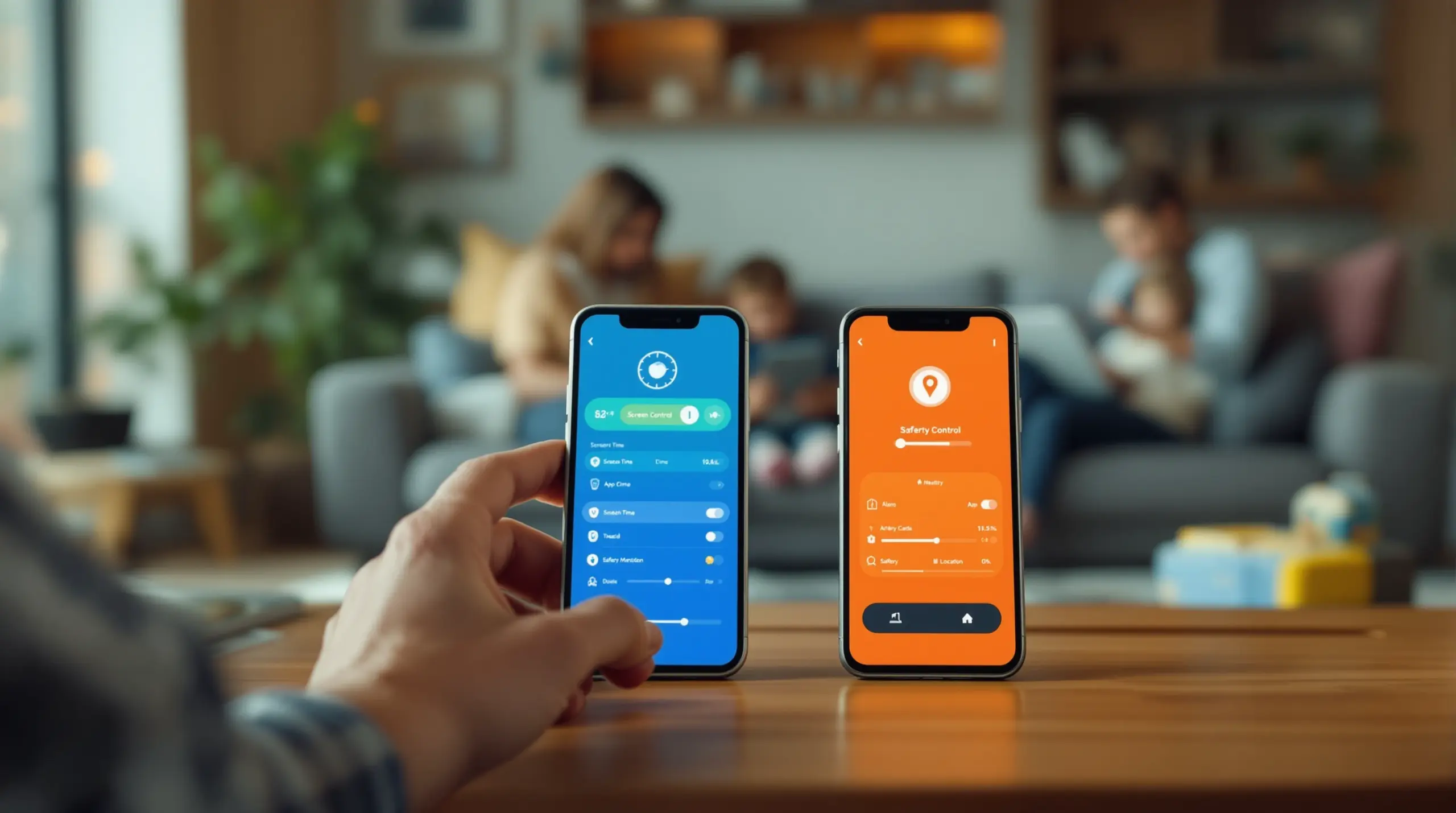
Boomerang vs Qustodio is one of the most searched parental control comparisons of 2026 – discover which app delivers better screen time control, safety features, and value for Android and iOS families.
Table of Contents
- What Sets Boomerang and Qustodio Apart
- Screen Time and App Controls Compared
- Safety Monitoring and Visibility Features
- Pricing and Value for Families
- Frequently Asked Questions
- Feature Comparison at a Glance
- How Boomerang Parental Control Helps Your Family
- Practical Tips for Choosing the Right App
- The Bottom Line
- Sources & Citations
Article Snapshot
Boomerang vs Qustodio is a comparison between two dedicated parental control apps with different strengths. Boomerang leads on Android depth and uninstall protection, while Qustodio offers broader cross-platform reporting. Your best choice depends on your devices, your children’s ages, and your budget.
Boomerang vs Qustodio in Context
- Qustodio is used by 9 million parents worldwide (Qustodio, 2026)[1]
- Boomerang Parental Control Family Pack covers up to 10 child devices for $31 per year (SafeWise, 2026)[2]
- Qustodio’s starting subscription price is $4.60 per month (YouTube Video Review, 2026)[3]
- Children spend an average of 2 hours per day on TikTok based on family household data (Qustodio, 2024)[1]
What Sets Boomerang and Qustodio Apart
Boomerang vs Qustodio comes down to a fundamental difference in design philosophy: Boomerang is built around deep Android device integration and automated conflict prevention, while Qustodio focuses on comprehensive cross-platform reporting and activity monitoring. Understanding that distinction is the fastest way to find the right tool for your family.
Boomerang Parental Control, launched in 2015, was purpose-built for parents managing Android devices, though it also offers iOS support with limited features. Its core promise is simple: set your rules once and let the app enforce them automatically, without daily parental intervention. That means bedtimes lock on schedule, daily limits cut off automatically, and children cannot delete the app and walk away from the rules you set. Boomerang gives parents of pre-teens and younger teens a genuinely strong Android-first solution that goes well beyond what free built-in tools like Google Family Link deliver.
START YOUR FREE TRIAL
Take control of screen time—free for 14 days, cancel anytime.




Qustodio, by contrast, is a mature cross-platform product used by 9 million parents worldwide (Qustodio, 2026)[1]. It works across Android, iOS, Windows, Mac, and Kindle, making it a natural fit for families running a mix of devices. Its reporting suite is detailed and parent-friendly, giving caregivers data on app usage time, browsing habits, and social media activity across every device in the household from a single dashboard.
Both apps go well beyond the screen time controls built into Android and iOS. Where they diverge is in depth versus breadth. Boomerang digs deeper into the Android experience with features like Samsung Knox-backed uninstall protection, YouTube App History Monitoring, and Call and Text Safety – none of which are available on iOS. Qustodio spreads wider, covering more device types with consistent reporting, but without the same level of Android-specific hardware integration. Parents with a single Android household will find Boomerang’s depth compelling. Parents managing a mixed-device family lean toward Qustodio’s unified dashboard.
“For Android families who want the deepest level of device management, including Samsung Knox integration for uninstall protection, Boomerang Parental Control is an Android-first solution worth comparing directly against both options.” – Boomerang Parental Control Review Team[4]
Screen Time and App Controls Compared
Screen time management is where the practical day-to-day experience of boomerang vs qustodio separates most clearly for parents dealing with daily device battles. Boomerang’s approach is automation-first: you configure the rules, and the app enforces them without you having to say a word to your child.
On Android, Boomerang allows parents to set a firm daily time limit – say, two hours of total screen time – alongside scheduled downtime blocks for bedtime, homework, and meals. When the time is up, the device locks. No negotiation, no override from the child, no argument. This automated enforcement is the feature that resonates most with parents who describe their current routine as an exhausting daily battle over devices.
Boomerang’s Per-App Limits take this further on Android, letting you assign individual time budgets to specific apps. You can allow thirty minutes on a gaming app while leaving a school portal or a reading app completely unrestricted by marking it as an Encouraged App. This distinction between entertainment and educational use is a practical tool for teaching healthy digital habits rather than simply blocking everything. You can explore these flexible controls directly on the Boomerang Parental Control screen time features page.
Qustodio also offers screen time scheduling and daily limits, and its controls work consistently across Android, iOS, Windows, and Mac. Parents managing a household where children use both a family laptop and an Android phone will appreciate having one interface to manage it all. Qustodio’s reporting is particularly strong here – it shows time spent per app, per category, and per device, giving parents a detailed picture of where their child’s hours actually go.
“Qustodio offers a more in-depth approach for parents who want detailed reports on their kids’ online activities. It provides data on app usage, web browsing habits, and social media interactions, allowing a comprehensive view of what children are doing online.” – YouTube Video Review Team[3]
Where Boomerang holds a significant edge is in what happens when a tech-savvy child tries to get around the rules. Boomerang’s App Discovery and Approval feature blocks any new app installation until a parent approves it. On supported Samsung devices, Knox integration makes the parental control app itself nearly impossible to uninstall without the parent’s PIN – a level of hardware-backed protection that Qustodio does not offer. For parents of teenagers who have already defeated Google Family Link or Apple Screen Time, this distinction is not a minor detail; it is the deciding factor. iOS users should note that Boomerang’s uninstall protection on iOS is notification-only, not hardware-enforced, which is a meaningful difference from the Android experience.
Safety Monitoring and Visibility Features
Online safety monitoring is the second major pillar in the boomerang vs qustodio decision, and both apps approach visibility in genuinely useful ways – but with different depth and platform coverage.
Boomerang’s standout Android-only safety feature is YouTube App History Monitoring. Most parental control apps show how long a child spent on YouTube. Boomerang goes further, showing parents the actual search terms and videos their child viewed inside the regular YouTube app. “Boomerang’s YouTube App History Monitoring shows parents the actual videos and search terms their child has viewed in the YouTube app – not just total time spent. This gives families the visibility they need to have informed conversations about what their child is watching.” – Boomerang Product Analysis Team[5]
This feature matters because YouTube remains one of the most-used platforms for children, and knowing that your child watched two hours of gaming content is far less useful than knowing they searched for specific terms you want to discuss. This visibility is exclusive to Android and is not available on iOS through Boomerang.
For web filtering and safe browsing, Boomerang integrates with SPIN Safe Browser, a dedicated child-safe browser that blocks inappropriate content automatically across millions of categories without requiring a VPN or router configuration. It works on any network – home Wi-Fi, school networks, or mobile data – which addresses a gap that router-based solutions leave wide open when children take their devices out of the house.
Boomerang’s Call and Text Safety feature (Android only) logs call and SMS history and sends keyword alerts when messages contain concerning language. Parents also block calls from numbers not saved in contacts. This layer of communication monitoring addresses the real parental concern about unknown adults or peers making contact with children through their phones.
Qustodio covers web filtering across all supported platforms with category-based blocking and customizable content rules. Its geofencing and location tracking features are available on its premium plan. Independent testing confirms that Qustodio is one of the few parental control apps offering both image scanning and geofencing together. “Bark and Qustodio are the only option on our list to offer both image scanning and geofencing.” – SafeWise Editorial Team[6]
Boomerang also includes real-time location tracking and geofencing on Android, sending automatic alerts when a child arrives at or leaves a set location such as school, a sports field, or a friend’s home. This passive safety check removes the need for constant check-in calls. For families who want physical and digital safety monitoring in a single Android-focused app, Boomerang covers that ground effectively. A detailed Boomerang Parental Control review on SafeWise covers these features in depth from an independent testing perspective.
Pricing and Value for Families
Pricing is one of the clearest practical differences in the boomerang vs qustodio comparison, and it is especially relevant for families managing multiple child devices on a household budget.
Boomerang Parental Control costs $16 per year for a single child device (SafeWise, 2026)[2]. The Family Pack covers up to 10 child devices for $31 per year (SafeWise, 2026)[2]. “If you use Android devices, Boomerang offers those same features and more at around $31 per year for 10 devices.” – SafeWise Parental Control Experts[6]
That figure represents exceptional value for a household with multiple children on Android devices. At $31 annually for ten devices, the per-child cost becomes negligible compared to premium competitors. This pricing is particularly notable given that Boomerang’s Android feature set – Samsung Knox integration, YouTube App History Monitoring, Call and Text Safety – goes well beyond what many higher-priced alternatives provide on Android.
Qustodio’s starting price is $4.60 per month (YouTube Video Review, 2026)[3], which works out to approximately $55 per year at entry level. Premium plans covering more devices and advanced features carry a higher annual cost. For a family running five to ten devices across multiple platforms, Qustodio’s pricing reflects the breadth of its cross-platform coverage and the depth of its reporting suite.
For parents who want to verify independent assessments before deciding, a TechRadar review of Boomerang Parental Control software offers third-party analysis of features and value.
The honest framing here is this: if your household is Android-only or Android-first, Boomerang delivers more Android-specific protection at a significantly lower price. If your household runs multiple operating systems and you need unified cross-platform reporting, Qustodio’s higher price buys genuine breadth. Budget-conscious families managing Android devices consistently find Boomerang’s pricing difficult to beat for the depth of control they receive.
Your Most Common Questions
Does Boomerang work on iOS the same way it works on Android?
No, and this is one of the most important distinctions to understand before choosing between Boomerang vs Qustodio. Boomerang supports iOS, but many of its most powerful features are Android-only. Scheduled screen time and location tracking work on iOS. However, features like YouTube App History Monitoring, Per-App Time Limits, Call and Text Safety, and hardware-backed Uninstall Protection through Samsung Knox are exclusive to Android devices. On iOS, uninstall protection is notification-only rather than hardware-enforced, which means a determined child removes the app without the same difficulty they would face on a Samsung Android device. If your child uses an iPhone or iPad as their primary device, you should weigh these iOS limitations carefully. Boomerang is strongest on Android, particularly on Samsung devices, and that is where its value proposition is most compelling. Families with iOS-only child devices find Qustodio’s more consistent cross-platform experience a better fit for their situation.
Can my child bypass Boomerang’s controls the same way they bypass Google Family Link?
This is exactly the question that drives many parents from Google Family Link to Boomerang in the first place. Google Family Link is defeated by a determined child in several ways – factory resetting the device, creating a secondary Google account, or simply uninstalling the app if device settings allow it. Boomerang’s Uninstall Protection on Android is designed specifically to close these loopholes. On Samsung devices, Boomerang uses Samsung Knox integration – an enterprise-grade mobile security layer built directly into the hardware – to make it exceptionally difficult to remove or tamper with the app without the parent’s PIN. This is not a software lock that a savvy teen bypasses through settings menus. It is hardware-level enforcement. For parents who have already experienced a child defeating simpler controls, this is the feature that makes the biggest practical difference. You can learn more about how this works on the Boomerang Parental Control Samsung Knox integration page.
Which app is better for monitoring what my child watches on YouTube?
For YouTube monitoring specifically, Boomerang holds a clear advantage on Android devices. Boomerang’s YouTube App History Monitoring shows parents the actual video titles and search terms their child used inside the regular YouTube app – not just screen time totals. This means you see that your child searched for specific content, not just that they spent 90 minutes on the platform. That level of detail makes it possible to have informed, specific conversations about what your child is watching rather than vague discussions about screen time. Qustodio tracks time spent on YouTube as part of its broader app usage reporting, but it does not surface the individual video history from inside the YouTube app itself in the same way. If YouTube monitoring is a priority for your family and your children use Android devices, Boomerang’s visibility into the actual YouTube app content is a meaningful differentiator. Note that this feature is Android-only and is not available through Boomerang on iOS devices.
Is Qustodio worth paying more for compared to Boomerang?
Whether Qustodio is worth its higher price depends almost entirely on your household setup. Qustodio’s premium is justified when you are managing children across multiple device types – Android phones, iPhones, Windows laptops, or Macs – and you want consistent reporting and controls from a single parent dashboard. Its cross-platform reporting is genuinely strong, and features like image scanning give it capabilities that Boomerang does not offer. However, if your household is Android-first, particularly with Samsung devices, Boomerang delivers deeper Android-specific protection at a fraction of the annual cost. The Family Pack at $31 per year for up to 10 devices is difficult to match. Parents who have compared both often land on Boomerang for pure Android households precisely because the Android feature depth – Knox integration, YouTube history, SMS monitoring, per-app limits – is not available at Qustodio’s level on Android specifically. For mixed-device families, Qustodio’s breadth earns its price. For Android-focused families, Boomerang’s depth and value are hard to beat.
Feature Comparison at a Glance
The table below compares Boomerang and Qustodio across the features that matter most to parents choosing between the two apps. Pricing reflects published annual rates as of 2026 (SafeWise, 2026)[2].
| Feature | Boomerang Parental Control | Qustodio |
|---|---|---|
| Platform Support | Android (full), iOS (limited) | Android, iOS, Windows, Mac, Kindle |
| Screen Time Scheduling | Yes – Android and iOS | Yes – all platforms |
| Per-App Time Limits | Android only | Yes – all platforms |
| YouTube App History Monitoring | Android only | Not available |
| Web Filtering / Safe Browsing | Yes, via SPIN Safe Browser (Android and iOS) | Yes – all platforms |
| Call and Text Safety Monitoring | Android only | Limited (call monitoring on some plans) |
| Location Tracking and Geofencing | Yes – Android (and iOS) | Yes – premium plans |
| Uninstall Protection | Android (Samsung Knox on Samsung devices); iOS notification-only | Not equivalent; standard removal prevention |
| App Approval Workflow | Yes – Android and iOS (age-based) | Yes – all platforms |
| Cross-Platform Dashboard | Android-first; iOS limited | Yes – unified across all devices |
| Annual Cost (Single Device) | $16 per year (SafeWise, 2026)[2] | From $4.60/month (~$55/year) (YouTube Video Review, 2026)[3] |
| Annual Cost (Family Pack) | $31/year for up to 10 devices (SafeWise, 2026)[2] | Higher tier pricing for multiple devices |
How Boomerang Parental Control Helps Your Family
Boomerang Parental Control is designed for parents who want more than a basic screen time timer on their child’s Android device. We built Boomerang to address the real frustrations families face: daily arguments over device use, children who find their way around simpler controls, and parents who have no idea what their child is actually watching or who is texting them.
Our automated Screen Time Scheduling and Daily Limits enforce bedtime and homework routines without you having to say a word. When the daily limit is reached, the device locks. When bedtime arrives, the screen goes dark. The app is the enforcer – not you – which removes you from the conflict and lets you focus on being a parent rather than a device police officer. You can see how these features work on Boomerang Parental Control – Taking the battle out of screen time.
For families with Samsung Android devices, our Samsung Knox integration provides hardware-level uninstall protection that tech-savvy teenagers genuinely cannot defeat with the workarounds that beat Google Family Link. This is the feature that consistently brings parents to Boomerang after their child has already bypassed a simpler solution.
Our YouTube App History Monitoring (Android only) gives you visibility into what your child is actually searching for and watching – specific videos and search terms, not just time totals. Combined with SPIN Safe Browser for web filtering and Call and Text Safety for communication monitoring (Android only), Boomerang provides a comprehensive digital safety layer for Android households at a price that makes professional-grade protection accessible to every family.
“Hey fellow parents, So far this the best parental control app .. hands down. So far the only app my 11 year old was not able to bypass. Big Shout out to developers for making such a great app.” – Jason H, Google Play review
“This is a great application! I have control back over my child’s phone and applications because she managed to circumvent family link. I have no idea how she did that but she managed to find a way, as did other kids. That was a major frustration for us. But now with Boomerang, I can manage her time, what applications she uses and what sites she visits.” – Joe Eagles, Google Play review
You can download Boomerang for Android devices directly from our site, with a sideload option that includes the full Call and Text Safety feature set and App Removal Protection for non-Samsung devices.
Practical Tips for Choosing the Right App
The right parental control app is the one that fits your household, not the one with the longest feature list. Before you decide between Boomerang vs Qustodio – or any other digital wellbeing tool – work through these practical questions.
Identify your primary device type first. If your children use Android devices, especially Samsung, Boomerang’s depth of Android integration gives you features that cross-platform apps cannot replicate at the hardware level. If your household runs iPhones, iPads, or a mix of Windows laptops and Android phones, Qustodio’s cross-platform consistency becomes more relevant.
Match the tool to your child’s age and tech-savviness. Younger children on their first device benefit from Boomerang’s App Approval workflow, which requires parent sign-off before any new app is installed. Teenagers who have already bypassed simpler tools need the hardware-backed uninstall protection that Boomerang provides on Samsung devices – software locks alone are not sufficient for determined teens.
Prioritize automated enforcement over manual monitoring. Apps that require daily parental intervention to enforce rules fail when life gets busy. Boomerang’s automated scheduling means routines run themselves. Look for tools where the technology does the enforcement, not your memory.
Test safe browsing on every network your child uses. Many content filtering solutions only work on home Wi-Fi. SPIN Safe Browser filters content on any network – home, school, or mobile data – without requiring VPN configuration. If your child takes their device to school or a friend’s house, this matters.
Factor in total annual cost across all your devices. At $31 per year for up to 10 child devices (SafeWise, 2026)[2], Boomerang’s Family Pack makes professional-grade Android protection accessible without a significant ongoing subscription commitment. Calculate what you would pay annually for each option across your actual number of child devices before committing.
Read independent reviews. Third-party testing organizations evaluate these apps against real-world use cases. Independent assessments help confirm whether features work as advertised across different Android manufacturers and iOS versions.
The Bottom Line
Boomerang vs Qustodio is not a close call for Android families – it is a choice that depends on what your household actually needs. Boomerang delivers deeper Android-specific controls, hardware-backed uninstall protection on Samsung devices, YouTube App History Monitoring, and communication safety features at a price point that makes it one of the best-value parental control apps available in 2026. Qustodio earns its place for families managing multiple device types who need consistent cross-platform reporting from a single dashboard.
If your children use Android devices and you want screen time enforcement that sticks, content filtering that works anywhere, and visibility into what your child is actually doing on YouTube and in their messages, Boomerang is built specifically for that purpose. Our Encouraged Apps system promotes digital balance, not just restriction, helping your child develop healthy device habits from the start.
Ready to end the daily screen time battles? Visit useboomerang.com to explore features, or contact us at [email protected] to learn which plan fits your family best.
Sources & Citations
- Qustodio Parental Control App: Honest Review. Boomerang Parental Control.
https://useboomerang.com/article/qustodio-parental-control-app/ - The Best Parental Control Apps of 2026 – Boomerang. SafeWise.
https://www.safewise.com/kids-safety/parental-control-apps/boomerang/ - Top 4 for 2026: Bark vs Qustodio vs Aura vs Family Keeper. YouTube.
https://www.youtube.com/watch?v=6vZhMYjn3BY - Bark vs Qustodio: Which Parental Control Wins? Boomerang Parental Control.
https://useboomerang.com/article/bark-vs-qustodio/ - Qustodio Parental Control App: Honest Review. Boomerang Parental Control.
https://useboomerang.com/article/qustodio-parental-control-app/ - The Best Parental Control Apps of 2026. SafeWise.
https://www.safewise.com/kids-safety/parental-control-apps/
START YOUR FREE TRIAL
Take control of screen time—free for 14 days, cancel anytime.
