
21
Apr
2026
Best Family Locator App Android Guide 2026
April 21, 2026
Choosing the right family locator app Android parents can rely on means balancing real-time GPS accuracy, geofencing alerts, and tamper-proof controls – this guide covers everything you need to know to keep your family safe.
Table of Contents
- What Is a Family Locator App for Android?
- Key Features to Look for in Android Family Location Apps
- Why Android Gives Parents More Location Control
- What Are the Risks of Using a Basic Family Locator App?
- Frequently Asked Questions
- Comparison: Family Locator Approaches for Android
- How Boomerang Parental Control Handles Family Location
- How to Set Up Family Location Tracking on Android in 5 Steps
- The Bottom Line
- Sources & Citations
Article Snapshot
A family locator app Android is a mobile application that lets parents track their child’s real-time GPS location, set geofence boundaries, and receive arrival or departure alerts directly on their Android device. The best options combine location tracking with screen time controls and tamper-proof uninstall protection for comprehensive family safety.
By the Numbers
- Qustodio’s geofencing feature supports a radius of up to 200 meters, sending arrival and departure alerts for preset zones as of 2026 (SafetyDetectives, 2026).[1]
- Qustodio’s live tracking is accurate to approximately 10 meters under ideal conditions as of 2025 (WizCase, 2025).[2]
- Google Family Link stores location data and supports two location accuracy options – standard and high accuracy – for child devices as of 2026 (Google Help, 2026).[3]
- Qustodio stores a child’s location history for up to 30 days, giving parents a retrospective view of movement patterns (SafetyDetectives, 2026).[1]
What Is a Family Locator App for Android?
A family locator app Android is a dedicated mobile application that uses GPS, Wi-Fi, and cellular signals to display a child’s real-time location on a parent’s phone. Unlike basic phone tracking built into a device’s operating system, purpose-built family location apps add layers of parental control – geofencing, location history, and in many cases, screen time management – so parents get a full picture of where their child is and what they are doing on their device.
Boomerang Parental Control is one platform that combines location tracking directly with screen time scheduling and uninstall protection, making it harder for children to bypass the monitoring. This matters because a standalone location app that a child can simply delete offers far less protection than one baked into a broader parental control system.
START YOUR FREE TRIAL
Take control of screen time—free for 14 days, cancel anytime.




Family location tracking apps work by running a lightweight background service on the child’s Android device. That service regularly pings the device’s location and sends it to the parent’s account, which the parent accesses through their own app or a web dashboard. The most effective solutions update location continuously rather than on a fixed delay, so parents see where their child is right now, not where they were 20 minutes ago.
Parents of pre-teens and teenagers in the United States and Canada are the primary audience for these tools. Handing a child their first smartphone is a significant step, and having a reliable Android family locator in place from day one sets healthy expectations about transparency, safety, and accountability.
Key Features to Look for in Android Family Location Apps
The most important features in a family locator app Android are real-time GPS tracking, customizable geofencing, and location history – without these three, the app offers limited practical value for busy parents.
Real-time tracking means the app updates a child’s position continuously, not just when the parent opens the app. Parents dealing with after-school pickups, sports practice, or a teenager who stays out late need location data that reflects what is happening right now. Apps that refresh only every few minutes leave too large a gap for a parent trying to confirm safety quickly.
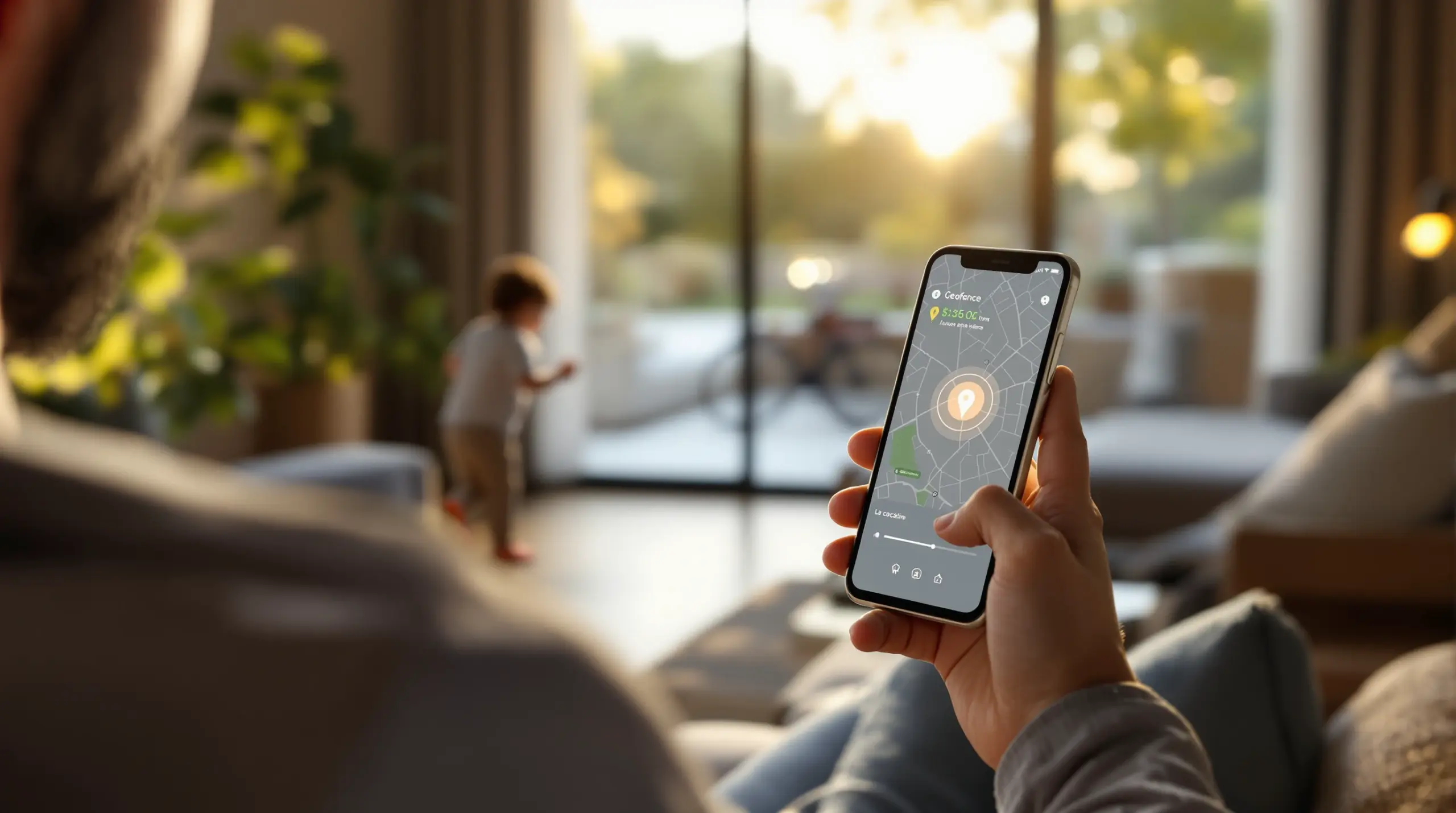
Geofencing lets parents draw a digital boundary around important places – home, school, a grandparent’s house – and receive an automatic alert the moment the child arrives or leaves. This passive alert system removes the need for constant check-in calls and gives parents peace of mind without hovering. As of 2026, Qustodio’s geofencing supports a radius of up to 200 meters and sends arrival and departure alerts for preset zones (SafetyDetectives, 2026).[1]
Location history is a feature that lets parents review where their child’s device has been over a period of days or weeks. This context is valuable for spotting patterns – a teen who repeatedly shows up somewhere unexpected, or a child whose device consistently goes offline at a particular time. Qustodio stores location history for up to 30 days (SafetyDetectives, 2026),[1] which provides a meaningful retrospective window.
Additional Features That Strengthen Android Location Apps
Beyond the core three, strong Android family location apps include accuracy controls, tamper protection, and integration with the parent’s broader digital safety toolkit. Google Family Link, for example, provides two location accuracy options – standard and high accuracy – allowing parents to prioritize battery life or precision depending on the situation (Google Help, 2026).[3]
Tamper protection is critical on Android. A location app a child can simply uninstall provides little real security. Parents of tech-savvy children – especially teenagers who have already bypassed simpler tools – need an app with genuine uninstall protection that does not rely solely on the child’s cooperation. Integration with Samsung Knox on supported devices takes this further by using enterprise-grade security to prevent app removal without the parent’s PIN.
Why Android Gives Parents More Location Control
Android provides parents with deeper, more configurable location controls than iOS because the Android operating system allows third-party apps greater access to device-level permissions, enabling features that Apple’s tighter ecosystem restricts.
On Android, a parental control app runs persistent background services, accesses device administrator permissions, integrates with manufacturer security layers like Samsung Knox, and in some cases prevents its own uninstallation – capabilities that are either unavailable or heavily restricted on iOS. This openness is why the most feature-rich family locator app Android options are built specifically for the Android platform first.
Apple’s Screen Time and iOS device management tools are useful, but they operate within Apple’s controlled environment. On Android, Boomerang Parental Control uses Samsung Knox integration on supported Samsung devices to make the parental control app virtually impossible for a child to remove. This is a meaningful real-world difference: a location app a teenager cannot delete is fundamentally more reliable than one they can switch off with a few taps.
TechRadar’s review of Boomerang Parental Control highlights how the platform’s Android-first design delivers controls that go beyond what free built-in tools offer. Android also supports per-app controls, allocated time budgets, and YouTube history monitoring – features that complement location tracking by giving parents a rounded view of their child’s digital activity, not just their physical whereabouts.
For families where the parent holds an iPhone but the child uses an Android device, this Android-first advantage is especially relevant. Boomerang is designed so an iOS-using parent monitors and manages an Android child device from the parent app, keeping the family location picture intact regardless of which platform the parent prefers.
What Are the Risks of Using a Basic Family Locator App?
Basic family locator apps carry real risks for parents who assume any location tool provides the same level of protection – the most significant risk is that a child can disable or delete a standalone location app without triggering any meaningful consequence.
Many free or low-cost family location apps operate as simple GPS trackers with no connection to broader device management. When a teenager deletes the app, the parent loses visibility immediately and often receives no notification. Without tamper protection, the location tool is only as reliable as the child’s willingness to keep it installed – which is precisely the wrong foundation for a safety tool.
A second risk is accuracy degradation. Location apps that rely solely on GPS without Wi-Fi or cellular triangulation show a device as being in one location when it has actually moved. In environments with poor GPS signal – indoors, underground, in dense urban areas – basic apps display stale or imprecise coordinates. WizCase noted in 2025 that Qustodio’s live tracking achieves accuracy to approximately 10 meters under ideal conditions (WizCase, 2025),[2] but real-world conditions frequently differ from ideal.
Privacy is a third consideration. Some location-only apps collect and store family movement data without transparent privacy policies or adequate data security. Parents should review what data a location app collects, where it is stored, and whether third parties have access to it before installing any tool on a child’s device.
As SafetyDetectives noted in 2026, “Qustodio has intuitive Android and iOS apps that offer 24/7 real-time location tracking, let you set a geofence radius of up to 200 meters, and send you alerts when your child leaves or arrives within the preset zones.”[1] This level of capability requires a dedicated parental control platform, not a basic standalone tracker. Choosing a solution that integrates location tracking within a broader parental control framework significantly reduces these risks.
Frequently Asked Questions
What is the best family locator app Android parents can use in 2026?
The best family locator app Android parents can use in 2026 combines real-time GPS tracking, geofencing, and tamper-proof uninstall protection within a broader parental control platform. Standalone location apps that lack device management features can be deleted by children without consequence, leaving parents with no visibility and no warning. Platforms like Boomerang Parental Control integrate location tracking alongside screen time scheduling, app approval controls, and – on Samsung devices – Knox-level uninstall protection, making them significantly more reliable than simple GPS trackers. When evaluating options, look for continuous location updates rather than interval polling, customizable geofence alerts for locations like school and home, and at least 30 days of location history so you can review patterns over time. Accuracy is also worth checking: WizCase reported in 2025 that Qustodio’s tracking achieves approximately 10 meters of precision under ideal conditions (WizCase, 2025).[2] Prioritizing tamper protection alongside GPS accuracy is the most important starting point for parents of tech-savvy children.
How does geofencing work in an Android family location app?
Geofencing in an Android family location app lets a parent draw a digital boundary around a specific address, and the app automatically sends an alert when the child’s device enters or exits that area. The parent sets up a geofence by entering an address – school, home, a sports field – and defining a radius around it. When the child’s device crosses that boundary, the parent’s phone receives a push notification showing the time and direction of movement. Google Family Link includes a Family places feature that lets parents save custom locations and manage alerts from those saved spots (Google Help, 2026).[3] Geofencing removes the need for parents to actively monitor a map – the app does the watching and alerts only when something changes. As of 2026, Qustodio’s geofencing feature supports a radius of up to 200 meters and sends both arrival and departure alerts (SafetyDetectives, 2026).[1] For parents managing school pickups, after-school activities, or a teenager’s curfew, geofencing is one of the most practical location features available in any family tracker on Android.
Can my child disable or delete a family locator app on Android?
A child can delete most basic family locator apps on Android unless the app includes dedicated uninstall protection that requires a parental PIN to remove. Standard Android apps are uninstalled like any other application – a few taps in the settings menu is all it takes. This is a significant gap in standalone location apps that do not integrate with device administrator permissions or manufacturer security layers. Boomerang Parental Control addresses this directly with Uninstall Protection that uses device administrator privileges to block removal, and on supported Samsung devices, Boomerang’s Samsung Knox integration applies enterprise-grade security that makes the app exceptionally difficult to remove without the parent’s permission. iOS handles this differently, with Boomerang providing notification-only tamper alerts rather than hard prevention on Apple devices – another reason Android offers stronger parental controls for families who want rules that genuinely stick. If bypassing controls is a concern – especially with teenagers who have already defeated simpler tools – selecting a platform with genuine tamper protection is the single most important feature to prioritize in any Android family location solution.
Does a family locator app work without the child knowing?
Most family locator apps for Android operate transparently – the app is visible on the child’s device, and Android’s operating system displays a persistent notification when location access is active. Completely hidden tracking without the child’s awareness raises significant ethical and legal concerns, and most reputable parental control platforms are designed as transparent tools rather than covert surveillance. The more productive approach is using the app as a known, agreed-upon safety tool rather than secret monitoring. Boomerang Parental Control is built around this philosophy: the app’s presence on the device is visible, and the controls it enforces – screen time limits, app restrictions, location tracking – are intended to be discussed with the child as family rules rather than hidden surveillance. This approach aligns with broader digital citizenship goals, teaching children accountability for their device use and physical whereabouts. Children who understand why monitoring tools are in place and have had a conversation about expectations are more likely to comply with digital boundaries than those who discover monitoring was happening without their knowledge. Transparent use of a family location app also builds the trust that allows parents to loosen controls as the child earns greater independence.
Comparing Family Locator Approaches for Android
Not all family location solutions work the same way – parents choosing between a standalone tracker, a free built-in tool, and a full parental control platform will find significant differences in reliability, tamper resistance, and the breadth of safety features they get alongside location tracking.
| Approach | Real-Time Tracking | Geofencing Alerts | Tamper Protection | Screen Time Integration | Location History |
|---|---|---|---|---|---|
| Standalone location app (e.g., basic GPS tracker) | Yes | Limited or none | None – deletable by child | None | Varies |
| Google Family Link (free built-in) | Yes, with accuracy controls (Google Help, 2026)[3] | Yes, via Family places (Google Help, 2026)[3] | Limited | Yes – basic screen time and app management | Limited |
| Dedicated parental control with location (e.g., Qustodio) | Yes – up to 10-meter accuracy (WizCase, 2025)[2] | Yes – up to 200-meter radius (SafetyDetectives, 2026)[1] | Moderate | Yes – comprehensive | Up to 30 days (SafetyDetectives, 2026)[1] |
| Boomerang Parental Control (Android-first) | Yes – continuous real-time | Yes – with arrival/departure alerts | Strong – Samsung Knox on supported devices | Yes – full screen time, app limits, YouTube history (Android) | Up to 30 days |
How Boomerang Parental Control Handles Family Location
Boomerang Parental Control – Taking the battle out of screen time for Android and iOS approaches family location tracking as one piece of a broader safety picture, not a standalone feature. Real-time location tracking and geofencing are built directly into the Boomerang platform, so parents manage where their child is and what they are doing on their device from a single dashboard.
Boomerang’s Location Tracking provides continuous real-time position updates for the child’s Android device, and parents review up to 30 days of location history to identify patterns in movement. Geofencing lets parents set digital boundaries around specific locations – school, home, after-school activities – and receive automatic alerts when the child’s device arrives or departs. This passive alert system means parents are notified the moment something changes, without needing to open the app and check manually.
What separates Boomerang from standalone family location apps is the combination of location tracking with uninstall protection. On supported Samsung devices, Boomerang is the only parental control app to use Samsung’s Knox enterprise security, making the app virtually impossible for a child to remove without the parent’s PIN. This matters because a location app that a teenager can delete in 30 seconds provides no real safety guarantee.
The platform also integrates location tracking with its full Android feature set: screen time scheduling, per-app limits, YouTube history monitoring, app approval controls, and Call and Text Safety. Parents of pre-teens giving their child a first Android device set up location tracking alongside content filters and bedtime locks in one place, rather than juggling multiple apps. The Boomerang screen time features work in tandem with location alerts so that when a child’s device is scheduled to lock at bedtime, the geofencing alerts keep working in the background.
“I have control back over my child’s phone and applications because she managed to circumvent family link. I have no idea how she did that but she managed to find a way, as did other kids. That was a major frustration for us. But now with Boomerang, I can manage her time, what applications she uses and what sites she visits.” – Joe Eagles, Google Play review
“Hey fellow parents, So far this the best parental control app .. hands down. So far the only app my 11 year old was not able to bypass. Big Shout out to developers for making such a great app.” – Jason H, Google Play review
Annual subscriptions cover a single device or up to ten child devices with the Family Pack, making Boomerang a cost-effective solution for households managing multiple Android phones or tablets. To get started, visit the Safewise review of Boomerang Parental Control for an independent assessment, or head directly to useboomerang.com to begin setup.
How to Set Up Family Location Tracking on Android in 5 Steps
Choose a parental control platform with built-in location tracking
Select an Android family location solution that integrates GPS tracking with tamper protection and screen time management, rather than a standalone tracker a child can delete. Platforms like Boomerang Parental Control combine real-time location, geofencing, and uninstall protection in one app. Check that the platform supports continuous location updates – not just interval polling – and review whether it offers location history for retrospective monitoring.
Install the child app on the Android device and enable location permissions
Download and install the parental control app on your child’s Android phone or tablet, then grant the location permission set to “Allow all the time” rather than “Only while using the app.” For Android devices that support it, enabling high accuracy mode improves GPS precision by combining satellite, Wi-Fi, and cellular data. On Samsung devices, follow the Knox enrollment steps during Boomerang setup to activate uninstall protection at the same time.
Set up geofences for your most important locations
Create geofence boundaries around the locations your child visits most frequently – home, school, a grandparent’s house, or a regular after-school activity venue. Set the radius to match how precise you need the alert to be: a tighter radius works well for a single building, while a wider boundary suits a school campus or sports complex. Enable both arrival and departure alerts so you are notified in both directions without opening the app.
Enable uninstall protection before handing the device to your child
Activate uninstall protection – or Knox enrollment on supported Samsung devices – before giving the phone back to your child. This step is important because location tracking is only useful if the app stays installed. On Boomerang, the sideload download for Android devices enables the full uninstall protection and Call and Text Safety feature set that is not available through the standard Play Store version. Complete this step while you still have physical access to the device.
Have a conversation with your child and review the first week of data together
Sit down with your child, show them the app, and explain that location tracking is a safety tool – not secret surveillance. Agree on what geofence alerts mean and what happens if the device shows up somewhere unexpected. After the first week, review the location history together to set a baseline and reinforce the expectation of transparency. This conversation builds the trust and accountability that makes digital safety tools genuinely effective over the long term.
The Bottom Line
A family locator app Android parents can count on does far more than show a dot on a map – it combines real-time GPS tracking, customizable geofencing, and tamper-proof uninstall protection within a broader parental control system that children cannot simply delete when they want privacy. Standalone location trackers leave too many gaps, especially for tech-savvy kids who have already bypassed simpler tools.
Boomerang Parental Control brings family location tracking together with screen time scheduling, YouTube history monitoring, app approval controls, and – on Samsung devices – Knox-level uninstall protection, giving Android-owning parents a complete safety toolkit rather than a patchwork of disconnected apps.
Ready to get started? Visit useboomerang.com to explore plans, or reach out directly at [email protected] with any questions about setup on your child’s Android device. The Family Pack covers up to ten child devices on a single annual subscription – a practical option for households managing multiple phones or tablets.
Sources & Citations
- 5 Best Family Locator Apps for iPhone and Android in 2026. SafetyDetectives.
https://www.safetydetectives.com/blog/best-family-locator-apps-for-iphone-and-android/ - 6 Best Family Locator Apps for Android & iOS 2025. WizCase.
https://www.wizcase.com/blog/the-best-family-locator-apps/ - Find & manage your child’s location – Google For Families. Google Help.
https://support.google.com/families/answer/7103413?hl=en
START YOUR FREE TRIAL
Take control of screen time—free for 14 days, cancel anytime.
