
06
Apr
2026
Family Tracker iPhone: A Complete Parent’s Guide
April 6, 2026
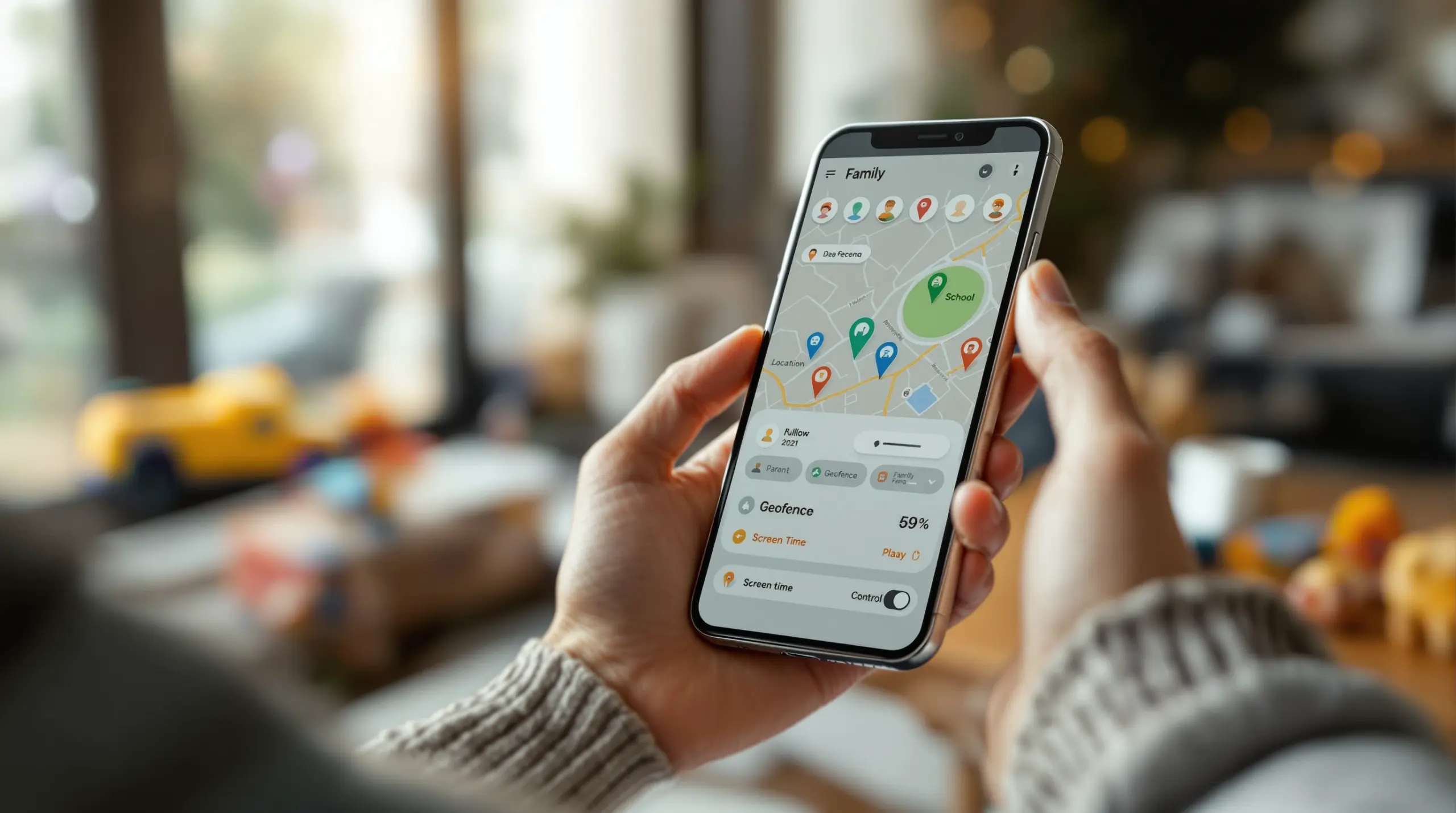
A family tracker iPhone solution lets parents monitor their child’s real-time location, set safe zone alerts, and stay connected – discover how to choose the right tool for your family’s safety needs.
Table of Contents
- What Is a Family Tracker iPhone App?
- Built-In vs. Third-Party Family Tracking on iPhone
- Android vs. iPhone: What Tracking Features Really Differ?
- Setting Up Family Tracking on Your Child’s iPhone
- Frequently Asked Questions
- Comparison: Family Tracker iPhone Approaches
- How Boomerang Parental Control Supports Family Tracking
- Practical Tips for Family Location Tracking
- The Bottom Line
- Sources & Citations
Article Snapshot
Family tracker iPhone apps are location-sharing tools that let parents monitor a child’s device in real time, receive arrival and departure alerts, and manage digital safety from a single dashboard. Apple’s built-in Find My app covers core tracking, while dedicated parental control apps extend those capabilities with geofencing, activity reports, and content management.
Family Tracker iPhone in Context
- Apple’s Find My app forms the foundation of family location sharing on iPhone through Family Sharing, enabling location visibility across the household (Apple Support, 2025)[1]
- Parents select specific family members to share location with – location sharing does not have to apply to every member of the group (Apple Support, 2025)[1]
- Norton Family provides continuous 24/7 real-time location tracking on iOS and Android devices (SafetyDetectives, 2026)[2]
- Qustodio stores a child’s location history for up to 30 days, giving parents a retrospective view of where their child has been (SafetyDetectives, 2026)[2]
What Is a Family Tracker iPhone App?
A family tracker iPhone app is a location-sharing and monitoring tool installed on a child’s iPhone that gives parents real-time visibility into where their child is, where they have been, and whether they have arrived safely at a destination. These tools range from Apple’s own built-in Find My feature to dedicated third-party parental control platforms that layer additional safety and monitoring features on top of basic location data.
At its core, any effective family tracker for iPhone relies on the device’s Location Services being active (Apple Support, 2025)[1]. Once enabled, parents view their child’s position on a map, receive automated alerts when the child enters or leaves a defined area (geofencing), and in some apps review a full location history over days or weeks.
START YOUR FREE TRIAL
Take control of screen time—free for 14 days, cancel anytime.




Boomerang Parental Control is one platform that brings real-time location tracking and geofencing to families, helping parents confirm a child’s whereabouts without the stress of constant check-in calls. While Boomerang’s deepest features are optimized for Android devices, its location tracking and geofencing capabilities are also available on iOS, making it a practical choice for mixed-device households.
For parents who have just handed their child a first iPhone, understanding what these apps can and cannot do on iOS is the most important first step. Apple’s ecosystem imposes specific restrictions on third-party apps running in the background, which directly affects how accurately and frequently location updates are delivered compared to Android. Choosing the right solution means knowing those limits upfront.
Family location tracking is not about surveillance for its own sake – it is about giving parents a reliable, passive safety net. When your child gets off the school bus, arrives at a friend’s house, or stays late at practice, a good family tracker iPhone solution provides instant confirmation without a single phone call.
Built-In vs. Third-Party Family Tracking on iPhone
Apple’s native tools and third-party apps serve genuinely different purposes for parents, and understanding where each one fits helps you avoid paying for features you already have – or relying on free tools that fall short of what your family needs.
Apple’s Find My and Family Sharing
Apple’s Find My app is the built-in family tracker iPhone parents encounter first. Through Family Sharing, parents share location with selected family members and locate a child’s device if it is ever lost or misplaced (Apple Support, 2025)[1]. The setup is straightforward: invite your child to your Family Sharing group, and location sharing begins automatically. As Apple Support confirms, “You can also turn on Automatically Share Location so that your location is automatically shared with new family members that join later” (Apple Support, 2025)[1].
On newer devices, the experience extends further. “In iOS 17 or iPadOS 17 or later, you can share your ETA or location in the Maps app or the Messages app” (Apple Support, 2025)[1], giving families a quick way to share arrival times during busy school runs or after-school pickups.
Apple’s tools are free, privacy-respecting, and deeply integrated into the iPhone operating system. However, they do not include screen time content controls beyond what Apple Screen Time offers, they have no YouTube monitoring, and they cannot block apps or filter web content. For a parent who only wants to know where their child is, Find My is sufficient. For a parent who also wants to manage what their child does on the device, a third-party solution is necessary.
Third-Party Family Tracker Apps for iPhone
Third-party family tracking apps for iPhone combine location monitoring with broader parental controls – web filtering, app management, screen time scheduling, and communication oversight. These platforms operate within Apple’s iOS framework, which means some features available on Android are either limited or unavailable on iPhone.
Platforms like Norton Family offer continuous location monitoring, with SafetyDetectives noting that “Norton Family’s Location Supervision feature offers 24/7 real-time location tracking on iOS and Android devices” (SafetyDetectives, 2026)[2]. Qustodio provides accurate, frequent location updates with geofencing tools and stores location history for up to 30 days (SafetyDetectives, 2026)[2].
For parents who want a safe web browsing experience alongside location tracking, dedicated apps that bundle a filtered browser with location tools provide far stronger protection than Find My alone. The key trade-off is cost versus capability – free built-in tools cover location basics, while paid platforms add the full suite of child safety controls parents of younger teens and pre-teens need.
Android vs. iPhone: What Tracking Features Really Differ?
The platform your child uses shapes what a family tracker can actually do, and the differences between Android and iPhone are significant enough to influence which solution fits your family best.
Where iPhone Family Tracking Is Reliable
On iPhone, location tracking through Apple’s Find My ecosystem and third-party apps works reliably within the constraints Apple sets. Real-time location updates, geofencing alerts, and location history are all achievable on iOS. Apps like Boomerang confirm your child arrived at school, alert you when they leave a designated safe zone, and show you a map of their device’s position.
Apple’s privacy-first architecture means that location data is handled through controlled system APIs, which protects your child’s data but also means background location refresh is more tightly managed than on Android. In practice, most parents find iOS location tracking accurate enough for everyday family safety needs.
Where Android Offers Deeper Control
Android’s more open operating system allows parental control apps to go further. Features like YouTube App History Monitoring, per-app time limits, Call and Text Safety monitoring, keyword alerts in SMS messages, and Samsung Knox-backed uninstall protection are Android-only capabilities. These are not available on iPhone due to iOS system restrictions – not because of any limitation in the parental control app itself.
This distinction matters when you are choosing a first device for your child. If deeper monitoring – knowing what they search for on YouTube, who is texting them, or whether they are trying to remove the parental control app – is a priority, Android delivers those capabilities in a way iOS cannot match. If your household is already committed to iPhones, understanding this boundary helps you set realistic expectations for what any family tracker iPhone solution can provide.
A Boomerang Parental Control software review at TechRadar highlights the platform’s Android-first depth while acknowledging that iOS support covers the core location and browsing safety features most families need from a child’s iPhone. Mixed-device families – where the parent monitors from an iPhone but the child uses Android – get the best of both worlds with Boomerang’s setup.
Setting Up Family Tracking on Your Child’s iPhone
Getting a family tracker iPhone solution running correctly from day one prevents gaps in protection and reduces the chance your child sidesteps it before safeguards are properly in place.
Using Apple’s Built-In Location Sharing
To use Apple’s native family tracking, start by setting up Family Sharing through your iPhone’s Settings app under your Apple ID. Add your child’s Apple ID to the family group, then enable location sharing within the Find My app. Apple allows you to choose which family members see your location and whose location you can see, giving you precise control over who shares with whom (Apple Support, 2025)[1].
Make sure Location Services are active on your child’s device – this is a required system setting without which no family tracker iPhone app functions (Apple Support, 2025)[1]. On your child’s iPhone, go to Settings > Privacy & Security > Location Services and confirm it is on. Then check that the Find My app specifically has “Always” location access enabled.
Adding a Third-Party Family Tracker App
If you want web filtering, app oversight, and broader parental controls alongside location tracking, install a dedicated app from the App Store on both your device and your child’s iPhone. Most platforms – including Boomerang – have a parent app you manage from and a child app installed on the monitored device. Follow the in-app guided setup, which takes less than ten minutes.
On iOS, you will need to grant the app location access during setup. Select “Always Allow” when prompted so the tracker updates your child’s position in the background, not just when the app is open. Some platforms also require you to enable a managed configuration profile on the child’s device to enforce content filtering – the app will walk you through this step by step.
For families with an Android child device monitored from an iPhone parent app, Boomerang’s sideload download page for Android devices provides the child-side installation file with full instructions, including access to call and text safety features and app removal protection that are not available through the standard Play Store build alone.
Once installed, test the geofencing feature by setting a boundary around your home and confirming you receive an alert when the device leaves that zone. A quick test on setup day confirms everything is working before your child heads out.
Your Most Common Questions
Can I track my child’s iPhone location without them knowing?
Apple’s Find My app and most third-party family tracker iPhone platforms are designed to operate transparently – the child’s device shows an indicator when location is being shared. Apple’s ecosystem notifies users that location sharing is active, and iOS system settings allow a child to see which apps have location access. Most child safety experts and app developers recommend telling your child that the tracker is installed, framing it as a safety tool rather than secret surveillance. Open communication about why you are tracking location – and what you can and cannot see – builds more trust than covert monitoring and reduces the likelihood your child will look for workarounds. For parents of younger children who may not fully understand the conversation, the practical reality is that the device will show location sharing is active in the phone’s status bar or settings. If your goal is confirmed safety rather than covert monitoring, transparent tracking is both more effective and more appropriate.
Does a family tracker iPhone app drain the battery faster?
Location tracking does use battery, but the impact on modern iPhones is modest when the app is well-optimized. Apple’s iOS manages background location access carefully, which means apps cannot poll GPS continuously at full power without the user granting “Always Allow” permission. Most family tracker apps use a combination of GPS, Wi-Fi positioning, and cell tower data to balance accuracy against battery use. In day-to-day use, parents report a small but noticeable reduction in battery life – a few percentage points per hour – rather than dramatic drain. If battery life is a concern, make sure your child’s iPhone is on the latest iOS version, as Apple regularly improves background process efficiency. You can also check which apps are consuming battery in Settings > Battery to see how much any specific tracker is using. Most modern parental control apps are designed to minimize battery impact because parents would otherwise disable them – it is in the app developer’s interest to run efficiently.
What is the difference between geofencing and real-time location tracking on iPhone?
Real-time location tracking shows you where your child’s device is right now on a map, updating at intervals determined by the app and iOS’s background location permissions. Geofencing is a related but distinct feature – you draw a virtual boundary around a location (like your home, school, or a sports field), and the app sends you an alert automatically when your child’s device enters or exits that zone. Geofencing is more practical for busy parents than watching a live map, because it removes the need to actively check the app. You simply receive a notification: “Your child arrived at school at 8:14 AM” or “Your child has left the school zone.” Both features require Location Services to be active on the child’s iPhone. Boomerang Parental Control supports both real-time location tracking and geofencing, including up to 30 days of location history, so you can review where your child has been – not just where they are right now.
Is a family tracker iPhone app the same as full parental controls?
No – a family tracker iPhone app focuses on location sharing and geofencing. Full parental controls include location tracking as one component alongside web content filtering, screen time scheduling, app management, and in some cases communication monitoring. Apple’s built-in Find My app is purely a location tool – it does not filter websites, manage screen time, or control which apps your child installs. If you want comprehensive oversight of your child’s digital activity on iPhone, you need a dedicated parental control platform rather than a standalone location tracker. For iOS devices, that means combining Apple’s Screen Time settings (for app limits and content restrictions) with a third-party app that adds web filtering and location monitoring. For families where the child uses an Android device, platforms like Boomerang offer deeper integration across all these areas in a single app, including features like YouTube App History Monitoring and Call and Text Safety that are not available on iPhone due to iOS platform restrictions.
Comparison: Family Tracker iPhone Approaches
Parents evaluating family tracker iPhone options face a choice between Apple’s free native tools, standalone location apps, and full parental control platforms. The table below compares these three approaches across the features that matter most to families.
| Approach | Real-Time Location | Geofencing Alerts | Web Filtering | Screen Time Controls | Cost |
|---|---|---|---|---|---|
| Apple Find My (Built-In) | Yes | No | No | No (separate Apple Screen Time) | Free |
| Standalone Location App | Yes | Yes (most) | No | No | Free-Low |
| Full Parental Control Platform (e.g., Boomerang) | Yes | Yes | Yes (SPIN Safe Browser) | Yes (iOS: scheduling; Android: scheduling + daily limits) | Paid subscription |
For most parents, a full parental control platform delivers the best value because it combines family tracker iPhone capabilities with the broader safety and screen time tools that a location-only app cannot provide. Families who only need to confirm location find Apple’s Find My app sufficient, but parents of pre-teens and teenagers need the additional layers that a paid platform provides.
How Boomerang Parental Control Supports Family Tracking
Boomerang Parental Control brings real-time location tracking and geofencing to both Android and iOS child devices, making it a practical solution for families regardless of which platform their child uses. Boomerang Parental Control – taking the battle out of screen time for Android and iOS combines location safety with screen time management and content filtering in a single parent-managed dashboard.
For iPhone-using children, Boomerang provides real-time device location visible on a map from the parent app, geofencing with automatic arrival and departure alerts, and up to 30 days of location history so parents can review where their child has been. The SPIN Safe Browser – available on both iOS and Android – adds web content filtering and SafeSearch enforcement directly on the child’s device, working on any network without requiring a VPN or router configuration.
Where Boomerang’s full depth shows is on Android child devices. Features like YouTube App History Monitoring, per-app time limits, Call and Text Safety with keyword alerts, and Samsung Knox-backed uninstall protection go well beyond what any iOS-restricted app provides. Parents who monitor from an iPhone but have equipped their child with an Android device unlock all of these capabilities through Boomerang’s cross-platform parent app.
“Hey fellow parents, So far this the best parental control app .. hands down. So far the only app my 11 year old was not able to bypass. Big Shout out to developers for making such a great app.” – Jason H, Google Play review
“I have control back over my child’s phone and applications because she managed to circumvent family link. I have no idea how she did that but she managed to find a way, as did other kids. That was a major frustration for us. But now with Boomerang, I can manage her time, what applications she uses and what sites she visits.” – Joe Eagles, Google Play review
Boomerang offers annual subscriptions for single devices and a Family Pack covering up to 10 child devices – making it cost-effective for larger households. To explore Boomerang Parental Control’s screen time features or get started, visit useboomerang.com or reach out at [email protected].
Practical Tips for Family Location Tracking
Getting the most out of a family tracker iPhone setup requires more than installing an app. These practical steps help you build a reliable, conflict-free tracking system that works in daily family life.
Have the conversation first. Before activating any tracker, explain to your child why you are using it and what you can see. Children who understand the purpose of location sharing are less likely to try to disable it. Frame it as a safety tool, not punishment – and make it two-way by sharing your own location in return where age-appropriate.
Set geofences for the locations that matter most. School, home, a grandparent’s house, a sports field – these are the places you want arrival and departure alerts for. Setting too many geofences leads to notification fatigue. Start with three or four high-priority locations and add more only if you need them.
Check Location Services settings after every iOS update. Apple’s iOS updates reset app permissions, including location access. After any major update, open the child’s iPhone settings and confirm the tracker app still has “Always Allow” location access. A two-minute check prevents days of missed updates.
Pair location tracking with content controls for complete protection. Location tracking tells you where your child is physically – it does not tell you what they are doing on their device. Combining a family tracker with web filtering tools like the SPIN Safe Browser and screen time scheduling gives you a complete picture of both physical safety and digital activity.
Use location history, not just live tracking. Platforms that store location history (up to 30 days with Qustodio, for example) let you review patterns over time – not just check in today. If your child says they were at a friend’s house on Thursday, you can confirm it without confrontation. This builds accountability without requiring constant active monitoring.
Test your setup before your child leaves home for the first time. Walk around the block with the child’s device and confirm you receive a geofence exit alert. Check that the live location updates within a reasonable time frame. Catching a configuration problem before it matters is far better than discovering it during an actual safety concern.
A Boomerang Parental Control review at SafeWise notes that the app’s straightforward setup process makes it accessible for parents who are not technically confident – an important factor when you want protection active immediately on your child’s first device.
The Bottom Line
A reliable family tracker iPhone solution gives you the one thing every parent of a connected child needs: confident, passive confirmation that your child is where they are supposed to be. Apple’s built-in Find My app covers the basics for free, but families who also want web filtering, screen time scheduling, and deeper monitoring across both iPhone and Android devices need a dedicated platform.
Boomerang Parental Control combines real-time location tracking and geofencing on iOS with the full depth of Android-only features – YouTube history monitoring, call and text safety, per-app limits, and Samsung Knox uninstall protection – in a single parent-managed app. It is built for the family reality: a parent on an iPhone, a child on Android, and a need for controls that actually stick.
If you are ready to take the guesswork out of your child’s digital and physical safety, visit useboomerang.com or email [email protected] to get started today.
Sources & Citations
- Share locations with family members and locate their lost devices on iPhone. Apple Support.
https://support.apple.com/guide/iphone/share-locations-family-locate-lost-devices-iph6231f621a/ios - 5 Best Family Locator Apps for iPhone and Android in 2026. SafetyDetectives.
https://www.safetydetectives.com/blog/best-family-locator-apps-for-iphone-and-android/ - Share your location with your Family Sharing group. Apple Support.
https://support.apple.com/en-us/105107
START YOUR FREE TRIAL
Take control of screen time—free for 14 days, cancel anytime.
