
22
Apr
2026
Free Family Tracking App: What Parents Need to Know
April 22, 2026
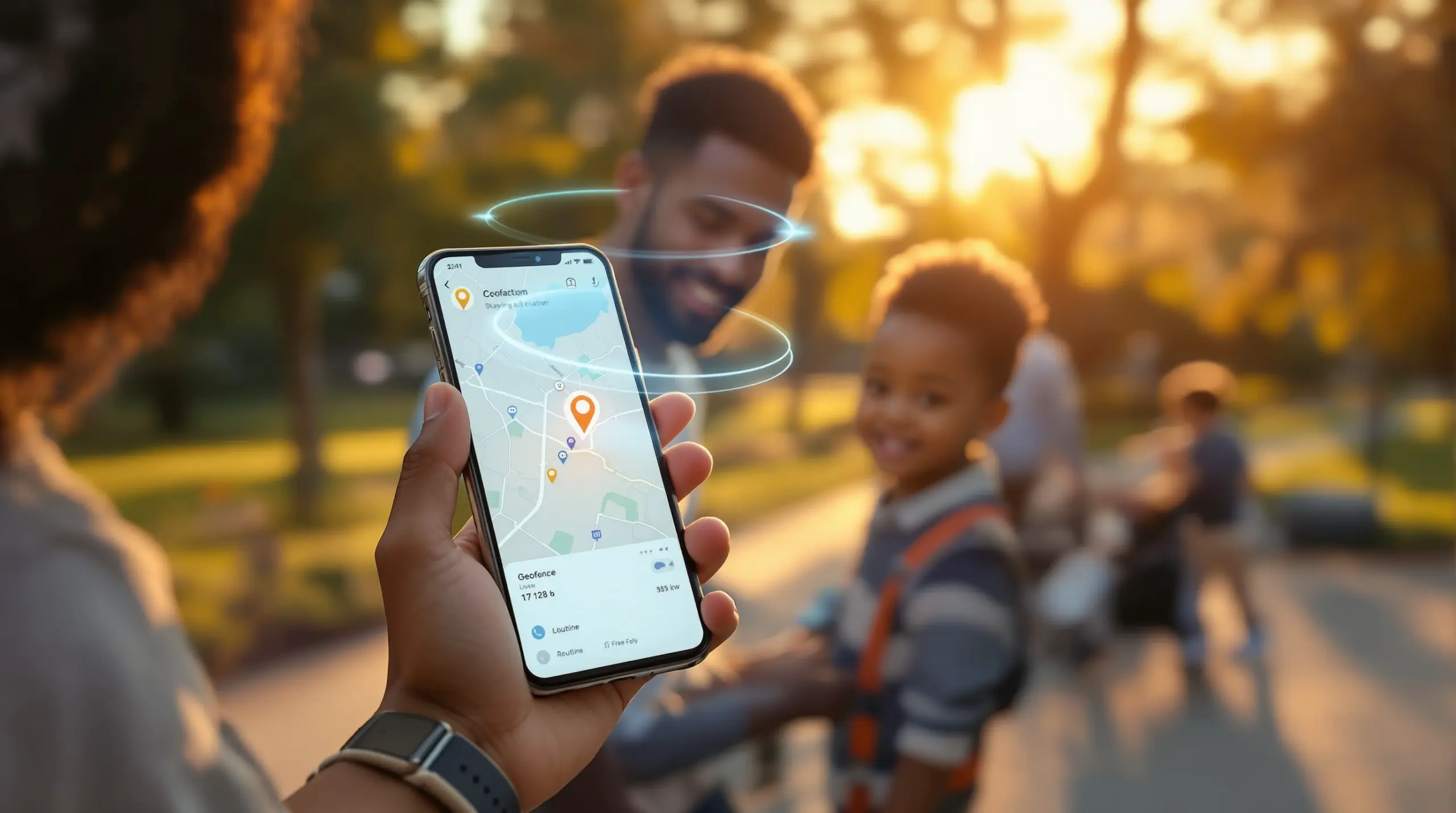
A free family tracking app lets parents monitor their child’s real-time location, set safe zone alerts, and build daily safety routines – discover which options genuinely protect your family and where free tools fall short.
Table of Contents
- What Is a Free Family Tracking App?
- How Location Tracking Works on Android and iOS
- The Real Limitations of Free Family Tracking Apps
- Why Location Tracking Alone Isn’t Enough
- Frequently Asked Questions
- Comparing Popular Family Tracking Approaches
- How Boomerang Parental Control Handles Location and Safety
- Practical Tips for Family Location Safety
- Key Takeaways
- Sources & Citations
Article Snapshot
A free family tracking app is a mobile application that allows parents to view a child’s GPS location in real time, receive arrival and departure alerts, and review location history at no cost. Most free tiers carry meaningful limitations in update frequency, history depth, and child safety features beyond basic location.
By the Numbers
- FamiSafe refreshes a child’s real-time location every 2 minutes (SafetyDetectives, 2026)[1]
- Norton Family updates location every 20 minutes on its free tier (SafetyDetectives, 2026)[1]
- Boomerang Parental Control stores location history for up to 30 days (SafetyDetectives, 2026)[1]
- Life360’s Gold plan is priced at $14.99 per month when free features run out (Hoverwatch, 2026)[2]
What Is a Free Family Tracking App?
A free family tracking app is a smartphone application that uses GPS, Wi-Fi positioning, and cellular data to show parents where their child’s device is located at any given moment – without an upfront subscription cost. These apps run in the background on the child’s Android or iOS device, reporting location data to a parent dashboard or companion app. At Boomerang Parental Control, we recognize that location awareness is just one piece of a complete family safety picture, which is why we pair our tracking tools with broader parental controls designed for everyday family life.
Most free family locator apps share a common set of core features: a live map view showing the child’s current position, geofence zones that trigger alerts when a child arrives at or leaves a defined area such as school or home, and some level of location history. The depth and reliability of these features, however, varies considerably between free and paid tiers.
START YOUR FREE TRIAL
Take control of screen time—free for 14 days, cancel anytime.




For parents handing their child a first smartphone, a free family tracking app often serves as the starting point. It answers the most immediate question – “Where is my kid right now?” – without requiring a financial commitment. Platforms like Google Family Link and Apple’s Find My fall into this category, offering built-in location sharing tied to the device’s existing ecosystem. As the SpyDetections Community notes, “Find My (Apple) or Google Maps location sharing – Most recommended for privacy since they’re built-in, free, and don’t add another data collector.”[3]
This is a practical starting point for many families, particularly those already using Google or Apple devices. However, built-in tools are designed around ecosystem convenience rather than comprehensive child safety, which means parents will quickly encounter feature gaps as their children grow and digital risks increase. Understanding what a free family tracking app actually delivers – and where it stops – is the first step toward making an informed choice for your family.
How Location Tracking Works on Android and iOS
Location tracking on mobile devices relies on a combination of GPS satellites, nearby Wi-Fi networks, and cellular tower triangulation to determine a device’s position. Each method has a different accuracy level, and most modern apps use all three together to produce the most reliable result. GPS delivers the highest precision outdoors, while Wi-Fi and cell data fill gaps indoors or in areas with limited satellite coverage.
On Android devices, parental control apps like Boomerang access device location through standard Android permissions and, on supported Samsung hardware, through Samsung Knox integration. This deeper system access means location data is harder for a child to disable without parental authorization. You can learn more about how Boomerang Parental Control is the only parental control app to use Samsung’s Knox, an enterprise mobile security solution pre-installed in most of Samsung’s smartphones and tablets. On iOS, Apple restricts background location access more tightly, which is why iOS parental control features – including location tracking – are less comprehensive than their Android equivalents.
The SafetyDetectives Review Team confirmed that Boomerang’s “real-time location tracking feature on Android and iOS is super accurate, and it stores your child’s location history for up to 30 days.”[1] That level of history depth is genuinely useful – it lets parents review where a child spent time over the past week, not just check in at this moment.
Geofencing and Arrival Alerts
Beyond live location, geofencing is the feature parents use most in daily life. A geofence is a virtual boundary drawn around a specific address – school, a grandparent’s house, a sports field. When the child’s device enters or exits that boundary, the parent receives an automatic notification. This eliminates the need for the child to remember to text when they arrive somewhere, which is one of the most common sources of family anxiety.
Geofencing accuracy depends on how often the app pings the device’s location. An app that only updates every 20 minutes – like Norton Family on its free tier (SafetyDetectives, 2026)[1] – notifies you that your child arrived at school several minutes after they actually walked through the door. Apps with more frequent update cycles, like FamiSafe at every 2 minutes (SafetyDetectives, 2026)[1], deliver alerts that feel timely and actionable rather than delayed.
For Android users, Boomerang’s screen time features work alongside location tracking, so when a device locks at bedtime, location monitoring continues running passively in the background without the child being able to manually disable it.
The Real Limitations of Free Family Tracking Apps
Free family tracking apps deliver genuine value at the basic level, but they carry structural limitations that become apparent once you move past the initial setup. Understanding those limitations before you choose a tool saves frustration later, especially as your child grows and the risks change.
The most common limitation is update frequency. Many free tiers throttle how often the app polls the device for a new location. A 20-minute gap between updates is not uncommon, and in that window a child can travel a significant distance from where the map last showed them. For routine school-run confirmation, this is acceptable. For parents of teenagers who are out in the evening, a stale position on the map provides false reassurance rather than real safety.
Feature Walls and Upsell Pressure
Most apps marketed as a free family tracking app are freemium products. The free tier is designed to show value and convert parents to a paid plan. Life360, one of the most widely recognized names in this category, exemplifies this model. As the Gigabit IQ Team notes, “Life360 stands out as a leading free family locator app for tracking loved ones, providing real-time position monitoring that allows parents to keep an eye on their children’s whereabouts at any time.”[4] Yet the features families most want – crash detection, driving reports, unlimited place alerts – sit behind a paid plan priced at $14.99 per month for the Gold tier (Hoverwatch, 2026)[2].
Similarly, GeoZilla charges $69.99 per year for premium membership (Family1st, 2025)[5], and Mobicip’s family plan starts at $2.99 per month (SafetyDetectives, 2026)[1]. None of these prices are unreasonable for what they offer, but they undercut the premise of a genuinely free solution.
A second limitation is privacy. Free apps that don’t charge a subscription often monetize through data. Some collect detailed movement patterns, behavioral data, and usage information that is then sold to third parties or used for targeted advertising. For parents tracking a minor, this raises serious questions about who else has access to your child’s location data and how long it is retained.
Third, free tools rarely include child safety features beyond location. They cannot block inappropriate websites, enforce bedtime screen time schedules, require approval for new app installs, or monitor text messages for cyberbullying keywords. A comprehensive review of Boomerang Parental Control highlights how combining location tracking with content filtering and app controls creates a much more complete safety net than standalone GPS tools.
Why Location Tracking Alone Isn’t Enough
Location tracking tells you where your child’s phone is – it does not tell you what they are doing on it, who they are talking to, or what content they are consuming. For parents of pre-teens and younger teenagers, this gap is where the real risks live. A child can be physically at school while their phone is being used to access inappropriate content, receive messages from unknown adults, or install apps that bypass other protections.
This is the core reason why a free family tracking app, used in isolation, provides only partial protection. Real family digital safety requires a layered approach: knowing where the device is, knowing what is happening on it, and being able to enforce rules automatically without constant manual intervention.
The Role of Content Filtering and App Controls
Web filtering blocks access to harmful content before a child encounters it. App approval controls prevent a child from installing new apps without parental sign-off. Screen time scheduling enforces bedtime and homework routines automatically, removing the daily conflict over device use. These features work together – and none of them come with a typical free family tracking app.
As the Family1st Review Team observes, “If your focus is temporary sharing or lost phone tracking, Glympse and Google Find My Device are the strongest free options.”[6] That framing is honest and useful: free GPS tools are purpose-built for tracking, not for comprehensive child safety. Parents who start with a free tracking app often graduate to a more complete parental control solution once they realize that location is one dimension of a much larger picture.
On Android, Boomerang Parental Control combines real-time location tracking and geofencing with YouTube App History Monitoring (Android only), Call and Text Safety (Android only), per-app time limits, and uninstall protection that a tech-savvy child cannot easily bypass. The Boomerang Parental Control software review on TechRadar outlines how these features work together as a unified family safety platform rather than a single-purpose tracker. For iOS households, location tracking, scheduled screen time, and SPIN Safe Browser filtering are available, though the deeper Android-only monitoring features are not supported on Apple devices.
Teaching children about digital safety alongside setting technical rules is also important. When children understand why boundaries exist, they are more likely to respect them – and parents are better positioned to loosen controls gradually as trust is built.
Your Most Common Questions
Is a free family tracking app safe to use for monitoring my child?
Most free family tracking apps are safe to use at a basic level, but safety depends heavily on the app you choose and how it handles your family’s data. Built-in platform tools like Google Family Link and Apple Find My are the most privacy-respecting options because they are operated by the same company managing the device’s operating system and are not monetized through data sales. Third-party free apps vary widely. Some are legitimate freemium products with transparent data policies; others rely on collecting and selling location and behavioral data to fund their free tier. Before installing any tracking app, check the privacy policy specifically for clauses about data sharing with third parties. For Android devices, Boomerang Parental Control pairs location tracking with uninstall protection so your child cannot quietly disable the monitoring without your knowledge – a meaningful safety layer that most standalone free trackers don’t offer.
What is the difference between a free family tracking app and a parental control app?
A free family tracking app focuses primarily on GPS location – showing where the device is, sending geofence alerts, and storing location history. A parental control app does all of that and much more: it manages screen time schedules, enforces daily usage limits, blocks inappropriate websites, requires approval for new app installs, and on Android monitors YouTube viewing history and flags concerning keywords in text messages. The two categories overlap but serve different purposes. If your main concern is knowing your child arrived safely at school, a free tracking app is sufficient. If you want to manage what your child does on their phone – not just where the phone is – a parental control app like Boomerang provides a more complete solution. Many parents start with a free tracker and add a parental control app as their child gets older and the risks become more complex.
Do free family tracking apps work on both Android and iOS?
Most free family tracking apps support both Android and iOS at the basic level, but the depth of functionality often differs between platforms. Apple restricts background app permissions more tightly than Android, which means iOS versions of tracking apps sometimes update location less frequently and cannot access the same device-level controls as their Android counterparts. Built-in tools like Apple Find My work smoothly across Apple devices but don’t extend to Android. Google Family Link covers Android well and has an iOS parent app, but the child device must be Android. Boomerang Parental Control supports both Android and iOS child devices, though its most powerful features – including YouTube App History Monitoring, Call and Text Safety, per-app time limits, and Samsung Knox uninstall protection – are Android-only. iOS support covers scheduled screen time, location tracking, and SPIN Safe Browser filtering. If your child uses an Android device, you have significantly more control options available.
Can my child turn off or bypass a free family tracking app?
This is one of the most common frustrations parents report with free family tracking apps. Most basic trackers – including Google Family Link and many third-party free tools – can be disabled by a determined child through settings changes, app deletion, or by simply turning off location permissions. A tech-savvy pre-teen can find tutorials for bypassing these controls within minutes. This is precisely the problem Boomerang’s Uninstall Protection is designed to solve. On Android, Boomerang uses advanced device administration features to prevent the app from being uninstalled without a parent PIN. On Samsung devices, Samsung Knox integration takes this further, making it extremely difficult to tamper with even for technically proficient teenagers. The sideload download page for Android devices provides the version of Boomerang that includes full uninstall protection for non-Samsung devices. On iOS, Boomerang sends a notification alert if tampering is attempted, though full uninstall blocking is not supported on Apple devices due to platform restrictions.
Comparing Popular Family Tracking Approaches
Not all family location tracking tools are built the same. The table below compares four common approaches across the features that matter most to parents – update frequency, geofencing, history depth, bypass resistance, and whether child safety controls extend beyond location. Choosing the right tool means matching these factors to your child’s age, device, and your family’s specific safety priorities.
| Approach | Cost | Update Frequency | Location History | Bypass Resistance | Safety Controls Beyond Location |
|---|---|---|---|---|---|
| Google Family Link (Android) | Free | Periodic | Limited | Low – child can disable with workarounds | Basic app controls and screen time |
| Apple Find My (iOS) | Free | On demand / periodic | None | Low – location sharing can be turned off | None |
| Life360 Free Tier | Free (freemium) | Real-time (limited places on free) | Limited | Low – app can be uninstalled | None on free tier |
| Boomerang Parental Control (Android) | Paid subscription | Real-time, up to 30 days history (SafetyDetectives, 2026)[1] | 30 days | High – uninstall protection + Samsung Knox | Screen time, app approval, web filtering, YouTube history, call/text monitoring |
How Boomerang Parental Control Handles Location and Safety
Boomerang Parental Control goes well beyond what any free family tracking app offers by combining real-time GPS location tracking and geofencing with a complete set of child safety tools in one platform. For parents managing an Android device, this means you get accurate location data alongside automated screen time enforcement, web filtering, and deep visibility into your child’s digital activity – all from the same parent app.
Location tracking in Boomerang works on both Android and iOS child devices, providing real-time map views and up to 30 days of location history. Geofencing lets you draw boundaries around the places that matter – school, home, a relative’s house – and get automatic alerts the moment your child arrives or leaves. No more waiting for a text that may never come.
What sets Boomerang apart from a standalone free family tracking app is what happens the rest of the time. On Android, the app monitors YouTube viewing history so you can see what content is capturing your child’s attention. Call and Text Safety (Android only) logs communication history and sends alerts when concerning keywords appear in messages – giving you early warning of cyberbullying or unknown contact before it escalates. The App Discovery and Approval feature requires your sign-off before any new app can be installed, giving you a gate on every new download from day one.
Our Uninstall Protection ensures the rules stay in place even if your child tries to remove the app. On Samsung devices, Boomerang is the only parental control app to use Samsung’s Knox enterprise security, making it extremely difficult for even tech-savvy teenagers to bypass. SPIN Safe Browser – available for both Android and iOS – provides automatic web content filtering and enforced SafeSearch without requiring a VPN or router changes, working on any network your child joins. Visit SPIN Safe Browser to learn more about how it works alongside Boomerang.
Two parents who have experienced this firsthand put it simply. “I have control back over my child’s phone and applications because she managed to circumvent family link. I have no idea how she did that but she managed to find a way, as did other kids. That was a major frustration for us. But now with Boomerang, I can manage her time, what applications she uses and what sites she visits.” – Joe Eagles, Google Play review
“Hey fellow parents, So far this the best parental control app .. hands down. So far the only app my 11 year old was not able to bypass. Big Shout out to developers for making such a great app.” – Jason H, Google Play review
Subscriptions are available on an annual basis for a single device, with a Family Pack covering up to 10 child devices. Explore everything Boomerang offers at Boomerang Parental Control – Taking the battle out of screen time for Android and iOS.
Practical Tips for Family Location Safety
Getting the most out of any family location tool – free or paid – comes down to how you set it up and how you use it as part of a broader family safety approach. These practical steps will help you build a reliable system that works for your child’s age and your family’s routine.
Set up geofences before you need them. Configure your key locations – school, home, a regular after-school activity – as soon as you install any tracking app. Waiting until a specific concern arises means you’ll miss the routine confirmation that builds daily peace of mind. On Boomerang, geofences are easy to draw directly on the map and can be adjusted as your child’s schedule changes.
Check update frequency settings. Many apps default to battery-saving modes that reduce location update frequency. Review the app’s settings and, where possible, choose a more frequent update interval. The difference between a 2-minute and 20-minute refresh is significant when your child is on the move.
Pair location tracking with screen time controls on Android. A child whose phone locks at bedtime via Boomerang’s screen time features cannot stay up secretly browsing or messaging – even if their location shows them safely at home. Location and screen time work together as a combined safety layer.
Talk to your child about tracking openly. Research consistently shows that children respond better to monitored technology use when they understand why the rules exist. Frame location sharing as a safety measure, not a punishment. Knowing their parents can see where they are often helps children feel more secure, not less free.
Review location history periodically. Don’t only check location when something seems wrong. A regular weekly review of Boomerang’s 30-day location history gives you a baseline of normal routines, making it easier to spot changes that warrant a conversation.
Use App Approval as a first-line defense. On Android, Boomerang’s App Discovery and Approval feature means no new app can be installed without your sign-off. This is especially important for pre-teens receiving their first device – establishing the habit of asking permission for apps from day one sets a healthy precedent that carries forward as they grow.
Don’t rely on a free family tracking app alone for teenagers. Tech-savvy teens can disable most basic trackers in minutes. If your teenager has already bypassed Google Family Link or Apple Screen Time, Boomerang’s uninstall protection and Samsung Knox integration are specifically designed to close those gaps.
Key Takeaways
A free family tracking app is a useful starting point for parents who want basic location visibility without a subscription commitment. Built-in tools like Google Family Link and Apple Find My provide this at no cost, and for some families, that is genuinely enough. But for parents who want to know not just where their child is, but what they are doing on their device, a more complete solution is necessary.
Boomerang Parental Control pairs accurate, real-time location tracking and geofencing with screen time scheduling, web filtering, app approval controls, and – on Android – YouTube monitoring, call and text safety, and bypass-resistant uninstall protection. It is the difference between knowing your child arrived at school and knowing they are safe on every level throughout the day.
If you are ready to move beyond basic tracking, visit Boomerang Parental Control or reach out directly at [email protected] to learn which plan fits your family. For technical questions, the support portal is available at the Boomerang contact section.
Sources & Citations
- 5 Best Family Locator Apps for iPhone and Android in 2026. SafetyDetectives.
https://www.safetydetectives.com/blog/best-family-locator-apps-for-iphone-and-android/ - Best Family Tracking Apps: GPS & Safety Solutions. Hoverwatch.
https://www.hoverwatch.com/blog/for-family/best-family-tracking-apps/ - Best apps for family location tracking? SpyDetections Community.
https://community.spydetections.com/t/best-apps-for-family-location-tracking/91 - 10 Free Family Locator Apps for Parents’ Peace of Mind. Gigabit IQ.
https://www.gigabitiq.com/10-free-family-locator-apps-for-parents-peace-of-mind/ - 8 Best Family Tracking Apps for iPhone & Android (2025). Family1st.
https://family1st.io/best-family-tracking-apps-for-iphone-android/
START YOUR FREE TRIAL
Take control of screen time—free for 14 days, cancel anytime.
