
05
Dec
2025
Mobile Parental Control App: A Complete Guide
December 5, 2025
A mobile parental control app helps families manage screen time, block harmful content, and track device activity – discover how to choose the right solution for your child’s Android or iOS device.
Table of Contents
- What Is a Mobile Parental Control App?
- Key Features to Look For
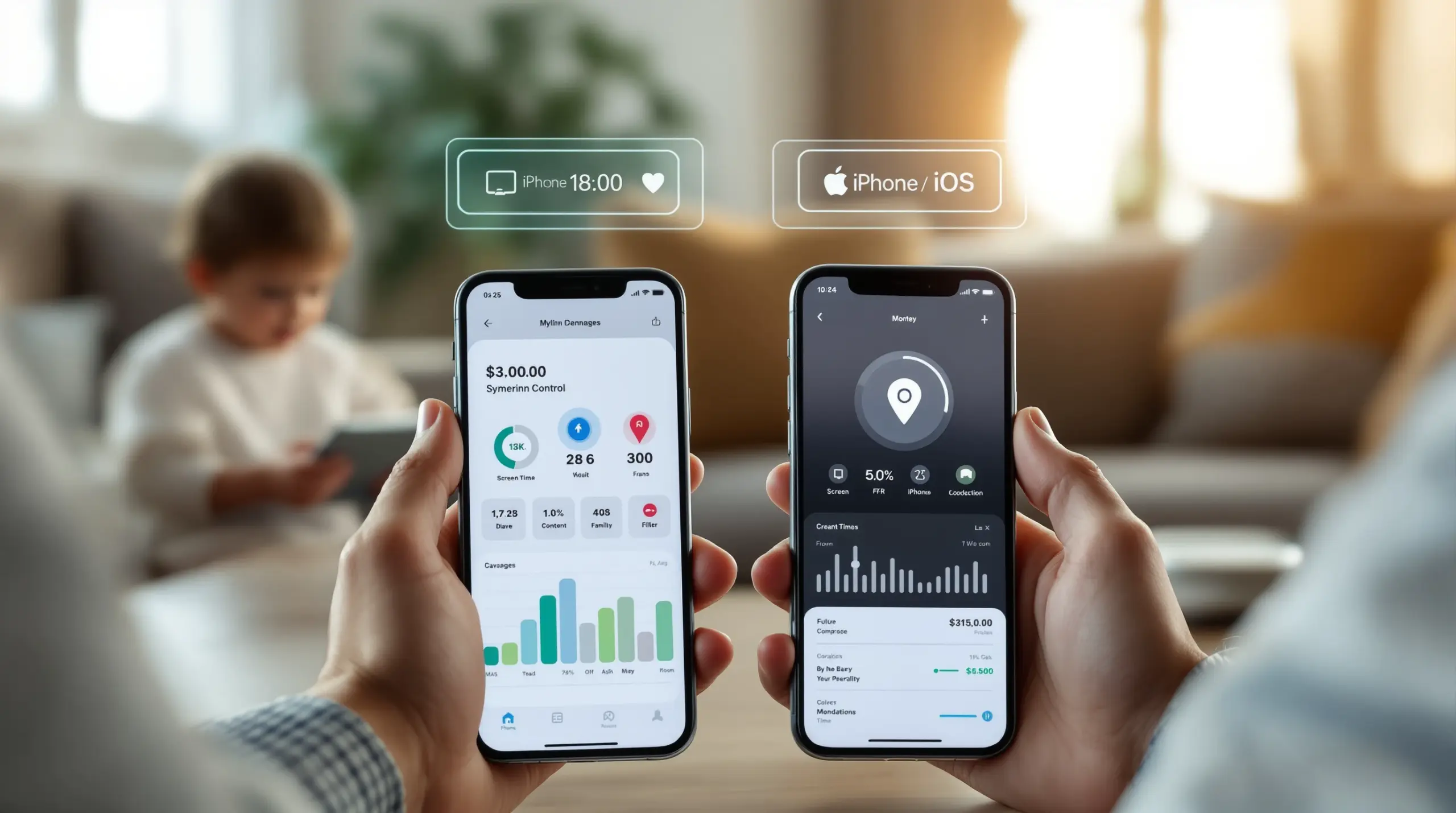
- Android vs iOS: What Parents Need to Know
- Choosing the Right App for Your Family
- Frequently Asked Questions
- Comparison: Parental Control Approaches
- How Boomerang Parental Control Helps Your Family
- Practical Tips for Parents
- The Bottom Line
- Sources & Citations
Article Snapshot
A mobile parental control app is software installed on a child’s smartphone or tablet that gives parents tools to manage screen time, filter web content, approve apps, and monitor digital activity. The right app enforces boundaries automatically, reducing conflict and keeping children safer online and off.
By the Numbers
- The global parental control software market was valued at $2.48 billion USD in 2025 (The Business Research Company, 2026)[1]
- The market is projected to reach $2.84 billion USD in 2026, growing at a CAGR of 14.7% (The Business Research Company, 2026)[1]
- North America accounts for 42% of the global parental control software market in 2026 (Persistence Market Research, 2026)[2]
- The global market is forecast to reach $3.9 billion USD by 2033 (Persistence Market Research, 2026)[2]
What Is a Mobile Parental Control App?
A mobile parental control app is a dedicated software solution that parents install on their child’s smartphone or tablet to manage how, when, and what the device is used for. Unlike built-in options such as Google Family Link or Apple Screen Time, third-party apps offer deeper controls, stronger bypass protection, and more detailed reporting – all designed to work without requiring parents to police the device manually. Boomerang Parental Control, for example, was built specifically to address the real-world challenges families face when a child gets their first Android device, combining automated screen time enforcement with content filtering and location tools in one platform.
The demand for these tools is growing fast. “The parental control software market is experiencing strong growth driven by increasing concerns among parents regarding their children’s online safety, with advanced features such as AI-powered content filtering, location tracking, and time management tools further boosting market adoption,” according to Data Insights Market Research (2026).[3]
START YOUR FREE TRIAL
Take control of screen time—free for 14 days, cancel anytime.




Parents across the United States and Canada are turning to mobile parental monitoring solutions for a straightforward reason: smartphones give children access to the open internet, social platforms, app stores, and communication tools – often without any guardrails in place from the moment the device is switched on. A dedicated child device management app fills that gap by letting parents set firm rules that run automatically, so the device enforces boundaries even when a parent is not in the room.
Common use cases include enforcing bedtime screen-free periods, blocking access to age-inappropriate websites, requiring parental approval before a new app can be installed, and receiving real-time location alerts. Each of these functions addresses a specific pain point that parents consistently report: daily arguments over devices, worry about hidden content, and the anxiety of not knowing where a child is after school. A well-chosen digital wellbeing app transforms the parent’s role from daily enforcer to occasional supervisor – a meaningful shift for family harmony.
Key Features to Look For in a Mobile Parental Control App
Not all mobile parental control apps offer the same depth of protection, and understanding which features actually matter helps parents avoid paying for tools that fall short in practice. The strongest apps combine automated time management, content filtering, communication safety, and location awareness into a single dashboard parents manage remotely.
Screen Time Scheduling and Daily Limits
Automated screen time management is the feature most parents reach for first, and for good reason. Rather than asking a child to hand over their phone at bedtime – and triggering the argument that follows – a good app locks the device automatically at a preset hour. On Android, the most capable apps allow parents to set both a hard daily usage cap (for example, two hours of entertainment apps per day) and fixed scheduled downtime windows for homework, meals, and sleep. This combination of daily limits and scheduling removes the parent from the role of daily enforcer and puts a neutral system in charge instead.
“Rising internet penetration and growing device ownership among minors are reshaping digital parenting practices worldwide, with parents increasingly adopting monitoring tools that offer content filtering, screen time management, app blocking, and location tracking,” notes Persistence Market Research (2026).[2]
Content Filtering and Safe Browsing
Web content filtering blocks access to categories of harmful websites – adult content, violence, hate, and unfiltered search results – before a child encounters them. The most effective solutions do not rely on a VPN or home router configuration; they filter on any network the child’s device connects to, including mobile data and public wifi. SPIN Safe Browser takes this approach, building content filtering directly into the browser so it works from the first launch on any connection, without any technical setup from parents.
SafeSearch enforcement is equally important. When a child uses Google, Bing, or Yahoo from a filtered browser, the search engine’s strictest safe search setting is locked in automatically, so inappropriate images and results are removed from every query – and the child cannot override that setting themselves.
App Approval and Per-App Controls
Children discover new apps constantly, and many apps in the app store are not age-appropriate despite carrying general-audience ratings. An app approval workflow requires a parent to review and authorize any new application before the child opens it. This single feature prevents a large category of risk – from social platforms with no age verification to games with in-app purchases and stranger-chat features – from entering the device environment in the first place.
Per-app time limits go further by letting parents assign specific daily allowances to individual apps. A parent might allow unlimited time in a learning app while capping a video game at 30 minutes. Designating certain apps as “Encouraged” – meaning they bypass the daily limit entirely – lets parents actively guide children toward educational and healthy-habit tools rather than simply restricting entertainment.
Location Tracking and Communication Safety
Real-time location tracking answers the question every parent of a school-age child asks multiple times a day: where is my kid right now? Geofencing takes this further by sending automatic alerts when the child arrives at or departs from a defined location – school, home, a sports field – so parents get passive confirmation of safe arrival without relying on the child to remember to text. For communication safety on Android devices, call and SMS monitoring logs contact history and flags messages containing inappropriate keywords, surfacing early signs of cyberbullying or unwanted contact from strangers before the situation escalates.
Android vs iOS: What Parents Need to Know About Mobile Parental Control Apps
Platform choice is one of the most important factors in determining how effective a mobile parental control app will be, and the differences between Android and iOS run deeper than most parents realize before they purchase. Android’s open architecture allows third-party parental control apps to integrate at a deeper system level, enabling features that Apple’s closed platform does not permit for external developers.
Why Android Offers Deeper Parental Controls
On Android, a capable parental control app monitors the YouTube app’s viewing and search history, sets per-app daily time limits, logs call and SMS activity, enforces uninstall protection, and – on Samsung devices – integrates with Samsung Knox to make the app virtually impossible for a child to remove. Boomerang Parental Control is the only parental control app to use Samsung’s Knox, an enterprise-grade mobile security solution pre-installed on most Samsung smartphones and tablets, bringing corporate-level device protection to family households at a consumer price.
These Android-only features matter in practical terms. YouTube app history monitoring gives parents visibility into what their child is actually watching – not just what they searched in a browser, but what they selected and viewed inside the YouTube application itself. Call and text safety monitoring means a parent receives an alert when an inappropriate keyword appears in a text message, rather than discovering the problem weeks later. Per-app limits allow nuanced, graduated control rather than all-or-nothing blocking.
iOS Parental Controls: What Is and Is Not Available
On iOS, third-party parental control apps operate within tighter system restrictions. Scheduled screen time and location tracking are available across platforms, but features like SMS monitoring, per-app allocated time limits, YouTube app history monitoring, and keyword alerts are not accessible to external developers on iPhone or iPad. Uninstall protection on iOS is limited to notification-only alerts – a significant difference from the hardware-level enforcement available on Samsung Android devices.
This does not mean iOS parenting tools are without value. Web filtering through a dedicated safe browser, geofencing, and scheduled downtime all function on iOS. But parents who want the full range of monitoring and control features should understand that an Android child device consistently delivers a more comprehensive parental control experience than an equivalent iOS device managed by a third-party app.
The TechRadar review of Boomerang Parental Control software highlights this platform distinction as central to evaluating which solution fits a family’s specific device environment.
Choosing the Right Mobile Parental Control App for Your Family
Selecting the right family safety app starts with an honest assessment of three factors: the age of the child, the type of device they use, and the specific risks the parent is most concerned about. A parent handing a pre-teen their first Android smartphone has different priorities than a parent trying to manage a tech-savvy teenager who has already bypassed simpler tools.
For First Smartphones and Pre-Teens
Parents in this situation are in prevention mode – they want strict rules in place before the child has a chance to develop bad habits. The priority features here are app approval control, web content filtering, and automated screen time scheduling. App approval creates a gate on every new install, so no app enters the device without a parent reviewing it first. Web filtering blocks inappropriate content automatically without requiring the parent to configure category lists manually. Automated scheduling enforces bedtime and homework routines from day one, establishing structure before it becomes a battle.
The use case of setting up a child’s first device with safe browsing from the first launch is one of the most common scenarios parents describe. Installing a parental control app alongside a safe browser at device setup means the child’s first experience of the internet is already filtered and bounded – not a free-for-all that requires emergency restriction later.
For Teenagers Who Have Bypassed Simpler Controls
A meaningful segment of parents arrive at third-party parental control apps after their teenager has already found a way around Google Family Link, Apple Screen Time, or another basic tool. In this scenario, bypass resistance is the most important feature. An app that a tech-savvy 14-year-old can uninstall in three taps provides no protection.
Boomerang’s uninstall protection – reinforced by Samsung Knox on supported Android devices – makes the app exceptionally difficult to remove without the parent’s PIN. This hardware-level enforcement is a qualitative difference from software-only protection that determines system settings, which a knowledgeable teen can often work around. Combined with call and text safety monitoring (Android only), location tracking, and automated scheduling, the result is a platform that enforces rules neutrally and consistently, reducing the daily conflict that comes with parents manually policing device use.
Evaluating Cost and Coverage
Most capable parental control apps charge an annual subscription. Single-device plans suit families with one child, while family plans covering multiple devices offer better value for households with several children. When comparing cost, parents should weigh the feature set against the child’s age and platform – paying for premium Android features when the child uses an iOS device means paying for capabilities that cannot be delivered on that platform.
Your Most Common Questions
What is the best mobile parental control app for Android?
The best mobile parental control app for Android combines automated screen time scheduling, per-app limits, content filtering, app approval, and strong uninstall protection – all manageable from a parent’s device. Android’s open platform allows third-party apps to integrate at a deeper system level than iOS, which is why the most capable features – YouTube app history monitoring, call and SMS safety, per-app time allocations, and Samsung Knox-backed uninstall protection – are available exclusively on Android. Boomerang Parental Control was built Android-first for exactly this reason, offering a feature set that goes well beyond what free tools like Google Family Link provide. When evaluating options, look for an app that enforces rules automatically rather than requiring daily manual intervention, and that cannot be easily removed by a child who is determined to bypass it. Reviews from independent technology platforms help confirm which apps deliver on their advertised features in real-world use.
Can a mobile parental control app monitor text messages?
On Android devices, yes – capable parental control apps log call history, view SMS message activity, and send parents alerts when specific keywords appear in text messages. This call and text safety feature is particularly valuable for detecting early signs of cyberbullying, inappropriate conversations with peers, or contact from unknown adults. The parent does not need to read every message; the keyword alert system surfaces only the conversations that contain flagged terms, allowing for a targeted and proportionate response. On iOS, this level of SMS monitoring is not available to third-party developers due to Apple’s platform restrictions. If call and text monitoring is a priority – particularly for parents of teenagers who communicate heavily via text – an Android device paired with a capable parental control app is the only combination that currently delivers it. Parents should also have an open conversation with their child about the monitoring, framing it as a safety tool rather than surveillance, to maintain trust while keeping the child safe.
How do I stop my child from uninstalling the parental control app?
This is one of the most common frustrations parents report, and it is why uninstall protection is an important feature to verify before choosing an app. On basic parental control tools – including many free options – a determined child can often remove the app through device settings or by resetting certain permissions. The strongest solution available on Android combines software-level uninstall protection with Samsung Knox integration on supported Samsung devices. Knox is an enterprise mobile security platform pre-installed on most Samsung smartphones and tablets; when a parental control app uses Knox, removing it without the parent’s authorization becomes extremely difficult even for tech-savvy teenagers. On iOS, third-party apps cannot enforce hardware-level uninstall protection – the best they offer is a notification alert if the app is removed. If your child has already bypassed simpler tools, choosing an Android device with a Knox-integrated parental control app is the most effective path to consistent, enforceable protection.
At what age should I start using a parental control app?
The most effective time to set up a parental control app is before the child’s first independent device use – ideally at the moment the device is activated. Parents who install content filtering, app approval controls, and screen time schedules on day one establish structure from the start, which is significantly easier than adding restrictions after a child has already explored freely. Most families find parental controls most relevant for children aged 8 through 15, with the feature priorities shifting as the child grows. Pre-teens in the 8-12 range benefit most from app approval gates, web filtering, and automated bedtime locks. Teenagers in the 13-15 range increasingly need bypass-resistant controls, location tracking for physical safety, and communication monitoring for cyberbullying detection. The goal is not permanent restriction but a gradual, trust-building approach where controls are relaxed as the child shows responsible device use – a process that works best when the rules are consistent, transparent, and enforced automatically rather than through daily parental intervention.
Comparing Parental Control Approaches: What Works Best
Parents choosing a child online safety solution have several approaches available, ranging from free built-in platform tools to dedicated third-party apps. The table below compares the four most common options across the features that matter most to families managing children’s devices in the United States and Canada.
| Approach | Screen Time Scheduling | App Approval | Content Filtering | Bypass / Uninstall Protection | YouTube Monitoring (Android) | Call & Text Safety |
|---|---|---|---|---|---|---|
| Free built-in tools (Family Link, Apple Screen Time) | Basic | Limited | Limited | Low – easily bypassed | Not available | Not available |
| Third-party app – basic tier | Scheduled downtime | Notification only | Moderate | Software-only | Not available | Not available |
| Third-party app – advanced Android (e.g., Boomerang) | Daily limits + scheduling | Full approval gate | Comprehensive with SafeSearch | High – Knox integration on Samsung[4] | Available (Android only) | Available (Android only) |
| iOS-only third-party app | Scheduled downtime | Age-based hiding | Browser-level filtering | Notification only | Not available | Not available |
How Boomerang Parental Control Helps Your Family
Boomerang Parental Control has been helping parents manage their children’s Android devices since 2015, and the platform was built around one core belief: effective parental control goes beyond simple blocking. It is about setting healthy boundaries, reducing family conflict, and giving children the structure they need to develop responsible digital habits.
Our screen time features are designed to remove parents from the role of daily enforcer. Automated daily limits and bedtime scheduling lock the device without any manual intervention – the app handles the turn-off so you do not have to negotiate. On Android devices, per-app time limits let you cap entertainment apps at 30 minutes while marking educational tools as “Encouraged” so they remain accessible even when the daily allowance runs out.
For families concerned about content safety, the SPIN Safe Browser integrates directly with Boomerang to provide web filtering and SafeSearch enforcement on any network – no VPN, no router configuration, no technical setup. App Discovery and Approval gives you a gate on every new install, requiring your sign-off before any app or game can be opened for the first time.
Our location tracking and geofencing features give you passive confirmation that your child arrived safely at school or a friend’s house, without relying on them to remember to check in. For Android users, call and text safety monitoring surfaces keyword alerts from SMS messages so you can spot early signs of cyberbullying or unwanted contact before they escalate.
Perhaps the feature parents value most is the one they cannot see working: uninstall protection. For Samsung device owners, our Samsung Knox integration makes Boomerang virtually impossible to remove without your PIN – even for teenagers who have already defeated simpler tools.
“Hey fellow parents, So far this the best parental control app .. hands down. So far the only app my 11 year old was not able to bypass. Big Shout out to developers for making such a great app.” – Jason H, Google Play review
“I have control back over my child’s phone and applications because she managed to circumvent family link. I have no idea how she did that but she managed to find a way, as did other kids. That was a major frustration for us. But now with Boomerang, I can manage her time, what applications she uses and what sites she visits.” – Joe Eagles, Google Play review
Boomerang is available on an annual subscription for single devices, with a Family Pack covering up to 10 child devices for households managing multiple smartphones or tablets. Boomerang Parental Control – Taking the battle out of screen time for Android and iOS – visit our website to explore plans or get started today.
Practical Tips for Setting Up a Mobile Parental Control App
Getting the most from a parental control app depends less on the technology and more on how you introduce and manage it within your family. The following guidance reflects what works in real households – not just in ideal conditions.
Set it up before handing over the device. Installing a parental control app at device activation is far easier than adding restrictions after a child has already explored freely. Configure web filtering, app approval, and screen time schedules on day one, so boundaries are the baseline rather than a later imposition.
Have an honest conversation with your child. Children who understand why the app is in place – and what it monitors – are less likely to feel surveilled and more likely to accept the boundaries as reasonable. Frame the controls as safety tools, not punishment, and explain that they will be adjusted as trust is earned.
Use “Encouraged Apps” to reward positive habits. Rather than treating parental controls as purely restrictive, designate educational apps, reading tools, or fitness trackers as always-allowed. This gives children an incentive to engage with constructive content and signals that the goal is balance, not elimination of all screen time.
Review the daily activity report regularly. Most capable apps send an emailed daily summary of device activity. Spending two minutes reviewing this report each morning keeps you informed without requiring you to log in to the app constantly. It also gives you material for conversations with your child about their digital habits – grounded in actual data rather than assumption.
Test bypass resistance before committing. If your child is older or has already defeated a previous parental control tool, confirm that the new app’s uninstall protection holds up before relying on it. On Samsung Android devices, Knox integration provides the strongest available protection. On iOS, notification-only tamper alerts are the realistic ceiling for third-party apps.
Adjust controls gradually as your child grows. Parental controls work best as a dynamic system, not a permanent lockdown. Plan to revisit your settings every six months, loosening restrictions in areas where your child has shown responsible use. This gradual trust-building approach reduces resentment and teaches self-management – the ultimate goal of any digital parenting strategy. The Safewise review of Boomerang Parental Control offers additional perspective on how the app fits different family configurations and parenting styles.
The Bottom Line
A mobile parental control app is one of the most practical investments a parent makes when a child gets their first smartphone or tablet. The right app enforces screen time boundaries automatically, filters harmful content before it reaches a child’s eyes, flags concerning communication, and confirms physical safety – all without requiring parents to become the daily rule police.
Platform matters. Android delivers a deeper, more enforceable feature set than iOS for third-party parental control apps, particularly for families who need bypass-resistant uninstall protection, YouTube monitoring, or call and text safety tools. If those features are a priority, pairing an Android device with a capable app is the most effective combination available.
Boomerang Parental Control has been purpose-built for this exact challenge since 2015. To explore how it fits your family’s needs, visit useboomerang.com or reach out directly at [email protected]. You can also download the Android app and get protection running on your child’s device today.
Sources & Citations
- Parental Control Software Global Market Report 2026. The Business Research Company.
https://www.thebusinessresearchcompany.com/report/parental-control-software-global-market-report - Parental Control Software Market Poised for Strong Growth. Persistence Market Research via OpenPR.
https://www.openpr.com/news/4406245/parental-control-software-market-poised-for-strong-growth-as - Exploring Parental Control Software Market Evolution 2026-2034. Data Insights Market Research.
https://www.datainsightsmarket.com/reports/parental-control-software-1959394 - Boomerang Parental Control Samsung Knox Information. Boomerang Parental Control.
https://useboomerang.com/boomerang-parental-control-samsung-knox-information/
START YOUR FREE TRIAL
Take control of screen time—free for 14 days, cancel anytime.
