
11
Dec
2025
Best Parental Monitoring App for Android in 2025
December 11, 2025
A parental monitoring app for Android gives families real-time control over screen time, app usage, web browsing, and location – discover what to look for and how to choose the right solution for your child.
Table of Contents
- What Is a Parental Monitoring App for Android?
- Key Features Every Android Monitoring App Should Have
- Why Android Is the Leading Platform for Parental Controls
- How to Choose the Right Android Parental Control App
- Frequently Asked Questions
- Comparing Parental Monitoring Approaches
- How Boomerang Parental Control Helps Your Family
- Practical Tips for Parents
- The Bottom Line
- Sources & Citations
Your Most Common Questions
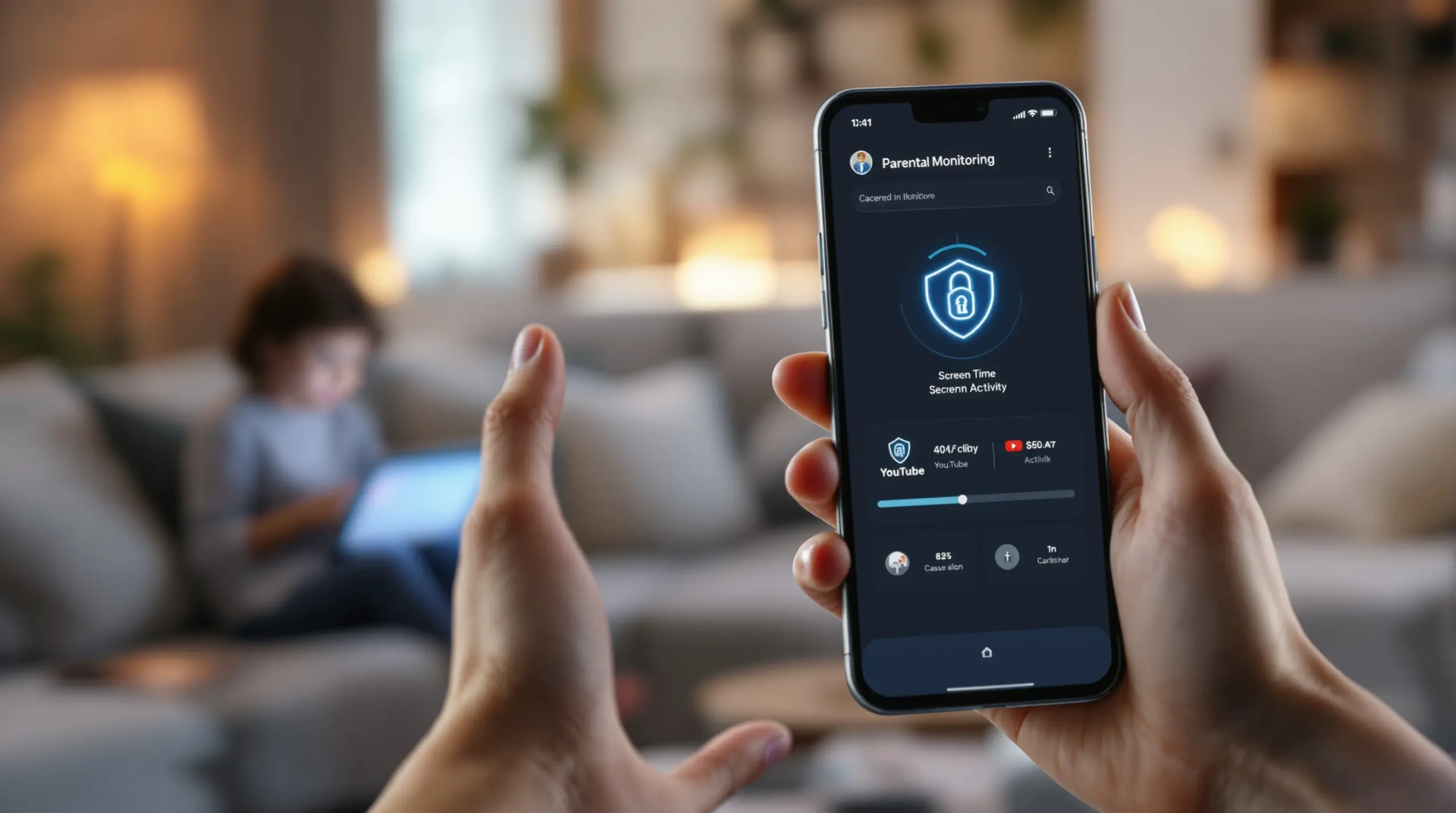
A parental monitoring app for Android is a dedicated application that gives parents control over their child’s device by managing screen time, filtering web content, tracking location, and monitoring app activity. Unlike built-in tools, dedicated apps offer deeper device integration, uninstall protection, and visibility into platforms like YouTube – all managed remotely from a parent’s phone.
Android Parental Controls in Context
- Android holds a 65% share of the global parenting apps market (Roots Analysis, 2024)[1]
- Mobile-based platforms account for 61% of parental control software usage in 2025 (Future Market Insights, 2025)[2]
- The global parental control software market was valued at $1,229.47 million USD in 2023 (Polaris Market Research, 2024)[3]
- Android is projected to hold 33.04% of the global parental control software market in 2026 (Fortune Business Insights, 2024)[4]
What Is a Parental Monitoring App for Android?
A parental monitoring app for Android is a purpose-built application that lets parents set boundaries, view activity reports, and enforce safety rules on their child’s Android device – remotely, automatically, and without daily confrontation. These apps go well beyond the built-in tools that come pre-installed on Android phones. Where Google Family Link offers a useful starting point, dedicated third-party solutions provide deeper controls, stronger tamper resistance, and visibility into specific apps and content that free tools cannot match.
Boomerang Parental Control, for example, was built to address the real-life challenges parents face: the daily screen time arguments, the anxiety over what children are watching on YouTube, and the frustration of discovering a child has deleted the monitoring app before dinner. Dedicated Android monitoring apps tackle all of these scenarios in a way that stock device management cannot.
START YOUR FREE TRIAL
Take control of screen time—free for 14 days, cancel anytime.




The core purpose of any child monitoring solution is to give parents practical oversight without requiring them to physically hold the device. You set the rules once – daily time limits, bedtime locks, app approvals, content filters – and the app enforces them automatically. If your child tries to bypass the rules, you receive an alert or the device stays locked until you intervene.
This automated enforcement is what separates a quality Android parental control app from simply taking the phone away each night. It teaches children to work within agreed boundaries while giving parents the visibility to identify problems – like inappropriate YouTube searches or contact from unknown numbers – before they become serious issues. For families giving a child their first smartphone, a dedicated monitoring app is not a luxury; it is the foundation of responsible device use from day one.
Key Features Every Android Monitoring App Should Have
Effective Android parental controls must combine automated time management, content protection, and communication safety into a single, tamper-resistant package. When evaluating any mobile device management solution for your family, these are the capabilities that separate a comprehensive tool from a basic screen time timer.
Screen Time Scheduling and Daily Limits
The most immediate pain point for most families is device overuse – children staying on phones past bedtime or ignoring homework because of unlimited access. A quality Android monitoring app lets you set scheduled downtime (for example, no device use after 9 PM on school nights) and a hard daily limit for total screen time. When the time is up, the device locks automatically. You do not need to argue, remind, or confiscate the phone. The app handles it. On Android, the best apps go further by offering per-app time limits, so you can allow 30 minutes for a game while leaving an educational platform unrestricted all day.
App Approval and Control
Children are naturally curious and will download new apps the moment your back is turned. App approval control requires your sign-off before any new application is installed or used. This single feature prevents dozens of risky or age-inappropriate apps from landing on the device without your knowledge. When paired with the ability to designate certain apps as always allowed – school portals, reading apps, fitness trackers – you create a balanced environment that encourages useful technology use while keeping entertainment in check.
Web Filtering and Safe Browsing
Content filtering blocks access to websites containing adult content, violence, and other age-inappropriate material. The most effective approach uses a dedicated safe browser rather than relying on a VPN or router-level filter, because a browser-based solution works on any network – home wifi, school connections, or mobile data – without any additional setup. SPIN Safe Browser is a strong example of this approach, automatically enforcing SafeSearch on Google, Bing, and Yahoo from the first launch, with no configuration needed by the parent.
YouTube History Monitoring (Android Only)
YouTube is one of the most significant blind spots in child online safety. Standard parental controls block websites but cannot see inside the YouTube app. On Android, advanced monitoring apps surface what your child has searched for and watched within the YouTube application itself, giving you real visibility into their interests and any content that concerns you. This feature is exclusive to Android and is not available on iOS devices.
Uninstall Protection
A monitoring app that a child can delete is not a monitoring app – it is an inconvenience. Strong uninstall protection prevents children from removing or disabling the parental control app without the parent’s PIN. On Samsung Android devices, this protection is reinforced through Samsung Knox integration, which uses enterprise-grade security to make tampering with the app exceptionally difficult. Independent reviews of Boomerang Parental Control consistently highlight this as one of its most valued features among parents of tech-savvy teens.
Location Tracking and Geofencing
Real-time location tracking shows you where your child’s device is at any moment. Geofencing lets you draw a digital boundary around specific locations – school, home, a friend’s house – and receive automatic alerts when your child arrives or leaves. This passive safety feature removes the need for constant check-in calls while giving you immediate confidence that your child is where they are supposed to be.
Why Android Is the Leading Platform for Parental Controls
Android’s architecture makes it the superior platform for parental monitoring apps, offering deeper system integration and more feature-rich controls than any other mobile operating system. The numbers reflect this reality: Android holds a 65% share of the global parenting apps market (Roots Analysis, 2024)[1], and the Android segment is projected to account for 33.04% of the global parental control software market by 2026 (Fortune Business Insights, 2024)[4].
The reason for Android’s dominance in this space comes down to platform openness. As the Market.us Research Team noted in 2024, “Android’s open-source nature allows for greater flexibility in app development, enabling developers to create and update parenting apps more frequently and with more features.” (Market.us, 2024)[5] This translates directly into better parental controls for families: features like per-app time limits, SMS keyword alerts, YouTube history monitoring, and Samsung Knox-based uninstall protection are all possible on Android because the platform allows the deep device access these capabilities require.
iOS parental controls, by comparison, are significantly more restricted. Apple’s platform limits what third-party apps can access on the device, which means many advanced features available on Android cannot be replicated on iPhone or iPad. Parents managing their child’s iOS device will find screen time scheduling and location tracking available, but features like per-app allocated time limits, call and text safety monitoring, and YouTube app history visibility are Android-only capabilities.
Affordability and accessibility also play a role. The Polaris Market Research Team observed in 2024 that Android’s growth in the parental control market is “highly attributed to the continuously rising children’s time spent on smartphones and the easy accessibility and affordability of smartphones, even among parents with low income.” (Polaris Market Research, 2024)[3] Android devices are the most common first smartphone for children in North America, making a strong Android-first parental control app important for most families.
For parents in the United States and Canada, where Android devices are widespread among school-age children, choosing a monitoring solution built for Android rather than a cross-platform tool with watered-down capabilities is a practical decision that directly impacts the protection your family receives.
How to Choose the Right Android Parental Control App
Choosing the right Android parental control app requires matching the tool’s capabilities to your child’s age, your family’s specific concerns, and the level of technical involvement you are prepared to manage. Not every app suits every family, and understanding the key decision points helps you avoid paying for features you do not need or missing ones that matter most.
Match Controls to Your Child’s Age
For children aged 8 to 12 receiving their first smartphone, the priorities are app approval control, content filtering, and screen time scheduling. You want to lock down the environment from day one, require your sign-off for every new app install, and make sure inappropriate content is blocked before the child encounters it. Gradual trust-building is the goal: start with firm limits and loosen them as your child demonstrates responsible use.
For teenagers aged 13 to 17, the challenge shifts. Many teens have already figured out how to bypass Google Family Link or Apple Screen Time. At this stage, uninstall protection becomes critical – a monitoring app that a determined 15-year-old can delete in two minutes provides no real safety net. You also want call and text safety monitoring (Android only) to catch early signs of cyberbullying or inappropriate contact from unknown adults, and location tracking to confirm physical safety without requiring constant check-in texts.
Evaluate Tamper Resistance Before Anything Else
The single most important question to ask about any Android child safety app is: can my child remove or disable it? If the answer is yes without much difficulty, the app will not hold up against a motivated pre-teen. Look for uninstall protection that requires a parent PIN, and on Samsung devices, Knox integration for enterprise-level tamper resistance. Consumer reviews confirm that this capability is what separates apps parents trust long-term from apps that work for a week before being bypassed.
Look for Automated Enforcement Over Manual Controls
Apps that require you to manually turn features on and off each day quickly become a burden. The best Android monitoring apps run automatically: scheduled downtime kicks in at bedtime without you touching your phone, daily limits enforce themselves, and alerts arrive only when something needs your attention. This automation is what makes a monitoring app sustainable for busy parents over months and years, not just during the first week of setup.
Consider the Full Safety Picture
Screen time management is important, but a quality family safety app should also cover web filtering, location tracking, and communication monitoring in a single platform. Managing three separate apps for these functions creates gaps and complexity. Look for a solution that combines digital wellness tools with online safety features so you have one clear dashboard for everything that matters.
Future Market Insights analysts note that “parents prioritize smartphone-based parental controls to manage content exposure, monitor app usage, and ensure location safety” (Future Market Insights, 2025)[2] – reinforcing that the most useful tools address all three of these areas together rather than one in isolation.
Your Most Common Questions
Can my child bypass or delete a parental monitoring app on Android?
A motivated child can bypass or delete many basic parental control apps – this is one of the most common frustrations parents report, particularly with free tools like Google Family Link. The key differentiator with quality Android monitoring apps is uninstall protection. A properly configured app requires the parent’s PIN before it can be uninstalled, modified, or disabled, making casual bypass attempts fail immediately. On Samsung Android devices, Knox integration adds an additional layer of enterprise-grade security that makes the app extremely difficult to tamper with even for tech-savvy teenagers who have researched workarounds. If you are choosing an app for a teenager who has already bypassed simpler controls, tamper resistance should be your first evaluation criterion, not screen time features. Apps with strong uninstall protection combined with Samsung Knox support represent the strongest protection available on consumer Android devices today. Always test the uninstall protection yourself immediately after setup – try removing the app without your PIN to confirm the protection is active before handing the device back to your child.
What is the difference between a parental monitoring app for Android versus iOS?
Android and iOS offer fundamentally different levels of access for parental control apps, and Android provides significantly deeper capabilities. On Android, a dedicated monitoring app enforces per-app time limits, monitors YouTube search and watch history inside the YouTube app, reads call logs and SMS content for safety keywords, and uses Samsung Knox to prevent uninstallation. These features require system-level access that iOS does not grant to third-party apps. On iOS, parental control apps are limited to scheduled screen time windows, location tracking, web filtering through a managed browser, and notification-only tamper alerts – they cannot monitor inside specific apps or enforce granular per-app limits the way Android apps can. If your child uses an Android device, you have access to a far richer set of controls. If your child uses an iPhone or iPad, basic protections like content filtering and location tracking are available, but features like YouTube monitoring and SMS safety are not supported by the iOS platform for third-party apps. This is an important consideration when choosing a device for a child in the first place.
Do I need technical skills to set up a parental monitoring app on Android?
Most quality Android parental control apps are designed for non-technical parents and guide you through setup with clear, step-by-step instructions. You do not need to understand device administration, VPN configuration, or network settings to get protection working. The best apps handle these complexities in the background. For non-Samsung Android devices, some apps offer a direct download option outside of the Google Play Store – this involves one extra step compared to a standard app install, but setup guides walk you through it clearly without requiring technical knowledge. Once the app is configured, it runs automatically: bedtime schedules enforce themselves, daily limits count down and lock the device, and alerts arrive on your phone when something needs attention. You check the app when you want to review activity, not because you need to manually manage it each day. If you run into any issues, look for apps that offer accessible customer support and a knowledge base written in plain language for parents rather than technical documentation aimed at IT professionals.
Is a free parental monitoring app for Android good enough, or do I need a paid solution?
Free tools like Google Family Link provide a useful baseline – basic screen time limits, app approval, and location sharing – and are worth using as a starting point. However, they have well-documented limitations. Uninstall protection is minimal, meaning a child who wants to remove the app often can. YouTube monitoring inside the app is not available. Per-app time limits with allocated daily minutes are not supported. SMS and call safety monitoring does not exist. For younger children with their first device and no history of trying to bypass controls, a free tool is sufficient for a period. For children who have already defeated Google Family Link, for teenagers, or for any family where the risks of unmonitored access are high, a paid dedicated Android monitoring app provides the tamper resistance and deeper visibility that free tools cannot match. The cost of a family subscription to a quality app is modest on an annual basis – and the peace of mind that comes from knowing the controls actually hold is worth considerably more than the price of the subscription.
Comparing Parental Monitoring Approaches on Android
Families have several options when it comes to managing their child’s Android device, ranging from free built-in tools to paid dedicated apps. The approach you choose has direct consequences for how much control you actually have and how easily your child can work around it. The table below compares the four main approaches across the criteria that matter most to parents.
| Approach | Screen Time Scheduling | Per-App Limits | YouTube Monitoring | Uninstall Protection | SMS Safety Monitoring | Tamper Resistance |
|---|---|---|---|---|---|---|
| Google Family Link (Free) | Yes | Basic | No | Minimal | No | Low – easily bypassed |
| Basic Paid Apps | Yes | Varies | Rarely | Varies | Rarely | Moderate |
| Dedicated Android App (e.g., Boomerang) | Yes – automated[4] | Yes (Android only) | Yes (Android only) | Strong + Knox option | Yes (Android only) | High – Knox reinforced |
| iOS Built-In Screen Time | Yes | Limited | No | Notification only | No | Low to moderate |
How Boomerang Parental Control Helps Your Family
Boomerang Parental Control is an Android-first family safety app designed to give parents comprehensive visibility and control without turning every evening into a negotiation. Built since 2015 with the specific challenges of real families in mind, Boomerang Parental Control – Taking the battle out of screen time for Android and iOS combines automated screen time management, content protection, and communication safety in a single platform.
For screen time management, Boomerang’s Boomerang Parental Control – screen time features let you set scheduled downtime and daily limits that enforce themselves automatically. On Android, per-app time limits allow you to give your child 30 minutes of game time while leaving their school learning app unrestricted all day through the Encouraged Apps designation. When the time is up, the device locks – no argument, no negotiation.
For online safety, SPIN Safe Browser provides pre-configured content filtering that blocks millions of inappropriate websites and enforces SafeSearch on all major search engines from the first launch. It works on any network without a VPN, meaning your child is protected at home, at school, and at a friend’s house equally. YouTube App History Monitoring (Android only) surfaces what your child has searched for and watched inside the YouTube app, giving you real visibility into their digital interests and any content that warrants a conversation.
For tamper resistance, Boomerang uses strong uninstall protection that requires your PIN to remove. On Samsung devices, Boomerang Parental Control is the only parental control app to use Samsung’s Knox, an enterprise mobile security solution pre-installed in most Samsung smartphones and tablets, making it exceptionally difficult for even tech-savvy children to defeat. Call and Text Safety (Android only) monitors SMS and call logs for inappropriate keywords and unknown contacts, surfacing communication risks before they escalate.
“I have control back over my child’s phone and applications because she managed to circumvent family link. I have no idea how she did that but she managed to find a way, as did other kids. That was a major frustration for us. But now with Boomerang, I can manage her time, what applications she uses and what sites she visits.” – Joe Eagles, Google Play review
“Hey fellow parents, So far this the best parental control app .. hands down. So far the only app my 11 year old was not able to bypass. Big Shout out to developers for making such a great app.” – Jason H, Google Play review
Boomerang is available for Android devices via Google Play or as a direct sideload download for Android devices that includes additional features such as call and text safety and enhanced app removal protection. Subscriptions are available on an annual basis for a single device or as a Family Pack covering up to 10 child devices. Contact us at [email protected] or visit our support portal to get started.
Practical Tips for Parents Using Android Parental Controls
Setting up a parental monitoring app is the first step – using it effectively over time requires a few practical habits that make the difference between controls that hold and ones that gradually fall apart.
Set up on day one, before the child uses the device. Installing a monitoring app after a child has already used a phone freely creates immediate resistance. When safety tools are in place from the first moment, they become part of the normal device experience rather than something imposed after the fact. This is especially important for first smartphones.
Test your uninstall protection immediately after setup. Before handing the device to your child, try removing the monitoring app yourself without your PIN. If it uninstalls without prompting for credentials, the protection is not correctly configured. Fix this before your child discovers the gap.
Use Encouraged Apps to reduce friction. Designating educational and productive apps as always-allowed removes a major source of conflict. When your child’s daily limit runs out, they can still access their homework app, reading platform, or language learning tool. This reinforces the message that controls are about balance, not punishment.
Review activity reports regularly, not reactively. Daily email summaries and periodic reviews of YouTube history and app usage help you spot trends before they become problems. A sudden interest in a new app category or a sharp increase in screen time on a specific platform is worth a conversation, not necessarily a restriction.
Talk with your child about the rules and why they exist. Research consistently shows that children who understand the reasoning behind digital limits respond better than those who encounter an unexplained locked screen. Frame monitoring as a tool for building trust, not surveillance for its own sake. As your child demonstrates responsible use, gradually ease restrictions to reflect that trust.
Keep your parental PIN private and secure. This sounds obvious but is often overlooked. A monitoring app is only as strong as the secrecy of its override code. Choose a PIN your child cannot guess, and do not use the same PIN for other device functions they already know.
The Bottom Line
A parental monitoring app for Android gives your family the practical tools to manage screen time, block inappropriate content, monitor communication, and track location – automatically and without daily conflict. Android’s platform depth makes it the strongest environment for parental controls, with capabilities like YouTube history monitoring, per-app time limits, and Samsung Knox-based tamper resistance that no other platform can match.
Free tools provide a starting point, but families dealing with tech-savvy children, teenagers who have already bypassed basic controls, or parents who need reliable automated enforcement will find that a dedicated Android monitoring app delivers protection that actually holds. The goal is not to restrict your child’s digital life but to shape it – building the habits, boundaries, and trust that carry forward as they grow.
If you are ready to take the battle out of screen time, visit Boomerang Parental Control to explore features, or reach out at [email protected]. Our support team is ready to help you find the right setup for your family.
Sources & Citations
- Parenting Apps Market Share, Forecast Report 2032. Roots Analysis, 2024.
https://www.rootsanalysis.com/reports/parenting-apps-market.html - Parental Control Software Market Demand & Outlook 2026-2036. Future Market Insights, 2025.
https://www.futuremarketinsights.com/reports/parental-control-software-market - Parental Control Software Market Share, Forecast Report – 2032. Polaris Market Research, 2024.
https://www.polarismarketresearch.com/industry-analysis/parental-control-software-market - Parental Control Software Market Size, Share & Growth. Fortune Business Insights, 2024.
https://www.fortunebusinessinsights.com/parental-control-software-market-104282 - Parenting Apps Market Size, Share, Trends | CAGR of 12.2%. Market.us, 2024.
https://market.us/report/parenting-apps-market/
START YOUR FREE TRIAL
Take control of screen time—free for 14 days, cancel anytime.
