
16
Dec
2025
Best Screen Time App for Kids in 2026
December 16, 2025
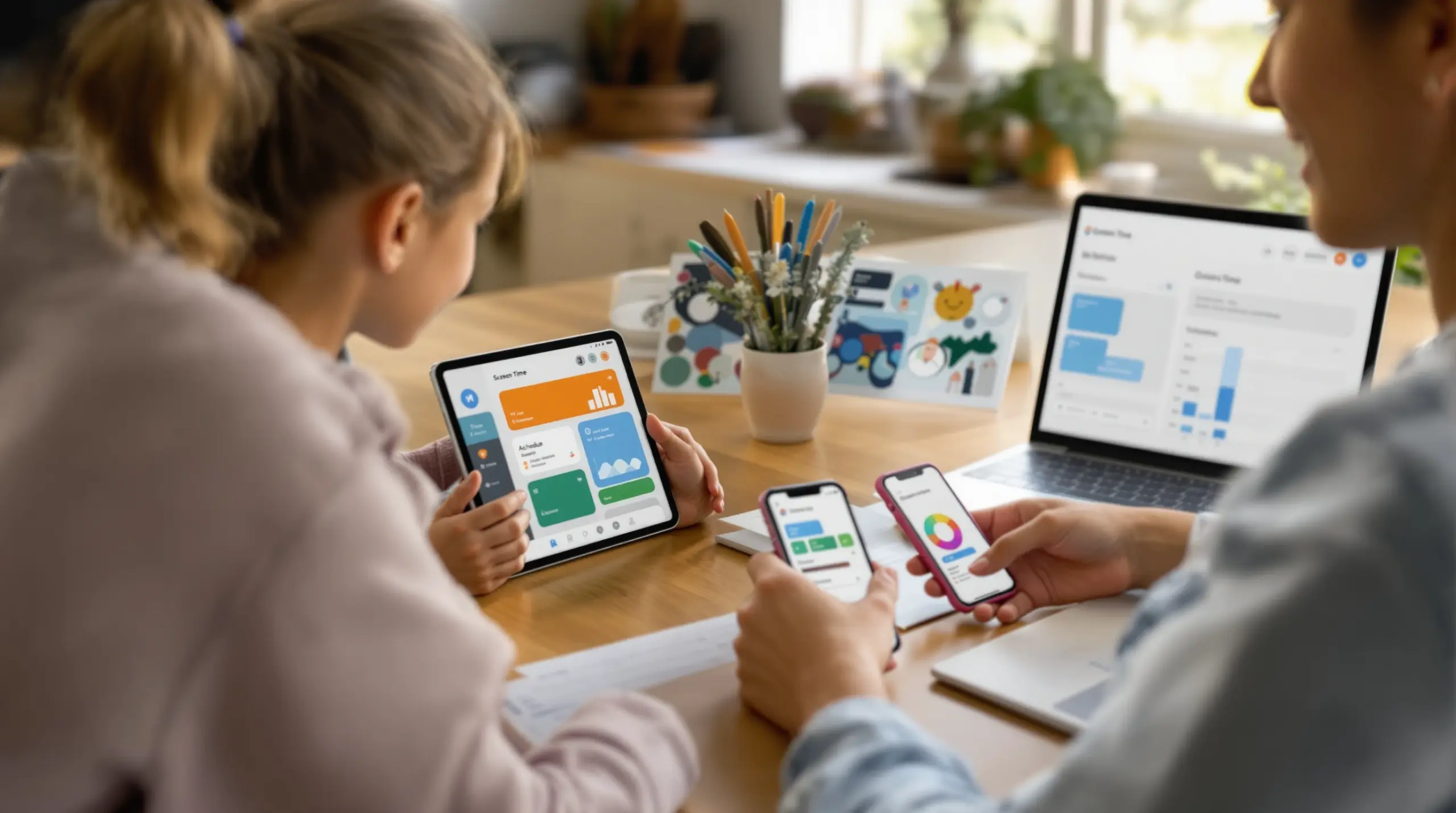
A screen time app helps parents set daily limits, block inappropriate content, and track their child’s device activity – here’s how to choose the right one for your family in 2026.
Table of Contents
- What Is a Screen Time App?
- Why Screen Time Management Matters for Families
- Key Features to Look for in a Screen Time App
- Screen Time App Options: Android vs iOS
- Managing a Teenager with a Screen Time App
- Frequently Asked Questions
- Comparison: Screen Time App Approaches
- How Boomerang Parental Control Helps
- Practical Tips for Parents
- The Bottom Line
- Sources & Citations
Article Snapshot
A screen time app is a parental control tool that lets families set daily usage limits, block apps, filter websites, and monitor device activity on children’s smartphones and tablets. The right app automates rule enforcement, reduces family conflict, and helps children build healthier digital habits from day one.
Quick Stats: screen time app
- Average teen daily screen time reaches 7 hours 22 minutes (Exploding Topics, 2026)[1]
- 47% of US teens report being online almost constantly (Common Sense Media, Pew Research, 2025)[1]
- Digital wellness app downloads increased 156% year over year (Boomerang, 2026)[2]
- Users who actively track screen time achieve a 23% reduction in usage within 30 days (Boomerang, 2026)[2]
What Is a Screen Time App?
A screen time app is a dedicated parental control tool that gives parents direct oversight of how, when, and how much their child uses a mobile device. Unlike a basic phone setting, a purpose-built screen time app combines daily time limits, app blocking, content filtering, location tracking, and usage reporting into a single platform that parents manage remotely. Boomerang Parental Control is one such solution, built specifically for families who want reliable, automated enforcement on Android and iOS devices.
At its core, a good screen time management tool solves a straightforward problem: children and teenagers are spending more time on devices than most families intend. Average teen daily screen time has reached 7 hours 22 minutes (Exploding Topics, 2026)[1], and 47% of US teens report being online almost constantly (Common Sense Media, Pew Research, 2025)[1]. A dedicated app gives parents the practical means to set boundaries without relying on daily arguments or manual policing.
START YOUR FREE TRIAL
Take control of screen time—free for 14 days, cancel anytime.




For families handing a child their first smartphone, a screen time app functions as a safety net from day one. Parents can require approval before any new app is installed, enforce a bedtime lock that triggers automatically, and block categories of websites without needing any technical configuration. These features work together to create a managed device environment rather than an open, unmonitored one.
One real-world use case illustrates the value clearly: a parent sets a two-hour daily entertainment limit on their child’s Android device, designates the school reading app as an encouraged app that bypasses the limit, and schedules an automatic device lock at 9 pm. The app handles every enforcement step automatically. The parent does not need to intervene each evening, and the child learns to manage within the set boundaries – a process that builds digital accountability over time. For families starting this journey, the Boomerang Parental Control screen time features page shows exactly how flexible scheduling and daily limits work together.
Why Screen Time Management Matters for Families
Unmanaged device use creates measurable problems for children’s sleep, focus, and wellbeing – and a dedicated digital wellness tool gives parents a structured way to address those problems before they escalate. The data on how much time children spend on connected devices is difficult to ignore. Americans spend an average of 7 hours 3 minutes daily on screens (Boomerang, 2026)[2], and digital wellness app downloads have grown 156% year over year (Boomerang, 2026)[2] as families actively search for solutions.
Health experts at HealthyChildren.org, an AAP-affiliated resource, state that “parents need clear guidance on healthy screen time, media safety, and nurturing digital habits for kids to thrive” (HealthyChildren.org, 2026)[3]. This guidance points directly to why passive approaches – simply hoping children self-regulate – rarely produce consistent results, especially for pre-teens who are still developing impulse control.
The family conflict dimension matters just as much as the health one. Many parents describe the daily ritual of asking children to turn off their devices as one of the most stressful parts of their evening routine. When a screen time restriction app handles the enforcement automatically, the phone simply locks when time is up. The parent is no longer the villain delivering bad news – the app is the neutral rule enforcer. This shift reliably reduces household arguments and frees parents to focus on connection rather than conflict.
Beyond conflict reduction, a parental monitoring app provides visibility into digital behaviour that would otherwise be invisible. Parents of younger children often have no idea what their child is watching on YouTube or which apps they have quietly installed. Without visibility, it is impossible to have informed conversations about digital safety. Tracking tools that surface this activity – such as reviewed by TechRadar – give parents the context they need to guide rather than simply restrict.
Key Features to Look for in a Screen Time App
The most effective screen time apps share a core set of features that address both daily time management and broader online safety – and understanding what each feature does in plain terms helps parents choose the right tool. Not every app on the market delivers all of these capabilities, and the platform your child uses (Android or iOS) significantly affects what is available to you.
Automated daily limits and scheduling are the foundation of any quality app blocker for kids. Rather than requiring parents to manually switch off the device each evening, a reliable app enforces a bedtime lock and a total daily usage cap automatically. On Android, this includes per-app timers – so a child might have 30 minutes allocated for gaming but unlimited access to an educational reading app. iOS support for per-app limits is more restricted by Apple’s platform policies, which is an important distinction parents should understand before choosing a solution.
App approval and content filtering are the second critical layer. A proactive screen time restriction app should notify parents when a child attempts to install something new and require approval before that app becomes usable. Paired with web filtering – the ability to block millions of harmful websites and enforce safe search on major search engines – this creates a managed environment rather than an open one. The SPIN Safe Browser integrates directly with Boomerang to provide this web filtering without requiring any VPN or router setup, which is a meaningful practical advantage for non-technical families.
Uninstall protection is a feature that separates serious parental control apps from basic built-in options. Children, particularly teenagers, often know how to remove a monitoring app within minutes of receiving a device. A screen time app that can be deleted is not actually enforcing anything. Samsung Knox integration on supported Android devices provides enterprise-grade protection that makes removal exceptionally difficult without the parent’s PIN – a capability that built-in tools like Google Family Link simply do not offer.
Location tracking and communication monitoring round out a comprehensive feature set for older children. Real-time location with geofencing alerts parents automatically when a child arrives at or leaves a designated place, removing the need for constant check-in calls. On Android, call and SMS monitoring adds an additional layer of safety by surfacing keyword alerts in text messages – a practical early warning for cyberbullying or inappropriate contact. Parents can review communication patterns without reading every individual message, maintaining a proportionate level of oversight.
Screen Time App Options: Android vs iOS
The platform a child’s device runs on is one of the most consequential factors in what a screen time app can actually do, and Android consistently offers deeper parental control capabilities than iOS for families who need comprehensive management. This is not a matter of app quality – it reflects fundamental differences in how Apple and Google permit third-party apps to interact with device functions.
On Android, a parental control application can access call and SMS logs, monitor YouTube app history, enforce per-app usage limits with individual timers, and integrate with Samsung Knox for tamper-resistant uninstall protection. These capabilities exist because Android’s open architecture allows apps to operate at a level close to the device itself. For families with children on Android phones or tablets – including Google Pixel and Samsung Galaxy devices – the full suite of monitoring and management features is available.
On iOS, Apple’s platform restrictions mean that third-party parental control apps operate within tighter boundaries. Screen time scheduling is available on iOS, as is location tracking and web filtering through tools like SPIN Safe Browser. However, features such as YouTube app history monitoring, per-app time allocation, SMS keyword alerts, and true uninstall protection are not available on iOS child devices through third-party apps. Apple’s own Screen Time built-in feature covers some of these gaps, which is why many iOS families use a combination of the native Screen Time setting and a dedicated app for the features Apple’s tool does not offer.
DataReportal researchers note that internet users aged 16-24 spend more than 41 hours per week consuming online media (DataReportal, 2026)[1], which underscores why the depth of control available on Android is so relevant. Families choosing a device for a child who is receiving their first smartphone would benefit from understanding this platform distinction before purchasing. For detailed guidance on how Boomerang performs across platforms, independent review sources provide useful comparisons. The sideload download page for Android devices also enables additional features – including call and text safety and app removal protection – that are not available through the standard Play Store installation on some devices.
Managing a Teenager with a Screen Time App
Teenagers present a distinct challenge for parental controls because they are technically capable enough to bypass many basic tools – and a screen time app for teens needs to be genuinely difficult to circumvent while still supporting the shift from restriction toward accountability. Pew Research Center reports that teen smartphone ownership has risen to 95% in the US (Pew Research Center, 2025)[1], meaning nearly every teenager carries a connected device throughout their day.
The most common frustration parents of teens describe is discovering that their child has already defeated the monitoring tool they installed. Google Family Link can be unlinked by a teenager who knows the steps. Apple Screen Time passcodes can sometimes be reset. Basic parental control apps without tamper protection are removed within days of installation. For parents in this situation, the solution is not a stricter conversation – it is a more strong technical barrier. Boomerang Parental Control is the only parental control app to use Samsung’s Knox, an enterprise mobile security solution pre-installed on most Samsung smartphones and tablets, making it exceptionally difficult for even tech-savvy teenagers to remove or bypass.
Beyond bypass prevention, managing a teenager requires a different philosophy than managing a younger child. Pure restriction tends to backfire with older teens, creating resentment and motivating workarounds. A more effective approach uses the screen time management app to enforce non-negotiable boundaries – bedtime locks, homework hour restrictions – while giving the teenager some agency within those boundaries. Designating certain educational or social apps as always-allowed, for example, communicates trust within a structure rather than blanket prohibition.
Call and text monitoring on Android adds a layer of safety that is particularly relevant for teenagers navigating peer relationships. Parents do not need to read every message – the keyword alert system surfaces concerning content automatically. This means a parent is notified if a message contains language associated with cyberbullying or inappropriate contact, without turning every conversation into a surveillance exercise. The goal is to catch serious risks early while maintaining the kind of relationship where a teenager will actually come to a parent when something goes wrong.
Your Most Common Questions
What is the best screen time app for Android kids’ devices?
The best screen time app for Android devices is one that combines automated daily limits, per-app controls, uninstall protection, and content filtering in a single platform. Android’s open architecture allows third-party apps to offer much deeper control than iOS, including YouTube app history monitoring, SMS keyword alerts, and Samsung Knox-backed tamper protection. Boomerang Parental Control is specifically built for Android families and offers all of these features in one solution. For families with younger children receiving their first device, the combination of app approval control and web filtering through SPIN Safe Browser provides a strong managed environment from day one. Users who actively track and manage screen time achieve a 23% reduction in usage within 30 days (Boomerang, 2026), which shows that the right app produces real behavioural change rather than just imposing restrictions.
Can a screen time app work on both Android and iOS devices in the same family?
Yes, most comprehensive parental control apps support both Android and iOS, though the feature sets differ significantly between platforms. On Android, parents can access per-app time limits, YouTube app history monitoring, call and SMS monitoring, and strong uninstall protection – none of which are available through third-party apps on iOS child devices. On iOS, scheduled downtime, location tracking, and web filtering through tools like SPIN Safe Browser are available. Boomerang Parental Control supports both platforms from a single parent account, allowing families with mixed-device households to manage all their children’s devices in one place. Parents should set expectations accordingly: the Android child device experience is considerably more feature-rich, while iOS provides a more limited but still useful set of core controls including location tracking and scheduled screen time.
How do I stop my child from deleting the screen time app?
Preventing app removal is one of the most important features to look for in any parental monitoring app, especially for tech-savvy children and teenagers. On Android, Boomerang Parental Control uses dedicated uninstall protection that requires a parent PIN to remove the app. On Samsung devices specifically, Samsung Knox integration provides enterprise-grade security that makes removal exceptionally difficult even for teenagers who are familiar with device settings – this is the same security framework used in corporate mobile device management. On iOS, Apple’s platform restrictions mean true uninstall prevention is not available through third-party apps; Boomerang provides a notification-only alert on iOS when a removal attempt is detected. For families where bypass is a real concern, Android devices with Samsung Knox support offer the most reliable protection against circumvention.
Is a free built-in screen time tool enough, or do I need a dedicated app?
Built-in tools like Google Family Link and Apple Screen Time provide a useful starting point, but they have well-documented limitations that many families encounter quickly. Google Family Link can be unlinked by a child who knows the process, and Apple Screen Time passcodes can sometimes be reset without parental involvement. Neither platform offers YouTube app history monitoring, SMS keyword alerts, or Samsung Knox-level uninstall protection. A dedicated screen time restriction app fills these gaps with features that are specifically designed to resist circumvention. For families whose children have already bypassed a built-in tool – a very common scenario with teenagers – a dedicated app with strong tamper protection is the practical next step. The combination of automation, visibility, and unbreakable controls that a purpose-built app provides is difficult to replicate with free native options alone.
Comparison: Screen Time App Approaches
Parents choosing a screen time app face a real decision between built-in platform tools, general monitoring apps, and dedicated parental control platforms. Each approach has different strengths depending on a child’s age, device type, and how much control the family actually needs. The table below compares the three main approaches across the factors that matter most for everyday family use.
| Approach | Daily Time Limits | App Approval Control | Uninstall Protection | YouTube Monitoring | SMS Keyword Alerts | Web Filtering |
|---|---|---|---|---|---|---|
| Built-in Tools (Family Link / Apple Screen Time) | Basic | Limited | None | No | No | Basic |
| General Monitoring Apps | Moderate | Varies | Varies | Rarely | Some | Moderate |
| Dedicated Parental Control App (e.g., Boomerang)[2] | Advanced (per-app on Android) | Full approval workflow | Strong (Knox on Samsung) | Android only | Android only | Comprehensive |
How Boomerang Parental Control Helps
Boomerang Parental Control – Taking the battle out of screen time for Android and iOS – is purpose-built for parents who need a reliable, automated solution that goes well beyond what free built-in tools provide. Since 2015, the platform has focused on the specific challenges families face when managing a child’s first device or dealing with a teenager who has already found ways around simpler controls.
On Android devices – including Samsung Galaxy, Google Pixel, and other Android smartphones and tablets – Boomerang delivers a comprehensive feature set: automated daily limits and bedtime scheduling, per-app timers, app approval workflows that require parent sign-off for every new install, YouTube app history monitoring, call and SMS safety monitoring with keyword alerts, real-time location tracking with geofencing, and Samsung Knox-backed uninstall protection. These features work together to create a managed device environment that does not require constant parental intervention to maintain.
For iOS households, Boomerang provides scheduled screen time, location tracking, and web filtering through the integrated SPIN Safe Browser – a no-VPN content filter that works on any network, including school wifi and mobile data. iOS families benefit most from pairing Boomerang’s location and scheduling tools with Apple’s native Screen Time for app-level controls.
“So far this the best parental control app .. hands down. So far the only app my 11 year old was not able to bypass. Big Shout out to developers for making such a great app.” – Jason H, Google Play review
“I have control back over my child’s phone and applications because she managed to circumvent family link. I have no idea how she did that but she managed to find a way, as did other kids. That was a major frustration for us. But now with Boomerang, I can manage her time, what applications she uses and what sites she visits.” – Joe Eagles, Google Play review
Subscriptions are available on an annual basis for a single device or as a Family Pack covering up to 10 child devices – making it an affordable choice for larger households. For questions or setup support, the team is reachable at [email protected] or through the Boomerang contact and support page.
Practical Tips for Parents
Start with a family conversation before installing any app. Children who understand why rules are being set – sleep, focus, family time – are more likely to accept them without resentment. Frame the screen time app as a household tool, not a punishment. This approach is especially important with teenagers, where buy-in matters for long-term compliance.
Set rules once and let automation do the work. The biggest advantage of a dedicated screen time management app is that it enforces boundaries without daily parental intervention. Configure bedtime schedules, daily limits, and app approval settings during setup, then let the app run. Revisit settings monthly rather than making reactive adjustments after arguments.
Use encouraged apps strategically. Designating educational apps, school portals, and health apps as always-allowed sends a clear message that not all device time is the same. Children learn that technology has productive uses that fall outside entertainment limits – a distinction that builds healthier long-term digital habits rather than simply creating resentment toward restrictions.
Layer web filtering with browser controls. Web filtering built into a parental control app works best when paired with a dedicated safe browser. SPIN Safe Browser blocks millions of harmful websites and enforces strict SafeSearch on Google, Bing, and Yahoo automatically – without router configuration or VPN setup. This matters particularly when children use devices on networks outside the home, such as school wifi or a friend’s house.
Review location history weekly rather than in real time. Geofencing alerts provide passive safety confirmation without requiring parents to check a map constantly. Set up geofences for school, home, and any regular after-school locations, then review location history periodically. This provides safety assurance without creating the feeling of constant surveillance that damages trust with older children.
For Android families considering Samsung devices, the Knox integration available through Boomerang is a meaningful differentiator if your child has previously bypassed simpler tools. Check device compatibility during the app evaluation process to confirm Knox support before purchase.
The Bottom Line
A screen time app is one of the most practical tools available to parents navigating a connected household in 2026. With average teen daily screen time at 7 hours 22 minutes and nearly half of US teens online almost constantly, the case for structured device management is clear. The right app automates daily limits, filters harmful content, prevents bypass, and gives parents the visibility they need to have informed conversations – all without requiring constant manual intervention.
Android families have access to the deepest feature set, including per-app controls, YouTube monitoring, SMS keyword alerts, and Samsung Knox-level tamper protection. iOS families benefit from scheduling, location tracking, and web filtering. Whatever device your child uses, a dedicated parental control solution consistently outperforms built-in tools for families who need reliable, enforceable rules.
If you are ready to take the daily battle out of screen time, visit Boomerang Parental Control to explore plans, or email [email protected] to get answers to your setup questions today.
Sources & Citations
- Average Screen Time for Teens (2025). Exploding Topics.
https://explodingtopics.com/blog/screen-time-for-teens - Screen Time Apps iOS: The Complete 2026 Guide for Parents. Boomerang.
https://useboomerang.com/article/screen-time-apps-ios/ - Helping Kids Thrive in a Digital World: AAP Policy Explained. HealthyChildren.org.
https://www.healthychildren.org/English/family-life/Media/Pages/helping-kids-thrive-in-a-digital-world-AAP-policy-explained.aspx
START YOUR FREE TRIAL
Take control of screen time—free for 14 days, cancel anytime.
