
19
May
2026
WhatsApp Parental Controls: A Complete Parent Guide
May 19, 2026
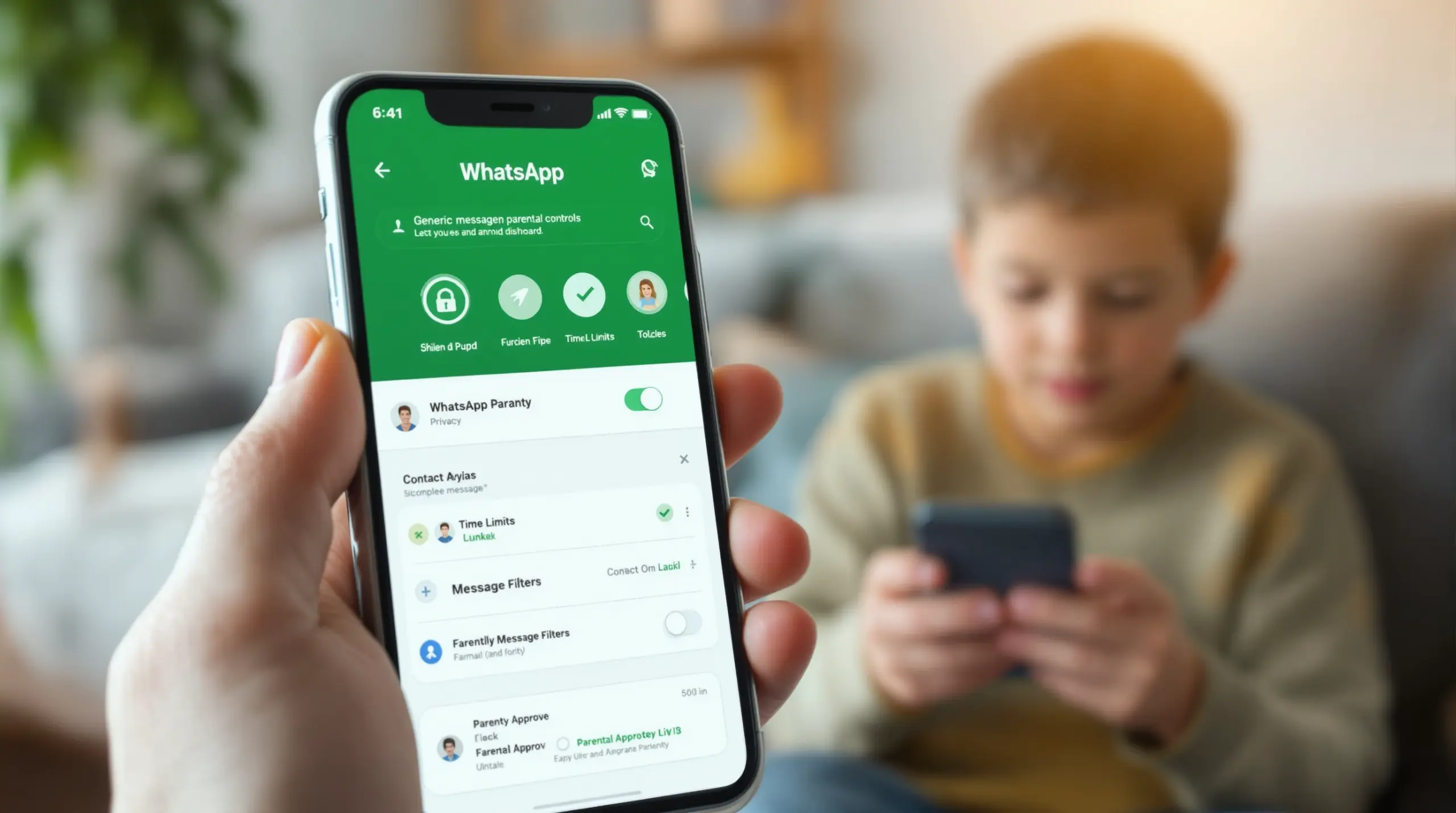
WhatsApp parental controls let parents manage messaging safety, privacy settings, and contact access for children under 13 – here’s everything you need to know to protect your child on WhatsApp in 2026.
Table of Contents
- What Are WhatsApp Parental Controls?
- WhatsApp’s Built-In Parent-Managed Accounts
- The Limitations of WhatsApp’s Native Controls
- How Boomerang Strengthens WhatsApp Safety
- Your Most Common Questions
- Comparison: Control Approaches for WhatsApp
- How Boomerang Parental Control Can Help
- Practical Tips for Safer WhatsApp Use
- The Bottom Line
- Sources & Citations
Article Snapshot
WhatsApp parental controls are tools and settings that allow parents to manage, monitor, and restrict how children use WhatsApp. WhatsApp’s parent-managed accounts (available for under-13s) give parents PIN-protected control over privacy, contacts, and activity alerts – but these built-in options have real limits beyond messaging and calling.
WhatsApp Parental Controls in Context
- Parent-managed accounts are available for children under 13 years old in the U.S. (WhatsApp Help Center, 2026)[1]
- WhatsApp’s parent controls cover 3 types of oversight: message requests, privacy settings, and activity alerts (WhatsApp Help Center, 2026)[2]
- Setting up a parent-managed account requires 2 devices side by side – the child’s device and the parent’s device (WhatsApp Blog, 2026)[3]
- WhatsApp’s teen safety guidance covers 4 recommended action areas: privacy, sharing, safety tools, and addressing bullying (WhatsApp Help Center, 2026)[4]
What Are WhatsApp Parental Controls?
WhatsApp parental controls are the combination of in-app settings, account management features, and third-party tools that parents use to make WhatsApp safer for children and teenagers. For many families in the U.S. and Canada, WhatsApp is one of the first messaging platforms their child asks to use – and the question of how much access to allow, and how to supervise it, comes up fast. Boomerang Parental Control is one solution helping families answer that question with real, enforceable tools on Android devices.
WhatsApp is end-to-end encrypted, which is a privacy strength, but it also means messages aren’t scanned for harmful content the way some other platforms attempt to do. That places more responsibility directly on parents to understand what controls are available and how to use them effectively. The platform does offer some native parental oversight features, but understanding what those features actually cover – and where they stop – is the first step toward a complete safety plan.
START YOUR FREE TRIAL
Take control of screen time—free for 14 days, cancel anytime.




For families with children under 13, WhatsApp introduced parent-managed accounts in 2026, giving caregivers a structured way to set up WhatsApp for pre-teens with PIN-protected restrictions. For teenagers aged 13 and older, the controls shift toward guidance and conversation rather than hard technical locks, which is where dedicated device management tools become especially valuable.
WhatsApp’s Built-In Parent-Managed Accounts
WhatsApp’s parent-managed accounts represent the platform’s most significant step toward structured child safety, and they give parents direct control over several key settings from a linked parent device.
The feature targets children who haven’t yet reached the minimum age requirement for a standard WhatsApp account. As WhatsApp’s Help Center states: “Parent-managed accounts are available to users under 13 years old (or under the minimum age required in their country or region to use WhatsApp) and must be managed by a parent or guardian.” (Meta WhatsApp Team, 2026)[1] This sets a clear eligibility boundary, though the exact age threshold varies by country.
When you set up a parent-managed account, both the child’s device and your device need to be present during the linking process (WhatsApp Blog, 2026)[3]. Once linked, parents gain access to PIN-protected controls. The Meta WhatsApp Team describes the scope directly: “Parental controls on parent-managed accounts allow parents and guardians to manage message requests, privacy settings, and activity alerts with PIN-protected controls.” (Meta WhatsApp Team, 2026)[2]
In practical terms, the parent-managed setup restricts the child’s WhatsApp experience to its two core functions – messaging and calling – while giving parents control over who can contact the account and which groups the child can join (WhatsApp Blog, 2026)[3]. The PIN protection is meaningful: it means your child cannot change those settings without your involvement. WhatsApp confirmed this directly: “Only parents can access and change privacy settings, ensuring they are enabled to tailor their family’s experience.” (Meta WhatsApp Team, 2026)[3]
What the Controls Actually Cover
Within the parent-managed account framework, there are three categories of parental oversight available (WhatsApp Help Center, 2026)[2]. Message request controls let parents decide whether their child can receive contact from people outside their saved contacts. Privacy settings let parents lock down profile visibility, status sharing, and last-seen information. Activity alerts notify parents of certain account activity so they can stay informed without reading every message.
Parents can also decide who can contact the account and which groups the child may join (WhatsApp Blog, 2026)[3]. These are meaningful guardrails for a pre-teen’s first messaging experience. The Meta WhatsApp Team summarized the intent clearly: “With input from families and experts, we’re rolling out new parent-managed accounts that allow parents or guardians to set up WhatsApp for pre-teens, with new controls to limit their WhatsApp experience to messaging and calling.” (Meta WhatsApp Team, 2026)[3]
You can learn more about these controls directly on WhatsApp’s parent-managed accounts help page.
The Limitations of WhatsApp’s Native Controls
WhatsApp’s built-in parental controls cover important ground, but they leave several critical safety gaps that parents of both pre-teens and teenagers need to understand before deciding this is enough on its own.
The most significant limitation is age scope. Parent-managed accounts only apply to children under 13 – or under the regional minimum age threshold. Once a child turns 13, they can create a standard WhatsApp account with no mandatory parental oversight at the platform level. For parents of teenagers, this means WhatsApp’s native features provide guidance rather than enforceable controls. WhatsApp does offer a teen safety guide covering topics like privacy, sharing, safety tools, and addressing bullying (WhatsApp Help Center, 2026)[4], but following that guidance depends entirely on the teenager choosing to cooperate.
Where WhatsApp Controls Fall Short
Even for under-13 accounts, there are gaps worth noting. WhatsApp’s parent controls operate at the account level – they don’t manage overall device screen time, don’t enforce bedtime lockouts, and can’t prevent a child from simply uninstalling the WhatsApp app and using something else. There is no built-in mechanism that lets a parent set a daily time limit on WhatsApp use specifically, nor can the parent-managed account block access during homework or sleep hours without additional tools.
Content filtering is another area where WhatsApp’s controls are minimal. The platform doesn’t scan message content for inappropriate material in standard use, and parent-managed accounts don’t add that capability. The contact restrictions reduce exposure to unknown senders, but they can’t prevent inappropriate content from being shared within an approved contact list.
For Android users, a dedicated screen time management solution like Boomerang’s screen time features fills these gaps by operating at the device level rather than inside a single app – giving parents enforcement tools that apply across all apps, not just WhatsApp.
How Boomerang Strengthens WhatsApp Safety on Android
WhatsApp parental controls built into the app address messaging-specific risks, but protecting a child using WhatsApp requires device-level oversight that works across every app, session, and hour of the day.
Boomerang Parental Control operates at the Android device level, which means it manages the environment in which WhatsApp runs – not just the app itself. This distinction matters significantly for families who want real enforcement rather than guidance-only controls.
Screen Time and App-Level Limits for WhatsApp
On Android, Boomerang lets parents set a per-app daily time limit directly on WhatsApp. If you want your child to use WhatsApp for no more than 30 minutes a day, you can set that limit and the device will enforce it automatically. When the limit is reached, WhatsApp locks – no negotiation required. You can also use Scheduled Downtime to block WhatsApp during homework hours or at bedtime, ensuring the app becomes inaccessible during those windows without you having to manually check or intervene.
The Encouraged Apps feature lets you designate specific apps as always-allowed while entertainment and messaging apps remain under time restrictions. This gives children access to school tools, safety apps, or health trackers even when their general screen time is finished – a balanced approach that rewards responsibility rather than applying blanket restrictions.
Boomerang’s Uninstall Protection – reinforced by Samsung Knox integration on supported Samsung devices – is particularly relevant in the WhatsApp context. If a teenager wants to bypass WhatsApp parental controls, one of the simplest methods is to delete the monitoring app. Boomerang makes that exceptionally difficult, ensuring your rules stay in place even when your child knows the controls are there. An independent review from TechRadar’s Boomerang Parental Control review highlights this as a standout feature for families dealing with tech-savvy teens.
Call and Text Safety (Android only) lets parents monitor SMS activity and receive alerts when inappropriate keywords appear in messages. While WhatsApp messages are encrypted and outside the scope of SMS monitoring, this feature covers traditional text channels that children use alongside WhatsApp, giving parents a broader picture of communication patterns.
Your Most Common Questions
Can I read my child’s WhatsApp messages with parental controls?
WhatsApp uses end-to-end encryption, which means messages are not accessible to third parties – including parental control apps. WhatsApp’s parent-managed accounts do not give parents the ability to read message content. What the platform does allow is control over who can send message requests to your child’s account, and activity alerts that notify you of certain account-level events. For under-13 accounts, parents can restrict contact access so only approved contacts can reach the child. If your concern is about the broader communication environment on an Android device – including SMS and call logs – Boomerang’s Call and Text Safety feature (Android only) monitors traditional text channels and sends keyword alerts, giving parents visibility outside of WhatsApp’s encrypted walls. The honest answer is that no legitimate tool reads WhatsApp messages due to encryption, but you can control who has access to your child’s account and how much time they spend on the app.
How do I set up a WhatsApp parent-managed account for my child?
Setting up a WhatsApp parent-managed account requires both the child’s device and your own device to be present at the same time (WhatsApp Blog, 2026)[3]. You start the setup process on the child’s device within the WhatsApp app, then link it to your parent account using a QR code or similar pairing method. Once linked, you create a PIN that protects all parental control settings – your child cannot change privacy settings or contact restrictions without that PIN. The parent-managed account option is available for children under 13 in the U.S. After setup, you manage settings from your own device, receiving activity alerts and adjusting who can contact your child’s account and which groups they can join. If your child is 13 or older, WhatsApp’s parent-managed accounts don’t apply, and you’ll need device-level tools like Boomerang Parental Control to maintain meaningful oversight on Android devices.
Do WhatsApp parental controls work on both Android and iPhone?
WhatsApp’s own parent-managed account feature is tied to the WhatsApp platform itself, so it works regardless of whether the child uses an Android device or an iPhone – the controls are account-level, not device-level. However, when it comes to third-party parental control apps that supplement WhatsApp oversight, there is a significant difference between platforms. Boomerang Parental Control offers deep Android integration including per-app time limits on WhatsApp, Uninstall Protection with Samsung Knox support, YouTube App History Monitoring, and Call and Text Safety. On iOS, Boomerang’s feature set is more limited – scheduled screen time is available, but features like per-app limits for specific apps, SMS monitoring, and uninstall protection via Knox are Android-only capabilities. If your child uses an Android device, you have access to a much more comprehensive set of device-level controls to back up WhatsApp’s in-app restrictions. iPhone households will rely more heavily on WhatsApp’s native parent-managed features and Apple’s own Screen Time settings.
What should I do if my teenager refuses to accept WhatsApp parental controls?
Resistance from teenagers is one of the most common challenges parents face, and it’s worth separating the conversation into two parts: the technical side and the relationship side. On the technical side, if your child is on an Android device, Boomerang’s Uninstall Protection and Samsung Knox integration make it extremely difficult to remove the app or bypass controls – even for tech-savvy teens who have already defeated simpler tools like Google Family Link or Apple Screen Time. The controls stay in place without requiring daily enforcement from you. On the relationship side, WhatsApp’s own teen safety resources recommend talking openly about privacy, thinking before sharing, and knowing how to use safety tools (WhatsApp Help Center, 2026)[4]. Framing device rules as household boundaries – enforced neutrally by software rather than by you as the “screen time police” – reduces conflict significantly. Boomerang’s automated scheduling means the app enforces bedtime and study-hour lockouts without you having to step in, keeping you out of the daily negotiation loop while the boundaries remain firm.
Comparison: Approaches to Managing WhatsApp Safety for Children
Different control strategies offer different levels of protection for children using WhatsApp. The table below compares the four main approaches families use, covering key safety dimensions so you can choose the right combination for your household.
| Approach | Age Coverage | Screen Time Limits on WhatsApp | Contact Restrictions | Uninstall Protection | Platform |
|---|---|---|---|---|---|
| WhatsApp Parent-Managed Accounts | Under 13 only (WhatsApp Help Center, 2026)[1] | No native time limits | Yes – PIN-protected (WhatsApp Help Center, 2026)[2] | No | Android & iOS |
| Google Family Link / Apple Screen Time | Any age (varies by platform) | App-level time limits available | No messaging-specific controls | Limited – easily bypassed by teens | Android / iOS (separate) |
| Boomerang Parental Control (Android) | Any child age | Yes – per-app daily limits on WhatsApp | Works alongside WhatsApp controls | Yes – Samsung Knox on supported devices | Android-first; iOS limited |
| Conversation + Guidance Only | Teens (13+) | None – relies on child compliance | None enforced | None | Any |
How Boomerang Parental Control Can Help Your Family
Boomerang Parental Control is designed specifically for parents who want more than a suggestion – they want rules that actually stick on their child’s Android device. When it comes to WhatsApp parental controls, Boomerang provides the device-level enforcement layer that WhatsApp’s own tools don’t cover.
With Boomerang’s screen time features, you can set a specific daily time limit on WhatsApp use on Android, schedule automatic lockouts during homework and bedtime, and designate essential apps as always-allowed so learning tools are never blocked. These automated rules remove you from the role of daily enforcer – the phone handles the limits, not you.
For families with Samsung devices, Boomerang’s Samsung Knox integration provides enterprise-grade uninstall protection that makes it genuinely difficult for a tech-savvy child to remove the app or tamper with settings. This is one of the most requested features from parents who’ve already dealt with a child bypassing simpler controls.
Boomerang also pairs with SPIN Safe Browser, a fully contained safe browsing app that blocks inappropriate websites automatically on any network – no VPN or router setup needed. For families concerned about web content beyond WhatsApp, SPIN provides consistent protection on both Android and iOS devices.
“Hey fellow parents, So far this the best parental control app .. hands down. So far the only app my 11 year old was not able to bypass. Big Shout out to developers for making such a great app.” – Jason H, Google Play review
“This is a great application! I have control back over my child’s phone and applications because she managed to circumvent family link. I have no idea how she did that but she managed to find a way, as did other kids. That was a major frustration for us. But now with Boomerang, I can manage her time, what applications she uses and what sites she visits.” – Joe Eagles, Google Play review
You can explore the full feature set and get started with Boomerang Parental Control today, or visit the Android download page to install directly on your child’s device.
Practical Tips for Safer WhatsApp Use
Managing your child’s WhatsApp experience effectively means combining the platform’s built-in tools with device-level controls and ongoing family conversation. Here are the most practical steps you can take right now.
Set up a parent-managed account immediately for under-13s. If your child is under 13 and using WhatsApp in the U.S., take advantage of the parent-managed account feature. Configure the PIN, restrict message requests to known contacts, and turn on activity alerts. This is the baseline – do it before your child starts using the app freely.
Control WhatsApp screen time at the device level. WhatsApp’s native controls don’t include time limits. On Android, use Boomerang to set a per-app daily limit on WhatsApp and schedule automatic lockouts during bedtime and study hours. This prevents late-night messaging without requiring you to police the phone manually each night.
Use Uninstall Protection on Android. If your child is old enough to know how to uninstall apps, standard controls aren’t enough. Boomerang’s Uninstall Protection – especially with Samsung Knox on supported Samsung devices – ensures the app stays in place regardless of what your child tries. This is an important layer for parents of tech-savvy pre-teens and teenagers.
Talk about the four key safety areas. WhatsApp’s own teen safety guidance covers privacy settings, thinking before sharing, using safety tools, and handling bullying or harassment (WhatsApp Help Center, 2026)[4]. Make these conversation topics – not one-time lectures. Regular check-ins about who your child is talking to on WhatsApp are more effective than any single technical setting.
Review contact lists periodically. Even with message request restrictions in place, contact lists grow. Make it a monthly habit to review who is in your child’s WhatsApp contacts. For under-13 parent-managed accounts, you control who can send message requests – use that control actively, not just at setup.
Layer your protections. No single tool covers everything. WhatsApp’s parent-managed accounts handle contact access. Boomerang handles screen time, uninstall protection, and device-wide scheduling on Android. SPIN Safe Browser handles web content. A layered approach is stronger than relying on any one solution alone. You can find detailed guidance and an active knowledge base at the Boomerang support and contact section.
The Bottom Line
WhatsApp parental controls in 2026 give families more tools than ever before – WhatsApp’s parent-managed accounts provide real PIN-protected restrictions for children under 13, covering contact access, privacy settings, and activity alerts. That’s a meaningful starting point, but it isn’t a complete solution on its own.
For Android households, combining WhatsApp’s native controls with Boomerang Parental Control closes the most important gaps: per-app screen time limits on WhatsApp, automated bedtime lockouts, bypass-resistant uninstall protection, and device-wide oversight that follows your child across every app they use. For teenagers aged 13 and older, where WhatsApp’s own controls step back, Boomerang’s device-level enforcement steps forward.
The goal isn’t to eliminate your child’s ability to connect with friends – it’s to make sure that connection happens within boundaries you’ve set, at times that work for your family, with adults they actually know. If you’re ready to put enforceable, automated controls in place, visit Boomerang Parental Control or reach out at [email protected] to get started.
Sources & Citations
- Parent-Managed Accounts. WhatsApp Help Center.
https://faq.whatsapp.com/875902238256170 - Parental Controls on Parent-Managed Accounts. WhatsApp Help Center.
https://faq.whatsapp.com/894871699629864 - Introducing Parent-Managed Accounts on WhatsApp. WhatsApp Blog.
https://blog.whatsapp.com/introducing-parent-managed-accounts-on-whatsapp - Help Your Teen Stay Safe on WhatsApp. WhatsApp Help Center.
https://faq.whatsapp.com/323781503786199
START YOUR FREE TRIAL
Take control of screen time—free for 14 days, cancel anytime.
