
UNIQUE ADVANTAGE:
Samsung Knox
Boomerang Parental Control is the only parental control app to utilize Samsung’s Knox which is an enterprise mobile security solution pre-installed in most of Samsung’s smartphones, tablets, and wearables. We turn on a few settings by default for child devices which enables Boomerang to control and secure Samsung devices better vs other Android-based devices. We do not apply anything to parent devices used in our “Parent Mode”.
WHAT GETS APPLIED BY DEFAULT
Based on user feedback we’ve selected the following settings to apply by default on Samsung devices. Many other options exist (such as blocking wi-fi or the camera) if you wish to lock down your child’s device further. Visit our our web dashboard to make changes to your child’s Samsung device via the Advanced tab.
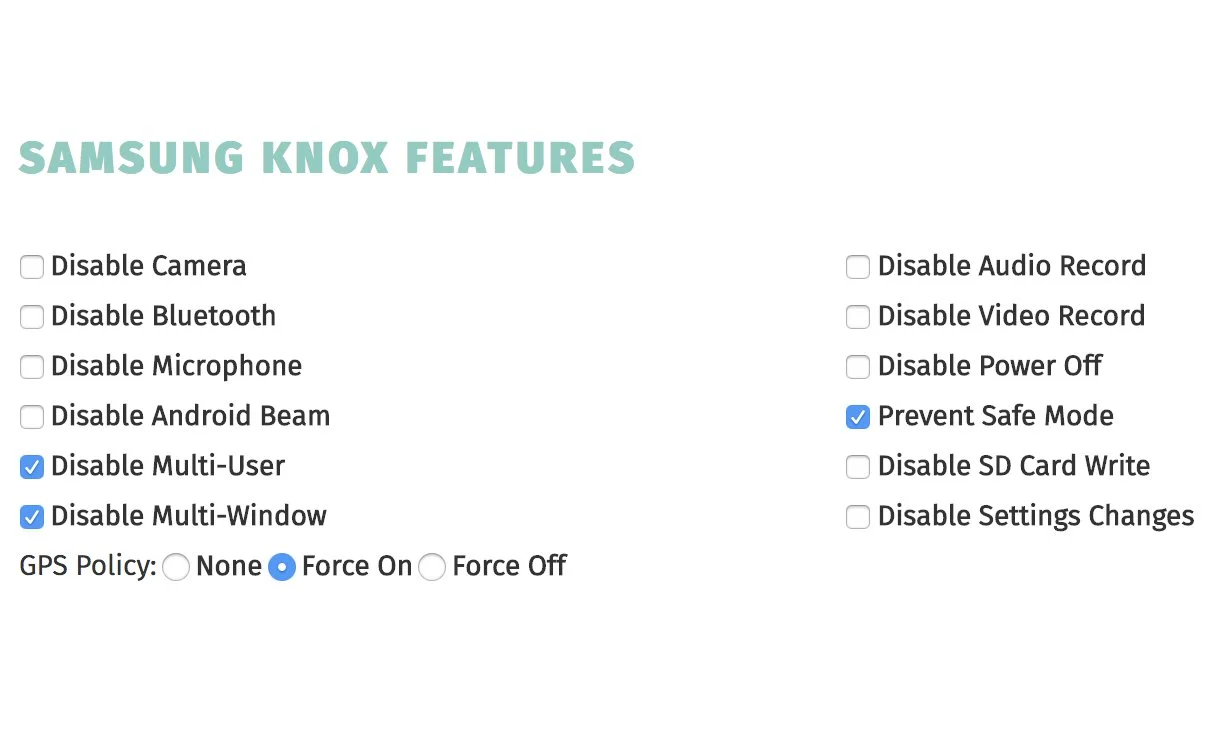
GPS FORCED ON
Locks your child’s current GPS/Location setting so they can’t turn off location services on their Samsung device.
DISABLE MULTI-WINDOW
Blocks multi-window and DeX so second apps in split-screen can’t be used to bypass screen time limits.
PREVENT SAFE MODE
Safe Mode on Android is meant for troubleshooting, but in a parental-control setup it can be used to bypass protection.
DISABLE MULTI-USER
Blocks creating extra user accounts and using Guest Mode so kids can’t switch to an unprotected profile.
SAMSUNG DEVICES WE SUPPORT
We support all current Samsung devices that run Android 9.x or higher.
Here are the main Samsung device families we support. For a full detailed list, please visit Samsung’s Devices Secured by Knox list.
TABLETS
Galaxy A Series
Galaxy S Series
Galaxy Z Series
Tablets
Samsung Tab A
Samsung Tab E
Samsung Tab S
GET THE APP
Unlock every Premium feature free for 14 days.
Get Boomerang Parental Control with Samsung Knox features
and take control of your kids’ devices today!