
31
Jul
2026
Bark vs Canopy: Which Parental Control App Wins
July 31, 2026
bark vs canopy: which parental control app wins is the question every safety-focused parent asks before committing to a subscription – this guide breaks down features, pricing, and real-world fit so you can decide with confidence.
Table of Contents
- Quick Summary
- By the Numbers
- What Are Bark and Canopy, and How Do They Differ?
- How Does Content Filtering Work in Each App?
- Screen Time Controls and Scheduling Compared
- Location Tracking, Geofencing, and Safety Monitoring
- Your Most Common Questions
- Side-by-Side Comparison
- How Boomerang Parental Control Fits Your Family
- How to Choose the Right Parental Control App in 5 Steps
- The Bottom Line
- Sources & Citations
Quick Summary
bark vs canopy: which parental control app wins depends on your parenting philosophy. Bark monitors and alerts parents to risks on social media and messages, while Canopy focuses on real-time AI content blocking. Bark suits teens needing independence; Canopy suits younger children needing active filtering.
By the Numbers
- Canopy starts at $7.99 per month on annual billing, while Bark starts at $8.25 per month on annual billing, as of 2026 (Safety Detectives, 2026).[1]
- Bark supports unlimited devices on its family plans; Canopy supports up to 10 devices, as of 2026 (Safety Detectives, 2026).[1]
- Canopy includes a 30-day money-back guarantee on its plans, as of 2026 (Safety Detectives, 2026).[1]
- SafeWise identified Bark as one of only three parental control apps on its 2026 list to offer both image scanning and geofencing (SafeWise, 2026).[2]
What Are Bark and Canopy, and How Do They Differ?
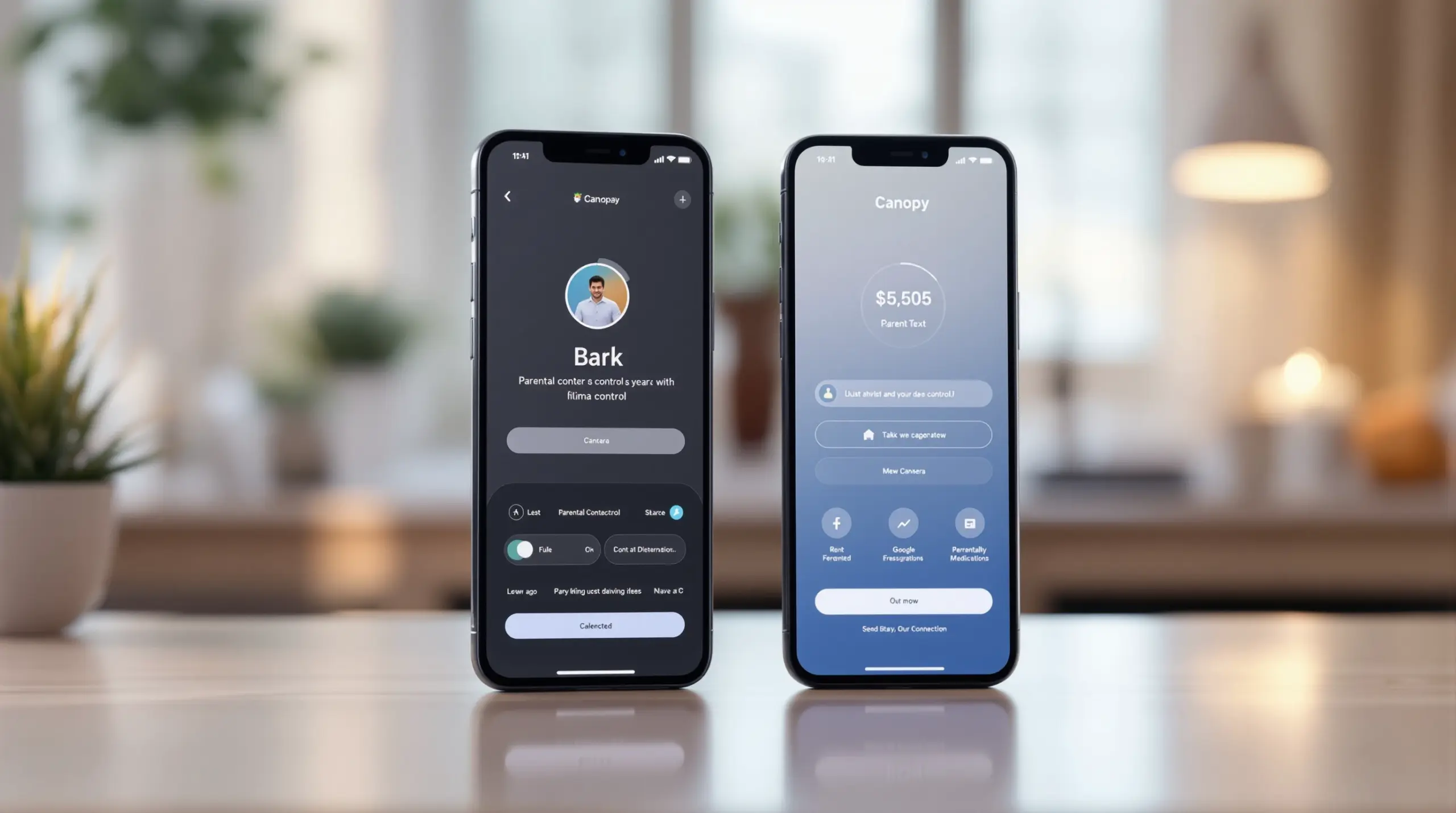
bark vs canopy: which parental control app wins comes down to two genuinely different approaches to keeping children safe online. Bark is an AI-powered monitoring tool that watches your child’s texts, emails, and social media activity for warning signs – things like cyberbullying language, depression signals, or contact from strangers – and then alerts you when something concerning appears. Canopy, on the other hand, is an AI-driven content blocker that scans websites and images in real time and stops inappropriate material before your child ever sees it. Both apps work on Android and iOS, but they are solving different problems for different families.
Bark was founded with the idea that older children and teenagers need a degree of digital privacy to develop trust and independence. Rather than logging every message or blocking every website, Bark reads between the lines of your child’s communications and surfaces only the moments that genuinely need parental attention. This makes it a popular choice among parents of middle schoolers and high schoolers who want oversight without the feeling of constant surveillance.
START YOUR FREE TRIAL
Take control of screen time—free for 14 days, cancel anytime.




Canopy was built around the belief that proactive blocking is more effective than reactive alerting, especially for younger children. “Canopy uses AI to block explicit content online in real time and prevent your child from sending or receiving intimate photos,” according to the Aura editorial team (Aura, 2026).[3] This real-time image scanning is one of Canopy’s standout features and directly addresses a concern that many parents of pre-teens rank as their highest priority.
Boomerang Parental Control offers a third path worth considering – particularly for Android households – combining automated screen time enforcement, app-level controls, and uninstall protection that neither Bark nor Canopy match on Android devices. Understanding where Bark and Canopy each excel helps you make an informed comparison before you commit to any subscription.
How Does Content Filtering Work in Each App?
Content filtering is the area where Bark and Canopy differ most sharply in both method and depth. Canopy operates a continuous real-time scan of every webpage your child visits, checking not just the URL category but the actual images and video content on the page. “Canopy scans every website in real time and automatically blocks inappropriate videos and images in all compatible web browsers,” according to the Canopy editorial team (Canopy, 2026).[4] This approach means Canopy catches harmful content even on otherwise legitimate websites – a meaningful advantage over tools that rely solely on URL category lists.
Bark takes a different stance on web filtering. Web content blocking is available on Bark Premium, and the platform lets parents choose from content categories to restrict. “Bark offers more comprehensive website blocking,” according to the Bark editorial team (Bark, 2026).[5] Bark’s filtering applies across supported browsers and is customized by category, which gives parents flexibility to restrict specific types of content – such as adult material or gambling sites – without locking down the entire web.
Where Bark genuinely outperforms Canopy on content safety is in social media and messaging monitoring. Bark connects to over 30 platforms including Instagram, Snapchat, TikTok, Gmail, and iMessage, scanning the actual text of messages for signs of self-harm, sexual content, bullying, and depression. Canopy does not offer this depth of social media monitoring, making Bark the stronger choice when a parent’s primary concern is who their child is talking to and what those conversations contain.
For parents whose main worry is their child stumbling onto explicit images – whether on a search engine, a social platform, or an unrelated website – Canopy’s real-time visual scanning is the more targeted solution. For parents who want to understand their child’s emotional world through their digital communications, Bark is significantly more capable. Neither app replaces an open conversation between parent and child, but each surfaces different types of risk.
If you’re looking for an alternative that pairs strong web filtering with screen time enforcement on Android, the SPIN Safe Browser works alongside Boomerang Parental Control to block millions of inappropriate websites automatically on any network without VPN configuration.
Screen Time Controls and Scheduling Compared
Screen time management is one of the most practical day-to-day features parents use, and Bark and Canopy handle it with noticeably different levels of flexibility. Bark includes screen time scheduling tools that allow parents to set windows when the internet is accessible and when it is not. The Safety Detectives editorial team noted that “Bark has a more flexible scheduling tool, tracks your child’s location history, and provides better value” (Safety Detectives, 2026).[1] Bark’s scheduling works by blocking internet access during set hours, which is effective for enforcing bedtime and homework routines across all connected apps simultaneously.
Canopy also offers screen time scheduling, allowing parents to set permitted hours for device use. Canopy’s approach extends to its app management features, where parents can pause the internet or restrict access by schedule. Both apps allow parents to manage screen time remotely from a parent dashboard, which is useful for households where both parents share oversight responsibilities.
The key practical difference is that neither Bark nor Canopy offers per-app time limits – the ability to say “30 minutes on this game, unlimited time on this educational app.” Both tools work primarily at the network and internet level rather than the individual app level on most devices. This is a meaningful gap for parents of younger children who want fine-grained control over specific apps rather than blanket internet restriction.
For families with Android devices, Boomerang Parental Control’s screen time features fill this gap directly. Boomerang lets you set per-app daily limits, designate educational apps as “Encouraged” so they never count against the daily allowance, and schedule firm device lockdowns for bedtime and homework – all automatically enforced without daily parental intervention. This level of granularity is something Bark and Canopy both currently lack, and it is the feature that eliminates daily screen time arguments most effectively.
Location Tracking, Geofencing, and Safety Monitoring
Location tracking and geofencing capabilities give parents passive confirmation that their child is where they are supposed to be, and both Bark and Canopy include these features – though with different technical implementations. Bark’s geofencing uses a range of 0.12 miles (200 meters), giving parents a defined radius around a specific location such as school or home, with automatic alerts when the child arrives or leaves (Safety Detectives, 2026).[1] Bark also stores location history so parents can review where a child has been over time, not just where they are right now.
Canopy includes geofencing as well, but its range is non-adjustable (Safety Detectives, 2026),[1] which means parents cannot customize the boundary radius to fit their specific needs – a limitation that matters more in dense urban areas where a fixed perimeter triggers frequent false alerts or misses a child who has wandered slightly beyond the default boundary.
Kelsey V., a parental controls reviewer at SafeWise, noted that “Bark and Qustodio are the only option on our list to offer both image scanning and geofencing” (SafeWise, 2026),[2] which underscores that Bark’s combination of monitoring depth and physical safety tools is relatively rare among parental control apps at this price point.
Beyond location, Bark’s social media monitoring functions as a form of communication safety – detecting warning language in messages that signals cyberbullying, contact from predators, or a child in emotional distress. Canopy’s safety monitoring focuses more on preventing explicit image sharing, including its feature that scans photos before they are sent or received to block intimate images. These two approaches address different dimensions of child safety, and the right choice depends on which risk feels most pressing for your child’s age and situation.
For Android households, Boomerang Parental Control adds a layer of communication safety that neither Bark nor Canopy matches on Android – Call and Text Safety monitors SMS history, sends keyword alerts for inappropriate content in messages, and blocks calls from unknown numbers, all without requiring access to third-party social media accounts.
Your Most Common Questions
Does Bark or Canopy work better for teenagers?
Bark works better for teenagers because its monitoring-first approach respects privacy while still alerting parents to genuine risks in social media and messages. Bark connects to over 30 platforms and scans for warning signs of cyberbullying, self-harm, and predatory contact – the risks most relevant to teens – without reading every message or blocking every website. This makes it less likely to create the resentment that heavy-handed blocking tools trigger in teenagers who push back against perceived surveillance. Canopy’s real-time image blocking is valuable, but its content-blocking model is more suited to younger children who are still in a fully supervised digital environment. For parents of teenagers who have already bypassed simpler tools, neither Bark nor Canopy offers the same level of uninstall protection as Boomerang Parental Control on Android, which uses Samsung Knox integration to prevent removal even by tech-savvy teens.
Is Canopy or Bark better for blocking explicit images and videos?
Canopy is better for blocking explicit images and videos because it scans web content in real time using AI, stopping inappropriate visuals before they load in any compatible browser. Canopy’s visual scanning technology works across websites, not just on flagged URLs, which means it catches explicit material embedded in otherwise ordinary pages – a capability that category-based URL blocking alone cannot match. Canopy also scans photos before they are sent or received, preventing children from sharing or receiving intimate images. Bark does include image scanning as part of its social media monitoring suite, but its primary strength is analyzing text-based communications for risk signals rather than actively blocking visual content at the browser level. If protecting your child from accidental or deliberate exposure to explicit images is your top priority, Canopy’s AI-driven real-time visual filtering is the more targeted solution in 2026.
How much does Bark cost compared to Canopy?
Bark starts at $8.25 per month on annual billing and Canopy starts at $7.99 per month on annual billing, as of 2026, making Canopy marginally less expensive at entry level (Safety Detectives, 2026).[1] On an annual basis, Canopy’s plan is listed at $84.99 per year while Bark Premium’s annual plan is $99 per year, as of 2026 (Canopy, 2026).[4] Canopy also offers a 30-day money-back guarantee, giving families a risk-free trial window. However, the price difference matters less than the device coverage: Bark supports unlimited devices on its family plans, while Canopy supports up to 10 devices (Safety Detectives, 2026).[1] For larger families or households with many devices, Bark’s unlimited device coverage makes it better value despite the slightly higher monthly cost. Canopy’s 10-device cap is sufficient for most families, but check before purchasing if you have many children or shared devices.
Can Bark or Canopy prevent a child from uninstalling the app?
Neither Bark nor Canopy provides strong uninstall protection comparable to dedicated Android parental control tools – both are removed by a determined child with sufficient device access. Bark notifies parents if it detects signs of tampering or if monitoring stops functioning, but this is an alert rather than a prevention mechanism. Canopy includes some anti-tamper features, but tech-savvy teens who have already bypassed Google Family Link or Apple Screen Time find ways around app-level protections on standard device settings. For families where bypass prevention is a top priority – particularly parents of teenagers who have already defeated simpler controls – Boomerang Parental Control’s Uninstall Protection with Samsung Knox integration on supported Android devices represents a meaningfully higher bar. Knox is an enterprise-grade security platform pre-installed on most Samsung phones and tablets, and Boomerang is the only parental control app to use Samsung Knox for this purpose, making the app exceptionally difficult to remove without the parent’s PIN.
Bark vs Canopy: Side-by-Side Comparison
Choosing between Bark and Canopy is easier when their core capabilities are placed directly side by side. The table below compares the features that matter most to parents, using data current as of 2026.
| Feature | Bark | Canopy |
|---|---|---|
| Primary approach | AI monitoring and alerting | AI real-time content blocking |
| Social media monitoring | 30+ platforms including Instagram, Snapchat, TikTok | Limited; not a core feature |
| Real-time image blocking | Image scanning via social monitoring | Real-time visual scan across all browsers |
| Screen time scheduling | Flexible scheduling tools (Safety Detectives, 2026)[1] | Schedule-based internet pausing |
| Per-app time limits | Not available | Not available |
| Geofencing range | 0.12 miles / 200 meters, adjustable (Safety Detectives, 2026)[1] | Non-adjustable range (Safety Detectives, 2026)[1] |
| Device coverage | Unlimited devices (Safety Detectives, 2026)[1] | Up to 10 devices (Safety Detectives, 2026)[1] |
| Starting price (annual) | $8.25/month (Safety Detectives, 2026)[1] | $7.99/month (Safety Detectives, 2026)[1] |
| Money-back guarantee | Not listed | 30 days (Safety Detectives, 2026)[1] |
| Uninstall protection | Alert-based only | Limited anti-tamper features |
| Best suited for | Teenagers, trust-building households | Younger children, image-risk households |
How Boomerang Parental Control Fits Your Family
Boomerang Parental Control addresses the gaps that Bark and Canopy both leave open, particularly for Android households where deeper device-level control is the priority. While the bark vs canopy: which parental control app wins debate centers on monitoring versus blocking, Boomerang adds a third pillar: automated enforcement that sticks, even with a tech-savvy child who has already beaten other tools.
For parents of pre-teens receiving their first Android smartphone, Boomerang’s sideload download for Android brings Call and Text Safety features plus App Removal Protection that app store versions alone don’t include. The App Discovery and Approval feature requires a parent sign-off for every new app install, giving you a gate on day one before risky apps ever reach the home screen. Combined with automated daily time limits and scheduled bedtime lockdowns, Boomerang removes the need for daily screen time arguments – the app becomes the neutral enforcer so you don’t have to be.
For parents of teenagers who have already defeated Google Family Link or Apple Screen Time, Boomerang’s Samsung Knox integration is a genuine differentiator. Knox is an enterprise-grade security layer pre-installed on most Samsung devices, and Boomerang is the only consumer parental control app to use it for uninstall protection – making the app exceptionally difficult to remove without the parent’s PIN.
Our users have shared what this means in practice. “This is a great application! I have control back over my child’s phone and applications because she managed to circumvent family link. I have no idea how she did that but she managed to find a way, as did other kids. That was a major frustration for us. But now with Boomerang, I can manage her time, what applications she uses and what sites she visits.” – Joe Eagles, Google Play review
“Hey fellow parents, So far this the best parental control app .. hands down. So far the only app my 11 year old was not able to bypass. Big Shout out to developers for making such a great app.” – Jason H, Google Play review
Boomerang also includes YouTube App History Monitoring (Android only), real-time location tracking with geofencing, and the SPIN Safe Browser for web filtering that works on any network without VPN configuration. Subscriptions are available on an annual basis for a single device or as a Family Pack covering up to 10 child devices. To learn more or get started, visit Boomerang Parental Control or reach out at [email protected].
How to Choose the Right Parental Control App in 5 Steps
Step 1: Define Your Highest-Priority Risk
Before comparing apps, write down the single biggest concern driving your search – is it explicit image exposure, cyberbullying in messages, screen time arguments, location safety, or bypass prevention? Your answer determines which tool fits. Canopy leads on visual content blocking; Bark leads on social media monitoring; Boomerang leads on automated enforcement and uninstall protection for Android.
Step 2: Match the App to Your Child’s Age and Device
Younger children benefit most from proactive blocking tools like Canopy, which stops inappropriate content before it appears. Teenagers respond better to monitoring-based tools like Bark that respect some privacy. For Android users of any age, Boomerang adds device-level controls – per-app limits, app approval, and Knox-backed uninstall protection – that neither Bark nor Canopy provides.
Step 3: Check Device and Platform Compatibility
Confirm that the app you choose supports your child’s specific device and operating system before purchasing. Bark and Canopy both support Android and iOS. Boomerang Parental Control is Android-first, with its deepest features – YouTube monitoring, Call and Text Safety, per-app limits, and Knox integration – available on Android only. iOS support for Boomerang is available but limited to scheduled screen time, location tracking, and the SPIN Safe Browser.
Step 4: Compare Pricing Against Device Count
Calculate the annual cost against the number of devices you need to cover. Canopy supports up to 10 devices at $84.99 per year; Bark Premium covers unlimited devices at $99 per year as of 2026 (Canopy, 2026).[4] For larger families, Bark’s unlimited device plan offers better per-device value. Canopy’s 30-day money-back guarantee reduces the risk of committing to the wrong tool.
Step 5: Start with the Free Trial and Review the First Week’s Reports
Use the trial or money-back period to test the app with your child’s real device and actual usage patterns. Check whether alerts are actionable or overwhelming, whether the content filtering catches the sites your child visits, and whether the app survives a determined bypass attempt. A parental control tool is only effective if it runs reliably without your child being able to remove it – verify this in the first week before your billing date passes.
The Bottom Line
bark vs canopy: which parental control app wins depends entirely on what your family needs most. Bark is the stronger choice for parents of teenagers who want social media monitoring and communication safety without heavy-handed blocking. Canopy is the stronger choice for parents of younger children who want real-time AI image filtering and proactive content blocking as the first line of defense.
Neither app provides the per-app time limits, automated daily limits, or bypass-proof uninstall protection that Android families often need most – and that is where Boomerang Parental Control steps in as a meaningful alternative or complement. Boomerang’s Samsung Knox integration makes it the only consumer parental control app capable of keeping rules in place even when a tech-savvy teenager is determined to remove them.
If you’re ready to take the next step toward a calmer, safer digital environment for your family, visit Boomerang Parental Control or send us a note at [email protected] – we’re here to help you find the right fit.
Sources & Citations
- Canopy vs. Bark: Which One Is Right For You in 2026? Safety Detectives.
https://www.safetydetectives.com/blog/canopy-vs-bark/ - The Best Parental Control Apps of 2026. SafeWise.
https://www.safewise.com/kids-safety/parental-control-apps/ - Canopy vs Bark: How To Choose Which One Is Best For You. Aura.
https://www.aura.com/learn/canopy-vs-bark - Canopy vs. Bark: Which is the Best Parental Control App? Canopy.
https://canopy.us/canopy-vs-bark/ - Bark vs Canopy: Which Parental Control App Is Better? Bark.
https://www.bark.us/learn/bark-vs-canopy/
START YOUR FREE TRIAL
Take control of screen time—free for 14 days, cancel anytime.
