
30
Jul
2026
Boomerang vs Circle: Which Parental Control Wins?
July 30, 2026
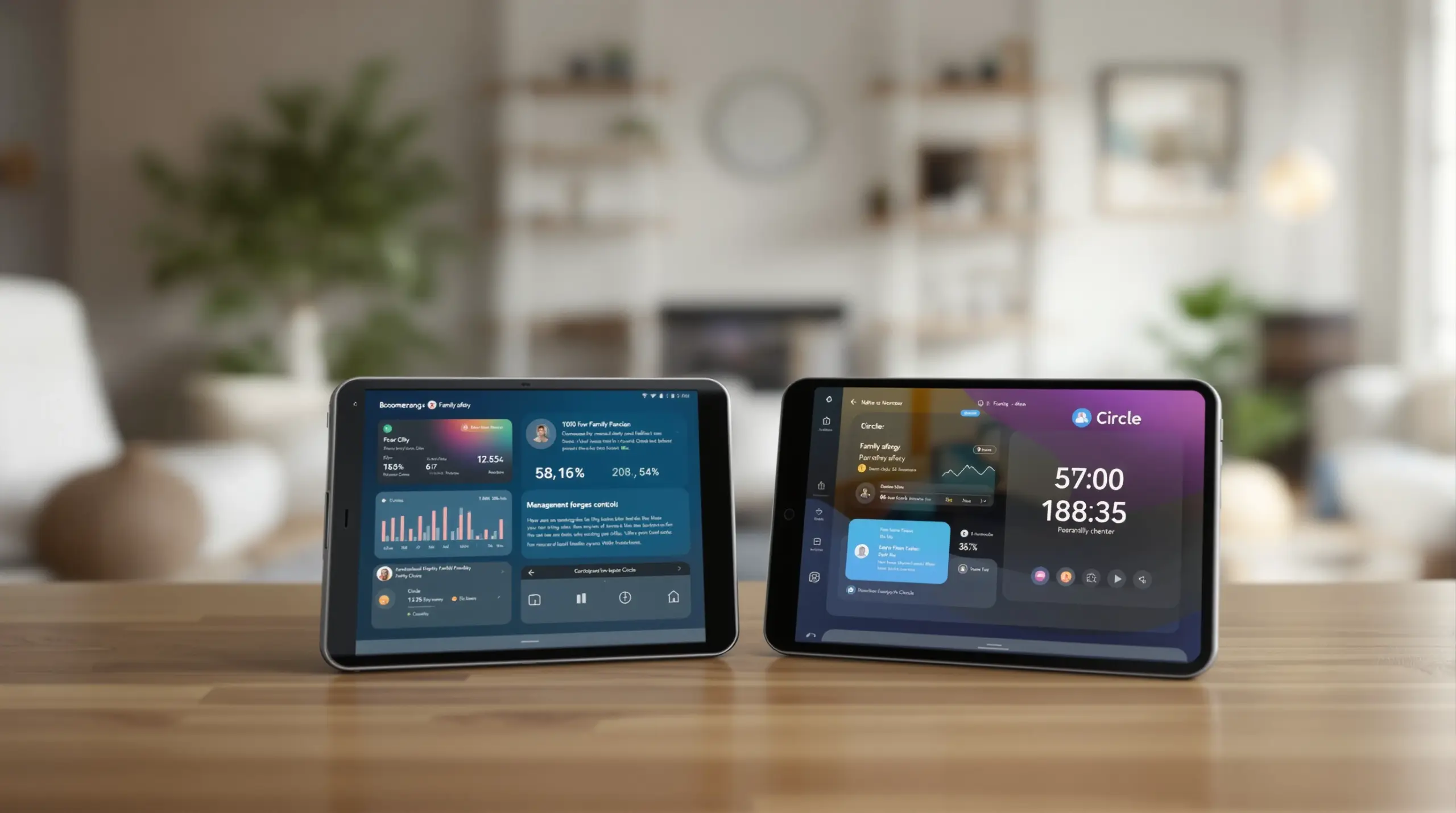
Comparing boomerang vs circle helps parents choose the right parental control app for their family – discover which platform delivers better screen time management, content filtering, and child safety features.
Table of Contents
- What Is Boomerang vs Circle?
- How Does Each App Handle Screen Time Controls?
- Content Filtering and Online Safety: How Do They Compare?
- Why Does Android Support Matter in This Comparison?
- Frequently Asked Questions
- Side-by-Side Comparison
- Boomerang Parental Control
- How to Choose the Right Parental Control in 5 Steps
- The Bottom Line
- Sources & Citations
Key Takeaway
Boomerang vs Circle is a comparison of two parental control platforms: Boomerang is a mobile-first app for Android and iOS devices, while Circle is a router-based solution now part of Aura. Boomerang offers deeper Android integration, including YouTube monitoring and uninstall protection, making it a stronger choice for families managing mobile devices.
What Is Boomerang vs Circle?
Boomerang vs Circle represents two fundamentally different approaches to parental control – one built around your child’s mobile device, the other historically built around your home router. Boomerang Parental Control is a dedicated mobile app designed primarily for Android devices, with limited iOS support, giving parents direct control over what children do on their smartphones and tablets. Circle, now part of Aura, started as a hardware device that filtered internet traffic at the router level but has evolved to include a companion app for on-the-go filtering.
Understanding which platform suits your family starts with recognizing what you actually need to control. If your child uses a smartphone outside the home – at school, a friend’s house, or on mobile data – a router-based approach like Circle’s original design cannot follow them. Boomerang’s app-level controls travel with the device regardless of which network it connects to, making it a more practical solution for families managing mobile screen time in 2025.
START YOUR FREE TRIAL
Take control of screen time—free for 14 days, cancel anytime.




For parents handing their child a first Android smartphone, Boomerang offers a comprehensive set of tools that go well beyond basic time limits. Features like App Discovery and Approval, YouTube App History Monitoring (Android only), and Call and Text Safety (Android only) address the specific risks children encounter on personal mobile devices – risks that a router-centric tool was never designed to handle at the individual app level.
How Does Each App Handle Screen Time Controls?
Screen time management is where Boomerang and Circle diverge most clearly, and Boomerang’s mobile-first architecture gives it a measurable advantage for families focused on smartphone use. Boomerang allows parents to set a total daily screen time allowance, schedule automatic device lock times for bedtime or homework, and apply per-app time limits – all enforced directly on the child’s Android device. These rules stay in place whether the child is connected to home wifi, school wifi, or mobile data.
Circle’s approach to screen time has traditionally relied on filtering internet traffic through a connected router, which means its effectiveness depends on the device being on the home network. While Circle has added app-based controls for mobile use, the depth of per-app scheduling and daily limit customization available on Boomerang for Android is more granular. Parents using Boomerang designate specific apps as Encouraged – educational tools or health apps that remain accessible even after a child’s daily entertainment allowance runs out – a feature that promotes digital balance rather than blanket restriction.
Automated scheduling is one of the most valued features for busy parents. Boomerang’s Scheduled Downtime enforces device-free periods without any daily parental intervention, effectively removing parents from the role of screen time enforcer. “This is a great application! I have control back over my child’s phone and applications because she managed to circumvent family link.” – Joe Eagles, Google Play review. That kind of automated, neutral enforcement reduces household conflict significantly, which parents consistently cite as one of their most pressing challenges with children’s device use.
Boomerang’s screen time features on iOS are more limited – iOS supports scheduled screen time and location tracking, but per-app limits and allocated daily timers are Android-only capabilities. Circle similarly faces platform restrictions on iOS. Neither solution provides the same depth of control on an iPhone as Boomerang delivers on an Android device.
Content Filtering and Online Safety: How Do They Compare?
Content filtering and online safety tools are important evaluation criteria when comparing parental control platforms, and both Boomerang and Circle offer web filtering – but through different mechanisms with different coverage gaps. Boomerang includes SPIN Safe Browser, a purpose-built safe browser that blocks millions of inappropriate websites and enforces SafeSearch on all major search engines automatically, without requiring VPN configuration or router changes. It works on any network the child’s device joins.
Circle’s content filtering has historically been strongest on the home network, where all internet traffic passes through its hardware. Away from home, filtering coverage depends on the Circle app being active on the child’s device, which introduces the same network-dependency challenge as its screen time controls. For families where children spend significant time outside the home, this gap matters.
Boomerang’s App Discovery and Approval feature adds a layer of protection that goes beyond web filtering entirely. Every new app a child attempts to install on their Android device triggers a parent notification and requires explicit approval before the child uses it. This gatekeeping prevents children from accessing risky apps, games with inappropriate content, or social platforms before parents have reviewed them – a proactive shield that router-level filtering cannot replicate.
YouTube is a specific safety concern for parents that many parental control tools handle poorly. Boomerang provides YouTube App History Monitoring on Android devices, giving parents visibility into what their child searches for and watches within the main YouTube application. This feature is Android-only and is not available on iOS child devices. Circle does not offer equivalent in-app YouTube monitoring at this level of detail, making Boomerang a stronger choice for parents who consider YouTube content a priority safety concern.
Why Does Android Support Matter in This Comparison?
Android device support is the defining technical differentiator in the boomerang vs circle comparison, because the depth of control any parental control app achieves depends heavily on the operating system’s openness to third-party tools. Android allows apps like Boomerang to integrate at a system level, enabling features that are not possible on iOS or through a router-based approach.
Boomerang’s Uninstall Protection is a clear example of this Android advantage. On supported Samsung devices, Boomerang Parental Control is the only parental control app to use Samsung’s Knox, an enterprise-grade mobile security solution pre-installed on most Samsung smartphones and tablets. Knox integration makes it exceptionally difficult for children – including tech-savvy teenagers – to remove or bypass the parental control app. Circle does not offer comparable device-level tamper resistance.
Call and Text Safety is another Android-exclusive capability that differentiates Boomerang from router-based alternatives. On Android devices, Boomerang logs call and SMS history, sends keyword alerts when inappropriate content appears in text messages, and blocks calls from numbers not saved in the child’s contacts. This communication monitoring addresses cyberbullying and unknown contact risks that neither Circle nor built-in platform tools like Google Family Link address with the same specificity.
For families already using Android devices, Boomerang’s depth of integration – covering app management, communication safety, location tracking with geofencing, and uninstall protection – represents a more complete mobile safety solution than a platform architecturally designed around network hardware. “Hey fellow parents, So far this the best parental control app .. hands down. So far the only app my 11 year old was not able to bypass.” – Jason H, Google Play review. Independent reviews confirm this assessment, with SafeWise’s Boomerang Parental Control review noting its strong device-level controls.
Your Most Common Questions
Is Boomerang Parental Control better than Circle for Android phones?
Boomerang Parental Control is the stronger choice for Android phones, offering deeper device-level integration – including per-app limits, YouTube monitoring, and uninstall protection – that Circle cannot match. Circle was originally designed as a router-based solution, which means its controls are strongest on the home network. Boomerang travels with the Android device wherever the child goes – on school wifi, mobile data, or any other network – enforcing the same rules consistently. For Android families, Boomerang’s Samsung Knox integration also provides a level of tamper resistance that is genuinely difficult for children to bypass, addressing one of the most common frustrations parents have with lighter parental control tools.
Does Boomerang work on iOS devices the same way it works on Android?
Boomerang does not offer the same depth of features on iOS as it does on Android – iOS support is available but limited to scheduled screen time, location tracking, and notification-only tamper alerts. Features including per-app time limits, allocated daily screen time budgets, YouTube App History Monitoring, Call and Text Safety, and Samsung Knox-backed uninstall protection are Android-only capabilities. This distinction matters when comparing boomerang vs circle for families with iPhones, because neither platform achieves the same level of control on iOS that Boomerang delivers on Android. If your child uses an iPhone, SPIN Safe Browser is still available for iOS and provides content filtering and SafeSearch enforcement across any network without requiring a VPN.
Can children bypass or uninstall Boomerang Parental Control?
Boomerang Parental Control is significantly harder to bypass or uninstall than most competing parental control apps, particularly on Samsung Android devices where Samsung Knox integration is active. Knox is an enterprise-grade mobile security framework pre-installed on most Samsung smartphones and tablets, and Boomerang is the only parental control app that uses it – making removal without the parent’s PIN extremely difficult even for tech-savvy teenagers. On non-Samsung Android devices, Boomerang still includes strong uninstall protection. On iOS, tamper protection is limited to notification-only alerts, meaning parents are informed if a child attempts to remove the app but cannot prevent it at the system level. Parents comparing boomerang vs circle on bypass resistance will find Boomerang’s Android protections significantly more effective.
What does Boomerang offer that Circle does not?
Boomerang offers several features that Circle does not provide, including YouTube App History Monitoring, Call and Text Safety with keyword alerts, per-app time limits with Encouraged Apps, and Samsung Knox-backed uninstall protection – all on Android devices. YouTube App History Monitoring gives parents visibility into what their child searches for and watches inside the main YouTube app, which is a common blind spot for router-based and many competing app-based solutions. Call and Text Safety lets parents monitor SMS history and receive alerts when inappropriate keywords appear in messages – a capability focused on cyberbullying and unknown contact risks. The Encouraged Apps feature allows parents to exempt educational and health apps from daily time limits, promoting digital balance rather than total restriction. These capabilities reflect Boomerang’s mobile-first design philosophy and its focus on the specific risks children face on personal Android devices.
Boomerang vs Circle: Side-by-Side
Choosing between these two parental control platforms depends on how your family uses devices and where children spend their time. The table below compares the key features of each approach across the criteria that matter most to parents of school-age children.
| Feature | Boomerang Parental Control | Circle (Now Part of Aura) |
|---|---|---|
| Screen Time Daily Limits | Yes – per-device and per-app (Android); scheduled time only (iOS) | Yes – router-dependent; app-based away from home |
| Content Filtering | Yes – SPIN Safe Browser, works on any network, no VPN required | Yes – strongest on home network via router |
| YouTube Monitoring | Yes – YouTube App History Monitoring (Android only) | Limited – no in-app YouTube history visibility |
| App Approval Control | Yes – every new install requires parent approval (Android) | Not available at app level |
| Uninstall Protection | Yes – Samsung Knox integration (Android); notification-only (iOS) | No equivalent device-level tamper resistance |
| Call and Text Safety | Yes – SMS logs, keyword alerts, call filtering (Android only) | Not available |
| Location Tracking | Yes – real-time location and geofencing | Yes – location features available |
| Off-Network Coverage | Full – controls follow the device on any network | Partial – router coverage limited to home network |
| Platform Focus | Mobile-first (Android primary, iOS limited) | Router-first with companion mobile app |
Boomerang Parental Control
Boomerang Parental Control has been helping parents manage their children’s Android and iOS devices since 2015, with a clear focus on making mobile device management practical, effective, and conflict-free for everyday families. Boomerang Parental Control – Taking the battle out of screen time for Android and iOS – is built around the reality that children’s devices go everywhere their children go, which means parental controls need to do the same.
For parents comparing boomerang vs circle, Boomerang’s core strength is its depth of Android integration. Boomerang Parental Control’s screen time features include automated daily limits, bedtime scheduling, per-app controls, and the Encouraged Apps designation that lets parents keep educational tools accessible even after entertainment time ends. These are managed from the parent’s device and enforced automatically on the child’s phone – no daily policing required.
Families with Samsung Android devices benefit from an additional layer of protection through Samsung Knox integration. The Boomerang Parental Control Samsung Knox feature uses enterprise-grade mobile security to make the app resistant to removal or bypass – a genuine differentiator from every other consumer parental control on the market. For parents who have already experienced a tech-savvy child defeating Google Family Link or Apple Screen Time, this capability addresses the problem directly.
Boomerang also offers SPIN Safe Browser for content filtering on both Android and iOS, providing automatic inappropriate website blocking and SafeSearch enforcement on any network without VPN setup. Subscriptions are available annually for a single device or as a Family Pack covering up to ten child devices – making Boomerang accessible for households of any size.
“These guys have been great to work with. Support helps when I need it. The app works great in conjunction with Family Link. They’re doing it for a great price in a complex security environment.” – Matt Schiefelbein, Google Play review
To get started, visit the sideload download page for Android devices or download directly from Google Play or the App Store. For questions, reach the support team at [email protected] or through the help portal.
How to Choose the Right Parental Control in 5 Steps
Step 1: Identify Your Child’s Device and Operating System
Start by confirming whether your child uses an Android or iOS device, because this determines which features are actually available to you. Boomerang delivers its full feature set – including per-app limits, YouTube monitoring, Call and Text Safety, and Samsung Knox uninstall protection – exclusively on Android. iOS support is available but limited. If your child uses a Samsung Android device, Boomerang’s Knox integration provides enterprise-grade tamper resistance that no other consumer parental control matches.
Step 2: Define Where Your Child Uses Their Device
Determine whether your child primarily uses their device at home or also takes it to school, friends’ houses, and activities. Router-based solutions like Circle’s original hardware approach filter traffic only on the home network, leaving children unprotected on other wifi connections or mobile data. If your child carries their phone outside the home regularly, choose an app-based solution like Boomerang whose controls travel with the device on any network.
Step 3: List the Specific Risks You Want to Address
Write down the specific concerns driving your search – whether that is screen time conflicts at bedtime, inappropriate YouTube content, unknown contacts texting your child, or a tech-savvy teen who has already bypassed simpler tools. Matching your concern list to platform features prevents you from paying for capabilities you do not need while ensuring the risks that matter most to your family are actually covered by the solution you choose.
Step 4: Test the Setup Process Before Committing
Install the app on both your device and your child’s device before purchasing a full subscription, and verify that the core features you need work correctly in your specific setup. Check that screen time scheduling activates and locks the device at the right time, that content filtering blocks inappropriate sites on your home wifi and on mobile data, and that any notifications you expect – such as new app install alerts – actually reach your parent device reliably.
Step 5: Set Expectations with Your Child Before Activating Controls
Talk with your child about the rules you are putting in place before the parental control app goes live, explaining why boundaries exist and what the expectations are. Children who understand the reasoning behind limits are less likely to invest energy in bypassing them, and a conversation establishes that the tool supports family rules rather than replacing parenting. Boomerang’s automated enforcement removes you from the role of daily screen time enforcer – but the initial conversation about boundaries remains your responsibility as the parent.
The Bottom Line
The boomerang vs circle comparison ultimately comes down to where your child uses their device and how much depth of control you need. Circle’s router-based roots make it a reasonable fit for families primarily concerned about home network filtering, but its coverage gaps away from home are a real limitation for children who carry smartphones to school and activities.
Boomerang Parental Control’s mobile-first approach, Android depth, Samsung Knox integration, YouTube monitoring, and Call and Text Safety features address the specific, daily challenges that parents of smartphone-carrying children actually face. For families with Android devices – particularly Samsung – Boomerang delivers a level of protection and tamper resistance that competing solutions consistently fail to match.
If you are ready to end the daily screen time battles and give your child a safer digital environment, explore Boomerang Parental Control at useboomerang.com or email [email protected] to learn more about the plan that fits your family.
Sources & Citations
- Boomerang Parental Control Review. SafeWise.
https://www.safewise.com/boomerang-parental-control-review - SPIN Safe Browser – Safe web browsing for children. SPIN Safe Browser.
https://spinsafebrowser.com/ - Boomerang Parental Control Samsung Knox Information. Boomerang Parental Control.
https://useboomerang.com/boomerang-parental-control-samsung-knox-information/
START YOUR FREE TRIAL
Take control of screen time—free for 14 days, cancel anytime.
