
22
Apr
2026
Kidslox Review: Is It Worth It for Parents?
April 22, 2026
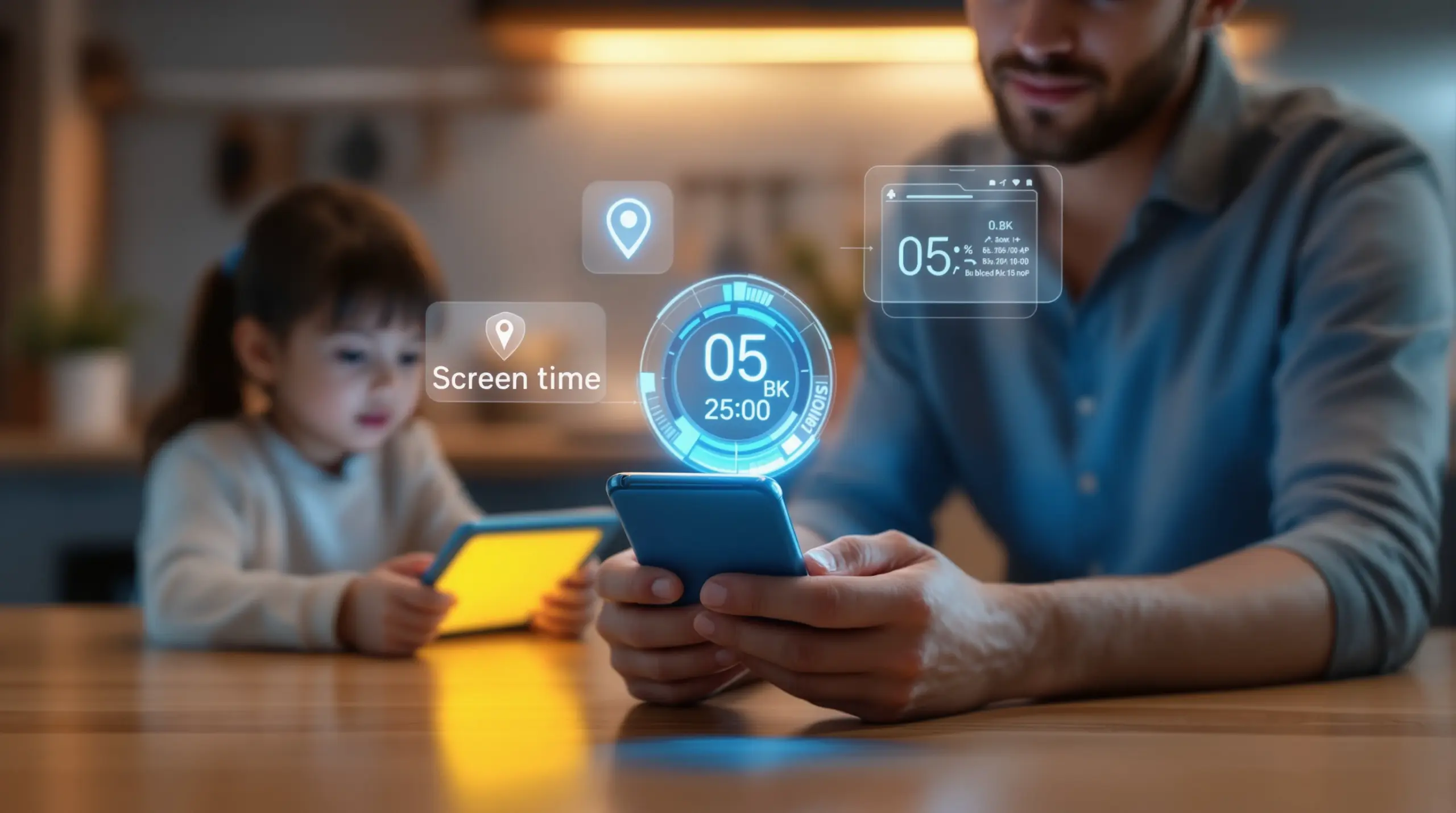
This kidslox review covers screen time controls, location tracking, app blocking, and content filtering to help parents decide if Kidslox is the right parental control app for their family’s Android or iOS devices.
Table of Contents
- What Is Kidslox and How Does It Work?
- Key Features: Screen Time, App Control, and Safety
- Kidslox Limitations Parents Should Know
- Kidslox Pricing and Value for Families
- Frequently Asked Questions
- Kidslox vs. Other Parental Control Apps
- How Boomerang Parental Control Compares
- Practical Tips for Choosing a Parental Control App
- The Bottom Line
- Sources & Citations
Article Snapshot
kidslox review in brief: Kidslox is a cross-platform parental control app offering screen time scheduling, app blocking, content filtering, and location tracking for Android and iOS devices. It supports up to 10 child devices on a premium plan and sets sensible default time limits to help families establish healthy digital habits from day one.
kidslox review in Context
- Kidslox defaults to a 2-hour weekday device limit and a 3-hour weekend limit out of the box (TechRadar, 2026)[1]
- The app supports up to 5 separate screen time schedules per child (TechRadar, 2026)[1]
- Geofencing boundaries are set up to a maximum radius of 1,000 meters (TechRadar, 2026)[1]
- A premium Kidslox subscription covers up to 10 child devices under a single parent account (YouTube Review, 2026)[2]
What Is Kidslox and How Does It Work?
kidslox review searches are almost always driven by a single question: can this app reliably manage my child’s screen time without turning every evening into a battle? Kidslox is a cross-platform parental control application designed for families who have a mix of Android and iOS devices at home. It lets parents set daily screen time limits, block apps, filter web content, and track their child’s location – all from a single parent dashboard on their own phone. For parents exploring their options, Boomerang Parental Control – Taking the battle out of screen time for Android and iOS offers a strong alternative built with a particularly deep feature set for Android households.
Kidslox works by installing a child-side app on the device your child uses and a parent-side app on your own device. Once both are connected via a parent account protected by a 4-digit passcode (WizCase, 2026)[3], you configure rules remotely. The app runs in the background on the child’s device and enforces whatever limits you have set, locking the phone automatically when screen time expires. Setup is straightforward enough that non-technical parents complete it without needing their child’s help – which matters more than it sounds when the goal is keeping your rules from being undermined.
START YOUR FREE TRIAL
Take control of screen time—free for 14 days, cancel anytime.




One practical detail worth sharing for parents handing a child their first smartphone: Kidslox ships with sensible defaults already in place. “By default, Kidslox sets a two-hour device limit on weekdays and a three-hour limit on weekends,” according to a TechRadar Reviewer (TechRadar, 2026)[1]. That means a newly configured device already has guardrails active before you have customized a single setting – a welcome starting point for parents who feel overwhelmed by the setup process.
The app covers both Android and iOS, which is a genuine advantage for households with mixed devices. Parents managing a family with iPhones and Android tablets in simultaneous use control everything from one account without switching between separate apps or platforms. That cross-platform capability is one of Kidslox’s most frequently cited practical benefits in independent parental control software reviews.
Key Features: Screen Time, App Control, and kidslox review Ratings
Kidslox’s feature set covers the core categories that matter most to parents: device time limits, app-level controls, web filtering, and location safety tools. Understanding what each feature does – and what it does not do – is the most useful frame for any honest parental control app comparison.
Screen Time Scheduling and Daily Limits
Kidslox allows parents to create up to 5 separate screen time schedules per child (TechRadar, 2026)[1], which is genuinely useful for families with varied weekly routines. You set one schedule for school nights, another for weekends, and additional ones for holidays or exam periods. When the daily allowance is used up, the device locks automatically. Parents also trigger a full lockdown instantly from the parent app – handy for enforcing homework time or dinner without getting into an argument about whose turn it is to put the phone down.
The scheduling flexibility is one of the features that has drawn positive attention in real-world use. A parent reviewer noted: “We really liked the sound of Kidslox as it enables us to set daily limits and schedules on the boys’ screen time” (Mum in the Madhouse, 2025)[4]. For parents who want automated enforcement rather than manual policing every evening, this scheduling depth is a meaningful advantage over simpler free tools.
App Blocking and Content Filtering
Kidslox lets parents block individual apps or categories of apps on both Android and iOS devices. On Android, the app-level controls tend to be more granular, reflecting the platform’s more open architecture. Web filtering is available through Kidslox’s built-in browser controls, which block categories of inappropriate content including adult material and violent content. Parents also enforce safe search on major search engines, reducing the chance a child stumbles onto something harmful through an innocent-sounding query.
For families who want web filtering that operates independently of the device’s default browser – without requiring VPN configuration or router changes – the SPIN Safe Browser works alongside Boomerang Parental Control and provides pre-configured content filtering on any network, including school wifi and mobile data.
Location Tracking and Geofencing
Location monitoring is consistently highlighted as one of Kidslox’s stronger capabilities. The TechRadar Reviewer (TechRadar, 2026)[1] noted that “Kidslox is very strong when it comes to location features, and its monitoring, reporting and screen time abilities are all impressive.” The live GPS tracking gives parents a real-time view of where their child’s device is at any given moment. A WizCase Tester confirmed this in hands-on testing: “The live location tracking feature works well. Kidslox connects to the phone’s GPS, so I was able to see where my son was 24/7” (WizCase, 2026)[3].
Geofencing lets you draw a virtual boundary around a specific location – such as your child’s school or a friend’s house – and receive an automatic alert when the child arrives or leaves that zone. The maximum geofencing radius Kidslox supports is 1,000 meters (TechRadar, 2026)[1], which is adequate for most school and neighborhood scenarios. This passive check-in system removes the need for parents to call or text their child every time they want to confirm a safe arrival.
Kidslox Limitations Parents Should Know
No parental control app is a complete solution on its own, and an honest kidslox review has to address the gaps alongside the strengths. Understanding where Kidslox falls short helps parents make an informed choice rather than discovering limitations after setup.
No YouTube History Monitoring
One of the most common concerns parents raise is knowing what their child is actually watching on YouTube. Kidslox’s content filtering blocks access to specific websites or applies SafeSearch enforcement, but the app does not provide visibility into what a child searches for or watches inside the main YouTube application. For many parents, this is a significant blind spot. Children who have access to the YouTube app explore a wide range of content without that activity appearing in any parental report.
This is an area where Android-specific parental control apps offer a meaningful advantage. Boomerang Parental Control’s screen time features include YouTube App History Monitoring on Android devices, giving parents a direct view of what their child has been searching for and watching within the YouTube app itself – not just which websites they visited in a browser.
Limited Uninstall Protection
Uninstall protection is a frequent pain point in independent app reviews across the parental control category. Tech-savvy children – particularly teenagers – often discover that removing the parental control app from their device is simpler than their parents realize. Kidslox includes some tamper resistance, but parents of older children who have already defeated Google Family Link or Apple Screen Time find it insufficient.
This limitation is especially relevant on Android, where a determined child with some technical knowledge finds workarounds to disable or remove monitoring apps. For families where bypass prevention is a top priority, Boomerang Parental Control is the only parental control app to use Samsung’s Knox, an enterprise-grade security layer pre-installed on most Samsung smartphones and tablets, making the app exceptionally difficult to remove without the parent’s PIN.
No Call and Text Monitoring
Kidslox does not offer call and SMS monitoring features. For parents concerned about who is contacting their child – particularly the risk of cyberbullying from peers or unwanted contact from unknown adults – this is a notable gap. The app focuses on device usage time and content access rather than communication safety. Families who need visibility into their child’s call and text activity need to look at platforms that include dedicated communication monitoring tools, which are available on Android through some dedicated parental control solutions.
Understanding these limitations in context matters. For younger children on a first device, Kidslox’s core feature set is entirely sufficient. For parents of teenagers who need bypass-proof enforcement and deeper monitoring on Android, the gaps become more significant.
Kidslox Pricing and Value for Families
Kidslox pricing is structured around a freemium model, with a free tier that covers basic controls and a premium subscription that unlocks the full feature set including location tracking, advanced scheduling, and multi-device management. A one-year premium subscription is priced at $39.99 (YouTube Giveaway Review, 2025)[5], which positions it in the mid-range of the parental control software market.
The premium plan supports up to 10 child devices under a single parent account (YouTube Review, 2026)[2], which makes it a reasonably cost-effective option for larger families. Parents managing four or more children’s devices on a single subscription – a scenario that comes up in real user reviews – get solid per-device value at that price point. For families with one or two children, the annual cost is competitive with similar tools in the category.
The free tier gives parents a chance to test the basic interface and setup process before committing, which is genuinely useful. However, the features that most parents cite as their main reasons for choosing a parental control app – location tracking, advanced scheduling, and full app controls – are locked behind the premium tier. Parents should evaluate the premium feature set rather than the free tier when deciding whether Kidslox fits their needs.
Value assessment depends on what a family actually needs. If cross-platform coverage, location tracking, and solid screen time scheduling are the priorities, Kidslox’s annual price represents reasonable value. If deeper Android-specific features – YouTube monitoring, SMS safety, or Knox-level uninstall protection – are important, a platform purpose-built for Android households delivers better return on that investment. For a detailed third-party perspective, TechRadar’s review of Boomerang Parental Control outlines how an Android-first approach changes what’s possible for families with Android devices.
Your Most Common Questions
Does Kidslox work on both Android and iOS devices?
Yes, Kidslox is designed to work on both Android and iOS, which is one of its most frequently cited advantages for mixed-device households. Parents with an iPhone manage their child’s Android tablet and a sibling’s iPad from the same parent dashboard without needing separate apps. The core features – screen time limits, app blocking, content filtering, and location tracking – are available on both platforms. However, as with most parental control apps, Android offers slightly more granular control due to the platform’s more open architecture. Parents who primarily manage Android devices find that an Android-first solution offers deeper integration, including features like YouTube App History Monitoring and per-app time limits that are not available through cross-platform tools. For iOS child devices, the available feature set across most parental control apps is constrained by Apple’s platform restrictions, so the differences between Kidslox and alternatives tend to be smaller on iOS than on Android. If your household is predominantly Android, it’s worth evaluating whether a platform optimized for Android delivers the depth of control your family needs.
Can Kidslox prevent a child from deleting the app?
Kidslox includes some level of tamper resistance, but uninstall protection is not among its strongest features – and this is a common concern raised by parents of tech-savvy children and teenagers. The app does require a parent passcode to make changes, which provides a basic layer of protection. However, determined children – particularly older teens who have experience bypassing Google Family Link or Apple Screen Time – find ways to work around or disable the app on their device. For families where bypass prevention is the primary concern, this limitation is worth weighing carefully. On Android, apps that integrate with Samsung Knox – an enterprise mobile security platform built into most Samsung devices – provide a significantly higher level of tamper resistance. Knox integration allows the parental control app to operate at the device’s security layer rather than just the application layer, making it far more difficult to remove or disable without the parent’s PIN. If you have a Samsung device and uninstall protection is a top priority, exploring Knox-enabled parental control options is a practical step before committing to a subscription.
Is Kidslox suitable for young children getting their first phone?
Kidslox is a reasonable option for parents setting up a first smartphone for a younger child, because the app ships with sensible default settings already active – a two-hour weekday limit and a three-hour weekend limit are in place from the start, which means basic guardrails exist before any customization. The app approval workflow lets parents review and approve new app installs, which is especially valuable in the early weeks when a child is first exploring what their phone can do. Web content filtering provides a layer of protection against inappropriate material encountered through browsing. For younger children, the core feature set covers the most pressing concerns: limiting total screen time, blocking inappropriate content, and giving parents visibility into device usage. The location tracking feature also offers passive safety reassurance without requiring constant check-in calls. Where Kidslox shows its limits for younger children is in YouTube monitoring – parents who want to know what their child is watching inside the YouTube app will not get that visibility from Kidslox. Families handing a child their first Android device should evaluate whether that gap matters for their specific situation before choosing a platform.
How does Kidslox compare to free built-in tools like Google Family Link?
Google Family Link is a solid free starting point, but it has well-documented limitations that lead many parents to search for alternatives – which is why kidslox review searches are so common among parents who have already tried Family Link. Kidslox offers more scheduling flexibility, including up to five separate schedules per child, and its location tracking features are considered more reliable and detailed than Family Link’s implementation. Cross-platform support is another differentiator: Family Link is Android-centric, while Kidslox covers both Android and iOS under one account. That said, both tools share a similar limitation when it comes to bypass resistance – tech-savvy children have found ways around both. Paid parental control apps also offer features that free tools do not include: dedicated customer support, more granular app controls, and in some cases communication monitoring. The decision between a free tool and a paid option comes down to how old the child is, how technically capable they are, and how much visibility the parent needs. Free tools work well for younger children on supervised devices; families with older children or stronger security needs benefit from a dedicated paid solution.
Kidslox vs. Other Parental Control Apps
Choosing the right parental control app means understanding how different platforms handle the features that matter most to your family. The table below compares Kidslox against key alternatives across the criteria parents most frequently evaluate in a parental control app comparison.
| Feature | Kidslox | Google Family Link (Free) | Boomerang Parental Control | Bark |
|---|---|---|---|---|
| Platform Coverage | Android & iOS | Android (limited iOS) | Android-first, iOS limited | Android & iOS |
| Screen Time Scheduling | Up to 5 schedules (TechRadar, 2026)[1] | Basic schedules | Daily limits + scheduled downtime | Limited direct control |
| App-Level Controls | Yes (Android more granular) | Basic app approval | Per-app limits (Android only) | Monitoring only |
| YouTube App Monitoring | No | No | Yes (Android only) | Yes |
| Location Tracking | Yes, GPS real-time | Yes, basic | Yes, real-time + geofencing | Yes |
| Geofencing Max Radius | 1,000 meters (TechRadar, 2026)[1] | Not available | Configurable zones | Not available |
| Call & SMS Monitoring | No | No | Yes (Android only) | Yes |
| Uninstall Protection | Basic | Basic | Strong; Samsung Knox on supported devices | Basic |
| Multi-Device Support | Up to 10 devices (premium) (YouTube Review, 2026)[2] | Up to family group | Family Pack (up to 10 devices) | Unlimited children |
| Annual Pricing (approx.) | $39.99 (YouTube Giveaway Review, 2025)[5] | Free | Competitive annual pricing | Higher annual cost |
How Boomerang Parental Control Compares
For families whose children use Android devices, Boomerang Parental Control delivers a depth of feature integration that cross-platform tools like Kidslox are not designed to match. Boomerang was built from the ground up with an Android-first philosophy, and that focus shows in the features that matter most to parents of pre-teens and younger teenagers.
Where Kidslox provides solid screen time scheduling and location tracking, Boomerang goes further on Android with YouTube App History Monitoring – giving parents a direct view of what their child searches for and watches inside the YouTube app itself, not just which websites they visited. Call and Text Safety (Android only) lets parents monitor call and SMS history, receive keyword alerts for concerning messages, and optionally block calls from unknown numbers. These are the kinds of features that address the hidden risks parents worry about most: cyberbullying, inappropriate contact from strangers, and content consumption that a standard content filter cannot see.
Boomerang’s Uninstall Protection, reinforced by Samsung Knox integration on supported Samsung devices, sets a high bar for bypass resistance. “Hey fellow parents, So far this the best parental control app .. hands down. So far the only app my 11 year old was not able to bypass. Big Shout out to developers for making such a great app.” – Jason H, Google Play review. That kind of real-world feedback reflects what Knox integration actually delivers in a family setting.
“I have control back over my child’s phone and applications because she managed to circumvent family link. I have no idea how she did that but she managed to find a way, as did other kids. That was a major frustration for us. But now with Boomerang, I can manage her time, what applications she uses and what sites she visits.” – Joe Eagles, Google Play review.
The SPIN Safe Browser integrates directly with Boomerang and blocks inappropriate content on any network – home wifi, school networks, or mobile data – without requiring VPN setup or router configuration. You also sideload the Boomerang app on Android devices to access the full feature set including Call and Text Safety and enhanced Uninstall Protection on non-Samsung devices. Families ready to explore what an Android-focused parental control solution offers can learn more and get started at Boomerang Parental Control. For an independent assessment, SafeWise’s Boomerang Parental Control review provides a thorough third-party perspective on the platform’s strengths.
Practical Tips for Choosing a Parental Control App
Reading a kidslox review or any parental control app evaluation is most useful when you know which questions to ask before you start. Here are the practical considerations that should drive your decision:
Match the app to your child’s platform. If your child uses an Android device, prioritize apps built with Android in mind. Cross-platform tools make trade-offs that result in shallower controls on Android than a dedicated Android solution. If your household is iOS-only, platform-native tools like Apple Screen Time cover your needs without a subscription.
Test bypass resistance before you commit. Uninstall protection varies dramatically between apps. Before choosing a digital parenting tool, check whether the app uses device-level security features – such as Samsung Knox on Samsung devices – or relies purely on app-layer restrictions that a determined teenager works around. Many apps offer a free trial period; use it to see how hard it actually is to disable the app from the child’s device.
Think about what visibility you actually need. Screen time limits and app blocking address usage quantity. But many parents also need visibility into content quality – what their child is watching on YouTube, which new apps they are trying to install, or who is texting them. List your specific concerns before evaluating any app, and check whether those concerns are covered before subscribing.
Factor in your child’s age and technical confidence. A younger child on a first device needs a different setup than a teenager who has already bypassed two previous apps. Younger children benefit most from app approval workflows and content filtering. Older, tech-savvy teens need strong bypass protection and communication monitoring – features that narrow the field considerably.
Look for automation over manual enforcement. The best parental control apps remove you from the daily role of screen time enforcer. Scheduled downtime, automatic daily limits, and geofencing alerts work without you having to intervene. If an app requires you to manually lock the device every evening, it adds friction rather than reduces it. Choose a tool that enforces your rules automatically so family life stays calmer.
Check multi-device pricing. If you have more than one child, the per-device economics change significantly. A plan that covers up to 10 child devices at a flat annual rate is a much better value than a per-device subscription once you factor in two, three, or four children. Always calculate the real annual cost for your full household before comparing prices.
The Bottom Line
kidslox review searches reflect a genuine parenting need: finding a reliable, practical tool that manages screen time, filters content, and keeps children safer online without creating new sources of daily conflict. Kidslox does a solid job on screen time scheduling, cross-platform coverage, and location tracking – and it sets sensible default limits that give parents a running start from day one.
Where it shows limits is in the areas that matter most to Android households: no YouTube app monitoring, limited SMS and call safety features, and bypass resistance that does not hold up against a determined teenager. For families with Android devices – especially Samsung smartphones and tablets – an Android-first solution addresses those gaps more completely.
Boomerang Parental Control was built for the challenges Android families face, combining automated screen time enforcement with YouTube history monitoring, Call and Text Safety, and Knox-backed uninstall protection that holds up even against tech-savvy kids. If you want to see what that looks like in practice, visit useboomerang.com or reach out directly at [email protected] to learn more about the right plan for your family.
Sources & Citations
- Kidslox parental control software review – TechRadar.
https://www.techradar.com/reviews/kidslox-parental-control-software - Kidslox App Review – Is It Worth It? – YouTube.
https://www.youtube.com/watch?v=0dVFuBC3uzE - Kidslox Review 2026: Before You Buy, Is It Worth It? – WizCase.
https://www.wizcase.com/parental-control/kidslox/ - Kidslox Parental Control App | Initial Thoughts and Review – Mum in the Madhouse.
https://www.muminthemadhouse.com/kidslox-parental-control-app-initial-thoughts/ - Kidslox App Review Giveaway – YouTube.
https://www.youtube.com/watch?v=993rer3_Zx4
START YOUR FREE TRIAL
Take control of screen time—free for 14 days, cancel anytime.
